

- Posts: 366
- Thank you received: 26
Edit popup after add to cart
12 years 8 months ago #149196
by Thrane
Edit popup after add to cart was created by Thrane
-- url of the page with the problem -- : mermaid.thrane.nu/en/checkout
-- HikaShop version -- : 2.3.0
-- Joomla version -- : 3.2.1
-- PHP version -- : 5.4
-- Browser(s) name and version -- : Firefox
-- Error-message(debug-mod must be tuned on) -- :
Hi
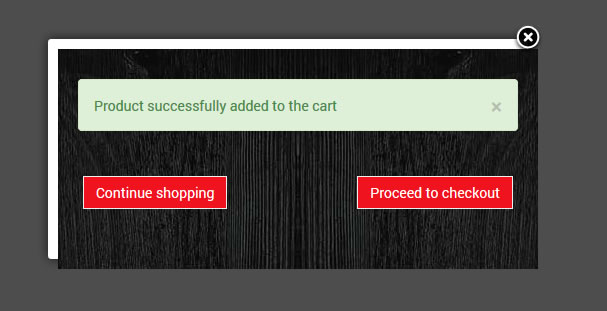
Where do I edit the looks of the popup I get after adding an item to the cart?
-- HikaShop version -- : 2.3.0
-- Joomla version -- : 3.2.1
-- PHP version -- : 5.4
-- Browser(s) name and version -- : Firefox
-- Error-message(debug-mod must be tuned on) -- :
Hi
Where do I edit the looks of the popup I get after adding an item to the cart?
Please Log in or Create an account to join the conversation.

12 years 8 months ago #149235
by nicolas
Replied by nicolas on topic Edit popup after add to cart
Hi,
You can edit its content in the file "notice" of the view "checkout" via the menu Display>Views.
Please note that the background is actually set by your template in the component.php file of the template or in a CSS file loaded by that php file.
You can edit its content in the file "notice" of the view "checkout" via the menu Display>Views.
Please note that the background is actually set by your template in the component.php file of the template or in a CSS file loaded by that php file.
The following user(s) said Thank You: Thrane
Please Log in or Create an account to join the conversation.
12 years 8 months ago #149288
by Thrane
Replied by Thrane on topic Edit popup after add to cart
Great... Thanks!
Please Log in or Create an account to join the conversation.
Time to create page: 0.062 seconds