

- Posts: 139
- Thank you received: 1
Adding to cart issues
12 years 7 months ago #150872
by abasel
Adding to cart issues was created by abasel
Visitors will usually purchase more than one item from my site. Each time they add an item to their cart they seem to go to the "continue shopping"/"Finish" page. Is there a way that they can either stay on the product page or get redirected back to the product page? When they are ready to check out they can then click on the "proceed to checkout" link.
Please Log in or Create an account to join the conversation.

12 years 7 months ago #150906
by Xavier
Replied by Xavier on topic Adding to cart issues
Hi,
You can set a different value for the option "After a product is added to the cart" in Configuration > Main > Cart
The following user(s) said Thank You: abasel
Please Log in or Create an account to join the conversation.
12 years 7 months ago #151140
by abasel
Replied by abasel on topic Adding to cart issues
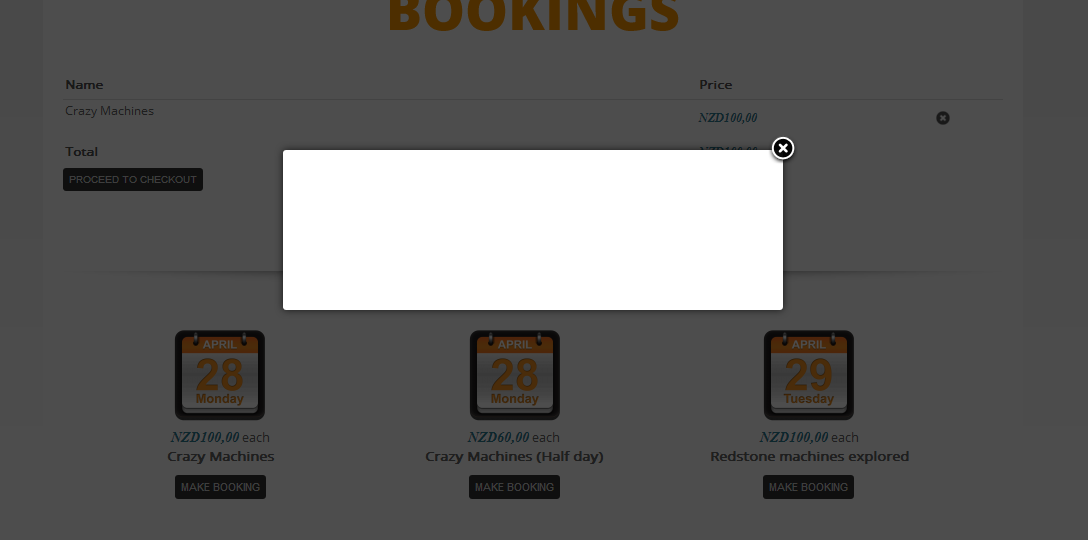
Thanks for that. When I choose the display pop-up option the pop-up appears to be blank. Any ideas how to fix this?
Please Log in or Create an account to join the conversation.

Less
More
- Posts: 12953
- Thank you received: 1778
12 years 7 months ago #151181
by Mohamed Thelji
Replied by Mohamed Thelji on topic Adding to cart issues
Hello,
Can you give us a link to the page where you are having that issue so that we can directly test it ?
Thank you.
Please Log in or Create an account to join the conversation.
12 years 7 months ago #151263
by abasel
Replied by abasel on topic Adding to cart issues
Hi, I have sent details via a PM.
Please Log in or Create an account to join the conversation.
12 years 7 months ago #151312
by Xavier
Replied by Xavier on topic Adding to cart issues
Hi,
You have probably to change the option for Popup mode in Configuration > Display.
Please Log in or Create an account to join the conversation.
12 years 7 months ago #151495
by abasel
Replied by abasel on topic Adding to cart issues
For popup I have tried
But nothing works, I always get a blank popup
- inherit
- [mootools/li]
- [bootstrap/li]
But nothing works, I always get a blank popup
Please Log in or Create an account to join the conversation.
Less
More
- Posts: 12953
- Thank you received: 1778
12 years 7 months ago #151523
by Mohamed Thelji
Replied by Mohamed Thelji on topic Adding to cart issues
Hello,
Did you done some modification through the "notice" file of the "checkout" view through "Hikashop->Display->Views" ?
Please Log in or Create an account to join the conversation.
Time to create page: 0.065 seconds