
- Posts: 128
- Thank you received: 0
Personalize Checkout.
- sergiobertini
-
 Topic Author
- Offline
Less
More
12 years 5 months ago #154397
by sergiobertini
Personalize Checkout. was created by sergiobertini
Hi!
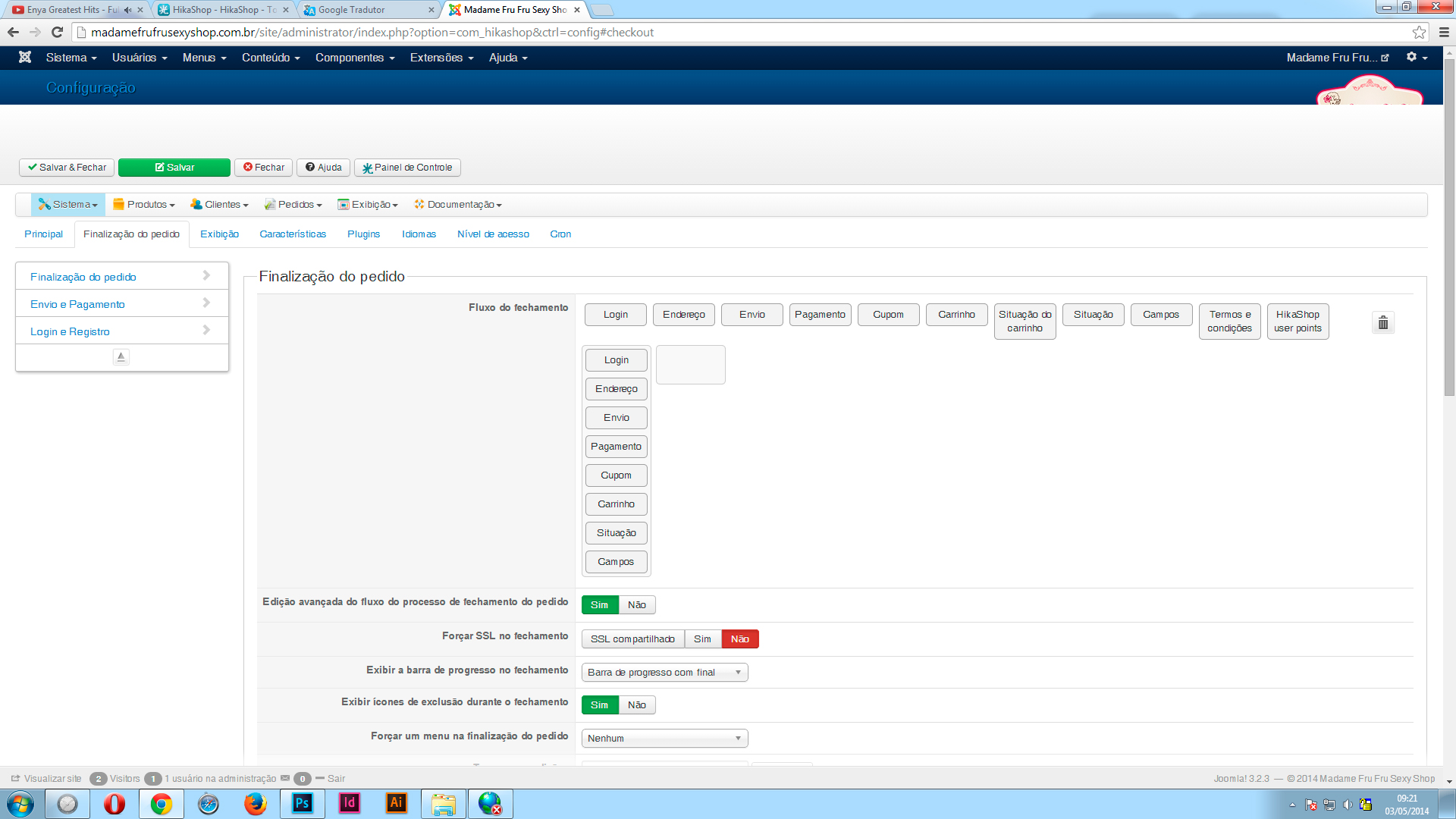
I am looking to customize my hikashop checkout. I know that we can select configurations in the walkthrough to checkout.
However, I want to customize the lay out of it. Its doing?
Which file should I edit?
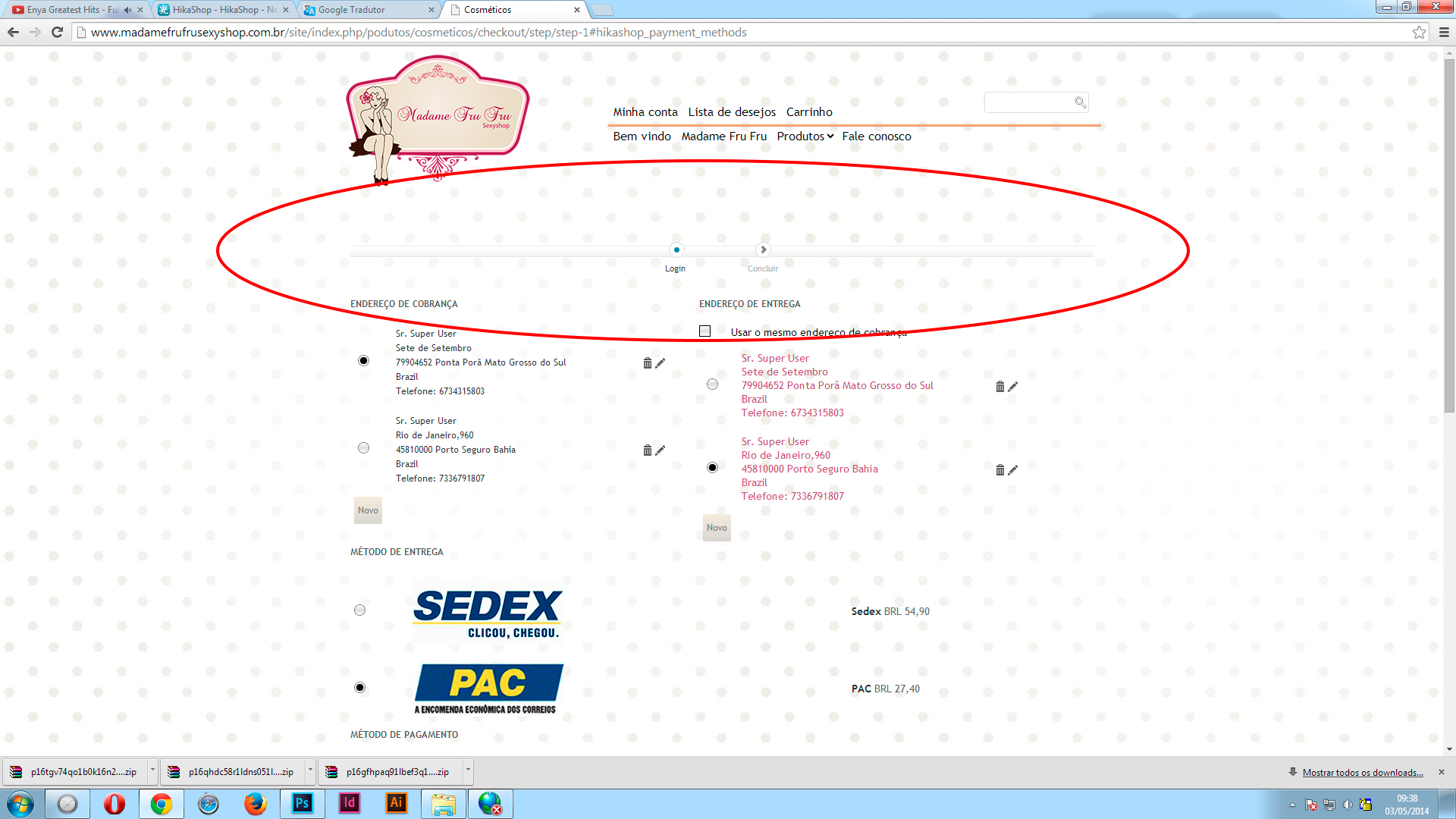
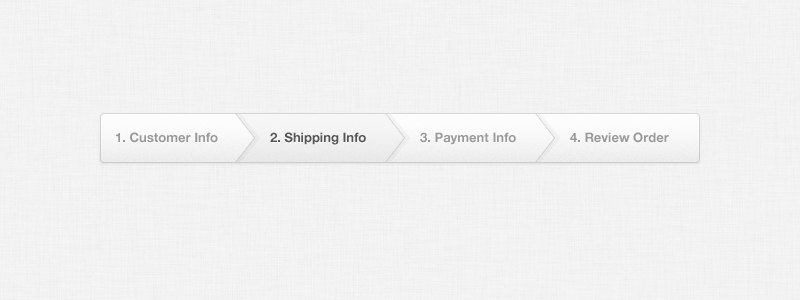
I would like the progress bar to be like this:
Can anyone help me?
I am looking to customize my hikashop checkout. I know that we can select configurations in the walkthrough to checkout.
However, I want to customize the lay out of it. Its doing?
Which file should I edit?
I would like the progress bar to be like this:
Can anyone help me?
Please Log in or Create an account to join the conversation.

12 years 5 months ago #154412
by nicolas
Replied by nicolas on topic Personalize Checkout.
Hi,
The style of the progress bar in non bootstrap mode is defined by the CSS code below :
You can find it in the frontend CSS file of HikaShop that you can edit via the Display tab of the configuration.
The style of the progress bar in non bootstrap mode is defined by the CSS code below :
Code:
.hikashop_cart_bar{
background: url(../images/line.png) repeat-x scroll 100% 50% transparent;
padding-bottom:0;
padding-top:43px;
margin-bottom:30px;
}
#hikashop_checkout_page div.hikashop_cart_bar{
text-align:center;
}
#hikashop_checkout_page .hikashop_cart_step.hikashop_cart_step_current {
-moz-background-inline-policy:continuous;
background: url("../images/current_step.png") no-repeat scroll 50% 0px transparent;
color:#363636;
}
#hikashop_checkout_page .hikashop_cart_step.hikashop_cart_step_finished {
-moz-background-inline-policy:continuous;
background: url("../images/finished_step.png") no-repeat scroll 50% 0px transparent;
color:#363636;
}
#hikashop_checkout_page div.hikashop_cart_step span {
position:relative;
left:4%;
width:auto;
font-size:11px;
}
#hikashop_checkout_page div.hikashop_cart_step span a {
color:#B2B2B2;
font-size:11px;
text-decoration:none;
}
#hikashop_checkout_page .hikashop_cart_step.hikashop_cart_step_finished span a {
color:#363636;
}
.hikashop_cart_step {
-moz-background-inline-policy:continuous;
background: url("../images/step.png") no-repeat scroll 50% 0px transparent;
display:inline;
padding-top:25px;
padding-right:8%;
white-space:nowrap;
}
Please Log in or Create an account to join the conversation.
- sergiobertini
-
Topic Author
- Offline
Less
More
- Posts: 128
- Thank you received: 0
12 years 5 months ago #154594
by sergiobertini
Replied by sergiobertini on topic Personalize Checkout.
OK
But do not think you understood my question.
When we completed an application it redirects to the checkout page, correct!
On the checkout page, has all steps on the same page (login, address, method of delivery, Payment, coupon, cart, order status ...).
Only it is the correct one step per page.
However, all the steps are the same page.
Can you help me?
But do not think you understood my question.
When we completed an application it redirects to the checkout page, correct!
On the checkout page, has all steps on the same page (login, address, method of delivery, Payment, coupon, cart, order status ...).
Only it is the correct one step per page.
However, all the steps are the same page.
Can you help me?
Please Log in or Create an account to join the conversation.
12 years 5 months ago #154616
by nicolas
Replied by nicolas on topic Personalize Checkout.
Hi,
If you want to have the views in different steps, then you need to modify the "Checkout workflow" option of the Checkout tab of the configuration. Just drag'n'drop each view to a new step there.
If you want to have the views in different steps, then you need to modify the "Checkout workflow" option of the Checkout tab of the configuration. Just drag'n'drop each view to a new step there.
Please Log in or Create an account to join the conversation.
- sergiobertini
-
Topic Author
- Offline
Less
More
- Posts: 128
- Thank you received: 0
12 years 5 months ago #154695
by sergiobertini
Replied by sergiobertini on topic Personalize Checkout.
Solved!
Thank you very much!
Thank you very much!
Please Log in or Create an account to join the conversation.
Time to create page: 0.190 seconds