

- Posts: 11
- Thank you received: 0
Ordering without registration
12 years 3 months ago #161089
by Ozi
Ordering without registration was created by Ozi
-- HikaShop version -- : 2.3.1 Starter
-- Joomla version -- : 3.2
-- PHP version -- : 5.5
-- Browser(s) name and version -- : Google Chrome
Hi, I made my own little shop in hikashop and all is good, after some css modification.
But I want to allow my customers to buy something without registration.
Attachment: 1,2 PA
3 - Checkout - now all is good
4 - Checkout - I don't see address form
When I press Finish I see: 5 - so "Please choose address or add new"
But where is place to input address?
-- Joomla version -- : 3.2
-- PHP version -- : 5.5
-- Browser(s) name and version -- : Google Chrome
Hi, I made my own little shop in hikashop and all is good, after some css modification.
But I want to allow my customers to buy something without registration.
Attachment: 1,2 PA
3 - Checkout - now all is good
4 - Checkout - I don't see address form
When I press Finish I see: 5 - so "Please choose address or add new"
But where is place to input address?
Please Log in or Create an account to join the conversation.
12 years 3 months ago - 12 years 3 months ago #161143
by Ozi
Replied by Ozi on topic Ordering without registration
Ok I "fixed" that by using:
Address>Payment+Shipment+Basket>Status
When someone want to go to checkout than he have pop up.
And it's working good on Google Chrome but on Opera customer don't see it...
Whos know how to repair that?
Address>Payment+Shipment+Basket>Status
When someone want to go to checkout than he have pop up.
And it's working good on Google Chrome but on Opera customer don't see it...
Whos know how to repair that?
Last edit: 12 years 3 months ago by Ozi.
Please Log in or Create an account to join the conversation.

12 years 3 months ago #161093
by Xavier
Replied by Xavier on topic Ordering without registration
Hi,
Could you give u the screenshots in english please ?
I am not able to understand the steps, etc in the current language
In the checkout you need to have the login and address steps presents. The guest checkout option is only available in the commercial versions of HikaShop.
Could you give u the screenshots in english please ?
I am not able to understand the steps, etc in the current language
In the checkout you need to have the login and address steps presents. The guest checkout option is only available in the commercial versions of HikaShop.
Please Log in or Create an account to join the conversation.
12 years 3 months ago - 12 years 3 months ago #161185
by Ozi
Replied by Ozi on topic Ordering without registration
Address>Payment+Shipment+Basket>Status
And on Google Chrome all is working:
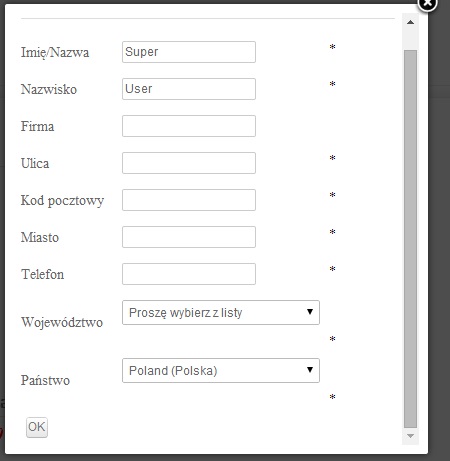
But I don't see this form on Opera, so maybe whos will check it on his starter shop and write me is it bug on my page or in hikashop.
And on Google Chrome all is working:
But I don't see this form on Opera, so maybe whos will check it on his starter shop and write me is it bug on my page or in hikashop.
Last edit: 12 years 3 months ago by Ozi.
Please Log in or Create an account to join the conversation.
12 years 3 months ago #161186
by Ozi
Replied by Ozi on topic Ordering without registration
Address>Payment+Shipment+Basket>Status
And on Google Chrome all is working:
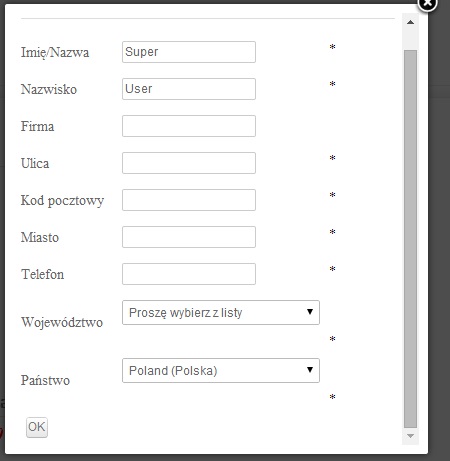
But I don't see this form on Opera
And on Google Chrome all is working:
But I don't see this form on Opera
Please Log in or Create an account to join the conversation.

12 years 3 months ago #161254
by nicolas
Replied by nicolas on topic Ordering without registration
Please provide a link to the shop so that we can directly look at that with opera.
Please Log in or Create an account to join the conversation.
12 years 3 months ago #161292
by Ozi
Replied by Ozi on topic Ordering without registration
Ok, I will send link tomorrow (we're opening shop tomorrow), and I hope that someone will help me.
So thank for concern and please check the link tomorrow.
So thank for concern and please check the link tomorrow.
Please Log in or Create an account to join the conversation.
12 years 3 months ago - 12 years 3 months ago #161437
by Ozi
Replied by Ozi on topic Ordering without registration
Nevermind guys, but thanks for replies. It stoped working even on google chrome.
I turned on registration and it's working in 90%.
But maybe you will write me, which file i should modify:
I am loging in, im selecting payment method(bank transfer), i'm selecting shipment method and after that I see informations with bank account (and i see them in hikashop configuration) but where I can modify file with template of this ?
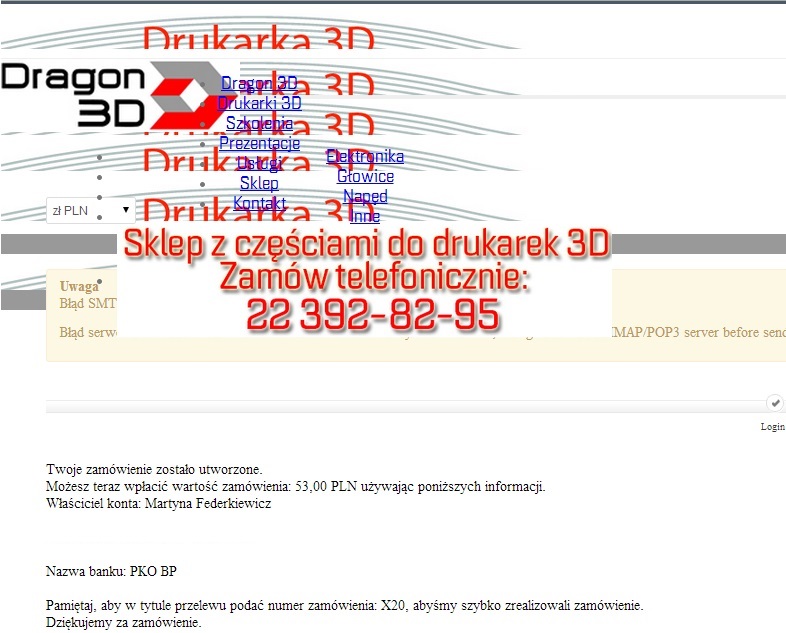
I turned on registration and it's working in 90%.
But maybe you will write me, which file i should modify:
I am loging in, im selecting payment method(bank transfer), i'm selecting shipment method and after that I see informations with bank account (and i see them in hikashop configuration) but where I can modify file with template of this ?
Last edit: 12 years 3 months ago by Ozi.
Please Log in or Create an account to join the conversation.
12 years 3 months ago #161471
by nicolas
Replied by nicolas on topic Ordering without registration
It's the file plugins/hikashoppayment/banktransfer/banktransfer_end.php
Please Log in or Create an account to join the conversation.
12 years 3 months ago #161582
by Ozi
Replied by Ozi on topic Ordering without registration
Thanks, it's that file, but it's not file which I need ;/
In this file I don't have any code about thing which are highter than "Twoje zamówienie zostało utworzone"
1. So in which file I can find header?
2. How I can add to price some text, for example I need write:
10$ / 1lb
10$ / 1ft
10$ / kit
It's all what I need and I will give you peace
In this file I don't have any code about thing which are highter than "Twoje zamówienie zostało utworzone"
1. So in which file I can find header?
2. How I can add to price some text, for example I need write:
10$ / 1lb
10$ / 1ft
10$ / kit
It's all what I need and I will give you peace
Please Log in or Create an account to join the conversation.
12 years 3 months ago #161624
by nicolas
Replied by nicolas on topic Ordering without registration
Hi,
1. The header of the page on your screenshot comes from your template. It's the same header for all the pages of the website and is generated by the index.php file of the template (folder templates/YOUR_TEMPLATE/).
If the header is screwed only on that page on not on other pages, it means that there is some HTML broken on the page which prevents the browser to display the page properly. Unfortunately, without looking at the HTML/CSS of the page, I can't say much more.
2. So from what I understand, you want to change the "each" text next to the product price based on the product.
In that case, I would recommend to follow the section "I sell packed products, how can I change "each" text in the product page ?" of our FAQ on that page:
www.hikashop.com/support/support/documentation/106-faq.html
1. The header of the page on your screenshot comes from your template. It's the same header for all the pages of the website and is generated by the index.php file of the template (folder templates/YOUR_TEMPLATE/).
If the header is screwed only on that page on not on other pages, it means that there is some HTML broken on the page which prevents the browser to display the page properly. Unfortunately, without looking at the HTML/CSS of the page, I can't say much more.
2. So from what I understand, you want to change the "each" text next to the product price based on the product.
In that case, I would recommend to follow the section "I sell packed products, how can I change "each" text in the product page ?" of our FAQ on that page:
www.hikashop.com/support/support/documentation/106-faq.html
Please Log in or Create an account to join the conversation.
12 years 3 months ago #161814
by Ozi
Replied by Ozi on topic Ordering without registration
Ok so I will try modify code from file which you wrote.
What about FAQ, (I know some html,php)
But default on category list we've got:
Image
Price: 30$
Image
Price: 20$
I modify it to show
Image
Price: 30$
Short description
but I need write necessarily IN LINE with price word /1lb or /1ft or /kit according by name of type of product
What about FAQ, (I know some html,php)
But default on category list we've got:
Image
Price: 30$
Image
Price: 20$
I modify it to show
Image
Price: 30$
Short description
but I need write necessarily IN LINE with price word /1lb or /1ft or /kit according by name of type of product
Please Log in or Create an account to join the conversation.
12 years 3 months ago #161901
by Ozi
Replied by Ozi on topic Ordering without registration
Ok I resolved that by:
But give me last advice or fix
I find that when I will select producer it isn't shown.
Which variable is responsible for producer?
Code:
<?php
}
if($this->params->get('show_price','-1')=='-1'){
$config =& hikashop_config();
$this->params->set('show_price',$config->get('show_price'));
}
if($this->params->get('show_price')){
$this->setLayout('listing_price');
echo $this->loadTemplate();
if($this->row->product_name=="Drukarka 3D")
{
echo "cena za sztuke";
}
}
?>
But give me last advice or fix
I find that when I will select producer it isn't shown.
Which variable is responsible for producer?
Please Log in or Create an account to join the conversation.

Less
More
- Posts: 12953
- Thank you received: 1778
12 years 3 months ago #161955
by Mohamed Thelji
Replied by Mohamed Thelji on topic Ordering without registration
Hello,
Can you tell me exactly what do you mean by "producer" through so screenshots for example ?
Can you tell me exactly what do you mean by "producer" through so screenshots for example ?
Please Log in or Create an account to join the conversation.
12 years 3 months ago #162012
by Ozi
Replied by Ozi on topic Ordering without registration
Hikashop>Products>New product
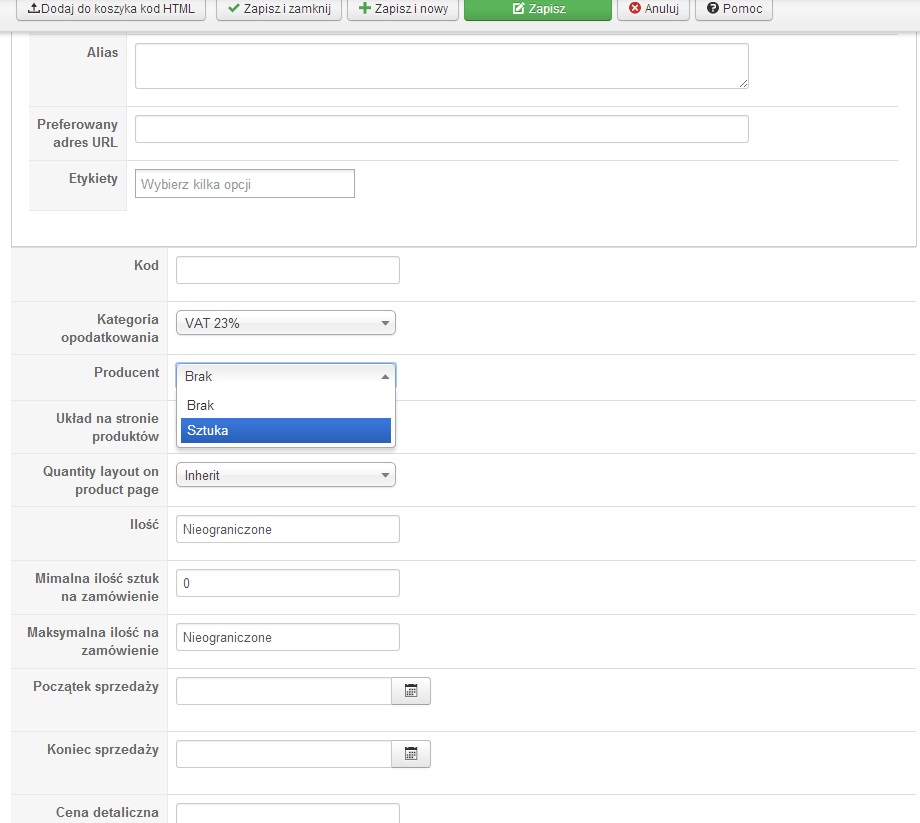
Producer: Sztuka
Which string is responsible for show Producer of product? Because it isn't writen nowhere
Producer: Sztuka
Which string is responsible for show Producer of product? Because it isn't writen nowhere
Please Log in or Create an account to join the conversation.
12 years 3 months ago #162076
by Xavier
Replied by Xavier on topic Ordering without registration
Hi,
To display the producer in the product listing, you have to edit the desired view, generally "product / listing_img_title" and use this kind of code:
To display the producer in the product listing, you have to edit the desired view, generally "product / listing_img_title" and use this kind of code:
Code:
$catClass = hikashop_get('class.category');
$brand = $catClass->get($this->row->product_manufacturer_id);
if(!is_null($brand))
echo $brand->category_name;
Please Log in or Create an account to join the conversation.
12 years 3 months ago #162101
by Ozi
Replied by Ozi on topic Ordering without registration
Ok thank you
Please Log in or Create an account to join the conversation.
Time to create page: 0.374 seconds