

- Posts: 6
- Thank you received: 0
How to show Single Address
12 years 5 months ago - 12 years 5 months ago #162196
by asphika
How to show Single Address was created by asphika
www.idolkits.com
Apache : 2.2.26
MySQL : 5.5.37-35.1
PHP : 5.4.29
Joomla : 3.3.1
HikaShop Essential : 2.3.1
Hello,
I modified some code to show only Billing Address Left Part ( Hide the Shipping Address Right Part )
and override the text of Billing Address to show as Shipping Address.
and
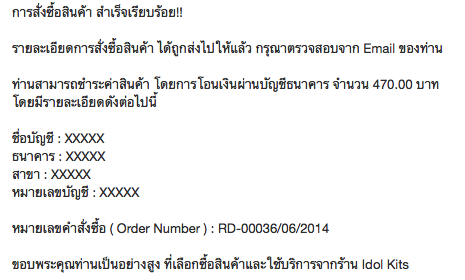
Edit the mail templates in the folder media/com_hikashop/mail for hiding shipping Address ( comment out )
order_admin_notification.html.php
order_creation_notification.html.php
order_notification.html.php
order_status_notification.html.php
payment_notification.html.php
and tricky translate
HIKASHOP_BILLING_ADDRESS="Shipping Address"
The result of displaying only Left Side Address is OK.
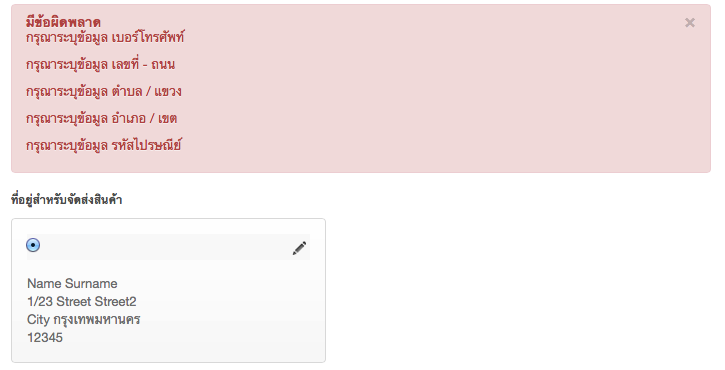
But I still get an error,
that I think the code still check the fields of Shipping Address that has not been filled by user.
The details of Checkout process as following,
1.) Guest picked some products to the cart
2.) Check out
3.) Register and Confirm Link
4.) click on the Link from email and redirected to fill Address in the website
5.) after fill address, click "OK" Mark, and Radio Check
6.) click "Finish" Button at the bottom of screen
7.) The error appeared that you need to fill the address fields <<<<< Please see this step
8.) click "Finish" Button again
9.) Finished, the order has been created
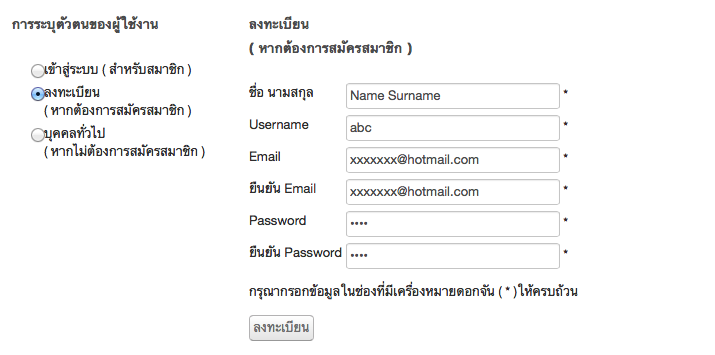
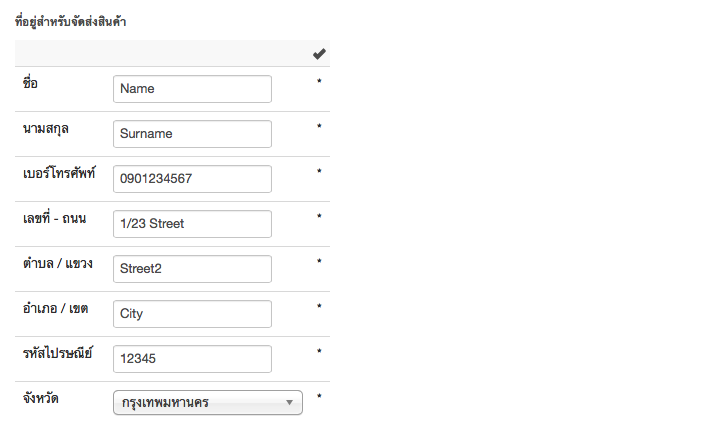
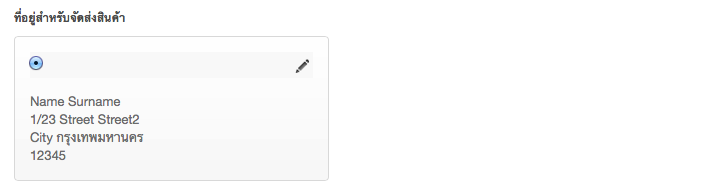
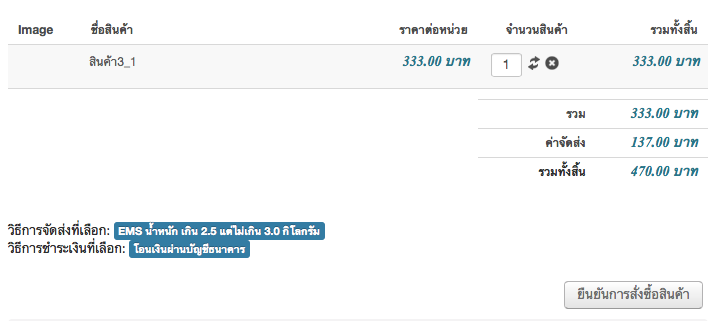
Could you please suggest me.
Thank you
asphika
Apache : 2.2.26
MySQL : 5.5.37-35.1
PHP : 5.4.29
Joomla : 3.3.1
HikaShop Essential : 2.3.1
Hello,
I modified some code to show only Billing Address Left Part ( Hide the Shipping Address Right Part )
and override the text of Billing Address to show as Shipping Address.
Code:
#hikashop_checkout_address_right_part{
display: none;
}
and
Edit the mail templates in the folder media/com_hikashop/mail for hiding shipping Address ( comment out )
order_admin_notification.html.php
order_creation_notification.html.php
order_notification.html.php
order_status_notification.html.php
payment_notification.html.php
and tricky translate
HIKASHOP_BILLING_ADDRESS="Shipping Address"
The result of displaying only Left Side Address is OK.
But I still get an error,
that I think the code still check the fields of Shipping Address that has not been filled by user.
The details of Checkout process as following,
1.) Guest picked some products to the cart
2.) Check out
3.) Register and Confirm Link
4.) click on the Link from email and redirected to fill Address in the website
5.) after fill address, click "OK" Mark, and Radio Check
6.) click "Finish" Button at the bottom of screen
7.) The error appeared that you need to fill the address fields <<<<< Please see this step
8.) click "Finish" Button again
9.) Finished, the order has been created
Could you please suggest me.
Thank you
asphika
Last edit: 12 years 5 months ago by asphika.
Please Log in or Create an account to join the conversation.

12 years 5 months ago #162211
by nicolas
Replied by nicolas on topic How to show Single Address
Hi,
The issue comes from the fact that you hide the fields in CSS instead of completely removing the fields from the HTML.
So when the checkout is submitted, the system see the fields empty and thus display theses errors.
To avoid that, edit the file "address" of the view "checkout" via the menu Display>Views and remove the code:
That should completely remove the shipping address zone's HTML and thus avoid the errors.
The issue comes from the fact that you hide the fields in CSS instead of completely removing the fields from the HTML.
So when the checkout is submitted, the system see the fields empty and thus display theses errors.
To avoid that, edit the file "address" of the view "checkout" via the menu Display>Views and remove the code:
Code:
$this->type = 'shipping';
echo $this->loadTemplate('select');
The following user(s) said Thank You: asphika
Please Log in or Create an account to join the conversation.
12 years 5 months ago #162244
by asphika
Replied by asphika on topic How to show Single Address
Hello Nicolas
There are 2 places that I have commented it out in the View / checkout / address
and
The result is the error messages disappeared,
But I have to click "Finish" Button Twice to be able to place an order.
( refer to procedures in my first posted message )
I have tested after modified that code 2 times before post this message to make sure.
Is there any related code to be modified?
Thank you very much
asphika
There are 2 places that I have commented it out in the View / checkout / address
Code:
else if(!empty($address_selector)) {
/*
$this->type = 'shipping';
echo $this->loadTemplate('select');
*/
}
and
Code:
<?php
/*
$this->type = 'shipping';
echo $this->loadTemplate('view');
*/
?>
The result is the error messages disappeared,
But I have to click "Finish" Button Twice to be able to place an order.
( refer to procedures in my first posted message )
I have tested after modified that code 2 times before post this message to make sure.
Is there any related code to be modified?
Thank you very much
asphika
Please Log in or Create an account to join the conversation.
12 years 4 months ago #162246
by nicolas
Replied by nicolas on topic How to show Single Address
Hi,
That's normal that you have to click twice the way you configured your checkout.
Once to validate the address form and a second time to validate the order.
If you want to avoid that, I would recommend to turn on the option "Ask address on registration" of the configuration.
That way, the address would actually be entered with the registration form and you would just have to click once on the finish button to validate the order.
Please Log in or Create an account to join the conversation.
Time to create page: 0.056 seconds