

- Posts: 27
- Thank you received: 0
Hikashop not able to edit address when logged in
12 years 2 months ago #173522
by rouben618
Hikashop not able to edit address when logged in was created by rouben618
-- url of the page with the problem -- :
nature2u.co.nz/index.php/2014-06-23-08-03-40/address
-- HikaShop version -- : 2.2.3
-- Joomla version -- : 3.2.2
-- PHP version -- : 5.3.28
-- Browser(s) name and version -- : Mozilla/5.0
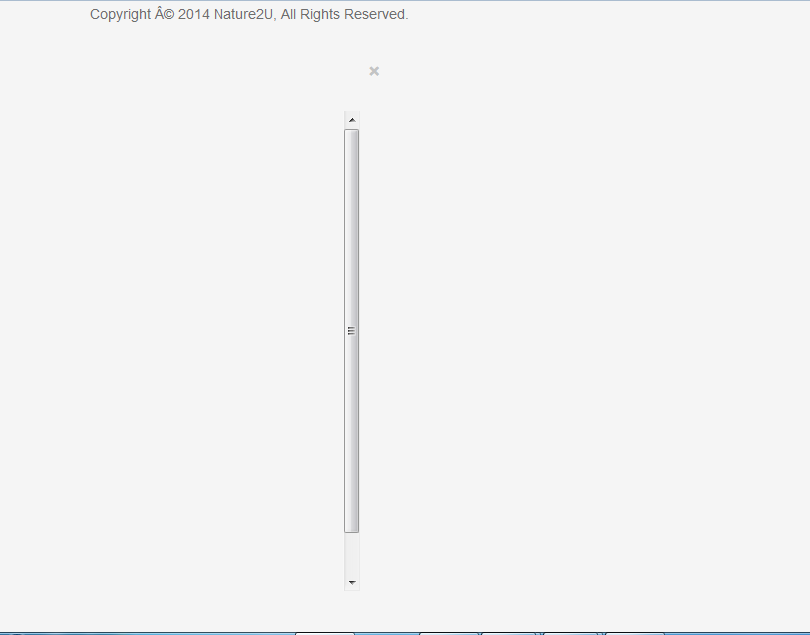
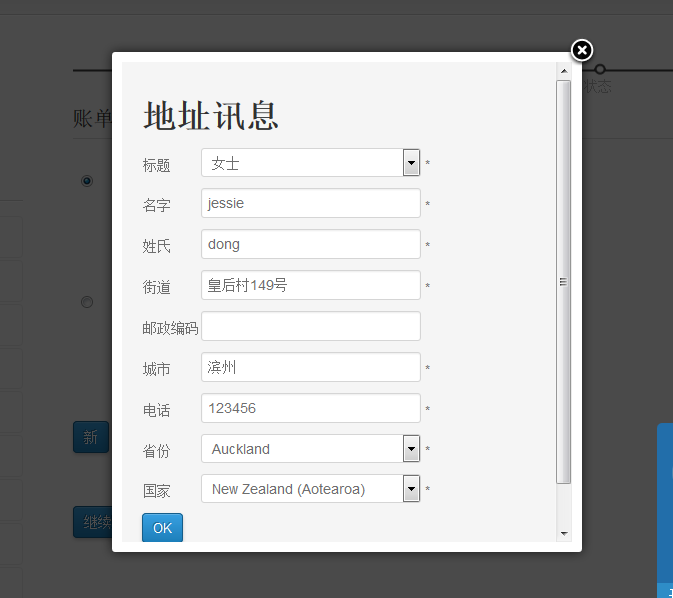
-- Error-message(debug-mod must be tuned on) -- : logged in->>manage the address->>click edit address or add new address, there is a blank section with a scroll bar displaying under the normail webage. But I can add or change address when in the checkout process.
logged in->>manage the address->>click edit address or add new address, there is a blank section with a scroll bar displaying under the normal webage. But I can add or change address when in the checkout process.
-- HikaShop version -- : 2.2.3
-- Joomla version -- : 3.2.2
-- PHP version -- : 5.3.28
-- Browser(s) name and version -- : Mozilla/5.0
-- Error-message(debug-mod must be tuned on) -- : logged in->>manage the address->>click edit address or add new address, there is a blank section with a scroll bar displaying under the normail webage. But I can add or change address when in the checkout process.
logged in->>manage the address->>click edit address or add new address, there is a blank section with a scroll bar displaying under the normal webage. But I can add or change address when in the checkout process.
Please Log in or Create an account to join the conversation.

12 years 1 month ago #173545
by Xavier
Replied by Xavier on topic Hikashop not able to edit address when logged in
Hi,
Please check with you browser console if you don't have a javascript error or something like that when editing the address on the checkout.
Or it can be an issue due to your template, if css properties are applied on the .modal class thanks to replace it by div.modal in the css file.
Please check with you browser console if you don't have a javascript error or something like that when editing the address on the checkout.
Or it can be an issue due to your template, if css properties are applied on the .modal class thanks to replace it by div.modal in the css file.
Please Log in or Create an account to join the conversation.
11 years 5 months ago #205717
by rouben618
Replied by rouben618 on topic Hikashop not able to edit address when logged in
Thank you very much. I think it is a CSS problem with the template. Could you let me know where to replace.modal with div.modal? which file are you talking about? thanks.
Please Log in or Create an account to join the conversation.

11 years 5 months ago #205742
by nicolas
Replied by nicolas on topic Hikashop not able to edit address when logged in
Hi,
It depends of your template so hard to say. Especially since your template is compressing all the CSS on your website so it's hard to read anything. You should ask your template provider.
However, an easy solution you can try to circumvent the problem is to change the "popup mode" setting of the Display tab of the HikaShop configuration to "mootools". That should prevent the problem from happening.
The following user(s) said Thank You: rouben618
Please Log in or Create an account to join the conversation.
11 years 5 months ago #205815
by rouben618
Replied by rouben618 on topic Hikashop not able to edit address when logged in
Brilliant! You solved my problem. Thank you so much!
nicolas wrote: Hi,
It depends of your template so hard to say. Especially since your template is compressing all the CSS on your website so it's hard to read anything. You should ask your template provider.
However, an easy solution you can try to circumvent the problem is to change the "popup mode" setting of the Display tab of the HikaShop configuration to "mootools". That should prevent the problem from happening.
Please Log in or Create an account to join the conversation.
Time to create page: 0.056 seconds