

- Posts: 85
- Thank you received: 2
multiple carts, wishlist and cart-status
11 years 11 months ago #183953
by winstart
multiple carts, wishlist and cart-status was created by winstart
-- url of the page with the problem -- :
www.boutique.blaque.nl
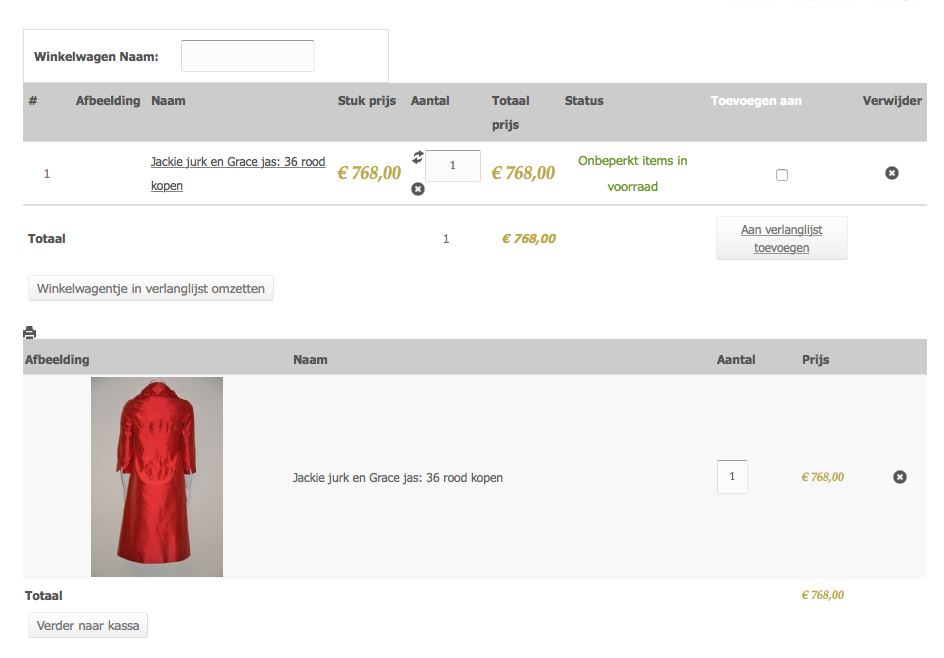
having a few questions left before we can go online
-why are there 2 versions of the same order
-why is the image missing in the upper version
-can i hide the status or simplify it as red or green or 'in stock' and 'sold'
-the cart uses the last image loaded, can we let it use the main image
-in the configuration i've deactivated the wishlist en multiple carts, but you can still add it to the wishlist and the link still shows the plural of carts
please help met solve those last minor details
Please Log in or Create an account to join the conversation.
11 years 11 months ago #183954
by winstart
Replied by winstart on topic double cart
checkin out, shows me a double cart
what did i do wrong?
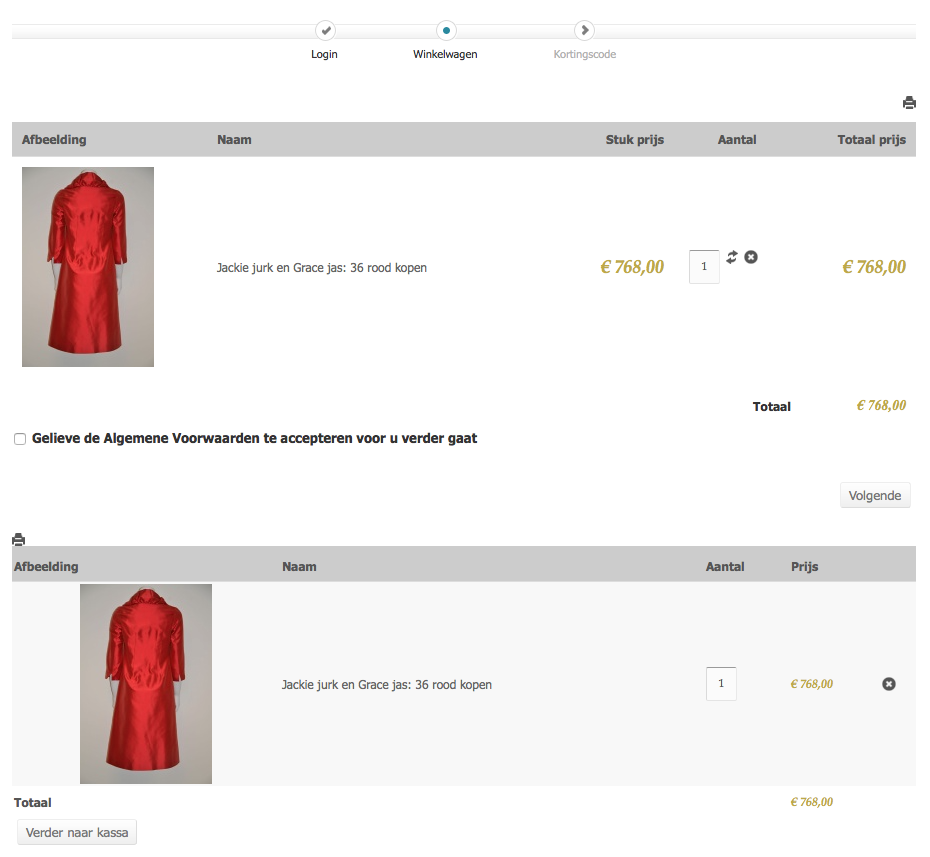
what did i do wrong?
Please Log in or Create an account to join the conversation.

11 years 11 months ago #184019
by nicolas
Replied by nicolas on topic double cart
Hi,
1. I don't see any double cart on your checkout:
take.ms/DM5oM
You had both the cart view of the checkout and the HikaShop wishlist module displayed on that page. I see that you deactivated the wishlist module.
2. There is an option to display/hide the images in the wishlist module's hikashop options
3. It's possible with some CSS or view modification.
4. Make sure that you fill the "order" column of the images listing of your product and the image will be ordered like you tell the system to order them and it will display the one with the lower order.
5. There is an option in the configuration to deactivate the display of the "add to wishlist" button.
Please Log in or Create an account to join the conversation.
11 years 11 months ago #184273
by winstart
Replied by winstart on topic double cart
i want from the grey down to disappear
the 'volgende' is ok, this is the button you need
the 'verder naar kassa' is confusing and doesn't work the way you would expect
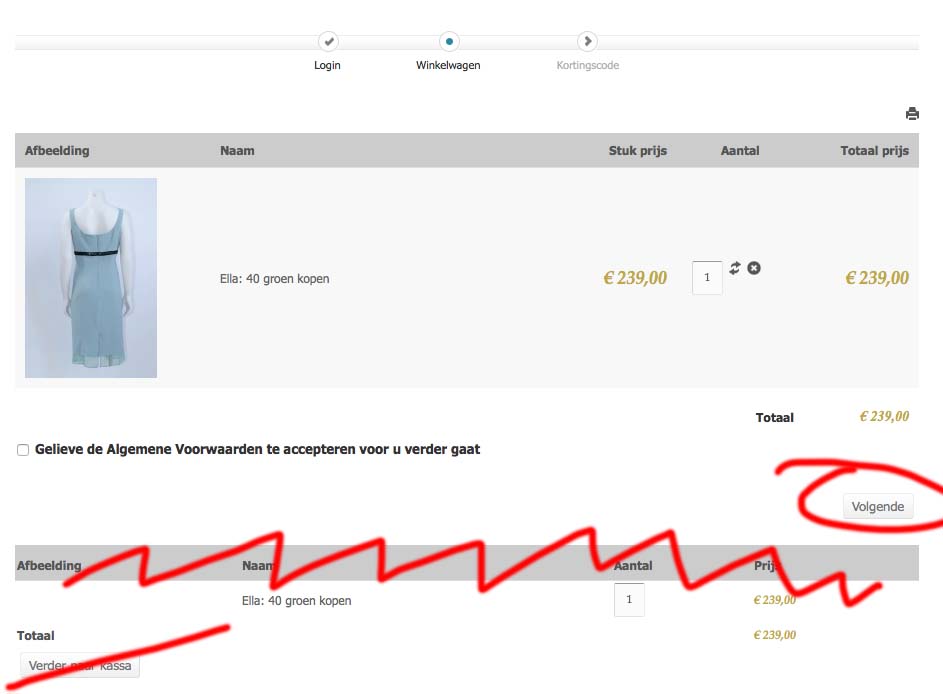
the 'volgende' is ok, this is the button you need
the 'verder naar kassa' is confusing and doesn't work the way you would expect
Please Log in or Create an account to join the conversation.
11 years 11 months ago #184298
by nicolas
Replied by nicolas on topic double cart
What you want to remove here is the HikaShop cart module.
Disable it under the Joomla modules manager and you won't see it on your website.
Otherwise, if you want to display it on other pages but not the checkout, make sure that its menu assignment option doesn't have the checkout menu item selected (you can selected it in the force a menu on checkout option of the HikaShop configuration).
Please Log in or Create an account to join the conversation.
11 years 9 months ago #190881
by winstart
Replied by winstart on topic multiple carts, wishlist and cart-status
thnx
Please Log in or Create an account to join the conversation.
Time to create page: 0.132 seconds