

- Posts: 11
- Thank you received: 0
custom fields on check out not bootstrap
11 years 8 months ago #194902
by clet
custom fields on check out not bootstrap was created by clet
hey guys,
i have my settings on hikashop to use bootstrap code, everything works fine on the registration page, however when you get to the custom fields it still using tables.
Is that a way to use boot strap on the custom fields section?
cheers,
dan
i have my settings on hikashop to use bootstrap code, everything works fine on the registration page, however when you get to the custom fields it still using tables.
Is that a way to use boot strap on the custom fields section?
cheers,
dan
Please Log in or Create an account to join the conversation.

11 years 8 months ago #194904
by Jerome
Jerome - Obsidev.com
HikaMarket & HikaSerial developer / HikaShop core dev team.
Replied by Jerome on topic custom fields on check out not bootstrap
Hi,
Which HikaShop version (number) are you using ?
What do you mean with "are still using tables" ?
Regards,
Which HikaShop version (number) are you using ?
What do you mean with "are still using tables" ?
Regards,
Jerome - Obsidev.com
HikaMarket & HikaSerial developer / HikaShop core dev team.
Please Log in or Create an account to join the conversation.
11 years 8 months ago #194978
by clet
Replied by clet on topic custom fields on check out not bootstrap
i'm using hockshop for business version 2.3.4
on the checkout process i have settings to enable bootstrap, on the login, register part of the checkout process the code when boot strap enabled used DIV's, but when it gets to the custom fields, the forms uses Tables to structure the form, which is non bootstrap friendly.
bootstrap
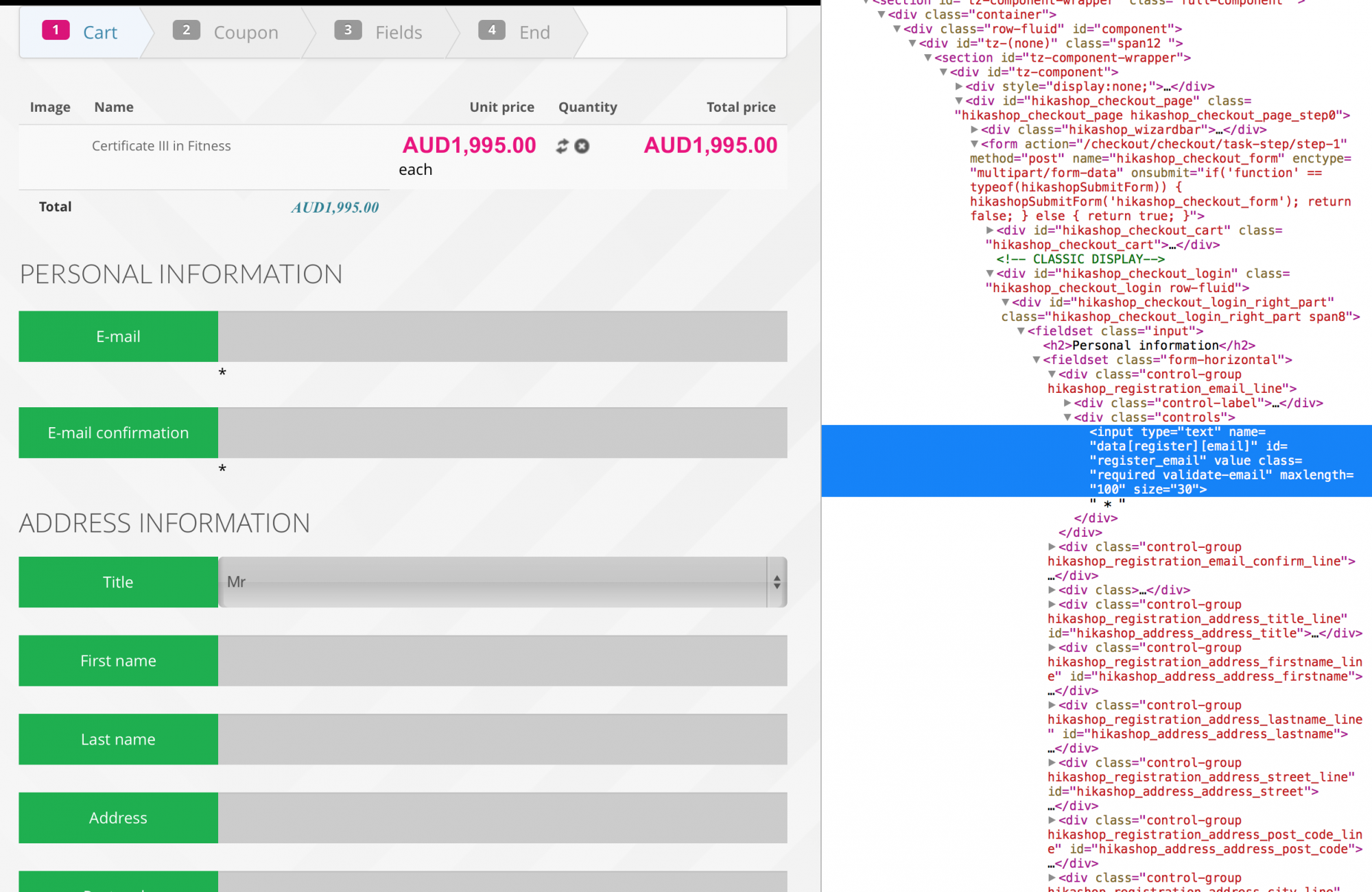
non bootstrap
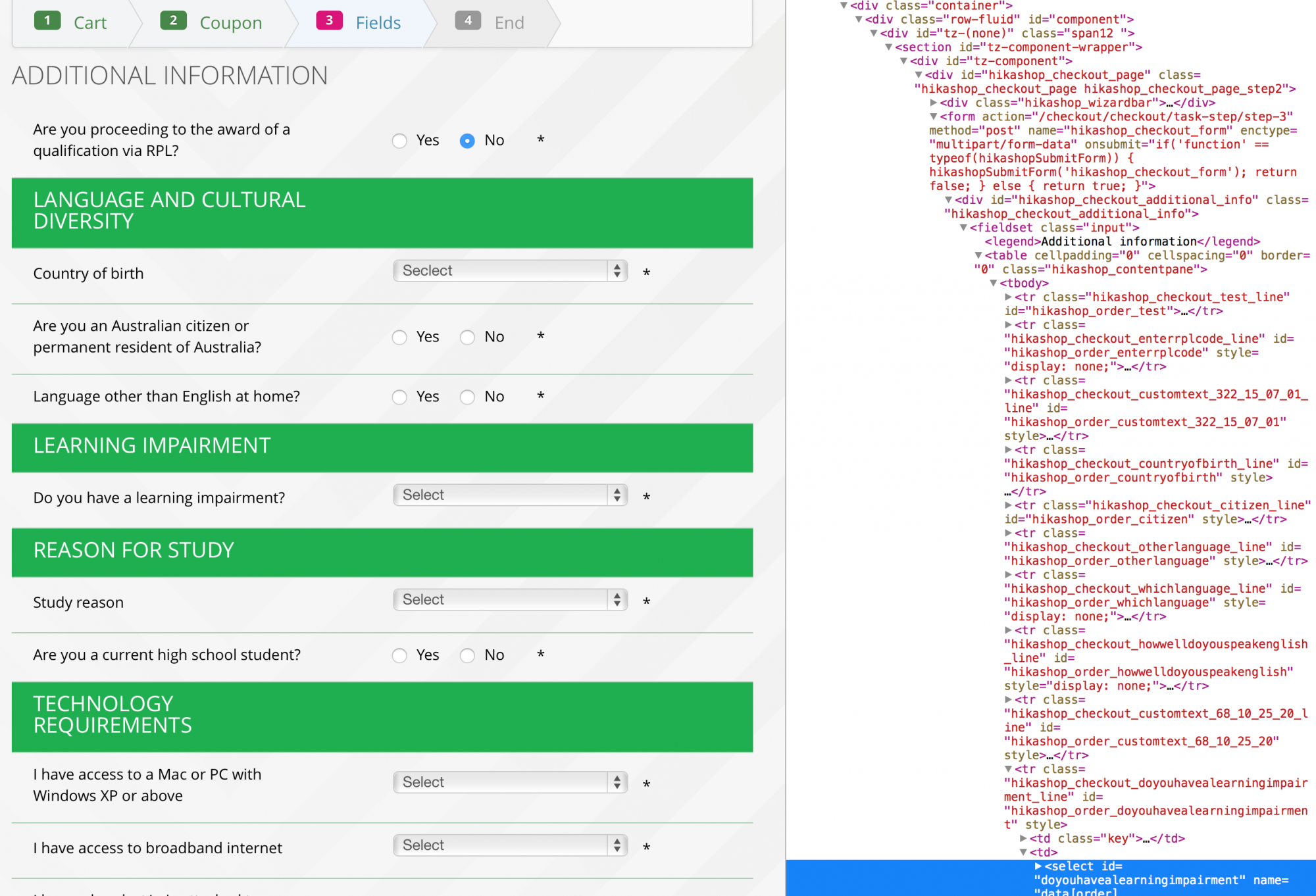
on the checkout process i have settings to enable bootstrap, on the login, register part of the checkout process the code when boot strap enabled used DIV's, but when it gets to the custom fields, the forms uses Tables to structure the form, which is non bootstrap friendly.
bootstrap
non bootstrap
Please Log in or Create an account to join the conversation.
11 years 8 months ago #195011
by Jerome
Jerome - Obsidev.com
HikaMarket & HikaSerial developer / HikaShop core dev team.
Replied by Jerome on topic custom fields on check out not bootstrap
Hi,
You will find the view "checkout | fields" and "checkout | custom_fields" which display the custom fields in the checkout.
Thanks for the "user | registration" and "user | custom_fields / custom_fields_bootstrap" you will have some samples to see how manage the bootstrap and non-bootstrap design.
The checkout is currently in re-factoring, we are re-designing a lot of the checkout views for a future big release.
Regards,
Jerome - Obsidev.com
HikaMarket & HikaSerial developer / HikaShop core dev team.
Please Log in or Create an account to join the conversation.
Time to create page: 0.060 seconds