
- Posts: 57
- Thank you received: 4
Add Tax Before Total price
- rfernandes
-
 Topic Author
- Offline
Less
More
11 years 8 months ago - 11 years 8 months ago #196039
by rfernandes
Add Tax Before Total price was created by rfernandes
Hi,
I need your help.
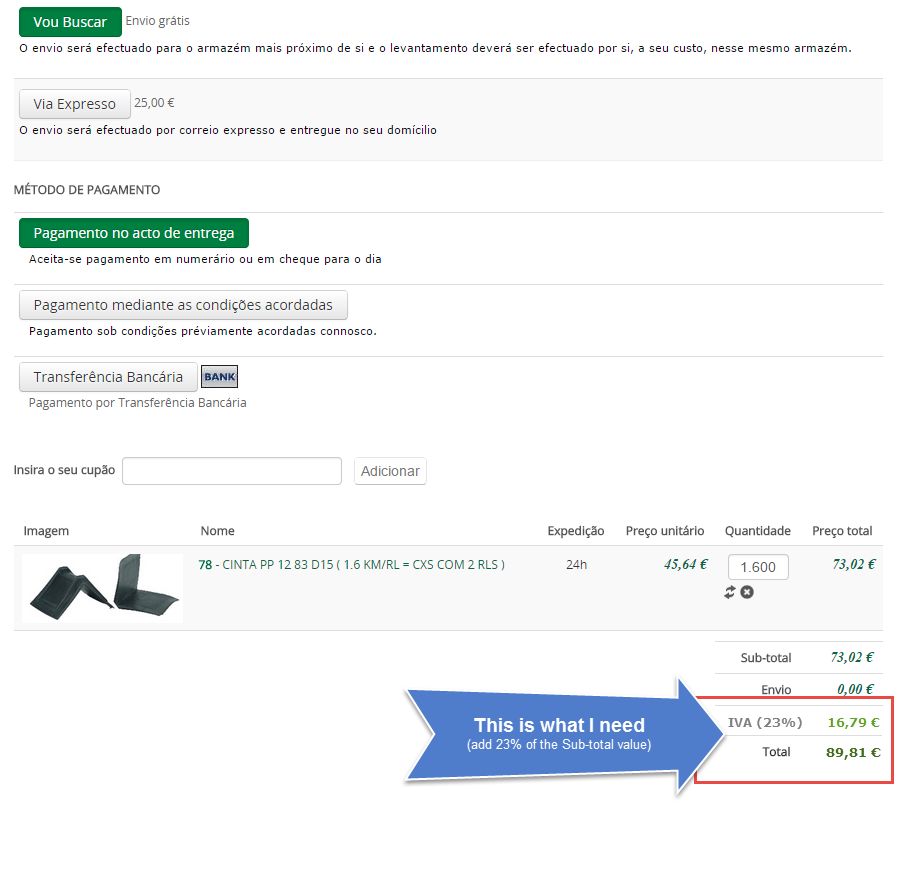
In this store I need to one tax of 23% (IVA) before the total price, because it's our IVA.
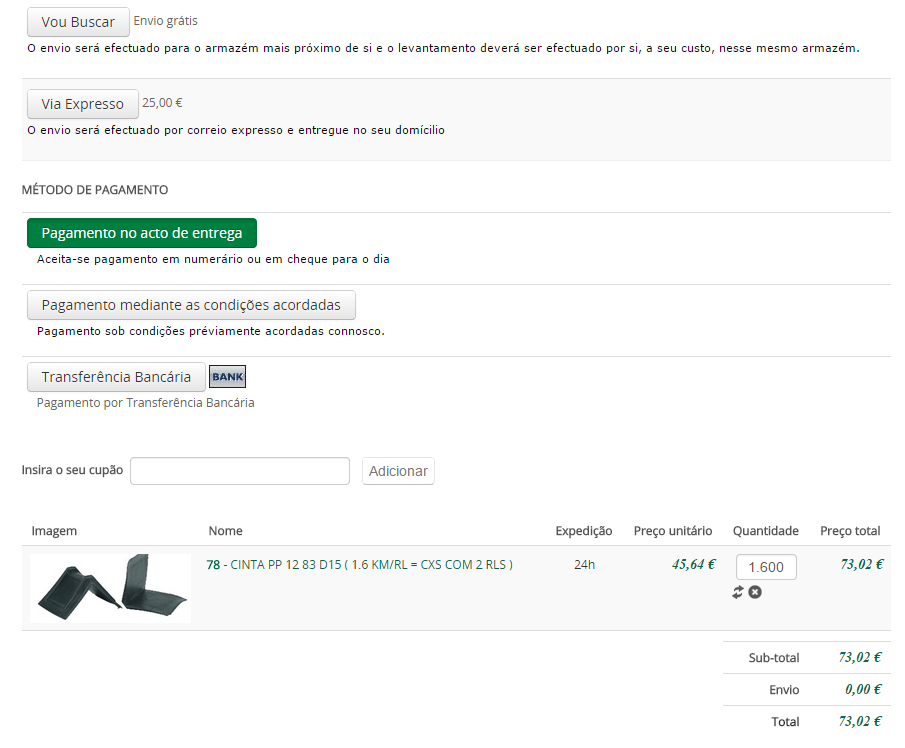
To explain better, I have this:
And I need to do this:
What I need to do, to put this working?
I need your help.
In this store I need to one tax of 23% (IVA) before the total price, because it's our IVA.
To explain better, I have this:
And I need to do this:
What I need to do, to put this working?
Last edit: 11 years 8 months ago by rfernandes. Reason: insert the current image
Please Log in or Create an account to join the conversation.

11 years 8 months ago #196051
by nicolas
Replied by nicolas on topic Add Tax Before Total price
Hi,
Go in the menu System>Taxes, click on the "manage tax rates" button, create a new tax rate of 23% called "IVA (23%)" and then in the menu System>Taxes, create a new tax rule for that tax rate, for the default tax category and it should work like you want once you publish it.
Go in the menu System>Taxes, click on the "manage tax rates" button, create a new tax rate of 23% called "IVA (23%)" and then in the menu System>Taxes, create a new tax rule for that tax rate, for the default tax category and it should work like you want once you publish it.
The following user(s) said Thank You: rfernandes
Please Log in or Create an account to join the conversation.
- rfernandes
-
Topic Author
- Offline
Less
More
- Posts: 57
- Thank you received: 4
11 years 8 months ago #196129
by rfernandes
Replied by rfernandes on topic Add Tax Before Total price
I'm sorry, but I don't understood.
I have tried but don't appear nothing.
Can you show me with some printscreens please to understand better?
Because with printscreens will be beter to me to understand and if someone have the same situation can will see that and understand to.
If you can off course.
Thanks for your help.
I have tried but don't appear nothing.
Can you show me with some printscreens please to understand better?
Because with printscreens will be beter to me to understand and if someone have the same situation can will see that and understand to.
If you can off course.
Thanks for your help.
Please Log in or Create an account to join the conversation.
- rfernandes
-
Topic Author
- Offline
Less
More
- Posts: 57
- Thank you received: 4
11 years 8 months ago #196143
by rfernandes
Replied by rfernandes on topic Add Tax Before Total price
Hi, It works.
I will put here all the process to help other users.
So first we acess the hikashop component in the administrator side.
After that, we will do this steps.
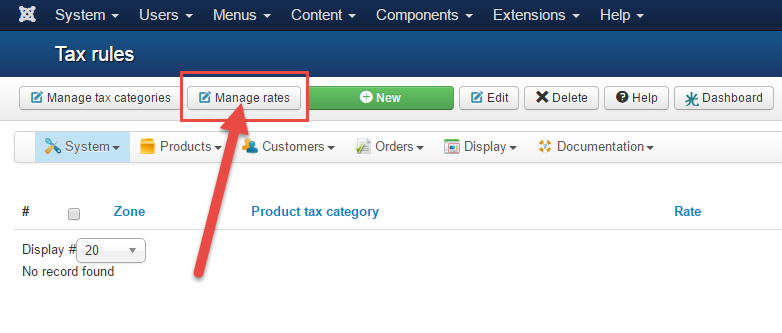
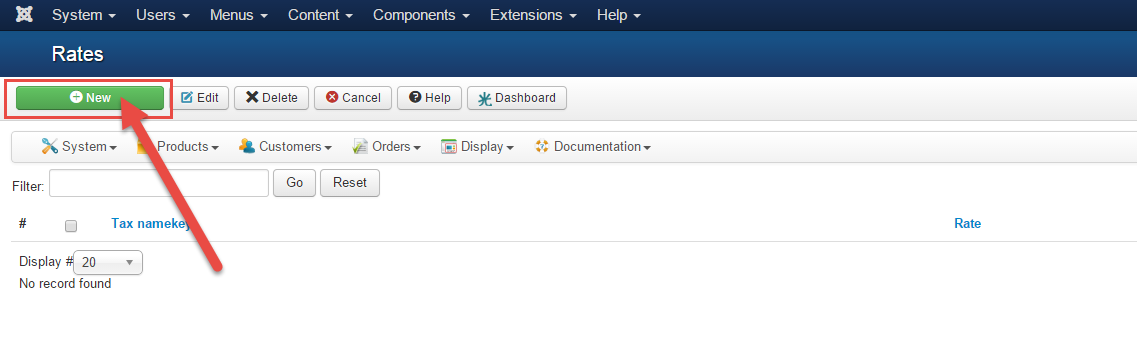
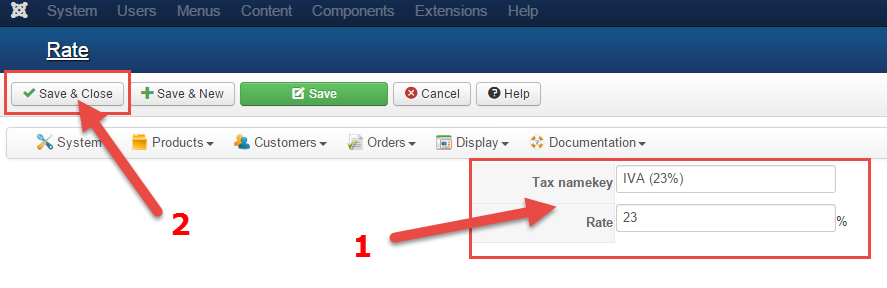
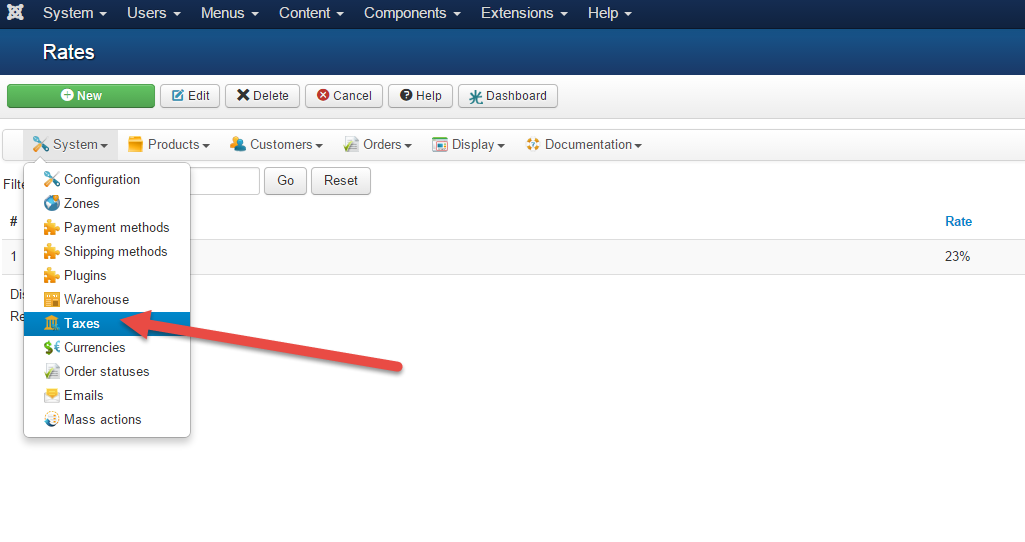
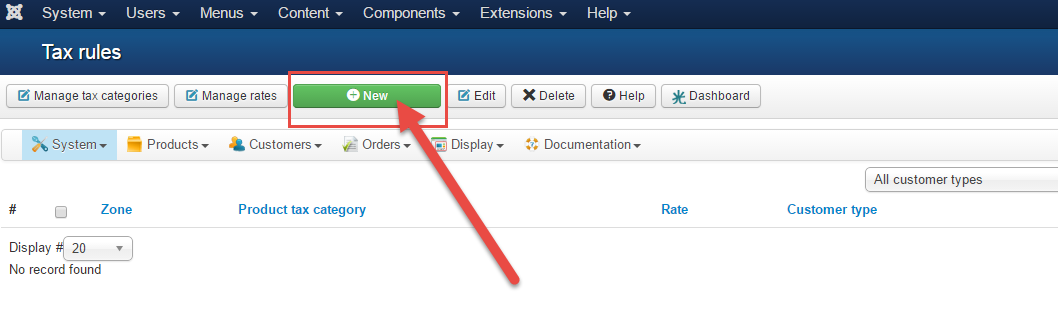
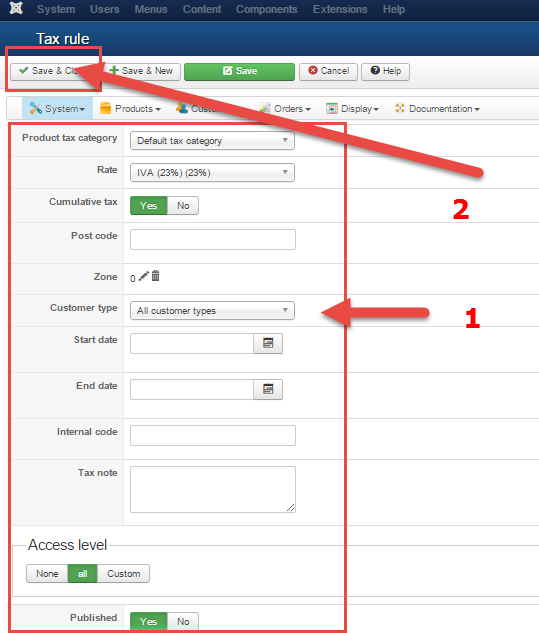
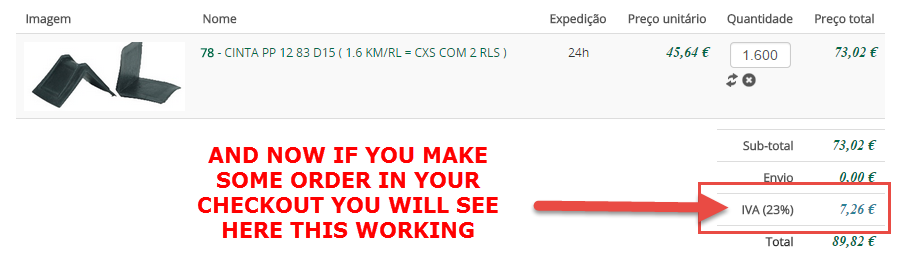
And it's all done.
Works great. Enjoy.
I will put here all the process to help other users.
So first we acess the hikashop component in the administrator side.
After that, we will do this steps.
And it's all done.
Works great. Enjoy.
The following user(s) said Thank You: Xavier
Please Log in or Create an account to join the conversation.
Time to create page: 0.071 seconds