
- Posts: 78
- Thank you received: 1
No Buy Button
- adeptdesigns
-
 Topic Author
- Offline
Less
More
11 years 6 months ago #197953
by adeptdesigns
No Buy Button was created by adeptdesigns
-- url of the page with the problem -- :
www.kearneycreativeenterprises.com/zoo-a-logical-math
-- HikaShop version -- : 2.4.0
-- Joomla version -- : 3.4.1
-- PHP version -- : 5.5.23
-- Browser(s) name and version -- : Firefox 37.0.1
Hello, I am running the newest version of Hikashop, I have no "Buy Now" or "Add To Cart" button on my products page.
www.kearneycreativeenterprises.com/zoo-a-logical-math
What should I do to resolve this? I also logged in with an account and it still doesn't show.
Thank youj,
-- HikaShop version -- : 2.4.0
-- Joomla version -- : 3.4.1
-- PHP version -- : 5.5.23
-- Browser(s) name and version -- : Firefox 37.0.1
Hello, I am running the newest version of Hikashop, I have no "Buy Now" or "Add To Cart" button on my products page.
www.kearneycreativeenterprises.com/zoo-a-logical-math
What should I do to resolve this? I also logged in with an account and it still doesn't show.
Thank youj,
Please Log in or Create an account to join the conversation.

11 years 6 months ago #197954
by nicolas
Replied by nicolas on topic No Buy Button
Hi,
This would indicate that you turned off the "Display 'Add to cart' button" option of the "Display" tab of the Hikashop configuration.
So please check that setting.
This would indicate that you turned off the "Display 'Add to cart' button" option of the "Display" tab of the Hikashop configuration.
So please check that setting.
Please Log in or Create an account to join the conversation.
- adeptdesigns
-
Topic Author
- Offline
Less
More
- Posts: 78
- Thank you received: 1
11 years 6 months ago #198068
by adeptdesigns
Replied by adeptdesigns on topic No Buy Button
So Simple, thank you. I have no idea how it happened. I did upgrade from 2.5.28 to 3.4.1, perhaps it changed during the upgrade.
Regardless, thank you. Your support is wonderful.
Regardless, thank you. Your support is wonderful.
Please Log in or Create an account to join the conversation.
11 years 6 months ago - 11 years 6 months ago #199801
by SHoggard
Replied by SHoggard on topic No Buy Button
I have the same problem... no 'Add to Cart button"
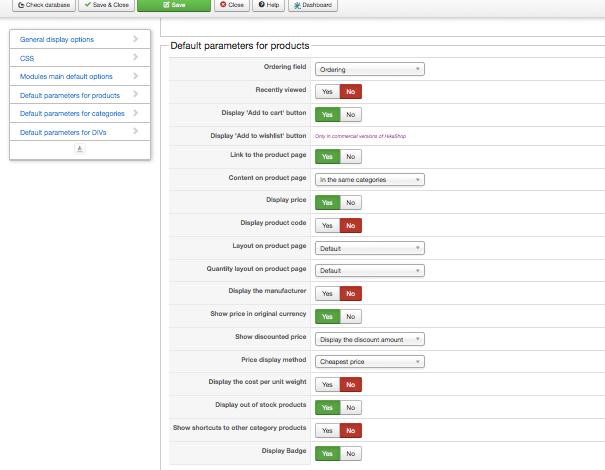
Backend, in "Default parameters for products" the "Display 'Add to cart' button" is checked as YES
odd
packwebasia.com/front-page/hikashop-menu...nsight-asia-jan-2015
Backend, in "Default parameters for products" the "Display 'Add to cart' button" is checked as YES
odd
packwebasia.com/front-page/hikashop-menu...nsight-asia-jan-2015
Last edit: 11 years 6 months ago by SHoggard.
Please Log in or Create an account to join the conversation.

11 years 6 months ago #199822
by Xavier
Replied by Xavier on topic No Buy Button
Hi,
Does this product has stock ?
Please give us screenshots of the product edition page and the settings under Configuration > Display > Product.
Do you have edited the view "product / quantity" ?
Does this product has stock ?
Please give us screenshots of the product edition page and the settings under Configuration > Display > Product.
Do you have edited the view "product / quantity" ?
Please Log in or Create an account to join the conversation.
11 years 6 months ago #200032
by SHoggard
Replied by SHoggard on topic No Buy Button
screenshots attached.
The product quantity is set to 'Unlimited' - since it is an e-book
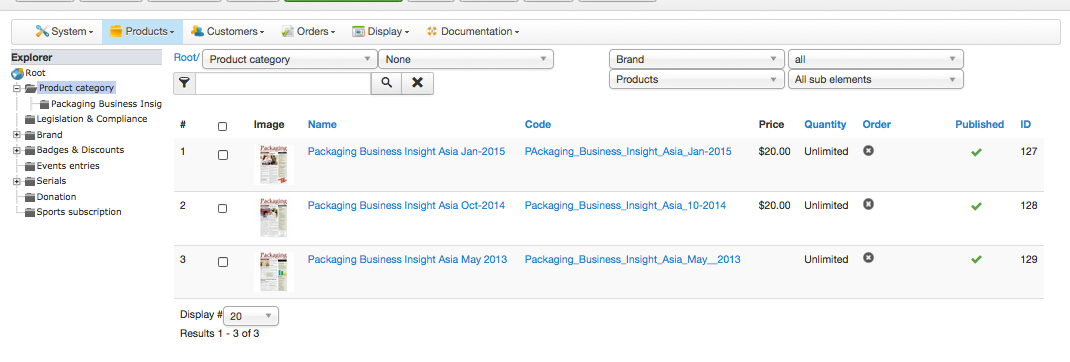
The product quantity is set to 'Unlimited' - since it is an e-book
Please Log in or Create an account to join the conversation.

Less
More
- Posts: 12953
- Thank you received: 1778
11 years 6 months ago #200055
by Mohamed Thelji
Replied by Mohamed Thelji on topic No Buy Button
Hello,
As xavier said :
As xavier said :
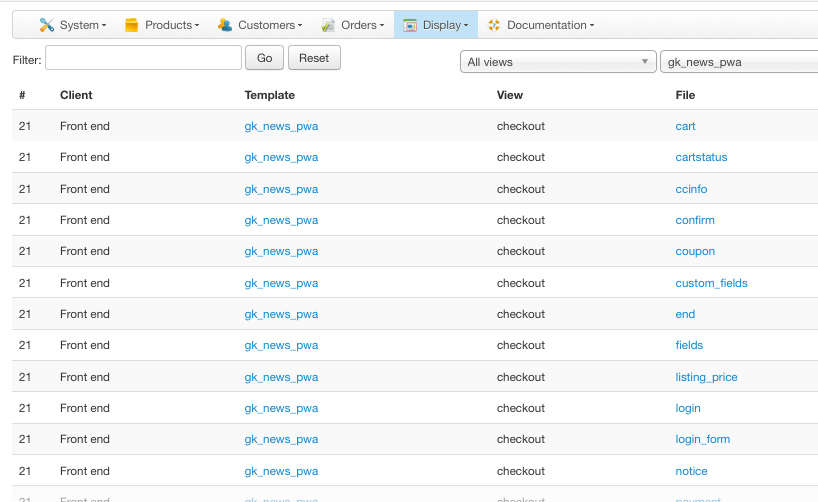
You can check it via "Hikashop->Display->Views"Do you have edited the view "product / quantity"
Please Log in or Create an account to join the conversation.
11 years 6 months ago #200162
by SHoggard
Replied by SHoggard on topic No Buy Button
Do you mean this? I didn't touch or edit it
Please Log in or Create an account to join the conversation.
11 years 6 months ago #200220
by nicolas
Replied by nicolas on topic No Buy Button
Hi,
You must have turned on the "catalog mode" option of the HikaShop configuration which removes all the add to cart buttons from your website.
You must have turned on the "catalog mode" option of the HikaShop configuration which removes all the add to cart buttons from your website.
Please Log in or Create an account to join the conversation.
11 years 6 months ago #200231
by SHoggard
Replied by SHoggard on topic No Buy Button
Thanks - that worked .... I didn't see anything about "Catalog Mode' doing that in the Documentation or FAQ
Please Log in or Create an account to join the conversation.
Time to create page: 0.105 seconds