

- Posts: 16
- Thank you received: 0
Popup Style
11 years 5 months ago #202339
by Ruffoni
Popup Style was created by Ruffoni
-- url of the page with the problem -- :
www.j-r.it/edef/index.php?option=com_hik...1012&lang=it&popup=1
-- HikaShop version -- : 2.4.0
-- Joomla version -- : 3.4.1
-- PHP version -- : 5.4.40
-- Browser(s) name and version -- : firefox
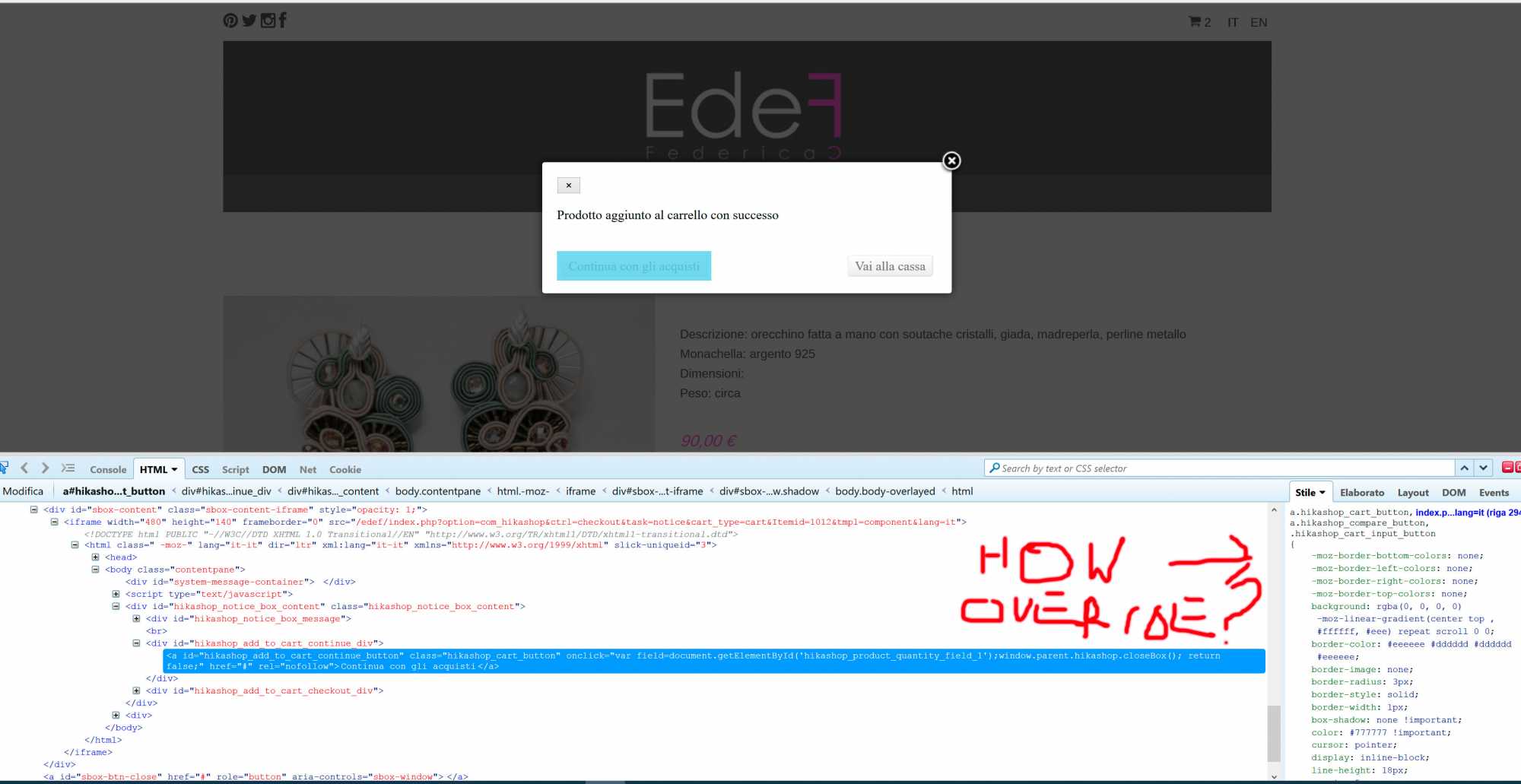
I'm Trying to style the popup that appear after I click add to cart,
If I inspect the code I found the css, I try to example to render the button or the paragraf but without success. I also tried css ovverride but does't work. Look like a inline code is ovverriding my change. I'm really creazing for a stupid rendering....
I attach the image
-- HikaShop version -- : 2.4.0
-- Joomla version -- : 3.4.1
-- PHP version -- : 5.4.40
-- Browser(s) name and version -- : firefox
I'm Trying to style the popup that appear after I click add to cart,
If I inspect the code I found the css, I try to example to render the button or the paragraf but without success. I also tried css ovverride but does't work. Look like a inline code is ovverriding my change. I'm really creazing for a stupid rendering....
I attach the image
Please Log in or Create an account to join the conversation.

11 years 5 months ago #202359
by nicolas
Replied by nicolas on topic Popup Style
Hi,
Your link is not working:
take.ms/qGme3
I don't see why adding custom CSS wouldn't work.
For example, you could add that CSS in the frontend CSS of HikaShop and it will definitely work:
www.hikashop.com/support/support/documen...ize-the-display.html
Your link is not working:
take.ms/qGme3
I don't see why adding custom CSS wouldn't work.
For example, you could add that CSS in the frontend CSS of HikaShop and it will definitely work:
Code:
a#hikashop_add_to_cart_continue_button{
background-color: blue !important;
}
Please Log in or Create an account to join the conversation.
11 years 5 months ago #202404
by Ruffoni
Replied by Ruffoni on topic Popup Style
Ok work,
I didn't know that Hikashop css file in Hikashop main configuration is the last load in css cascade!
Tanks Josef
I didn't know that Hikashop css file in Hikashop main configuration is the last load in css cascade!
Tanks Josef
Please Log in or Create an account to join the conversation.
Time to create page: 0.068 seconds