

- Posts: 58
- Thank you received: 2
CSS help with the checkout basket
11 years 3 months ago - 11 years 3 months ago #211981
by rcadmin
CSS help with the checkout basket was created by rcadmin
-- HikaShop version -- : 2.5.0
-- Joomla version -- : 3.4.3
Currently my checkout looks like this
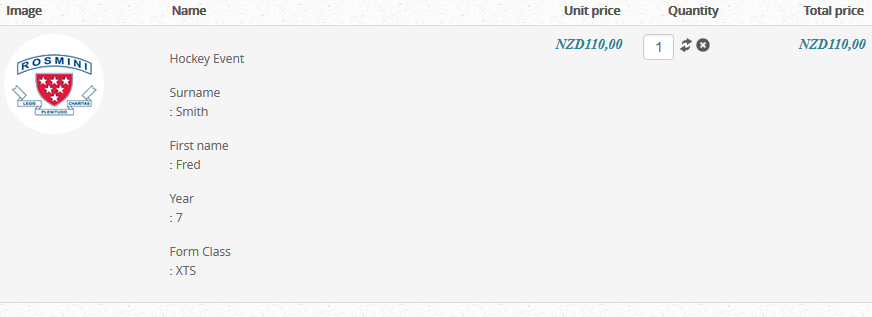
Using
I can get it to look like
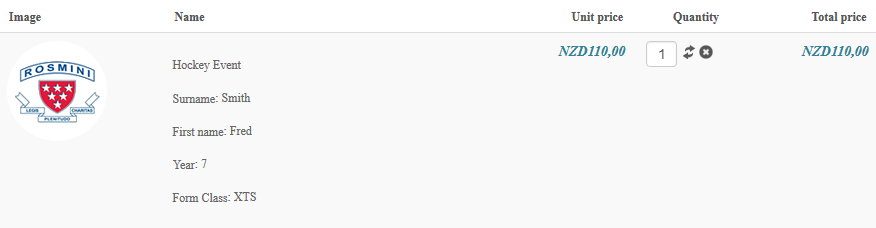
The problem that I have is trying to remove the lines/spaces between each row of the custom fields (want it to be more compact)
Code is
I tried
Which produced
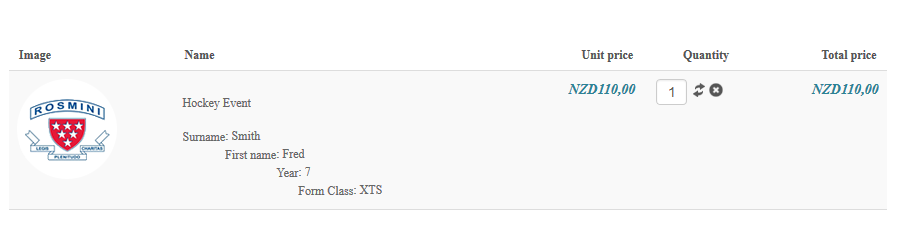
The alignment is wrong
-- Joomla version -- : 3.4.3
Currently my checkout looks like this
Using
Code:
.hikashop_cart_product_custom_item_fields p label {float: left;}
I can get it to look like
The problem that I have is trying to remove the lines/spaces between each row of the custom fields (want it to be more compact)
Code is
Code:
<table class="table table-striped table-hover" width="100%">
<thead>
<tr>
<th id="hikashop_cart_product_image_title" class="hikashop_cart_product_image_title hikashop_cart_title">
Image </th>
<th id="hikashop_cart_product_name_title" class="hikashop_cart_product_name_title hikashop_cart_title">
Name </th>
<th id="hikashop_cart_product_price_title" class="hikashop_cart_product_price_title hikashop_cart_title">
Unit price </th>
<th id="hikashop_cart_product_quantity_title" class="hikashop_cart_product_quantity_title hikashop_cart_title">
Quantity </th>
<th id="hikashop_cart_product_total_title" class="hikashop_cart_product_total_title hikashop_cart_title">
Total price </th>
</tr>
</thead>
<tbody>
<tr class="row0">
<td data-title="Image" class="hikashop_cart_product_image_value">
<div class="hikashop_cart_product_image_thumb">
<img class="hikashop_product_checkout_cart_image" title="" alt="" src="/images/com_hikashop/upload/thumbnails/100x100f/barcode-ros.png"> </div>
</td>
<td data-title="Name" class="hikashop_cart_product_name_value">
<p class="hikashop_cart_product_name">
<a class="hikashop_no_print" href="/community/shop/product/2-hockey-event"> Hockey Event </a> </p>
<div class="hikashop_cart_product_custom_item_fields"><p class="hikashop_cart_item_surname_itm"><label for="surname_itm">Surname</label>: Smith</p><p class="hikashop_cart_item_firstname_item"><label for="firstname_item">First name</label>: Fred</p><p class="hikashop_cart_item_year_itm"><label for="year_itm">Year</label>: 7</p><p class="hikashop_cart_item_class_itm"><label for="class_itm">Form Class</label>: XTS</p></div> </td>
<td data-title="Unit price" class="hikashop_cart_product_price_value">
<span class="hikashop_product_price_full">
<span class="hikashop_product_price">NZD110,00</span> </span>
</td>
<td data-title="Quantity" class="hikashop_cart_product_quantity_value">
<input id="hikashop_checkout_quantity_30" name="item[30]" class="hikashop_product_quantity_field" value="1" onchange="var qty_field = document.getElementById('hikashop_checkout_quantity_30'); if (qty_field){}; return true;" type="text">
<div class="hikashop_cart_product_quantity_refresh">
<a class="hikashop_no_print" href="#" onclick="var qty_field = document.getElementById('hikashop_checkout_quantity_30'); if (qty_field && qty_field.value != '1'){ qty_field.form.submit(); } return false;" title="Refresh">
<img src="/media/com_hikashop/images/refresh.png" alt="Refresh" border="0">
</a>
</div>
<div class="hikashop_cart_product_quantity_delete">
<a class="hikashop_no_print" href="/community/shop/checkout/product/updatecart/quantity-0/return_url-aHR0cHM6Ly93d3cucm9zbWluaS5zY2hvb2wubnovY29tbXVuaXR5L3Nob3AvY2hlY2tvdXQvY2hlY2tvdXQ=/cid-2" onclick="var qty_field = document.getElementById('hikashop_checkout_quantity_30'); if(qty_field){qty_field.value=0; qty_field.form.submit();} return false;" title="Delete">
<img src="/media/com_hikashop/images/delete2.png" alt="Delete" border="0">
</a>
</div>
</td>
<td data-title="Total price" class="hikashop_cart_product_total_value">
<span class="hikashop_product_price_full">
<span class="hikashop_product_price">NZD110,00</span> </span>
</td>
</tr>
<tr class="margin"><td colspan="3" class="hikashop_cart_empty_footer"></td><td></td></tr>
<tr>
<td colspan="3" class="hikashop_cart_empty_footer"></td> <td id="hikashop_checkout_cart_total2_title" class="hikashop_cart_subtotal_title hikashop_cart_title">
Subtotal </td>
<td class="hikashop_cart_subtotal_value" data-title="Subtotal">
<span class="hikashop_checkout_cart_subtotal">
NZD110,00 </span>
</td>
</tr>
<tr>
<td colspan="3" class="hikashop_cart_empty_footer"></td> <td id="hikashop_checkout_cart_tax_title" class="hikashop_cart_tax_title hikashop_cart_title">
GST </td>
<td class="hikashop_cart_tax_value" data-title="GST">
<span class="hikashop_checkout_cart_taxes">
NZD14,35 </span>
</td>
</tr>
<tr>
<td colspan="3" class="hikashop_cart_empty_footer"></td> <td id="hikashop_checkout_cart_final_total_title" class="hikashop_cart_total_title hikashop_cart_title">
Total </td>
<td class="hikashop_cart_total_value" data-title="Total">
<span class="hikashop_checkout_cart_final_total">
NZD110,00 </span>
</td>
</tr>
</tbody>
</table>
I tried
Code:
.hikashop_cart_product_custom_item_fields p {margin:0;}
Which produced
The alignment is wrong
Last edit: 11 years 3 months ago by rcadmin.
Please Log in or Create an account to join the conversation.

11 years 3 months ago - 11 years 3 months ago #212003
by lousyfool
Need help with customisations of layouts, style or other site development? PM me!
(Don't forget to turn on "E-mail notification of new messages" )
Replied by lousyfool on topic CSS help with the checkout basket
Hi,
Remove the line
and use instead
If you want to remove the top and bottom margins of the product name as well, add
to the selector "p.hikashop_cart_product_name", currently on line 130 of your custom.css.
Remove the line
Code:
.hikashop_cart_product_custom_item_fields p label {float: left;}
Code:
.hikashop_cart_product_custom_item_fields > p {margin: 0;}
.hikashop_cart_product_custom_item_fields > p > label {display: inline-block;}
If you want to remove the top and bottom margins of the product name as well, add
Code:
margin: 0;
Need help with customisations of layouts, style or other site development? PM me!
(Don't forget to turn on "E-mail notification of new messages" )
Last edit: 11 years 3 months ago by lousyfool.
The following user(s) said Thank You: Mohamed Thelji, rcadmin
Please Log in or Create an account to join the conversation.
11 years 3 months ago #212005
by rcadmin
Replied by rcadmin on topic CSS help with the checkout basket
Thanks,with a little change that worked 
Code:
.hikashop_cart_product_custom_item_fields > p {margin-top: 0;margin-bottom:0;}
.hikashop_cart_product_custom_item_fields > p > label {display: inline;}
p.hikashop_cart_product_name {font-weight: bold; margin: 0;}
Please Log in or Create an account to join the conversation.
Time to create page: 0.073 seconds