

- Posts: 135
- Thank you received: 2
Email template - Text version
11 years 3 weeks ago - 11 years 3 weeks ago #214349
by earmaster
Email template - Text version was created by earmaster
-- HikaShop version -- : 2.5.0
-- Joomla version -- : 3.3.6
-- PHP version -- : 5.3.10
Hi HikaShop Team,
I was wondering if the e-mail templates text version, had a way to show more data? Apart from writing it in yourself, it feels rather empty compared to the Preload / HTML version.
Or perhaps it would be possible to load the Preload / HTML version and then strip / replace the HTML tags and images out to leave only a text version? So instead of having to maintain the Preload version and the text version you just had to maintain the Preload / HTML version.
-- Joomla version -- : 3.3.6
-- PHP version -- : 5.3.10
Hi HikaShop Team,
I was wondering if the e-mail templates text version, had a way to show more data? Apart from writing it in yourself, it feels rather empty compared to the Preload / HTML version.
Or perhaps it would be possible to load the Preload / HTML version and then strip / replace the HTML tags and images out to leave only a text version? So instead of having to maintain the Preload version and the text version you just had to maintain the Preload / HTML version.
Last edit: 11 years 3 weeks ago by earmaster.
Please Log in or Create an account to join the conversation.

11 years 3 weeks ago #214363
by nicolas
Replied by nicolas on topic Email template - Text version
Hi,
That's already possible.
Remove everything in the text version, and all the data from the HTML version will be used in the text version automatically by the system.
That's already possible.
Remove everything in the text version, and all the data from the HTML version will be used in the text version automatically by the system.
Please Log in or Create an account to join the conversation.
11 years 3 weeks ago - 11 years 3 weeks ago #214461
by earmaster
Replied by earmaster on topic Email template - Text version
Hi Nicolas
That sounds awesome!
However I seem to be having a issue, I have cleaned out the text version completely in emails as such:
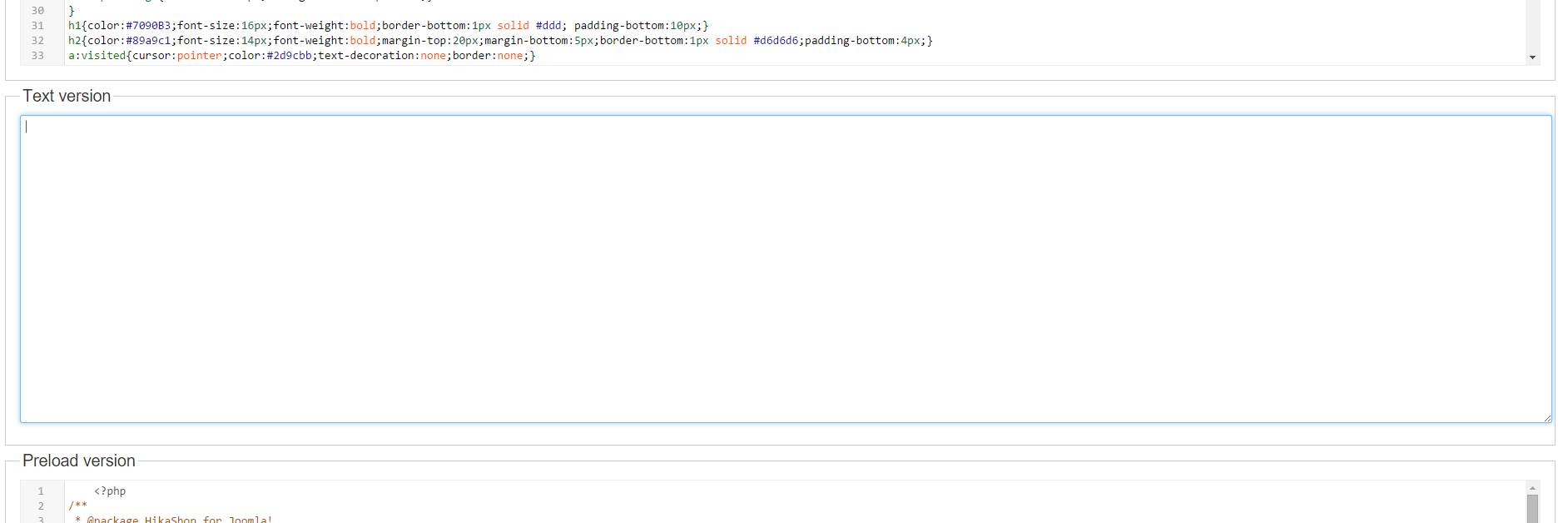
(I have done a "CTRL + A" to make sure there's no text or spaces at all)
Yet when I go into Orders and change a order status, and set "notify customer" to yes, the text version in that window is also "empty", apart from a couple of spaces, is the text-version not generated from the HTML right away? Or is it done before sending?
Below is picture of the text version from when a order status is being changed and I want to notify the customer
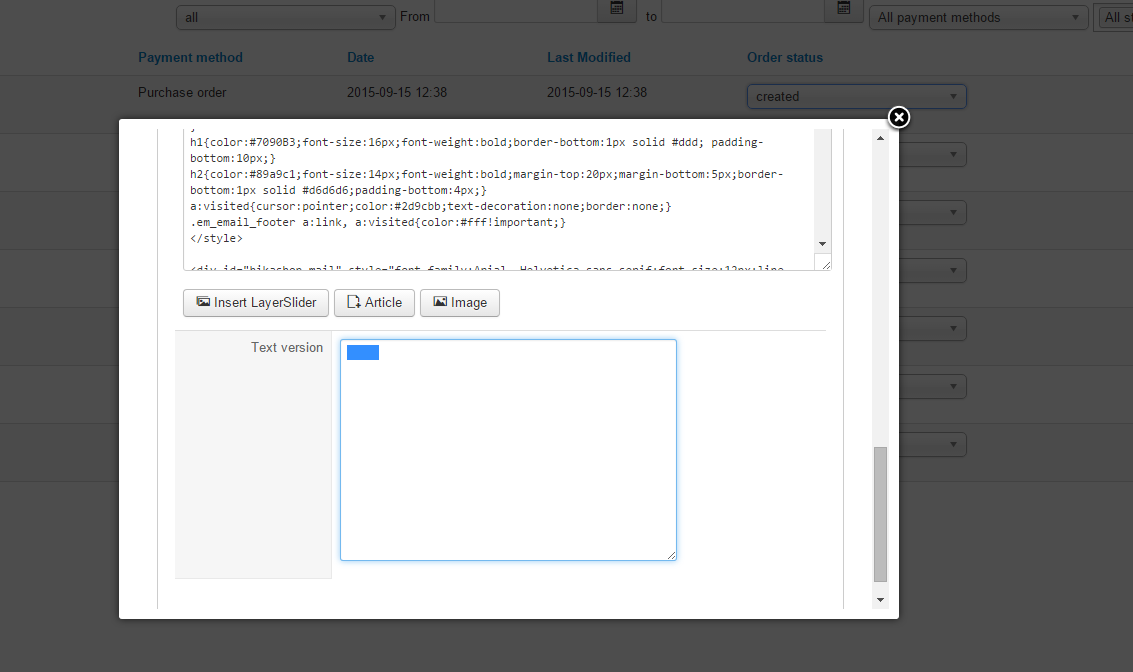
As you can see I have Highlighted the spaces in the text version
Update:
I just tried to send a mail and read the text version and as expected, it's empty apart from sender information, I suspect that it's because of the spaces that somehow appear in the text-version when one is trying to change the order status and notify the customer
That sounds awesome!
However I seem to be having a issue, I have cleaned out the text version completely in emails as such:
(I have done a "CTRL + A" to make sure there's no text or spaces at all)
Yet when I go into Orders and change a order status, and set "notify customer" to yes, the text version in that window is also "empty", apart from a couple of spaces, is the text-version not generated from the HTML right away? Or is it done before sending?
Below is picture of the text version from when a order status is being changed and I want to notify the customer
As you can see I have Highlighted the spaces in the text version
Update:
I just tried to send a mail and read the text version and as expected, it's empty apart from sender information, I suspect that it's because of the spaces that somehow appear in the text-version when one is trying to change the order status and notify the customer
Last edit: 11 years 3 weeks ago by earmaster. Reason: Tested
Please Log in or Create an account to join the conversation.
11 years 3 weeks ago #214476
by nicolas
Replied by nicolas on topic Email template - Text version
Hi,
I've tried it myself and it works just fine:
take.ms/9V0Nj
Can you edit the file media/com_hikashop/mail/order_status_notification.text.modified.php via FTP and check that the file is totally empty ?
I've tried it myself and it works just fine:
take.ms/9V0Nj
Can you edit the file media/com_hikashop/mail/order_status_notification.text.modified.php via FTP and check that the file is totally empty ?
Please Log in or Create an account to join the conversation.
11 years 2 weeks ago - 11 years 2 weeks ago #214591
by earmaster
Replied by earmaster on topic Email template - Text version
Hi Nicolas
I opened the file you requested and it is indeed completley empty, as can also be seen on the file size of 0B (Yes, I did also open it and check that it was empty).

I then tried to delete the changes we've made (using the "Remove customization" button) for all 3 fields, and then went in and emptied the text version again, This seemed to work (with the default html / preload version)
However, I then tried to paste in our changes to the Preload version again and the "error" happened again, so it seems to be related to that part
Are there certain things that we need to be aware of when we edit the HTML / Preload version, in order to auto generate the text version?
I opened the file you requested and it is indeed completley empty, as can also be seen on the file size of 0B (Yes, I did also open it and check that it was empty).
I then tried to delete the changes we've made (using the "Remove customization" button) for all 3 fields, and then went in and emptied the text version again, This seemed to work (with the default html / preload version)
However, I then tried to paste in our changes to the Preload version again and the "error" happened again, so it seems to be related to that part
Are there certain things that we need to be aware of when we edit the HTML / Preload version, in order to auto generate the text version?
Last edit: 11 years 2 weeks ago by earmaster.
Please Log in or Create an account to join the conversation.

11 years 2 weeks ago #214650
by Jerome
Jerome - Obsidev.com
HikaMarket & HikaSerial developer / HikaShop core dev team.
Replied by Jerome on topic Email template - Text version
Hi,
It could be related to an POST size limitation ; or to some (Joomla/web server) security plugin.
Please try to put your modification directly in the files using FTP ; you have the ".modified.php" files ; if you store your content in these files it will create the override (properly) and you won't loose your modification with HikaShop updates.
Regards,
It could be related to an POST size limitation ; or to some (Joomla/web server) security plugin.
Please try to put your modification directly in the files using FTP ; you have the ".modified.php" files ; if you store your content in these files it will create the override (properly) and you won't loose your modification with HikaShop updates.
Regards,
Jerome - Obsidev.com
HikaMarket & HikaSerial developer / HikaShop core dev team.
Please Log in or Create an account to join the conversation.
11 years 2 weeks ago #214922
by earmaster
Replied by earmaster on topic Email template - Text version
Hi Jerome
I tried to modify the files directly with FTP but alas it doesn't seem to have made any difference at all.
I tried to modify the files directly with FTP but alas it doesn't seem to have made any difference at all.
Please Log in or Create an account to join the conversation.
11 years 2 weeks ago #214993
by Jerome
Jerome - Obsidev.com
HikaMarket & HikaSerial developer / HikaShop core dev team.
Replied by Jerome on topic Email template - Text version
Hi,
Regards,
Please explain.alas it doesn't seem to have made any difference at all.
Regards,
Jerome - Obsidev.com
HikaMarket & HikaSerial developer / HikaShop core dev team.
Please Log in or Create an account to join the conversation.
11 years 2 weeks ago #215046
by earmaster
Replied by earmaster on topic Email template - Text version
Hi Jerome,
What I mean is that the same "errors" as described in my third post I don't know whether it's post / size thing as the Pre-load / HTML version works just fine if we disregard auto-generating the Text-version.
What I mean is that the same "errors" as described in my third post I don't know whether it's post / size thing as the Pre-load / HTML version works just fine if we disregard auto-generating the Text-version.
Please Log in or Create an account to join the conversation.
11 years 2 weeks ago #215083
by nicolas
Replied by nicolas on topic Email template - Text version
Hi,
We're not able to reproduce the problem on our end. It works just fine, so I can only assume that there is something on your website which isn't like when we try to reproduce it.
Could you provide a backend access so that we can check your settings and reproduce, and a FTP access in order to debug it if necessary ?
www.hikashop.com/support/contact-us.html
We're not able to reproduce the problem on our end. It works just fine, so I can only assume that there is something on your website which isn't like when we try to reproduce it.
Could you provide a backend access so that we can check your settings and reproduce, and a FTP access in order to debug it if necessary ?
www.hikashop.com/support/contact-us.html
Please Log in or Create an account to join the conversation.
11 years 2 weeks ago - 11 years 2 weeks ago #215200
by earmaster
Replied by earmaster on topic Email template - Text version
Done and done - You can just use the existing orders in the backend as you want. 
Last edit: 11 years 2 weeks ago by earmaster.
Please Log in or Create an account to join the conversation.
11 years 1 week ago #215346
by Jerome
Jerome - Obsidev.com
HikaMarket & HikaSerial developer / HikaShop core dev team.
Replied by Jerome on topic Email template - Text version
Hi,
It's fixed.
Your override of the "preload" contained a tabulation at the beginning of the file.
That tab created some content which were included in the email (what you could see in the textarea) and because the email was not really empty, the creation of the text version using the HTML one was not done.
I'll add a "trim" in HikaShop in order to avoid such kind of issue.
Regards,
It's fixed.
Your override of the "preload" contained a tabulation at the beginning of the file.
That tab created some content which were included in the email (what you could see in the textarea) and because the email was not really empty, the creation of the text version using the HTML one was not done.
I'll add a "trim" in HikaShop in order to avoid such kind of issue.
Regards,
Jerome - Obsidev.com
HikaMarket & HikaSerial developer / HikaShop core dev team.
The following user(s) said Thank You: earmaster
Please Log in or Create an account to join the conversation.
11 years 1 week ago #215721
by earmaster
Replied by earmaster on topic Email template - Text version
Hi Jerome!
I've been unable to locate the tabulation in the file, however, could you point out where you added the "trim" so that I can add it to our live server?
I've been unable to locate the tabulation in the file, however, could you point out where you added the "trim" so that I can add it to our live server?
Please Log in or Create an account to join the conversation.
11 years 1 week ago #215759
by Jerome
Jerome - Obsidev.com
HikaMarket & HikaSerial developer / HikaShop core dev team.
Replied by Jerome on topic Email template - Text version
Hi,
I removed the tab from your preload file, that's why you can't see it now.
It was just at the beginning of the preload, something like that :
About the "trim", it's in the HikaShop class mail (administrator/components/com_hikashop/classes/email.php), you need to use that code for the end of the function "loadEmail"
Regards,
I removed the tab from your preload file, that's why you can't see it now.
It was just at the beginning of the preload, something like that :
Code:
<?php
About the "trim", it's in the HikaShop class mail (administrator/components/com_hikashop/classes/email.php), you need to use that code for the end of the function "loadEmail"
Code:
if(!empty($postload) && file_exists($postload)) {
include $postload;
} else if($useTemplating || !empty($vars) || !empty($texts) || !empty($templates)) {
echo $this->processMailTemplate($mail, $data, $texts, $vars, $templates);
}
$ret = ob_get_clean();
return trim($ret);
}
Regards,
Jerome - Obsidev.com
HikaMarket & HikaSerial developer / HikaShop core dev team.
The following user(s) said Thank You: earmaster
Please Log in or Create an account to join the conversation.
11 years 1 week ago - 11 years 1 week ago #215868
by earmaster
Replied by earmaster on topic Email template - Text version
Hi Jerome.
I figured as much but I tried to find the tab on the live site, alas I still failed, although it might be because of my editor or simply me looking the wrong place.
Surely it's (administrator/components/com_hikashop/classes/mail.php) ?
Thanks for the help
OBS.
Strange thing is, I can't see the trim part in on the server you had access to, yet it works as it should, even when I paste in a old version (one that should contain the extra tabulation.
I figured as much but I tried to find the tab on the live site, alas I still failed, although it might be because of my editor or simply me looking the wrong place.
(administrator/components/com_hikashop/classes/email.php)
Surely it's (administrator/components/com_hikashop/classes/mail.php) ?
Thanks for the help
OBS.
Strange thing is, I can't see the trim part in on the server you had access to, yet it works as it should, even when I paste in a old version (one that should contain the extra tabulation.
Last edit: 11 years 1 week ago by earmaster.
Please Log in or Create an account to join the conversation.
11 years 1 week ago #215913
by nicolas
Replied by nicolas on topic Email template - Text version
Hi,
Yes, it's administrator/components/com_hikashop/classes/mail.php
Yes, it's administrator/components/com_hikashop/classes/mail.php
Please Log in or Create an account to join the conversation.
Time to create page: 0.264 seconds