

- Posts: 6
- Thank you received: 0
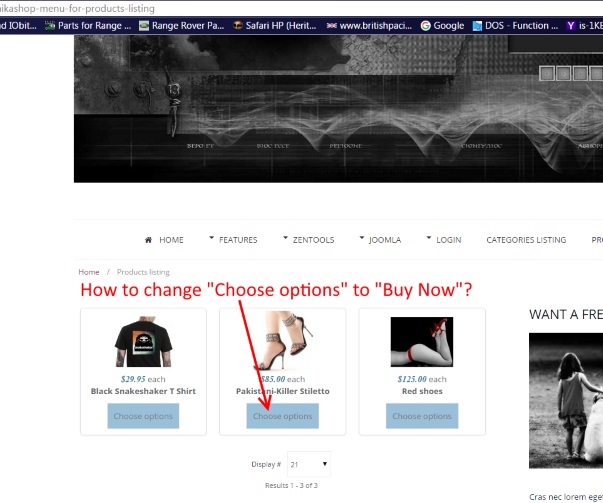
How to change the button text “Choose options"
11 years 2 months ago #215276
by m980
How to change the button text “Choose options" was created by m980
-- url of the page with the problem -- :
slcst.com
-- HikaShop version -- : 1509231716
-- Joomla version -- : 3.4.4
-- PHP version -- : 5.6.10
-- Browser(s) name and version -- : Chrome 45.0.2454.93 m
-- Error-message(debug-mod must be tuned on) -- : No error
How or where can the text for the display of the product categories button from "Choose options" to something else?
I've looked high and low and have not seen a place to make that change.
Thank you.
-- HikaShop version -- : 1509231716
-- Joomla version -- : 3.4.4
-- PHP version -- : 5.6.10
-- Browser(s) name and version -- : Chrome 45.0.2454.93 m
-- Error-message(debug-mod must be tuned on) -- : No error
How or where can the text for the display of the product categories button from "Choose options" to something else?
I've looked high and low and have not seen a place to make that change.
Thank you.
Please Log in or Create an account to join the conversation.

11 years 2 months ago #215285
by Xavier
Replied by Xavier on topic How to change the button text “Choose options"
Hi,
In Configuration > Language, you have to edit the desired language file and in the override part (at the bottom) add something like:
www.hikashop.com/support/faq.html#tran
In Configuration > Language, you have to edit the desired language file and in the override part (at the bottom) add something like:
Code:
CHOOSE_OPTIONS="The desired text"
Please Log in or Create an account to join the conversation.
Time to create page: 0.086 seconds