

- Posts: 18
- Thank you received: 0
Modify table checkout
9 years 9 months ago #261149
by Jes01
Modify table checkout was created by Jes01
-- url of the page with the problem -- :
sizaspeelotheek.nl/index.php/bestellen-reserveren/checkout
-- HikaShop version -- : 2.6.4
-- Joomla version -- : 3.6.5
-- PHP version -- : 5.6
-- Browser(s) name and version -- : firefox 50.0.2
In the table at checkout I want to delete all price information.
In the file checkout/cart.php I deleted the corresponding column and the row Total amount.
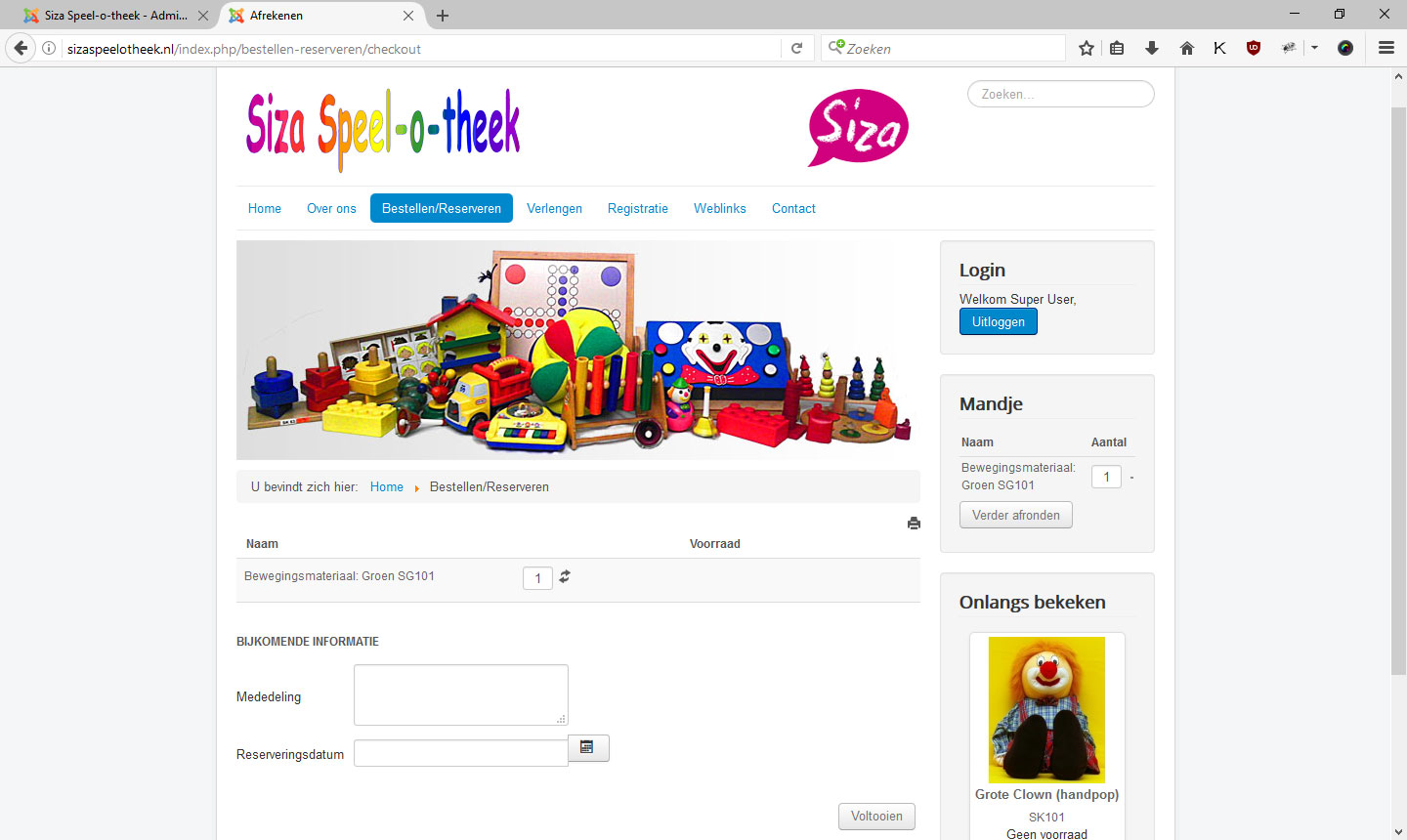
But now also the image has disappeared. See attachement.
What's going wrong?
I found the variable display_item_price. Should I use that and set it false?
And where can I do that?
-- HikaShop version -- : 2.6.4
-- Joomla version -- : 3.6.5
-- PHP version -- : 5.6
-- Browser(s) name and version -- : firefox 50.0.2
In the table at checkout I want to delete all price information.
In the file checkout/cart.php I deleted the corresponding column and the row Total amount.
But now also the image has disappeared. See attachement.
What's going wrong?
I found the variable display_item_price. Should I use that and set it false?
And where can I do that?
Please Log in or Create an account to join the conversation.
9 years 9 months ago - 9 years 9 months ago #261154
by Philip
Replied by Philip on topic Modify table checkout
Hello,
I can just guess that there is something wrong in your override code in your view checkout/cart.
I can only help you with this :
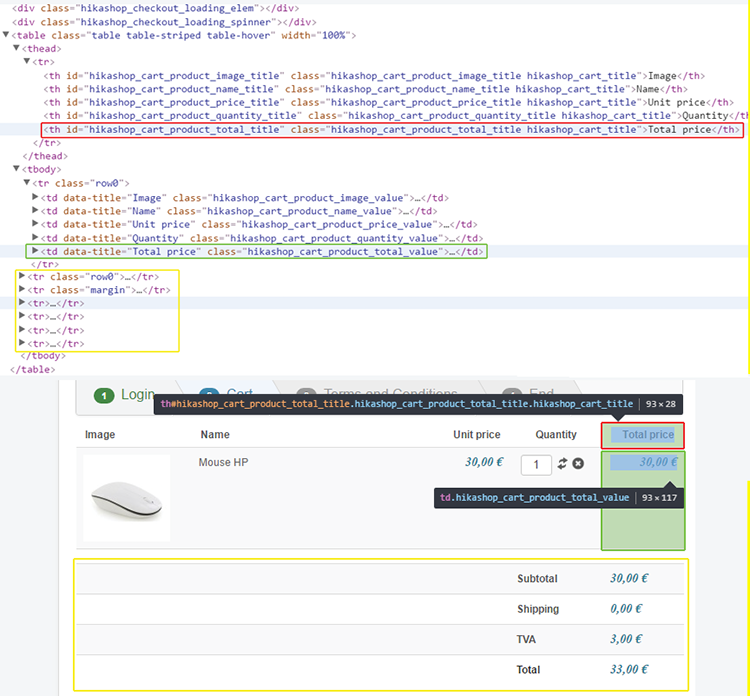
You don't have to edit the "display_item_price" just remove td, tr.
Please note that this forum purpose is to help you to use HikaShop features, not to give you custom code or correct code error.
Note : Maybe this tutorial can help you.
Hope this will help you
Regards
I can just guess that there is something wrong in your override code in your view checkout/cart.
I can only help you with this :
You don't have to edit the "display_item_price" just remove td, tr.
Please note that this forum purpose is to help you to use HikaShop features, not to give you custom code or correct code error.
Note : Maybe this tutorial can help you.
Hope this will help you
Regards
Last edit: 9 years 9 months ago by Philip.
Please Log in or Create an account to join the conversation.
Time to create page: 0.055 seconds