

- Posts: 30
- Thank you received: 0
display custom field in checkout
9 years 5 months ago #267218
by syno
display custom field in checkout was created by syno
-- HikaShop version -- : 264
-- Joomla version -- : 36
-- PHP version -- : 7
Hello,
I made 4 custom fields of type "order" and now I am trying to show the all in the checkout process. The problem I have is that only the field is shown which was saved at last in the backend.
To be more specific..... If I open my first custom field in the backend and save it, it is shown corre3ctly in the checkout. But then the other fields are gone. If I open and save my 4th custom field in the backend only the 4th field is shown and the others are gone.
First I thought it is a caching problem but disabeling and deleting cache did not change anything.
Is this a known problem? How can I fix this?
Thank you for your help!
Regards,
Syno
-- Joomla version -- : 36
-- PHP version -- : 7
Hello,
I made 4 custom fields of type "order" and now I am trying to show the all in the checkout process. The problem I have is that only the field is shown which was saved at last in the backend.
To be more specific..... If I open my first custom field in the backend and save it, it is shown corre3ctly in the checkout. But then the other fields are gone. If I open and save my 4th custom field in the backend only the 4th field is shown and the others are gone.
First I thought it is a caching problem but disabeling and deleting cache did not change anything.
Is this a known problem? How can I fix this?
Thank you for your help!
Regards,
Syno
Please Log in or Create an account to join the conversation.

9 years 5 months ago #267228
by nicolas
Replied by nicolas on topic display custom field in checkout
Hi,
I've never heard of such problem.
Try with the default template of Joomla, to make sure that it doesn't come from a view override of the template.
If that doesn't help, please provide a screenshot of each of these custom fields and a link to the shop so that we can look at that.
I've never heard of such problem.
Try with the default template of Joomla, to make sure that it doesn't come from a view override of the template.
If that doesn't help, please provide a screenshot of each of these custom fields and a link to the shop so that we can look at that.
Please Log in or Create an account to join the conversation.
9 years 5 months ago - 9 years 5 months ago #267249
by syno
Replied by syno on topic display custom field in checkout
Hello Nicolas,
thank you for your answer.
Changing to default template does not help.
Please check the dev site here:
prefinal17.weinpalais.de
The dev site uses still the default template so the layout is a little broken but the issue is the same.
What I need is 4 fields "Zahungsbedingung", "Kontonummer/IBAN" , "BIC" and "Bemerkungen"
"Zahungsbedingung" and "Bemerkungen" should always be shown. "Kontonummer/IBAN" , "BIC" should only be visible if "Zahlungsbedingung" == "Lastschrift"
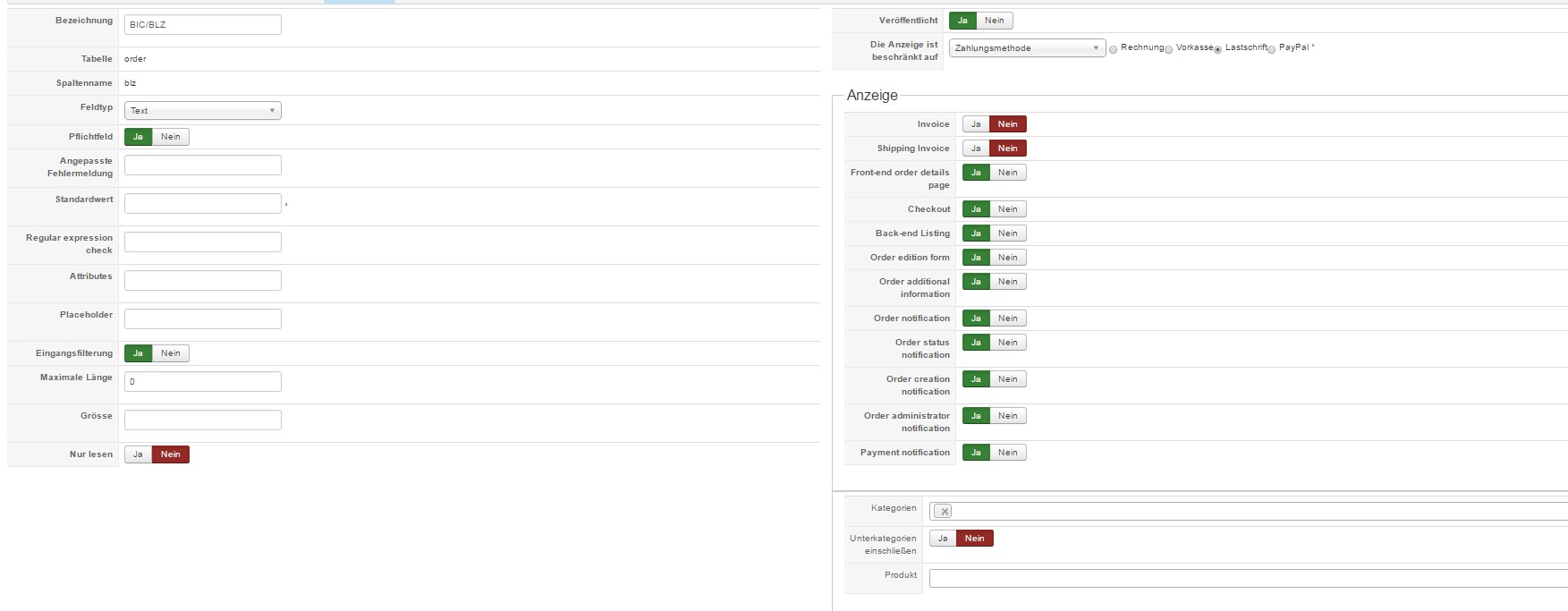
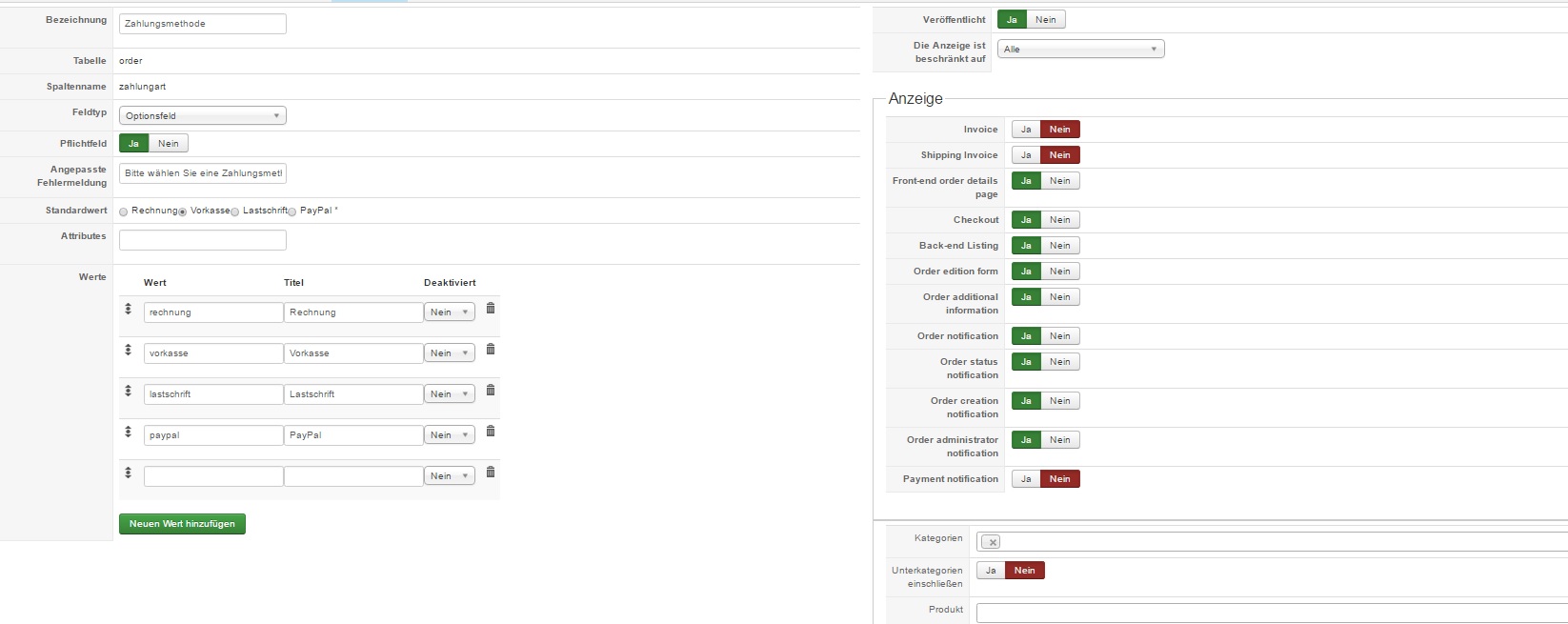
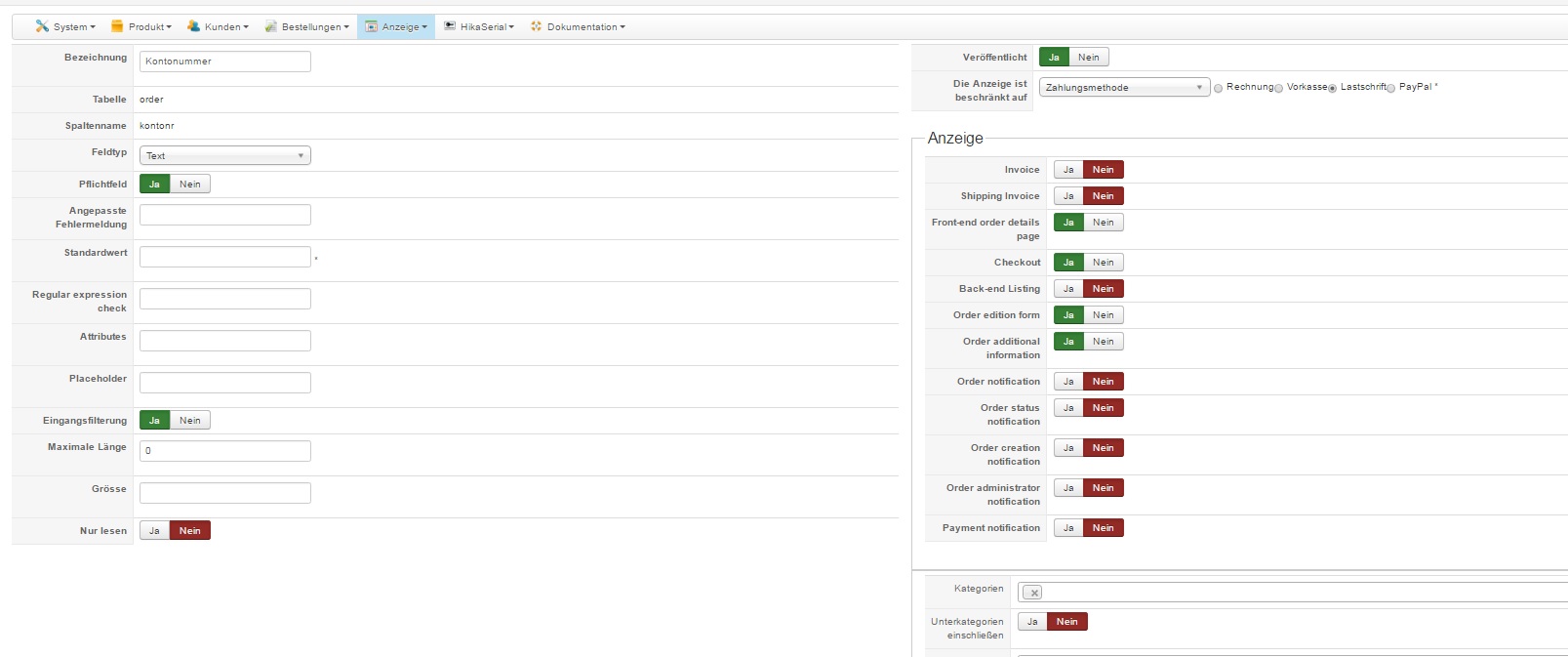
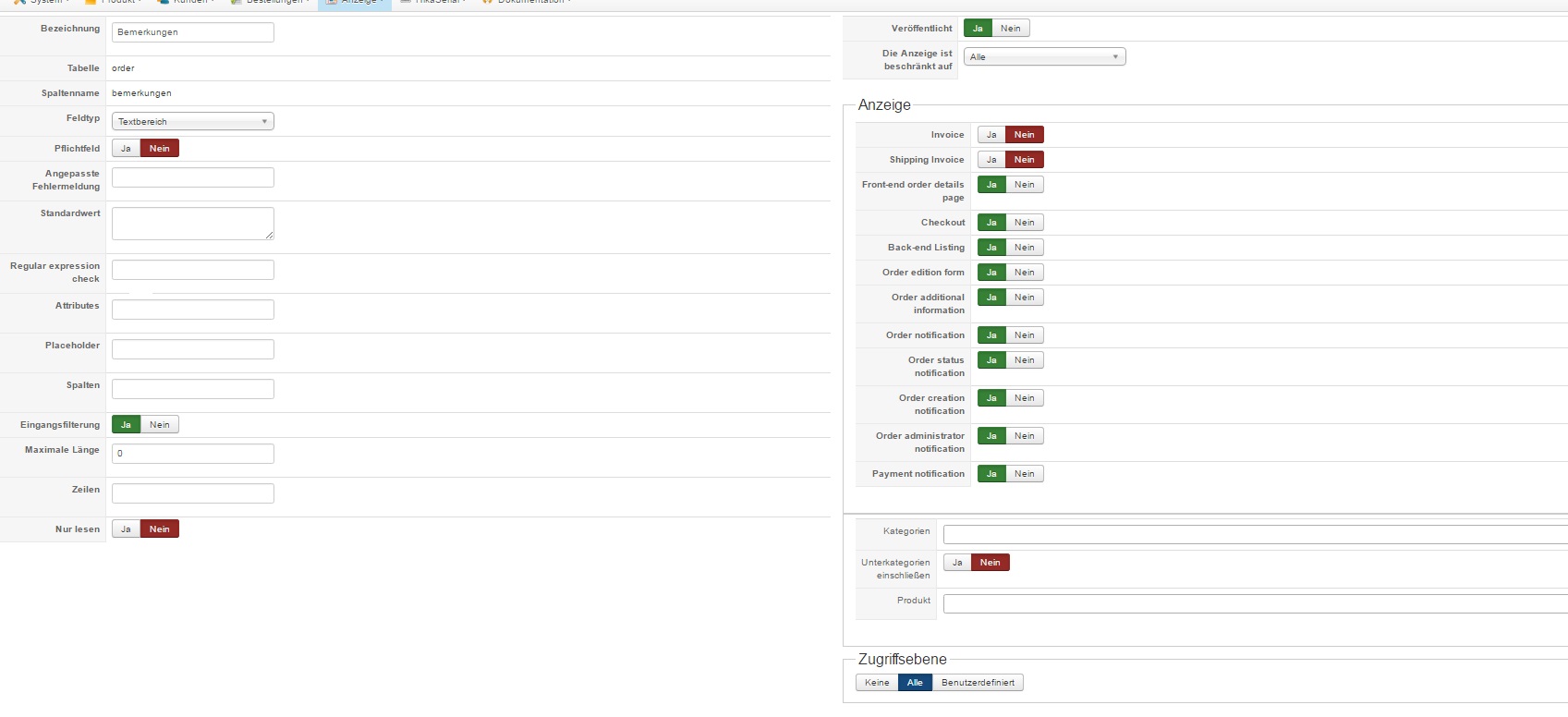
thank you for your answer.
Changing to default template does not help.
Please check the dev site here:
prefinal17.weinpalais.de
The dev site uses still the default template so the layout is a little broken but the issue is the same.
What I need is 4 fields "Zahungsbedingung", "Kontonummer/IBAN" , "BIC" and "Bemerkungen"
"Zahungsbedingung" and "Bemerkungen" should always be shown. "Kontonummer/IBAN" , "BIC" should only be visible if "Zahlungsbedingung" == "Lastschrift"
Last edit: 9 years 5 months ago by syno.
Please Log in or Create an account to join the conversation.
9 years 5 months ago #267256
by nicolas
Replied by nicolas on topic display custom field in checkout
Hi,
I see that you have a strange issue with the categories restriction option in your custom fields. There is an empty value selected (like if you had selected a category, which was then deleted).
Delete it and make sure that you select the main category of your products with the option below it turned on for each field. That should hopefully help.
I see that you have a strange issue with the categories restriction option in your custom fields. There is an empty value selected (like if you had selected a category, which was then deleted).
Delete it and make sure that you select the main category of your products with the option below it turned on for each field. That should hopefully help.
Please Log in or Create an account to join the conversation.
9 years 5 months ago #267284
by syno
Replied by syno on topic display custom field in checkout
Hello Nicolas,
thank you for your help. You are right, changing this empty category did the trick.
Thanky for support!
Regards,
Syno
thank you for your help. You are right, changing this empty category did the trick.
Thanky for support!
Regards,
Syno
Please Log in or Create an account to join the conversation.
Time to create page: 0.201 seconds