

- Posts: 9
- Thank you received: 1
Checkout fields info dissapear
5 years 5 months ago #332794
by jushavl
Checkout fields info dissapear was created by jushavl
-- HikaShop version -- : 4.4.2 Business
-- Joomla version -- : 3.9.26
-- PHP version -- : 7.3.26
-- Browser(s) name and version -- : Google Chrome 90.0.4430.212
Hi!
After update from 4.2 to 4.4.2 i have a problem with order form
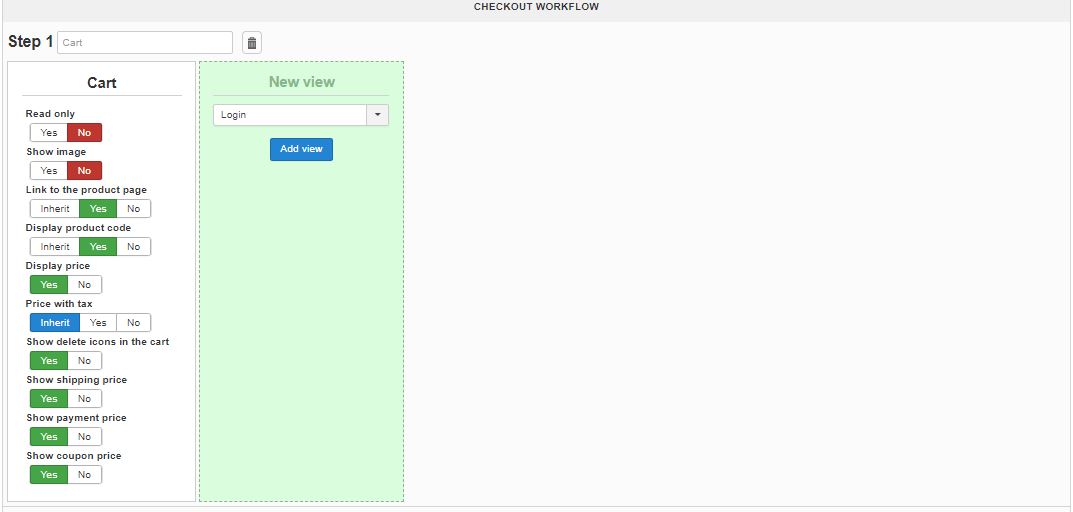
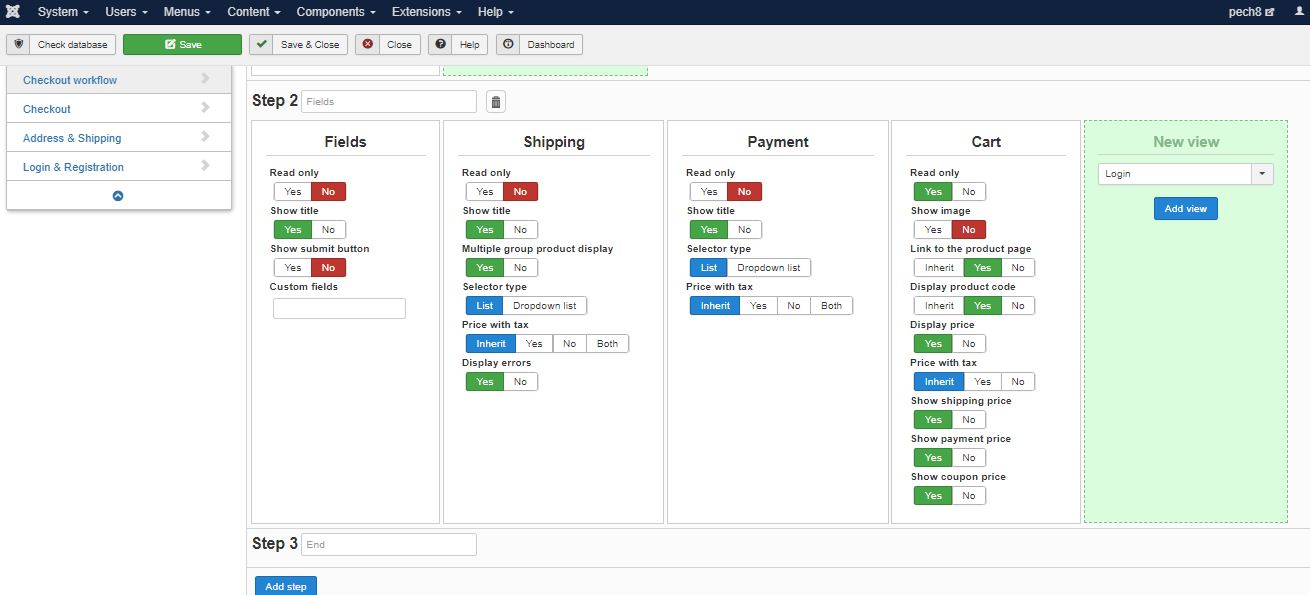
Step 2 in order form contains "Fields", "Shipping", "Payment"
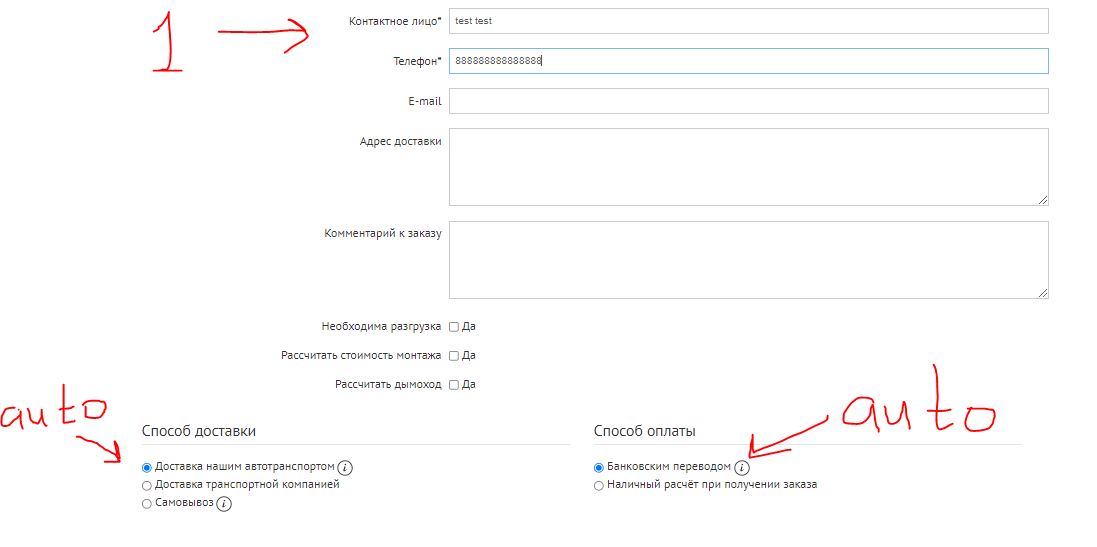
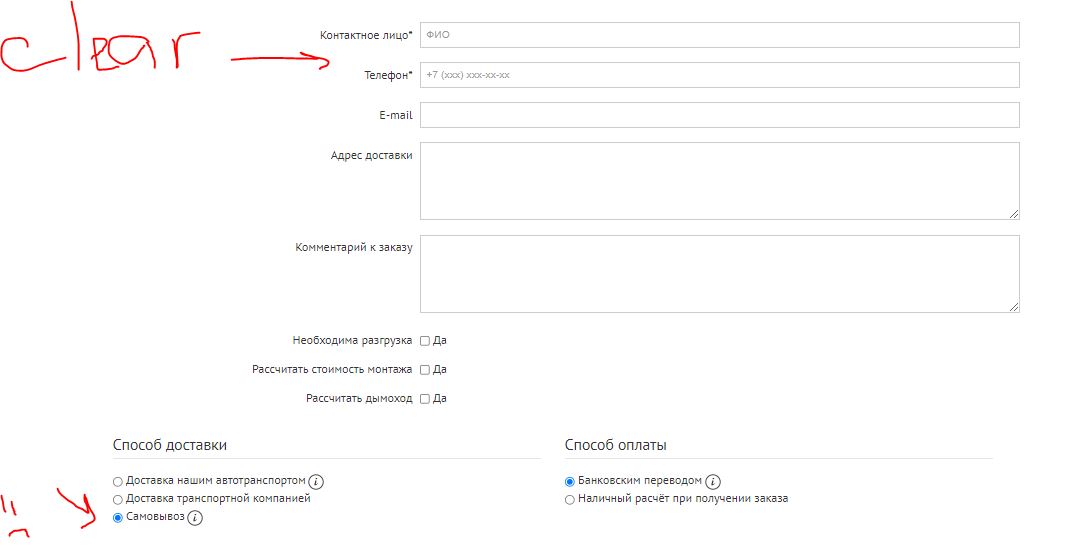
I fill out "Fields", then when i choose "Shipping" or "Payment", "Fields" update and all information dissapears.
Screenshots and video(in .zip) below)
Thanks!


-- Joomla version -- : 3.9.26
-- PHP version -- : 7.3.26
-- Browser(s) name and version -- : Google Chrome 90.0.4430.212
Hi!
After update from 4.2 to 4.4.2 i have a problem with order form
Step 2 in order form contains "Fields", "Shipping", "Payment"
I fill out "Fields", then when i choose "Shipping" or "Payment", "Fields" update and all information dissapears.
Screenshots and video(in .zip) below)
Thanks!
This attachment is hidden for guests.
Please log in or register to see it.
Please log in or register to see it.
Please Log in or Create an account to join the conversation.

5 years 5 months ago #332808
by nicolas
Replied by nicolas on topic Checkout fields info dissapear
Hi,
Ah yes, I see what you're talking about.
We've added a few releases ago the possibility to restrict custom fields of the "order" table based on the selected shipping and payment method.
This means that when the shipping method or payment method changes, we need to refresh the custom fields area.
If you don't want/need that, you'll want to edit the file checkout / show_block_fields.php via the menu Display>Views and change the line:
to:
Another solution would be to move the fields and the shipping/payment selection views on different steps, or to place the fields view after the payment/shipping views so that the customer enters his data after selecting the shipping/payment method.
Ah yes, I see what you're talking about.
We've added a few releases ago the possibility to restrict custom fields of the "order" table based on the selected shipping and payment method.
This means that when the shipping method or payment method changes, we need to refresh the custom fields area.
If you don't want/need that, you'll want to edit the file checkout / show_block_fields.php via the menu Display>Views and change the line:
Code:
window.Oby.registerAjax(['checkout.fields.updated','cart.updated','checkout.shipping.changed','checkout.payment.changed'], function(params){
Code:
window.Oby.registerAjax(['checkout.fields.updated','cart.updated'], function(params){
The following user(s) said Thank You: jushavl
Please Log in or Create an account to join the conversation.
5 years 5 months ago #332811
by jushavl
Replied by jushavl on topic Checkout fields info dissapear
WORKS!!!
THANKS, Nicolas!!!
THANKS, Nicolas!!!
The following user(s) said Thank You: Philip
Please Log in or Create an account to join the conversation.
Time to create page: 0.139 seconds