

- Posts: 128
- Thank you received: 3
move the apply coupon form in the checkout cart view
4 years 8 months ago #339899
by deuce4884
move the apply coupon form in the checkout cart view was created by deuce4884
-- HikaShop version -- : 2.6.1
-- Joomla version -- : 3.10.1
-- PHP version -- : 5.6.40
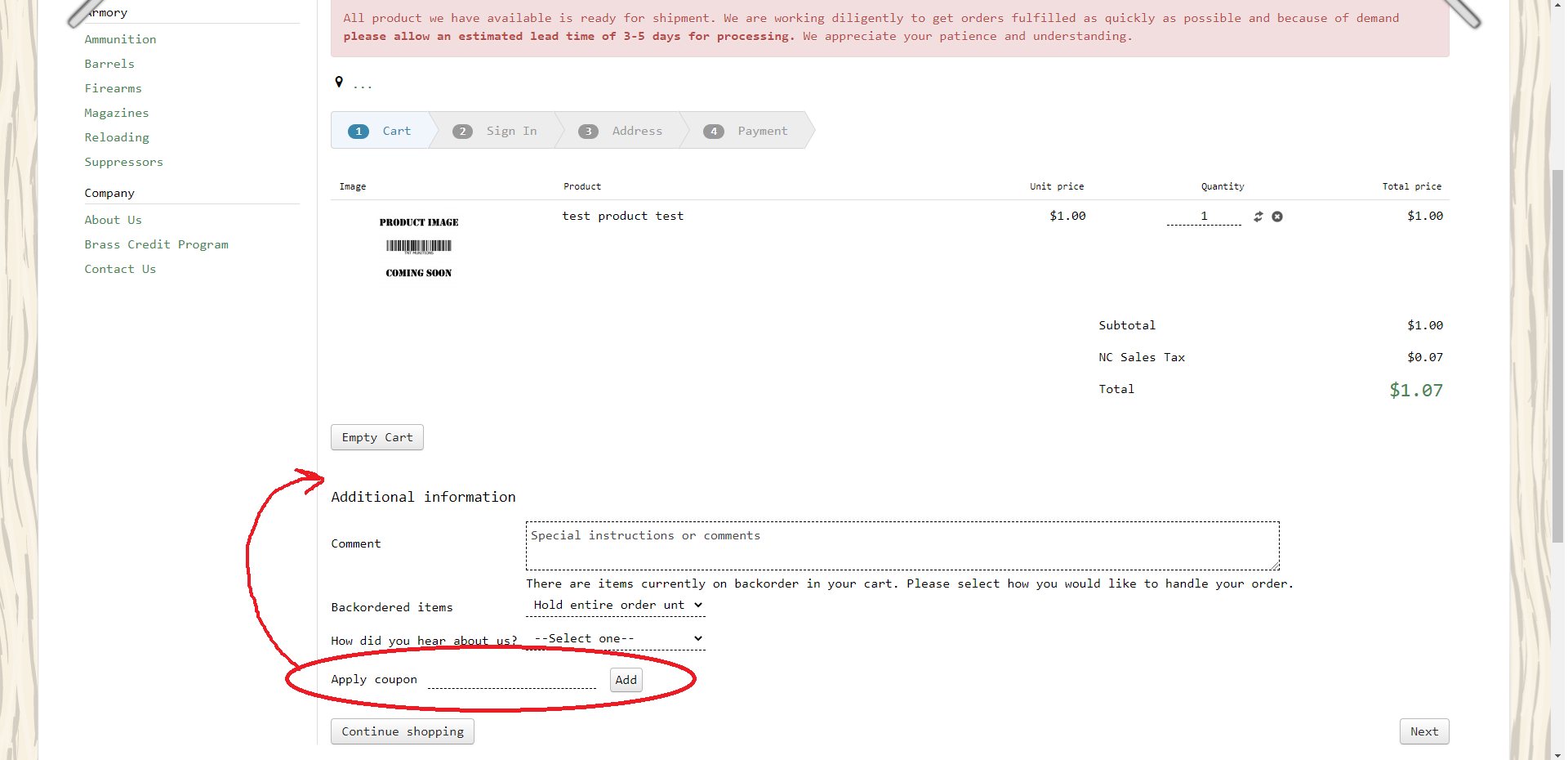
i'd like to be able to move the apply coupon form from below the additional information to above the additional information section as seen in the attached screenshot. i can't find the view to edit this. i know i'm probably just missing it but can someone help me with this? thanks
-- Joomla version -- : 3.10.1
-- PHP version -- : 5.6.40
i'd like to be able to move the apply coupon form from below the additional information to above the additional information section as seen in the attached screenshot. i can't find the view to edit this. i know i'm probably just missing it but can someone help me with this? thanks
Please Log in or Create an account to join the conversation.

4 years 8 months ago - 4 years 8 months ago #339900
by Philip
Replied by Philip on topic move the apply coupon form in the checkout cart view
Hello,
You will find the setting, from the Main HikaShop configuration page, go to Checkout tab.
And to move (or remove it) the block coupon, look in the Checkout Workflow part :

Hope this will help you.
Regards
You will find the setting, from the Main HikaShop configuration page, go to Checkout tab.
And to move (or remove it) the block coupon, look in the Checkout Workflow part :
Hope this will help you.
Regards
Last edit: 4 years 8 months ago by Philip.
The following user(s) said Thank You: deuce4884
Please Log in or Create an account to join the conversation.
4 years 8 months ago #339910
by deuce4884
Replied by deuce4884 on topic move the apply coupon form in the checkout cart view
i knew it was something simple that i was just over looking. thanks
Please Log in or Create an account to join the conversation.
Time to create page: 0.203 seconds