

- Posts: 42
- Thank you received: 0
the custom field for inquiry form failed to submmit
3 years 9 months ago #348149
by cycnorman
the custom field for inquiry form failed to submmit was created by cycnorman
-- HikaShop version -- : 3.0.1
-- Joomla version -- : 3.6.4
-- PHP version -- : 5.6.40
-- Browser(s) name and version -- : chrome
-- Error-message(debug-mod must be tuned on) -- : no error message on the page.
Hello
I have installed hikashop business on a client's website for many years and It has been working well from the begining.
but recently my client found that when sending inquiry after submitting the form, there is a message "ERROR please complete the model field', and another message "please enter a valid email address".
The model field is configured by custom field for customers to know what machine model they inquiry, that is alway work well and the email field I filled is correctly match the email form such like "service_test@gmail.com".
I do not know why it shows the error message.
You can test it on my website and you can know what I said.
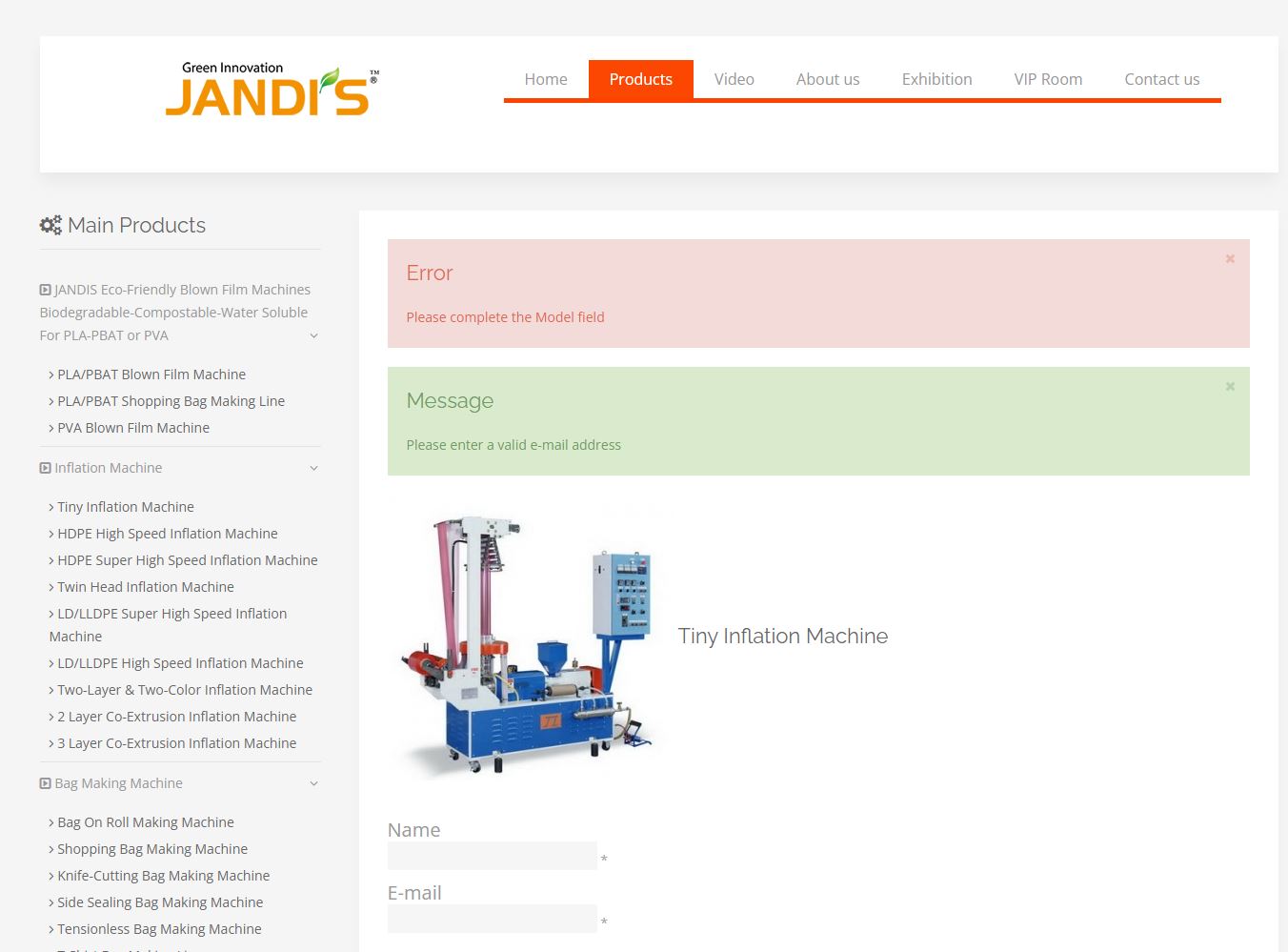
Please hlep me to solve this issue, thank you.
-- Joomla version -- : 3.6.4
-- PHP version -- : 5.6.40
-- Browser(s) name and version -- : chrome
-- Error-message(debug-mod must be tuned on) -- : no error message on the page.
Hello
I have installed hikashop business on a client's website for many years and It has been working well from the begining.
but recently my client found that when sending inquiry after submitting the form, there is a message "ERROR please complete the model field', and another message "please enter a valid email address".
The model field is configured by custom field for customers to know what machine model they inquiry, that is alway work well and the email field I filled is correctly match the email form such like "service_test@gmail.com".
I do not know why it shows the error message.
You can test it on my website and you can know what I said.
Please hlep me to solve this issue, thank you.
Please Log in or Create an account to join the conversation.

3 years 9 months ago #348157
by nicolas
Replied by nicolas on topic the custom field for inquiry form failed to submmit
Hi,
The "please enter a valid email address" is I think a byproduct of the model field outputting an error message. When at least a field is not provided properly, the data returned will be empty in the code, resulting in the email address not being found. We'll add a check so that it doesn't output an error message for the email in such cases.
So I think the only issue is with the Model custom field. Could you provide a screenshot of the settings of the Model custom field ?
I think you might have an issue with how you configured it.
The "please enter a valid email address" is I think a byproduct of the model field outputting an error message. When at least a field is not provided properly, the data returned will be empty in the code, resulting in the email address not being found. We'll add a check so that it doesn't output an error message for the email in such cases.
So I think the only issue is with the Model custom field. Could you provide a screenshot of the settings of the Model custom field ?
I think you might have an issue with how you configured it.
Please Log in or Create an account to join the conversation.
3 years 9 months ago - 3 years 9 months ago #348158
by cycnorman
Replied by cycnorman on topic the custom field for inquiry form failed to submmit
OK, I will provide.
I create field called "Model" for every products, for example "TINY-28".
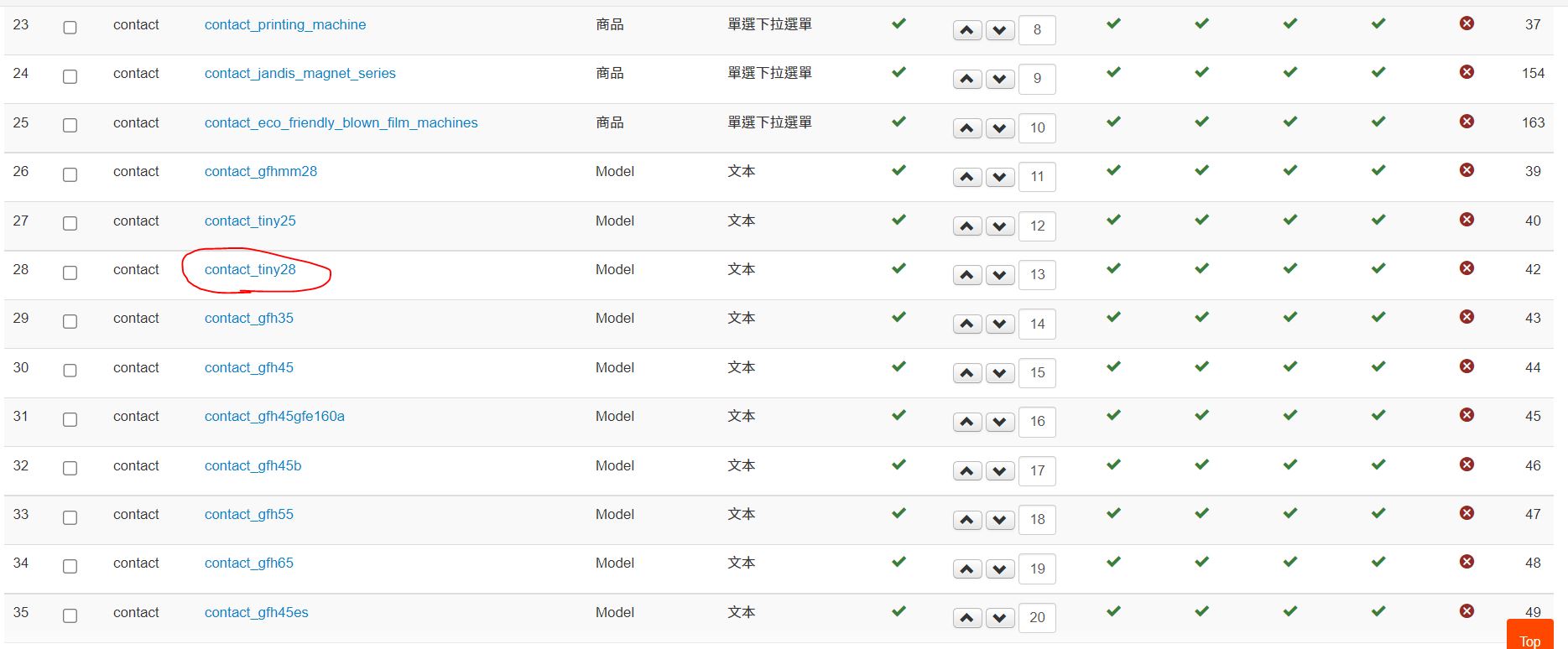
I use this field for contact table and give it a default value "TINY-28".
the attachment cf2 1
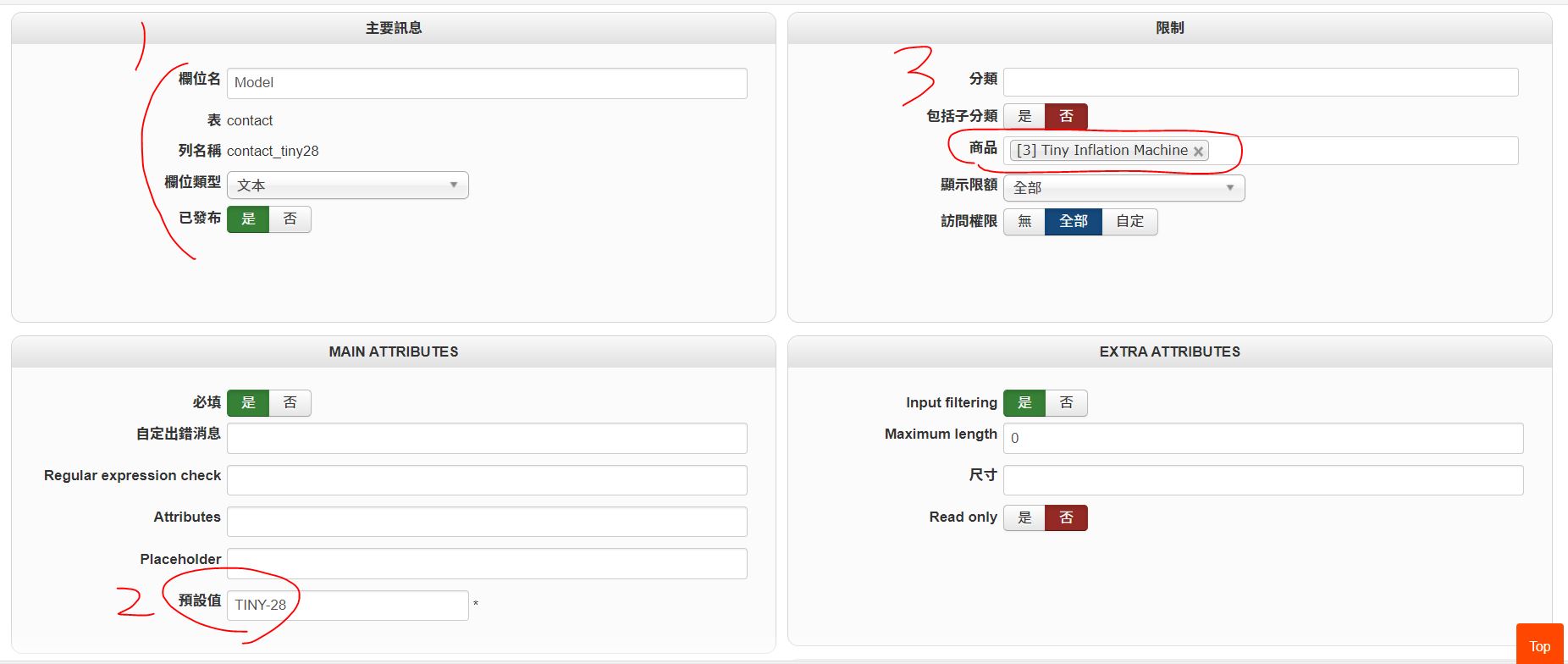
for frontend to display the product name matching the product for inquiry.
the attachment cf2 2
this field is specified for exactly TINY-28 the product.
the attachment cf2 3
In the begining, I have used such method for many years, I do not know how it become un-functionable.
I create field called "Model" for every products, for example "TINY-28".
I use this field for contact table and give it a default value "TINY-28".
the attachment cf2 1
for frontend to display the product name matching the product for inquiry.
the attachment cf2 2
this field is specified for exactly TINY-28 the product.
the attachment cf2 3
In the begining, I have used such method for many years, I do not know how it become un-functionable.
Last edit: 3 years 9 months ago by cycnorman.
Please Log in or Create an account to join the conversation.
3 years 9 months ago #348160
by nicolas
Replied by nicolas on topic the custom field for inquiry form failed to submmit
Hi,
I suppose you must have activated the "required" setting of the Model custom fields and that's what lead to the issue.
I checked the code and I think it doesn't handle the product restriction properly for custom contact fields on the submission of the form when the field is required.
Changing the code:
to:
in the file components/com_hikashop/controllers/product.php and it should help properly handle this case.
I suppose you must have activated the "required" setting of the Model custom fields and that's what lead to the issue.
I checked the code and I think it doesn't handle the product restriction properly for custom contact fields on the submission of the form when the field is required.
Changing the code:
Code:
if(empty($formData['contact'])) {
$formData['contact'] = @$formData['register'];
foreach($formData['contact'] as $column => $value) {
hikashop_secureField($column);
$element->$column = strip_tags($value);
}
} else {
$fieldsClass = hikashop_get('class.field');
$element = $fieldsClass->getInput('contact', $element);
}
to:
Code:
if(empty($formData['contact'])) {
$formData['contact'] = @$formData['register'];
}
if(!empty($formData['contact'])) {
foreach($formData['contact'] as $column => $value) {
hikashop_secureField($column);
$element->$column = strip_tags($value);
}
}
if(empty($formData['register'])) {
$fieldsClass = hikashop_get('class.field');
$element = $fieldsClass->getInput('contact', $element);
}
Please Log in or Create an account to join the conversation.
Time to create page: 0.071 seconds