

- Posts: 181
- Thank you received: 28
Edit Invoice
2 years 9 months ago - 2 years 9 months ago #359107
by yerg55
Edit Invoice was created by yerg55
-- HikaShop version -- : HikaShop Business 5.0.3
-- Joomla version -- : 4.4.2
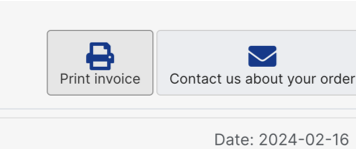
Following payment from payment gateway, the page automatically refreshes to an invoice with a "toolbar" with "Print Invoice" and contact about the order.
Looking to edit that "toolbar" and can't find the location.
Thanks
-- Joomla version -- : 4.4.2
Following payment from payment gateway, the page automatically refreshes to an invoice with a "toolbar" with "Print Invoice" and contact about the order.
Looking to edit that "toolbar" and can't find the location.
Thanks
Last edit: 2 years 9 months ago by yerg55.
Please Log in or Create an account to join the conversation.

2 years 9 months ago #359111
by nicolas
Replied by nicolas on topic Edit Invoice
Hi,
Well, it depends
If you want to change the text of these buttons, you can use translation overrides:
www.hikashop.com/download/languages.html#modify
If you want to change the images of these buttons, or change their look, you can use CSS:
www.hikashop.com/support/documentation/1...ize-the-display.html
If you want to configure when these two buttons display, you can go in the menu System>Order statuses and change the enabled statuses under the "print invoice" and "contact button" columns.
If you want to add buttons there, then you want to use a view override of the view file order / show via the menu Display>Views:
www.hikashop.com/support/documentation/1...-display.html#layout
Since you didn't say how you want to edit this toolbar, I can't provide any precise answer. I would need you to explain first how you want to change it.
Please Log in or Create an account to join the conversation.
2 years 9 months ago #359142
by yerg55
Replied by yerg55 on topic Edit Invoice
Missed the critical bit there.
When a customer orders they receive an email confirmation with their order.
Customers are at the completion of the order process think "Oh I need a copy"
For some this can be 6 pages
The email is 2
So I want to remove the print button and link
Thanks for this solution.
When a customer orders they receive an email confirmation with their order.
Customers are at the completion of the order process think "Oh I need a copy"
For some this can be 6 pages
The email is 2
So I want to remove the print button and link
Thanks for this solution.
If you want to configure when these two buttons display, you can go in the menu System>Order statuses and change the enabled statuses under the "print invoice" and "contact button" columns.
Please Log in or Create an account to join the conversation.
Time to create page: 0.060 seconds