

- Posts: 423
- Thank you received: 36
how to set shipping methods for contact
11 years 9 months ago #184379
by lhumdin
how to set shipping methods for contact was created by lhumdin
-- HikaShop version -- : 1411011730
-- Joomla version -- : 3.36
-- Error-message(debug-mod must be tuned on) -- : shipping methods
hi
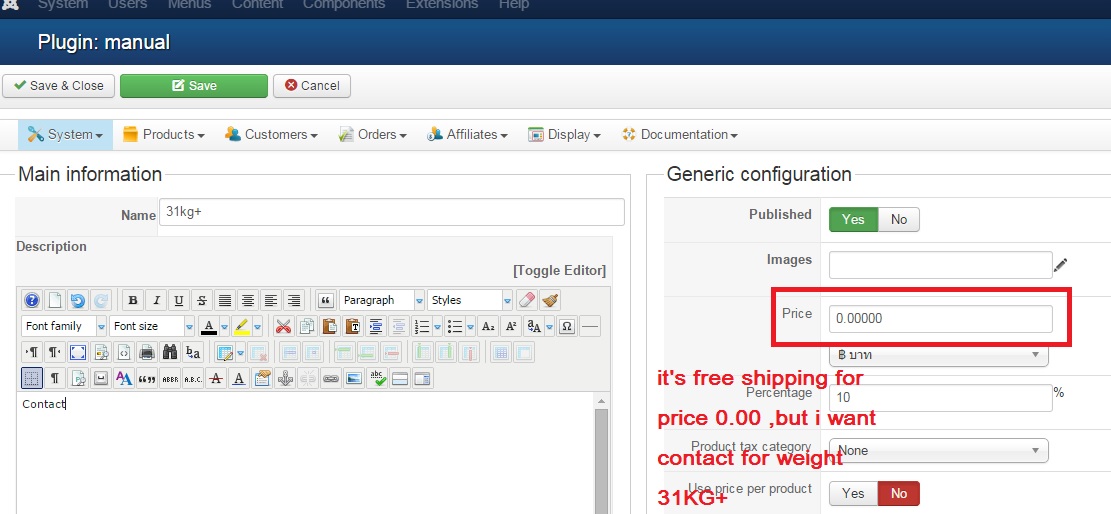
i am setting shipping product Weight 31 KG
and i'm don't want for use money or free for shipping to Weight 31KG
i want contact for Only wieght 31KG ,if buy product at Weight 31 KG
how to edit
-- Joomla version -- : 3.36
-- Error-message(debug-mod must be tuned on) -- : shipping methods
hi
i am setting shipping product Weight 31 KG
and i'm don't want for use money or free for shipping to Weight 31KG
i want contact for Only wieght 31KG ,if buy product at Weight 31 KG
how to edit
Please Log in or Create an account to join the conversation.

11 years 9 months ago #184383
by nicolas
Replied by nicolas on topic how to set shipping methods for contact
Hi,
Keep your shipping method like that, and set the "shipping methods" restriction option of your payment methods to the other shipping methods.
Then, create a new payment method with the "collect on delivery" plugin and rename it "contact us" and set its shipping methods option to that shipping method.
Finally, create a translation override for the "free shipping" text and change it to the text you want like "to be determined".
That should allow you to get the result you want.
Keep your shipping method like that, and set the "shipping methods" restriction option of your payment methods to the other shipping methods.
Then, create a new payment method with the "collect on delivery" plugin and rename it "contact us" and set its shipping methods option to that shipping method.
Finally, create a translation override for the "free shipping" text and change it to the text you want like "to be determined".
That should allow you to get the result you want.
Please Log in or Create an account to join the conversation.
Time to create page: 0.217 seconds