
- Posts: 10
- Thank you received: 0
Overriding shipping tax zone
- Johnmickle
-
 Topic Author
- Offline
Less
More
9 years 6 months ago #265549
by Johnmickle
Overriding shipping tax zone was created by Johnmickle
-- HikaShop version -- : 3.0.1
-- Joomla version -- : 3.6.6
-- PHP version -- : 5.6.30
-- Browser(s) name and version -- : 56.0.2924.87 (64-bit)
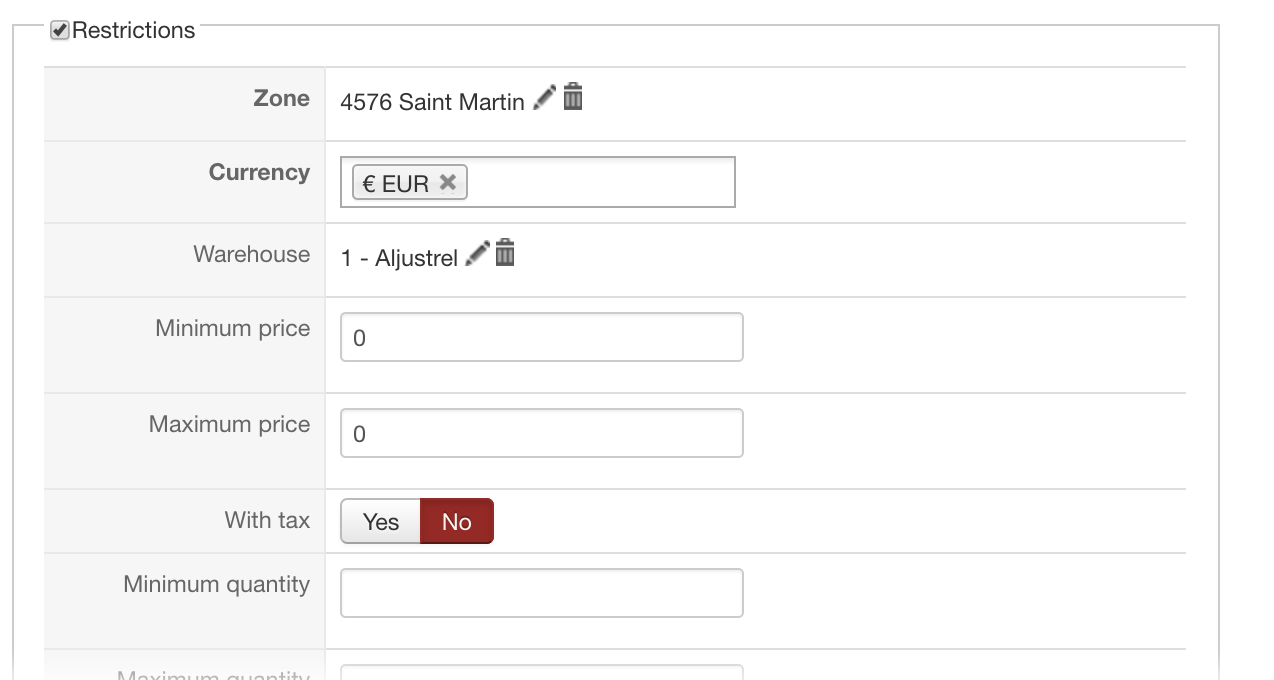
I want to override a specific country in a specific global zone, but I can't get it working. In DHL shipping zone #8 where I'm applying the 23% portuguese VAT, I want the french island of Saint Martin (@4576) no being submitted to that tax since VAT is not applicable in this island. I first tried to set it to 0% in the restrictions but it wouldn't work. Price are still including taxes.
Then I tried to override tax zone with it but it wouldn't work either. I also tried with both settings and overriding shipping address with my shop address but still have not the desired result. Have any idea about how to set it?
-- Joomla version -- : 3.6.6
-- PHP version -- : 5.6.30
-- Browser(s) name and version -- : 56.0.2924.87 (64-bit)
I want to override a specific country in a specific global zone, but I can't get it working. In DHL shipping zone #8 where I'm applying the 23% portuguese VAT, I want the french island of Saint Martin (@4576) no being submitted to that tax since VAT is not applicable in this island. I first tried to set it to 0% in the restrictions but it wouldn't work. Price are still including taxes.
Then I tried to override tax zone with it but it wouldn't work either. I also tried with both settings and overriding shipping address with my shop address but still have not the desired result. Have any idea about how to set it?
Please Log in or Create an account to join the conversation.

9 years 6 months ago #265562
by nicolas
Replied by nicolas on topic Overriding shipping tax zone
Hi,
The "override tax zone" setting of shipping methods allow your customers to use the zone selected in that setting instead of the zone of their shipping address when that shipping method is selected.
But that's not what you want I guess.
You want your customers when their shipping address set to that specific zone to not pay taxes.
So your problem is not with the shipping methods but with the tax rules.
You should configure your tax rules so that they only apply to the zones where you want them to apply.
So for example, if you want a tax rule to apply to all the states of a country except one, then instead of selecting that one country in your tax rule, you should select the different states in the "zone" setting of your tax rule.
You can do that by editing your tax rules via the menu System>Taxes.
The "override tax zone" setting of shipping methods allow your customers to use the zone selected in that setting instead of the zone of their shipping address when that shipping method is selected.
But that's not what you want I guess.
You want your customers when their shipping address set to that specific zone to not pay taxes.
So your problem is not with the shipping methods but with the tax rules.
You should configure your tax rules so that they only apply to the zones where you want them to apply.
So for example, if you want a tax rule to apply to all the states of a country except one, then instead of selecting that one country in your tax rule, you should select the different states in the "zone" setting of your tax rule.
You can do that by editing your tax rules via the menu System>Taxes.
Please Log in or Create an account to join the conversation.
Time to create page: 0.162 seconds