
- Posts: 241
- Thank you received: 5
How to get currency converter to display on page?
- cberry1971
-
 Topic Author
- Offline
Less
More
12 years 4 months ago #154927
by cberry1971
How to get currency converter to display on page? was created by cberry1971
Hi Guys,
We have a primary currency of USD but a Canadian event where the users want to pay in CAD.
Well I just learned about the currency converter and LOVE it.
My only problem is I can't figure out how to get it to display on the sidebar here:
184.154.228.9/~throwdow/billel/index.php...ct&task=show&cid=535
I can get it to work when selecting "on all pages" in the HikaShop Currency Switcher Module (screenshot #1)
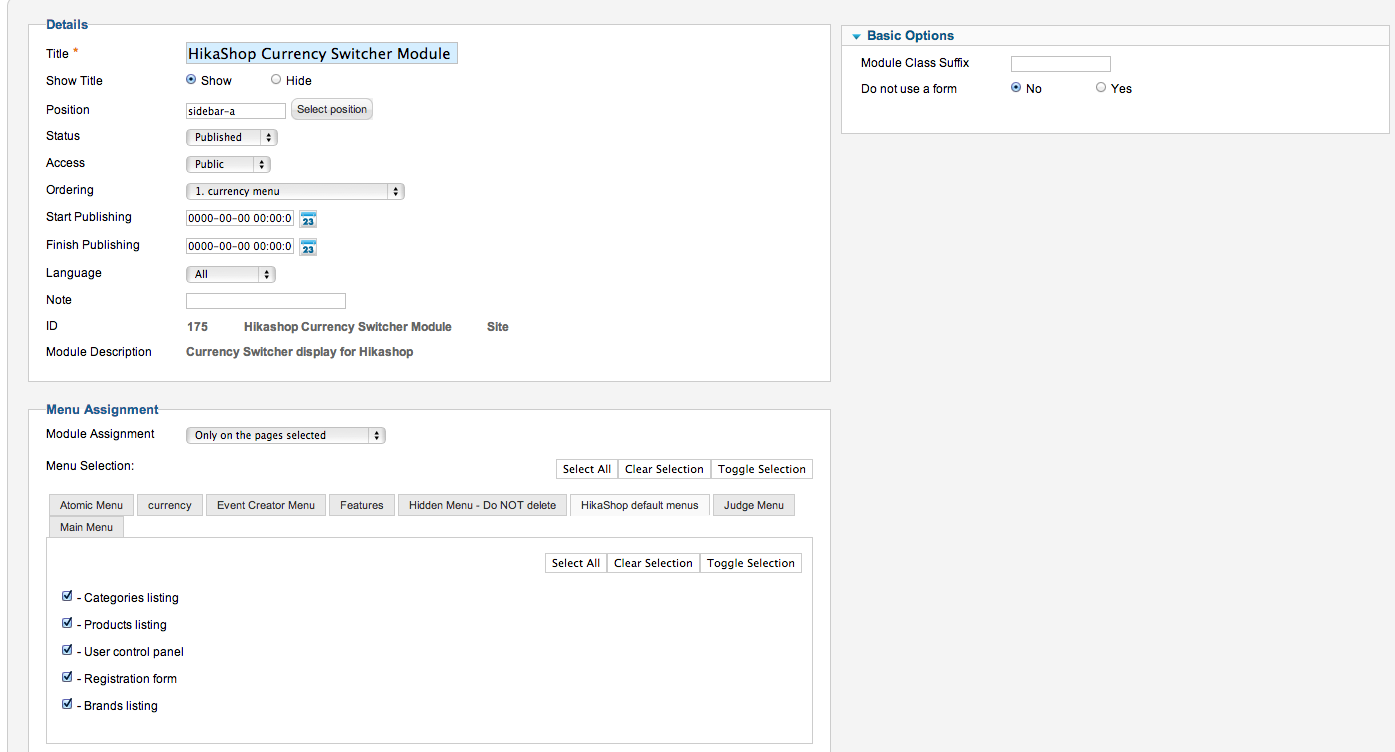
However when I try to create a menu and assign it to that, it won't work...(screenshot #2)
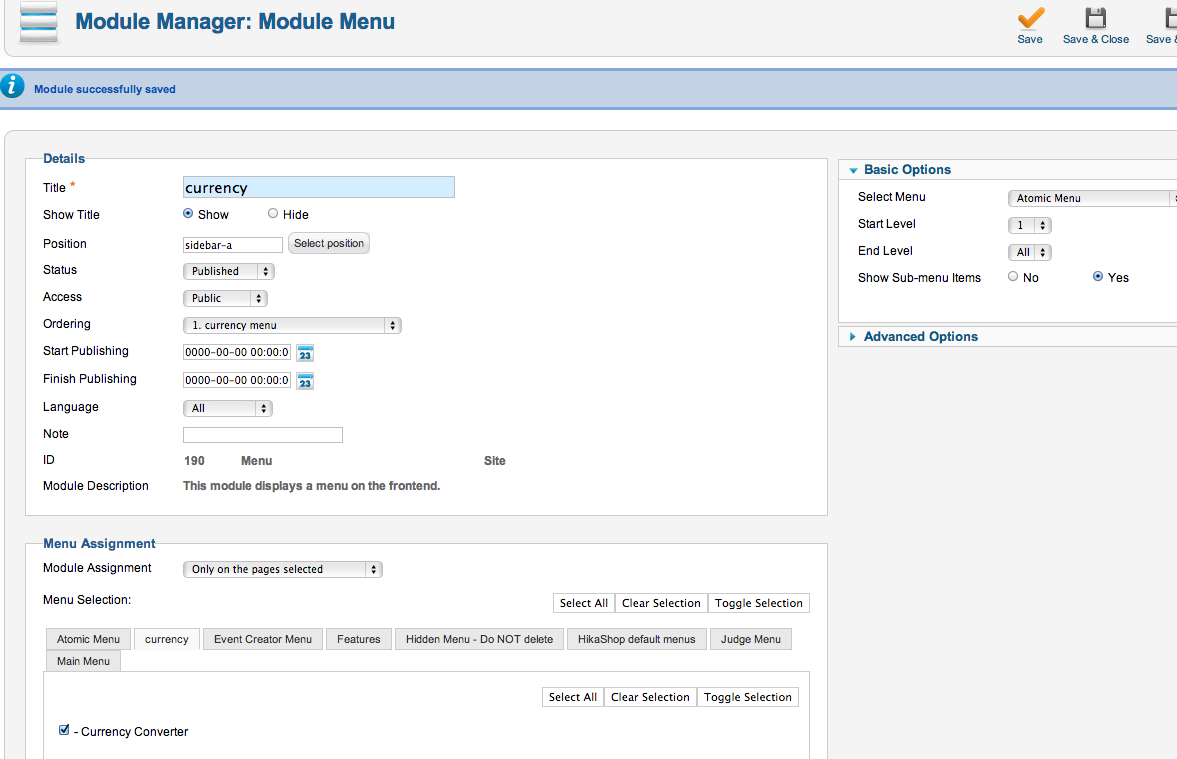
Thanks in advance for the help.
We have a primary currency of USD but a Canadian event where the users want to pay in CAD.
Well I just learned about the currency converter and LOVE it.
My only problem is I can't figure out how to get it to display on the sidebar here:
184.154.228.9/~throwdow/billel/index.php...ct&task=show&cid=535
I can get it to work when selecting "on all pages" in the HikaShop Currency Switcher Module (screenshot #1)
However when I try to create a menu and assign it to that, it won't work...(screenshot #2)
Thanks in advance for the help.
Please Log in or Create an account to join the conversation.

12 years 4 months ago #154994
by Jerome
Jerome - Obsidev.com
HikaMarket & HikaSerial developer / HikaShop core dev team.
Replied by Jerome on topic How to get currency converter to display on page?
Hi,
Are you sure that the position "sidebar-a" is available in your template ?
Regards,
Are you sure that the position "sidebar-a" is available in your template ?
Regards,
Jerome - Obsidev.com
HikaMarket & HikaSerial developer / HikaShop core dev team.
Please Log in or Create an account to join the conversation.
- cberry1971
-
Topic Author
- Offline
Less
More
- Posts: 241
- Thank you received: 5
12 years 4 months ago #155003
by cberry1971
Replied by cberry1971 on topic How to get currency converter to display on page?
Yes I am quite sure.
When I have the module displayed "on all pages" it works fine.
What I would like is to have it either on the cart page or on the product pages.
I can not seem to get either without setting up special "hidden menu" items which then don't work with the workflow of hikashop.
Thx.
When I have the module displayed "on all pages" it works fine.
What I would like is to have it either on the cart page or on the product pages.
I can not seem to get either without setting up special "hidden menu" items which then don't work with the workflow of hikashop.
Thx.
Please Log in or Create an account to join the conversation.
12 years 4 months ago #155013
by Jerome
Jerome - Obsidev.com
HikaMarket & HikaSerial developer / HikaShop core dev team.
Replied by Jerome on topic How to get currency converter to display on page?
Hi,
The link you gave does not have any Itemid, so there is no menu.
No menu means : no modules.
So by adding a Itemid, to use a menu, works much better.
184.154.228.9/~throwdow/billel/index.php...w&cid=535&Itemid=435
It is not related to HikaShop but related to Joomla itself.
For more details about the modules and menu assignations, please use the Joomla support forum.
Regards,
The link you gave does not have any Itemid, so there is no menu.
No menu means : no modules.
So by adding a Itemid, to use a menu, works much better.
184.154.228.9/~throwdow/billel/index.php...w&cid=535&Itemid=435
It is not related to HikaShop but related to Joomla itself.
For more details about the modules and menu assignations, please use the Joomla support forum.
Regards,
Jerome - Obsidev.com
HikaMarket & HikaSerial developer / HikaShop core dev team.
Please Log in or Create an account to join the conversation.
- cberry1971
-
Topic Author
- Offline
Less
More
- Posts: 241
- Thank you received: 5
12 years 4 months ago #155064
by cberry1971
Replied by cberry1971 on topic How to get currency converter to display on page?
Ahh. really helpful... my bad.
Is there any way to get the currency switcher into the product page as per the screenshot attached?
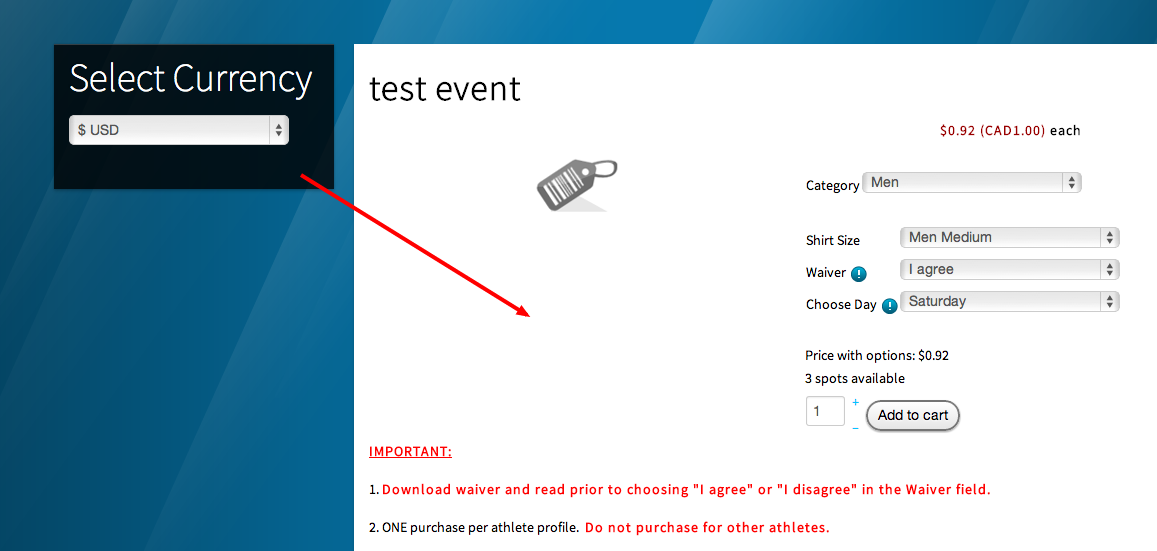
Is there any way to get the currency switcher into the product page as per the screenshot attached?
Please Log in or Create an account to join the conversation.

12 years 4 months ago #155115
by Xavier
Replied by Xavier on topic How to get currency converter to display on page?
Hi,
Yes, you can use the Joomla tags {loadmodule XX} or {loadposition XX} and put them in the product page by editing the view "product / show_default" via the menu Display > Views.
The easiest way is to set an undefined position to your currency switcher module and use the loadposition tag with the previously specified position.
Yes, you can use the Joomla tags {loadmodule XX} or {loadposition XX} and put them in the product page by editing the view "product / show_default" via the menu Display > Views.
The easiest way is to set an undefined position to your currency switcher module and use the loadposition tag with the previously specified position.
Please Log in or Create an account to join the conversation.
- cberry1971
-
Topic Author
- Offline
Less
More
- Posts: 241
- Thank you received: 5
12 years 4 months ago #155783
by cberry1971
Replied by cberry1971 on topic How to get currency converter to display on page?
I am trying to put the currency switcher in only a few events (not all) so I don't want to use the view.
Is there a way to put it in the "description" field of a specific event or another work around?
Thanks.
Is there a way to put it in the "description" field of a specific event or another work around?
Thanks.
Please Log in or Create an account to join the conversation.
12 years 4 months ago #155827
by Xavier
Replied by Xavier on topic How to get currency converter to display on page?
Hi,
You can create a custom field in the table product and edit the view as previously said, but put a PHP if condition to display the currency switcher only if the value of the custom field is equal to XX.
You can create a custom field in the table product and edit the view as previously said, but put a PHP if condition to display the currency switcher only if the value of the custom field is equal to XX.
Please Log in or Create an account to join the conversation.
Time to create page: 0.254 seconds