
- Posts: 16
- Thank you received: 0
Assigning product point value
- piranhapete
-
 Topic Author
- Offline
Less
More
8 years 7 months ago #289378
by piranhapete
Assigning product point value was created by piranhapete
-- HikaShop version -- : 3.3.0
-- Joomla version -- : 3.8.2
I am using Alta User Points as a payment method for my products.
1) Can products be assigned point values individually (not using the point to $usd ratio in the configuration set up)?
2) Can I show the point value next to the $usd value? So, I want to say product X is $14.00 and 10 Points (for example)
3) Can I just use Points for payment? If so how would I set the products up to just a point value not a usd amount?
Thanks.
-- Joomla version -- : 3.8.2
I am using Alta User Points as a payment method for my products.
1) Can products be assigned point values individually (not using the point to $usd ratio in the configuration set up)?
2) Can I show the point value next to the $usd value? So, I want to say product X is $14.00 and 10 Points (for example)
3) Can I just use Points for payment? If so how would I set the products up to just a point value not a usd amount?
Thanks.
Please Log in or Create an account to join the conversation.

8 years 7 months ago #289410
by nicolas
Replied by nicolas on topic Assigning product point value
Hi,
1. Well, you could create a "points" currency for that in the menu System>Currencies, but then, you would have two currencies for your shop. You would have to restrict the payment methods based on the currency and have a way for the customers to switch currencies if you want to allow other payment methods.
2. You probably can with some customization. But I don't know where you want to do that so hard to say anything more.
3. If you only have points and payment by points, create a points currency in System>Currencies, select it as main currency in the HikaShop configuration and disable the others. Then, enter the prices in points in your products.
You'll have points everywhere.
1. Well, you could create a "points" currency for that in the menu System>Currencies, but then, you would have two currencies for your shop. You would have to restrict the payment methods based on the currency and have a way for the customers to switch currencies if you want to allow other payment methods.
2. You probably can with some customization. But I don't know where you want to do that so hard to say anything more.
3. If you only have points and payment by points, create a points currency in System>Currencies, select it as main currency in the HikaShop configuration and disable the others. Then, enter the prices in points in your products.
You'll have points everywhere.
Please Log in or Create an account to join the conversation.
- piranhapete
-
Topic Author
- Offline
Less
More
- Posts: 16
- Thank you received: 0
8 years 7 months ago - 8 years 7 months ago #289551
by piranhapete
Replied by piranhapete on topic Assigning product point value
Thank you. Where do I find the string "No payment methods found" - this message appears if the user does not have enough points to purchase a product. I would like to change the wording.
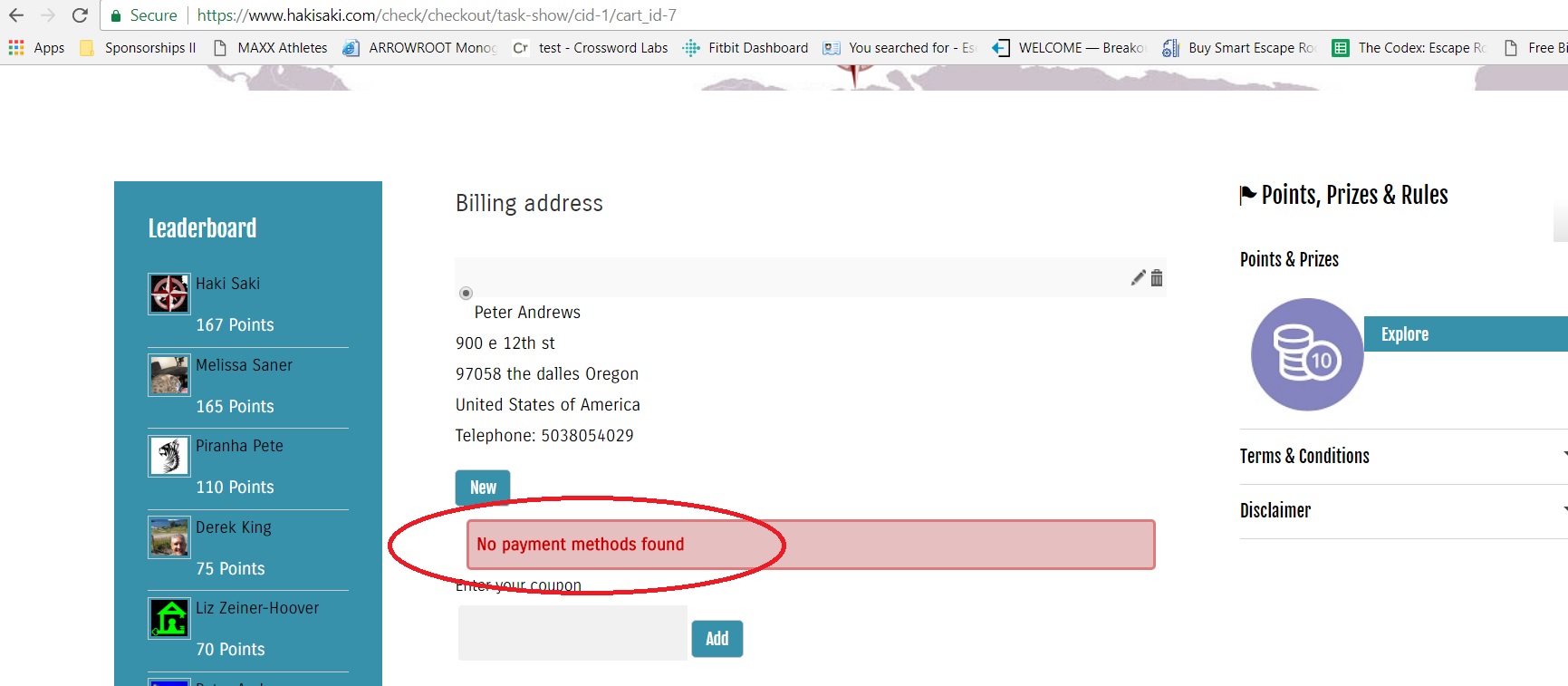
Also, I created a new currency for paying with Alta User Points only. When the price shows for a product now, it just shows the value (example "300") How can I add the word "Points" or show the symbol I created?
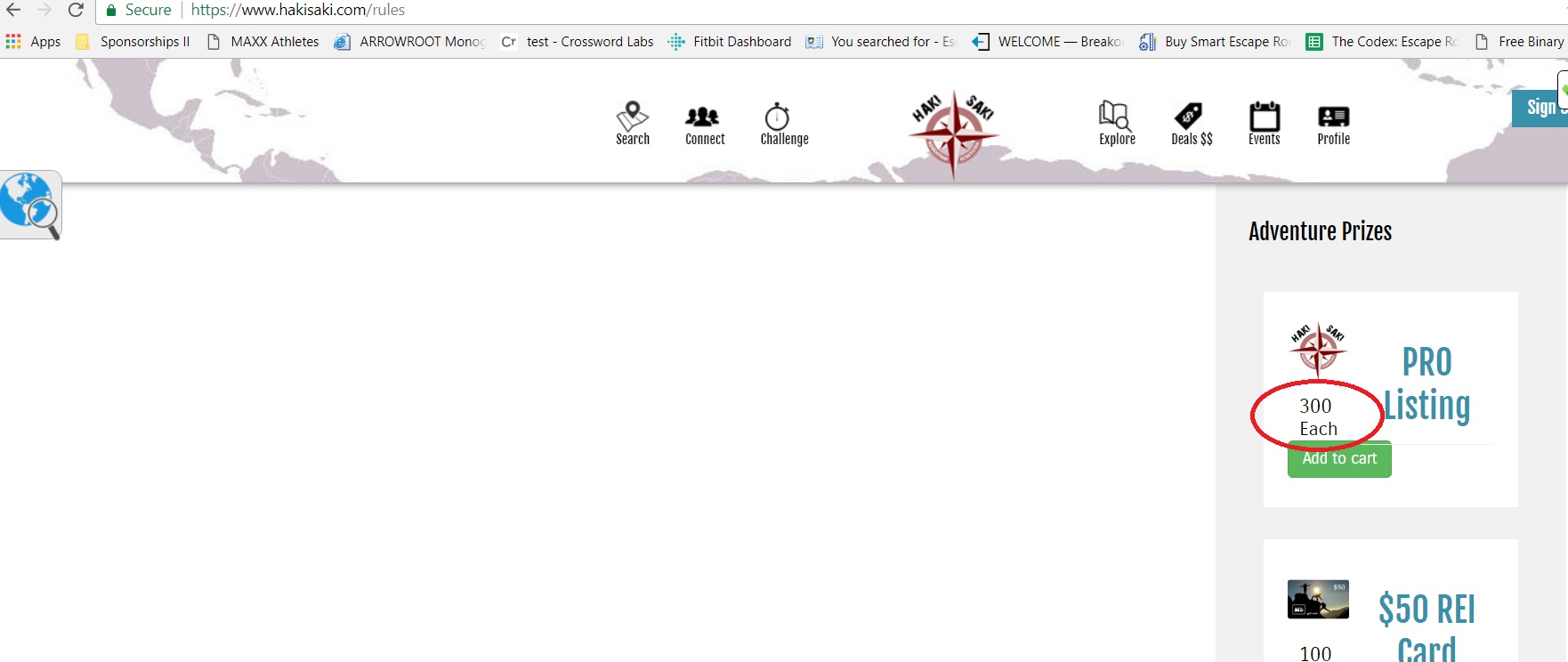
Also, I created a new currency for paying with Alta User Points only. When the price shows for a product now, it just shows the value (example "300") How can I add the word "Points" or show the symbol I created?
Last edit: 8 years 7 months ago by piranhapete.
Please Log in or Create an account to join the conversation.
8 years 7 months ago - 8 years 7 months ago #289552
by nicolas
Replied by nicolas on topic Assigning product point value
Hi,
1. If you need to change the wording of some piece of the interface of HikaShop, you can use a translation override:
www.hikashop.com/download/languages.html#modify
2. There is probably a problem with how you configured your currency. Could you provide a screenshot of its settings ?
1. If you need to change the wording of some piece of the interface of HikaShop, you can use a translation override:
www.hikashop.com/download/languages.html#modify
2. There is probably a problem with how you configured your currency. Could you provide a screenshot of its settings ?
Last edit: 8 years 7 months ago by nicolas.
Please Log in or Create an account to join the conversation.
- piranhapete
-
Topic Author
- Offline
Less
More
- Posts: 16
- Thank you received: 0
8 years 7 months ago - 8 years 7 months ago #289592
by piranhapete
Replied by piranhapete on topic Assigning product point value
screenshot attached
Last edit: 8 years 7 months ago by Jerome. Reason: Please DO NOT modify the SIZE....
Please Log in or Create an account to join the conversation.

8 years 7 months ago - 8 years 7 months ago #289619
by Philip
Replied by Philip on topic Assigning product point value
Hello,
Can you try to remove your symbol (Asci ?...) before PTS ? To see if that works.
Maybe this symbol in the middle of the Html code leads some error or the navigator isn't able to interpret it ?...
Awaiting news from you.
Regards
Can you try to remove your symbol (Asci ?...) before PTS ? To see if that works.
Maybe this symbol in the middle of the Html code leads some error or the navigator isn't able to interpret it ?...
Awaiting news from you.
Regards
Last edit: 8 years 7 months ago by Philip.
Please Log in or Create an account to join the conversation.
- piranhapete
-
Topic Author
- Offline
Less
More
- Posts: 16
- Thank you received: 0
8 years 7 months ago #289652
by piranhapete
Replied by piranhapete on topic Assigning product point value
I removed that symbol, no affect. Is it because there is no "code" assigned like other currencies? It doesn't allow me to enter a code for a new currency. Thoughts?
Please Log in or Create an account to join the conversation.
8 years 7 months ago #289655
by nicolas
Replied by nicolas on topic Assigning product point value
Hi,
In the "Format" setting, you've used %i but with %i it uses the code of the currency. If you want to use the symbol of the currency, you need to use %n instead.
In the "Format" setting, you've used %i but with %i it uses the code of the currency. If you want to use the symbol of the currency, you need to use %n instead.
The following user(s) said Thank You: piranhapete
Please Log in or Create an account to join the conversation.
Time to create page: 0.338 seconds