

- Posts: 254
- Thank you received: 2
Stripe and Paypal plugins no longer work
2 years 10 months ago #356626
by bigfoot
Stripe and Paypal plugins no longer work was created by bigfoot
-- url of the page with the problem -- :
lapeercountyconcertchoir.com/index.php/s...tickets-on-line.html
-- HikaShop version -- : 5.0.0
-- Joomla version -- : 4.3.4
-- PHP version -- : PHP 8.1.25
-- Browser(s) name and version -- : firefox
-- Error-message(debug-mod must be tuned on) -- : Compile Error: Array and string offset access syntax with curly braces is no longer supported
- Exception
- Stack Trace
Symfony\Component\ErrorHandler\Error\ FatalError
in /home/customer/www/lapeercountyconcertchoir.com/public_html/plugins/hikashoppayment/platron/PG_Signature.php (line 17)
12.
13. public static function getScriptNameFromUrl ( $url )
14. {
15. $path = parse_url($url, PHP_URL_PATH);
16. $len = strlen($path);
17. if ( $len == 0 || '/' == $path{$len-1} ) {
18. return "";
19. }
20. return basename($path);
21. }
Stripe and Paypal plugins no longer work - If I try to select a "new" plugin on the payment methods page, I get this error:
Compile Error: Array and string offset access syntax with curly braces is no longer supported
- Exception
- Stack Trace
Symfony\Component\ErrorHandler\Error\ FatalError
in /home/customer/www/lapeercountyconcertchoir.com/public_html/plugins/hikashoppayment/platron/PG_Signature.php (line 17)
12.
13. public static function getScriptNameFromUrl ( $url )
14. {
15. $path = parse_url($url, PHP_URL_PATH);
16. $len = strlen($path);
17. if ( $len == 0 || '/' == $path{$len-1} ) {
18. return "";
19. }
20. return basename($path);
21. }
I just updated hika to 5.0 - hoping it would help - but no. This may have started when I upgraded to Joomal 4 last spring - I have not used the plugins since then.
-- HikaShop version -- : 5.0.0
-- Joomla version -- : 4.3.4
-- PHP version -- : PHP 8.1.25
-- Browser(s) name and version -- : firefox
-- Error-message(debug-mod must be tuned on) -- : Compile Error: Array and string offset access syntax with curly braces is no longer supported
- Exception
- Stack Trace
Symfony\Component\ErrorHandler\Error\ FatalError
in /home/customer/www/lapeercountyconcertchoir.com/public_html/plugins/hikashoppayment/platron/PG_Signature.php (line 17)
12.
13. public static function getScriptNameFromUrl ( $url )
14. {
15. $path = parse_url($url, PHP_URL_PATH);
16. $len = strlen($path);
17. if ( $len == 0 || '/' == $path{$len-1} ) {
18. return "";
19. }
20. return basename($path);
21. }
Stripe and Paypal plugins no longer work - If I try to select a "new" plugin on the payment methods page, I get this error:
Compile Error: Array and string offset access syntax with curly braces is no longer supported
- Exception
- Stack Trace
Symfony\Component\ErrorHandler\Error\ FatalError
in /home/customer/www/lapeercountyconcertchoir.com/public_html/plugins/hikashoppayment/platron/PG_Signature.php (line 17)
12.
13. public static function getScriptNameFromUrl ( $url )
14. {
15. $path = parse_url($url, PHP_URL_PATH);
16. $len = strlen($path);
17. if ( $len == 0 || '/' == $path{$len-1} ) {
18. return "";
19. }
20. return basename($path);
21. }
I just updated hika to 5.0 - hoping it would help - but no. This may have started when I upgraded to Joomal 4 last spring - I have not used the plugins since then.
Please Log in or Create an account to join the conversation.

2 years 10 months ago #356627
by nicolas
Replied by nicolas on topic Stripe and Paypal plugins no longer work
Hi,
The problem is not with these payment plugins.
The error is in the Platron payment plugin you have. You have an old version which isn't compatible with PHP 8.
Uninstall it or update it and you won't get the error.
The problem is not with these payment plugins.
The error is in the Platron payment plugin you have. You have an old version which isn't compatible with PHP 8.
Uninstall it or update it and you won't get the error.
Please Log in or Create an account to join the conversation.
2 years 10 months ago #356630
by bigfoot
Replied by bigfoot on topic Stripe and Paypal plugins no longer work
I found it - but it already is disabled - I have never used it - can I find it in the files and delete it?
Please Log in or Create an account to join the conversation.
2 years 10 months ago #356636
by nicolas
Replied by nicolas on topic Stripe and Paypal plugins no longer work
Hi,
Disabling it is not enough. You need to uninstall it via the Joomla extensions manager. You can also rename its folder via FTP in plugins/hikashoppayment/ and it will work the same.
Disabling it is not enough. You need to uninstall it via the Joomla extensions manager. You can also rename its folder via FTP in plugins/hikashoppayment/ and it will work the same.
The following user(s) said Thank You: bigfoot
Please Log in or Create an account to join the conversation.
2 years 10 months ago #356641
by bigfoot
Replied by bigfoot on topic Stripe and Paypal plugins no longer work
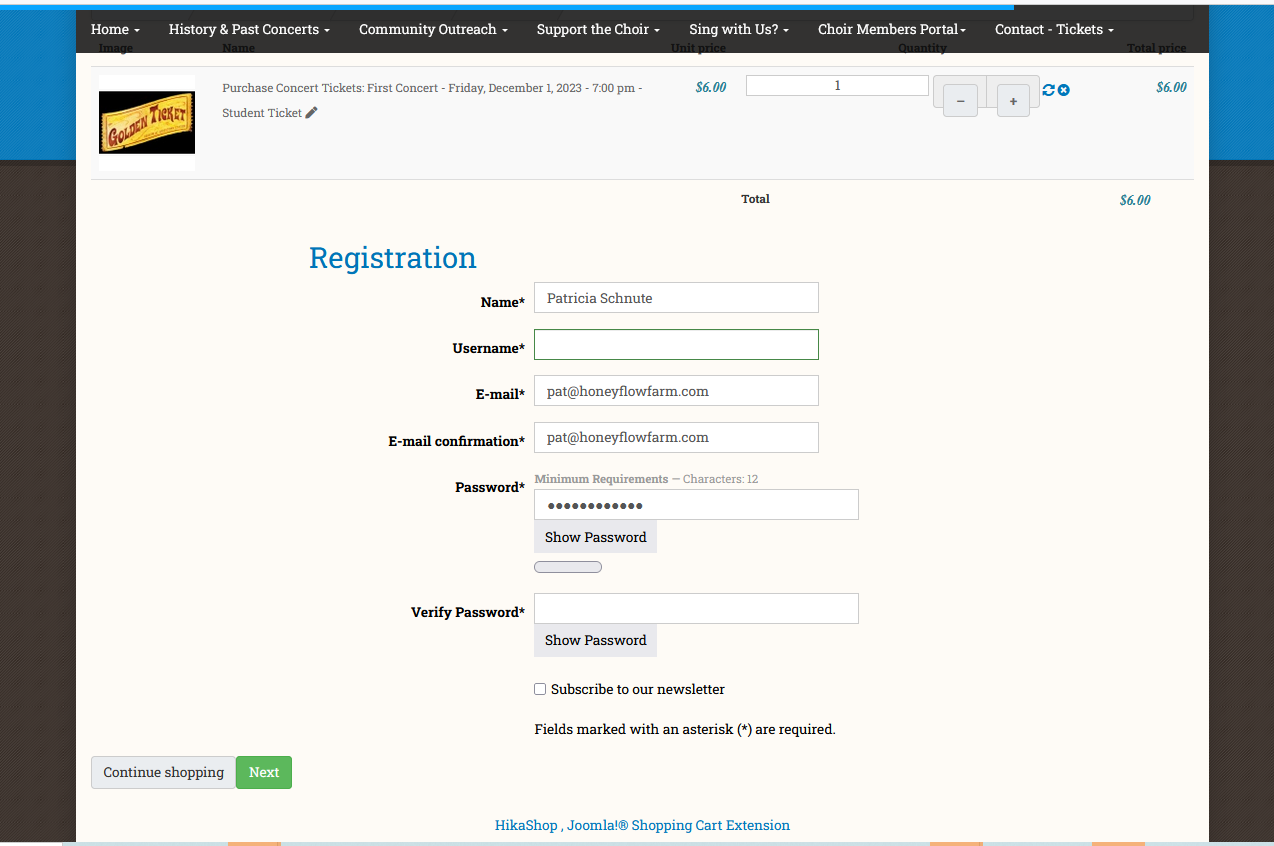
Hello - Renaming the platron folder took care of that issue and I added new stripe and paypal plugins - but now I lost my "guest login" . attached is the setup
Is it set up correct? Here is link to checkout: "brands-listing"
lapeercountyconcertchoir.com/index.php/h...isting/checkout.html
(purchase tickets link for testing = lapeercountyconcertchoir.com/index.php/s...tickets-on-line.html
Is it set up correct? Here is link to checkout: "brands-listing"
lapeercountyconcertchoir.com/index.php/h...isting/checkout.html
(purchase tickets link for testing = lapeercountyconcertchoir.com/index.php/s...tickets-on-line.html
Please Log in or Create an account to join the conversation.

2 years 10 months ago - 2 years 10 months ago #356645
by Philip
Replied by Philip on topic Stripe and Paypal plugins no longer work
Hello,
From your screenshot it seems that you use a starter (free) version, and so as you can see here , it's quite normal that you can no longer use guest checkout with the Starter.
You have to use at least the Essential version to be able to have the guest checkout.
Regards
From your screenshot it seems that you use a starter (free) version, and so as you can see here , it's quite normal that you can no longer use guest checkout with the Starter.
You have to use at least the Essential version to be able to have the guest checkout.
Regards
Last edit: 2 years 10 months ago by Philip.
Please Log in or Create an account to join the conversation.
2 years 10 months ago #356658
by bigfoot
Replied by bigfoot on topic Stripe and Paypal plugins no longer work
OK - I installed hikashop essential and now I get this error on checkout when selecting either stripe or paypal:
0 - Call to undefined method Joomla\CMS\Application\SiteApplication::isAdmin()
**JERROR_LAYOUT_NOT_ABLE_TO_VISIT**
**JERROR_LAYOUT_AN_OUT_OF_DATE_BOOKMARK_FAVOURITE**
**JERROR_LAYOUT_SEARCH_ENGINE_OUT_OF_DATE_LISTING**
**JERROR_LAYOUT_MIS_TYPED_ADDRESS**
**JERROR_LAYOUT_YOU_HAVE_NO_ACCESS_TO_THIS_PAGE**
**JERROR_LAYOUT_REQUESTED_RESOURCE_WAS_NOT_FOUND**
**JERROR_LAYOUT_ERROR_HAS_OCCURRED_WHILE_PROCESSING_YOUR_REQUEST**
**JERROR_LAYOUT_PLEASE_TRY_ONE_OF_THE_FOLLOWING_PAGES**
**JERROR_LAYOUT_HOME_PAGE**
**JERROR_LAYOUT_PLEASE_CONTACT_THE_SYSTEM_ADMINISTRATOR**
Call to undefined method Joomla\CMS\Application\SiteApplication::isAdmin()
/home/customer/www/lapeercountyconcertchoir.com/public_html/media/com_hikashop/mail/order_admin_notification.preload.modified.php:62
Call stack
# Function Location
1 () JROOT/media/com_hikashop/mail/order_admin_notification.preload.modified.php:62
2 include() JROOT/administrator/components/com_hikashop/classes/mail.php:189
3 hikashopMailClass->loadEmail() JROOT/administrator/components/com_hikashop/classes/mail.php:31
4 hikashopMailClass->get() JROOT/administrator/components/com_hikashop/classes/order.php:2085
5 hikashopOrderClass->loadOrderNotification() JROOT/administrator/components/com_hikashop/classes/order.php:458
6 hikashopOrderClass->save() JROOT/administrator/components/com_hikashop/classes/order.php:910
7 hikashopOrderClass->createFromCart() JROOT/components/com_hikashop/controllers/checkout.php:699
8 checkoutController->confirm() JROOT/libraries/src/MVC/Controller/BaseController.php:678
9 Joomla\CMS\MVC\Controller\BaseController->execute() JROOT/administrator/components/com_hikashop/helpers/helper.php:2508
10 hikashopController->execute() JROOT/components/com_hikashop/hikashop.php:88
11 require_once() JROOT/libraries/src/Dispatcher/LegacyComponentDispatcher.php:71
12 Joomla\CMS\Dispatcher\LegacyComponentDispatcher::Joomla\CMS\Dispatcher\{closure}() JROOT/libraries/src/Dispatcher/LegacyComponentDispatcher.php:73
13 Joomla\CMS\Dispatcher\LegacyComponentDispatcher->dispatch() JROOT/libraries/src/Component/ComponentHelper.php:361
14 Joomla\CMS\Component\ComponentHelper::renderComponent() JROOT/libraries/src/Application/SiteApplication.php:208
15 Joomla\CMS\Application\SiteApplication->dispatch() JROOT/libraries/src/Application/SiteApplication.php:249
16 Joomla\CMS\Application\SiteApplication->doExecute() JROOT/libraries/src/Application/CMSApplication.php:293
17 Joomla\CMS\Application\CMSApplication->execute() JROOT/includes/app.php:61
18 require_once() JROOT/index.php:32
Deprecated: strip_tags(): Passing null to parameter #1 ($string) of type string is deprecated in /home/customer/www/lapeercountyconcertchoir.com/public_html/modules/mod_pwebbox/helper.php on line 597
Deprecated: strip_tags(): Passing null to parameter #1 ($string) of type string is deprecated in /home/customer/www/lapeercountyconcertchoir.com/public_html/modules/mod_pwebbox/helper.php on line 597
Deprecated: strip_tags(): Passing null to parameter #1 ($string) of type string is deprecated in /home/customer/www/lapeercountyconcertchoir.com/public_html/modules/mod_pwebbox/helper.php on line 597
Deprecated: strip_tags(): Passing null to parameter #1 ($string) of type string is deprecated in /home/customer/www/lapeercountyconcertchoir.com/public_html/modules/mod_pwebbox/helper.php on line 597
Deprecated: md5(): Passing null to parameter #1 ($string) of type string is deprecated in /home/customer/www/lapeercountyconcertchoir.com/public_html/modules/mod_pwebbox/helper.php on line 77
Deprecated: strip_tags(): Passing null to parameter #1 ($string) of type string is deprecated in /home/customer/www/lapeercountyconcertchoir.com/public_html/modules/mod_pwebbox/helper.php on line 597
0 - Call to undefined method Joomla\CMS\Application\SiteApplication::isAdmin()
**JERROR_LAYOUT_NOT_ABLE_TO_VISIT**
**JERROR_LAYOUT_AN_OUT_OF_DATE_BOOKMARK_FAVOURITE**
**JERROR_LAYOUT_SEARCH_ENGINE_OUT_OF_DATE_LISTING**
**JERROR_LAYOUT_MIS_TYPED_ADDRESS**
**JERROR_LAYOUT_YOU_HAVE_NO_ACCESS_TO_THIS_PAGE**
**JERROR_LAYOUT_REQUESTED_RESOURCE_WAS_NOT_FOUND**
**JERROR_LAYOUT_ERROR_HAS_OCCURRED_WHILE_PROCESSING_YOUR_REQUEST**
**JERROR_LAYOUT_PLEASE_TRY_ONE_OF_THE_FOLLOWING_PAGES**
**JERROR_LAYOUT_HOME_PAGE**
**JERROR_LAYOUT_PLEASE_CONTACT_THE_SYSTEM_ADMINISTRATOR**
Call to undefined method Joomla\CMS\Application\SiteApplication::isAdmin()
/home/customer/www/lapeercountyconcertchoir.com/public_html/media/com_hikashop/mail/order_admin_notification.preload.modified.php:62
Call stack
# Function Location
1 () JROOT/media/com_hikashop/mail/order_admin_notification.preload.modified.php:62
2 include() JROOT/administrator/components/com_hikashop/classes/mail.php:189
3 hikashopMailClass->loadEmail() JROOT/administrator/components/com_hikashop/classes/mail.php:31
4 hikashopMailClass->get() JROOT/administrator/components/com_hikashop/classes/order.php:2085
5 hikashopOrderClass->loadOrderNotification() JROOT/administrator/components/com_hikashop/classes/order.php:458
6 hikashopOrderClass->save() JROOT/administrator/components/com_hikashop/classes/order.php:910
7 hikashopOrderClass->createFromCart() JROOT/components/com_hikashop/controllers/checkout.php:699
8 checkoutController->confirm() JROOT/libraries/src/MVC/Controller/BaseController.php:678
9 Joomla\CMS\MVC\Controller\BaseController->execute() JROOT/administrator/components/com_hikashop/helpers/helper.php:2508
10 hikashopController->execute() JROOT/components/com_hikashop/hikashop.php:88
11 require_once() JROOT/libraries/src/Dispatcher/LegacyComponentDispatcher.php:71
12 Joomla\CMS\Dispatcher\LegacyComponentDispatcher::Joomla\CMS\Dispatcher\{closure}() JROOT/libraries/src/Dispatcher/LegacyComponentDispatcher.php:73
13 Joomla\CMS\Dispatcher\LegacyComponentDispatcher->dispatch() JROOT/libraries/src/Component/ComponentHelper.php:361
14 Joomla\CMS\Component\ComponentHelper::renderComponent() JROOT/libraries/src/Application/SiteApplication.php:208
15 Joomla\CMS\Application\SiteApplication->dispatch() JROOT/libraries/src/Application/SiteApplication.php:249
16 Joomla\CMS\Application\SiteApplication->doExecute() JROOT/libraries/src/Application/CMSApplication.php:293
17 Joomla\CMS\Application\CMSApplication->execute() JROOT/includes/app.php:61
18 require_once() JROOT/index.php:32
Deprecated: strip_tags(): Passing null to parameter #1 ($string) of type string is deprecated in /home/customer/www/lapeercountyconcertchoir.com/public_html/modules/mod_pwebbox/helper.php on line 597
Deprecated: strip_tags(): Passing null to parameter #1 ($string) of type string is deprecated in /home/customer/www/lapeercountyconcertchoir.com/public_html/modules/mod_pwebbox/helper.php on line 597
Deprecated: strip_tags(): Passing null to parameter #1 ($string) of type string is deprecated in /home/customer/www/lapeercountyconcertchoir.com/public_html/modules/mod_pwebbox/helper.php on line 597
Deprecated: strip_tags(): Passing null to parameter #1 ($string) of type string is deprecated in /home/customer/www/lapeercountyconcertchoir.com/public_html/modules/mod_pwebbox/helper.php on line 597
Deprecated: md5(): Passing null to parameter #1 ($string) of type string is deprecated in /home/customer/www/lapeercountyconcertchoir.com/public_html/modules/mod_pwebbox/helper.php on line 77
Deprecated: strip_tags(): Passing null to parameter #1 ($string) of type string is deprecated in /home/customer/www/lapeercountyconcertchoir.com/public_html/modules/mod_pwebbox/helper.php on line 597
Please Log in or Create an account to join the conversation.
2 years 10 months ago #356661
by nicolas
Replied by nicolas on topic Stripe and Paypal plugins no longer work
Hi,
The error message says that the error is in the file media/com_hikashop/mail/order_admin_notification.preload.modified.php
This file is where the override is stored for the "preload" section of the email "order admin notification".
So basically, it means that your override of that section is based on an really old version of HikaShop which wasn't made to be compatible with Joomla 4.
Rename that file via FTP to deactivate the override and you won't get the error.
And if you had important modifications in there, redo them via the interface in System>Emails so that they are based off of the current version of the preload.
The error message says that the error is in the file media/com_hikashop/mail/order_admin_notification.preload.modified.php
This file is where the override is stored for the "preload" section of the email "order admin notification".
So basically, it means that your override of that section is based on an really old version of HikaShop which wasn't made to be compatible with Joomla 4.
Rename that file via FTP to deactivate the override and you won't get the error.
And if you had important modifications in there, redo them via the interface in System>Emails so that they are based off of the current version of the preload.
The following user(s) said Thank You: bigfoot
Please Log in or Create an account to join the conversation.
2 years 10 months ago #356666
by bigfoot
Replied by bigfoot on topic Stripe and Paypal plugins no longer work
Thank you - worked like a charm - back in business
Please Log in or Create an account to join the conversation.
Time to create page: 0.297 seconds