

- Posts: 8
- Thank you received: 0
Can not find the component/level to check...
15 years 6 months ago #10453
by PANAGOT
Can not find the component/level to check... was created by PANAGOT
Hi all! I am trying to install hika shop on my website and i get this error message
Can not find the component/level to check the latest version : 'hikashop' / ''
See attach pic to understand better
Any ideas of what the problem is?
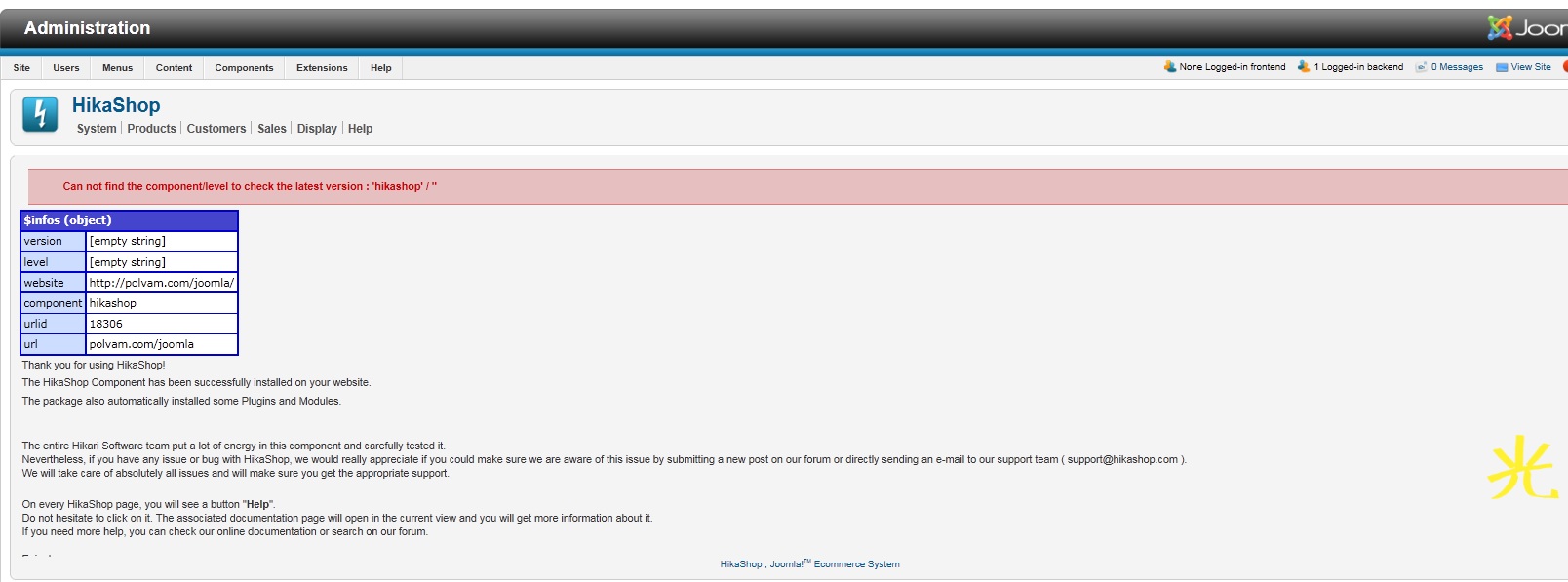
Can not find the component/level to check the latest version : 'hikashop' / ''
See attach pic to understand better
Any ideas of what the problem is?
Please Log in or Create an account to join the conversation.

15 years 6 months ago #10454
by nicolas
Replied by nicolas on topic Re: Can not find the component/level to check...
Hi,
The problem is usually that the hikashop tables could not been installed on your database.
The solution is to make sure the table.sql file (from the administrator/components/com_hikashop folder) has the right access level and then reinstall HikaShop.
This being related to access rights access, turning on (or off if it's already on) the FTP layer of joomla and then reinstlaling might help solve the problem.
The problem is usually that the hikashop tables could not been installed on your database.
The solution is to make sure the table.sql file (from the administrator/components/com_hikashop folder) has the right access level and then reinstall HikaShop.
This being related to access rights access, turning on (or off if it's already on) the FTP layer of joomla and then reinstlaling might help solve the problem.
Please Log in or Create an account to join the conversation.
15 years 6 months ago #10455
by PANAGOT
Replied by PANAGOT on topic Re: Can not find the component/level to check...
Hi! Thanks for the immediate reply.
Is there somewhere a guide step by step on how to make the table.sql file (from the administrator/components/com_hikashop folder) has the right access level ?
Is there somewhere a guide step by step on how to make the table.sql file (from the administrator/components/com_hikashop folder) has the right access level ?
Please Log in or Create an account to join the conversation.
15 years 6 months ago #10456
by nicolas
Replied by nicolas on topic Re: Can not find the component/level to check...
You can access that file via FTP and then change it's permissions to 777:
www.phpjunkyard.com/tutorials/ftp-chmod-tutorial.php
www.phpjunkyard.com/tutorials/ftp-chmod-tutorial.php
Please Log in or Create an account to join the conversation.
15 years 6 months ago #10457
by PANAGOT
Replied by PANAGOT on topic Re: Can not find the component/level to check...
I searched in the files using filezilla ftp but unfortunately the file doesn't appear to be in the components.
Should i manually upload it with ftp ? Or that wouldn't install the program at all..?
Should i manually upload it with ftp ? Or that wouldn't install the program at all..?
Please Log in or Create an account to join the conversation.
15 years 6 months ago #10459
by nicolas
Replied by nicolas on topic Re: Can not find the component/level to check...
You can try yes.
Please Log in or Create an account to join the conversation.
15 years 6 months ago #10461
by PANAGOT
Replied by PANAGOT on topic Re: Can not find the component/level to check...
Unfortunately nothing happened.Any other suggestion?
I will answer tomorrow for any new reply-solution you may have.
Goodnight from Greece
I will answer tomorrow for any new reply-solution you may have.
Goodnight from Greece
Please Log in or Create an account to join the conversation.
15 years 6 months ago #10467
by nicolas
Replied by nicolas on topic Re: Can not find the component/level to check...
Did you try to install with or without the FTP layer of joomla configured ?
Please Log in or Create an account to join the conversation.

15 years 6 months ago #10471
by Antony87
Replied by Antony87 on topic Re: Can not find the component/level to check...
Hello,
I get this post on the fly, cause I encounte same bug. I tried to install with an withou ftp layer, table.sql permission set to 777, etc.. Nothing correct this problem.
Thank's
I get this post on the fly, cause I encounte same bug. I tried to install with an withou ftp layer, table.sql permission set to 777, etc.. Nothing correct this problem.
Thank's
Please Log in or Create an account to join the conversation.
15 years 6 months ago #10472
by nicolas
Replied by nicolas on topic Re: Can not find the component/level to check...
Hi,
So let's try a different solution...
Please extract the tables.sql file which is in the "back" folder of the hikashop install package and import it on your phpMyAdmin. That will create all the HikaShop tables in the database. Then, you can install HikaShop again and the problem should not be there anymore.
So let's try a different solution...
Please extract the tables.sql file which is in the "back" folder of the hikashop install package and import it on your phpMyAdmin. That will create all the HikaShop tables in the database. Then, you can install HikaShop again and the problem should not be there anymore.
Please Log in or Create an account to join the conversation.
15 years 6 months ago - 15 years 6 months ago #10475
by PANAGOT
Replied by PANAGOT on topic Re: Can not find the component/level to check...
I am trying to upload the back folder but i am always getting an error.
Please check attached photo if this is the right place.
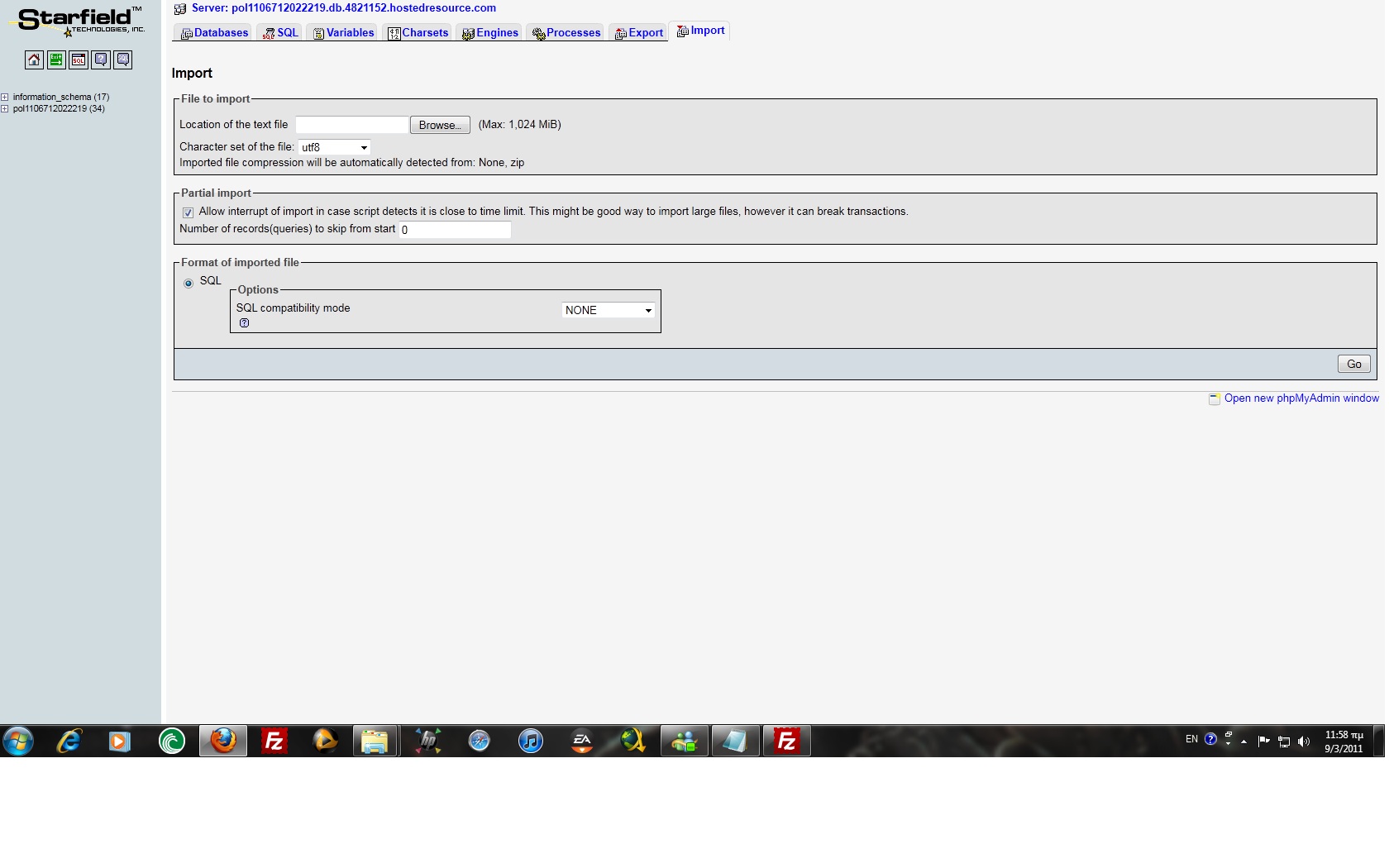
Please check attached photo if this is the right place.
Last edit: 15 years 6 months ago by PANAGOT.
Please Log in or Create an account to join the conversation.
15 years 6 months ago #10481
by Antony87
Replied by Antony87 on topic Re: Can not find the component/level to check...
Thank's nicolas.
I tried all your suggestions, but without good result
I created tables with phpAdmin though, switch ftp on/off, so null and void !
Where can I see somes log files to understand this issue ?
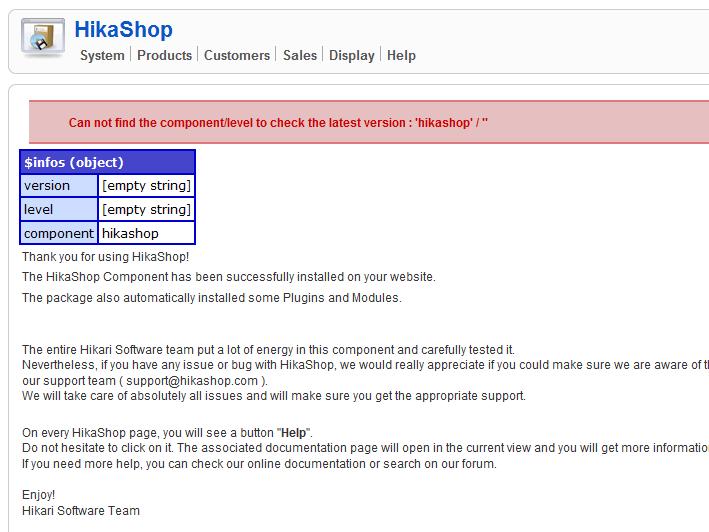
joomla 1.5.22
mysql 4.0.25-standard
I tried all your suggestions, but without good result
I created tables with phpAdmin though, switch ftp on/off, so null and void !
Where can I see somes log files to understand this issue ?
joomla 1.5.22
mysql 4.0.25-standard
Please Log in or Create an account to join the conversation.
15 years 6 months ago #10482
by nicolas
Replied by nicolas on topic Re: Can not find the component/level to check...
You need to select your database on the left side of phpmyadmin before clicking on the import button at the top and then uploading the tables.sql file.
Also, please confirm that you have the tables there before trying to reinstall.
Also, please confirm that you have the tables there before trying to reinstall.
Please Log in or Create an account to join the conversation.
15 years 6 months ago #10484
by nicolas
Replied by nicolas on topic Re: Can not find the component/level to check...
Also, I see that you use a really old version of MySQL (10 years old), I would recommend you to switch to a recent version of MySQL as that might be a problem as well.
Please Log in or Create an account to join the conversation.
15 years 6 months ago #10486
by Antony87
Replied by Antony87 on topic Re: Can not find the component/level to check...
Ok
I contact my provider and I come back to you again if necessery. Thank's
I contact my provider and I come back to you again if necessery. Thank's
Please Log in or Create an account to join the conversation.
15 years 6 months ago #10489
by nicolas
Replied by nicolas on topic Re: Can not find the component/level to check...
I checked and indeed, you will need at least MySQL 4.1.3
Please Log in or Create an account to join the conversation.
15 years 6 months ago #10497
by PANAGOT
Replied by PANAGOT on topic Re: Can not find the component/level to check...
I have imported the table.sql.
You can check attached picture. But the problem insists.Any new suggestion?
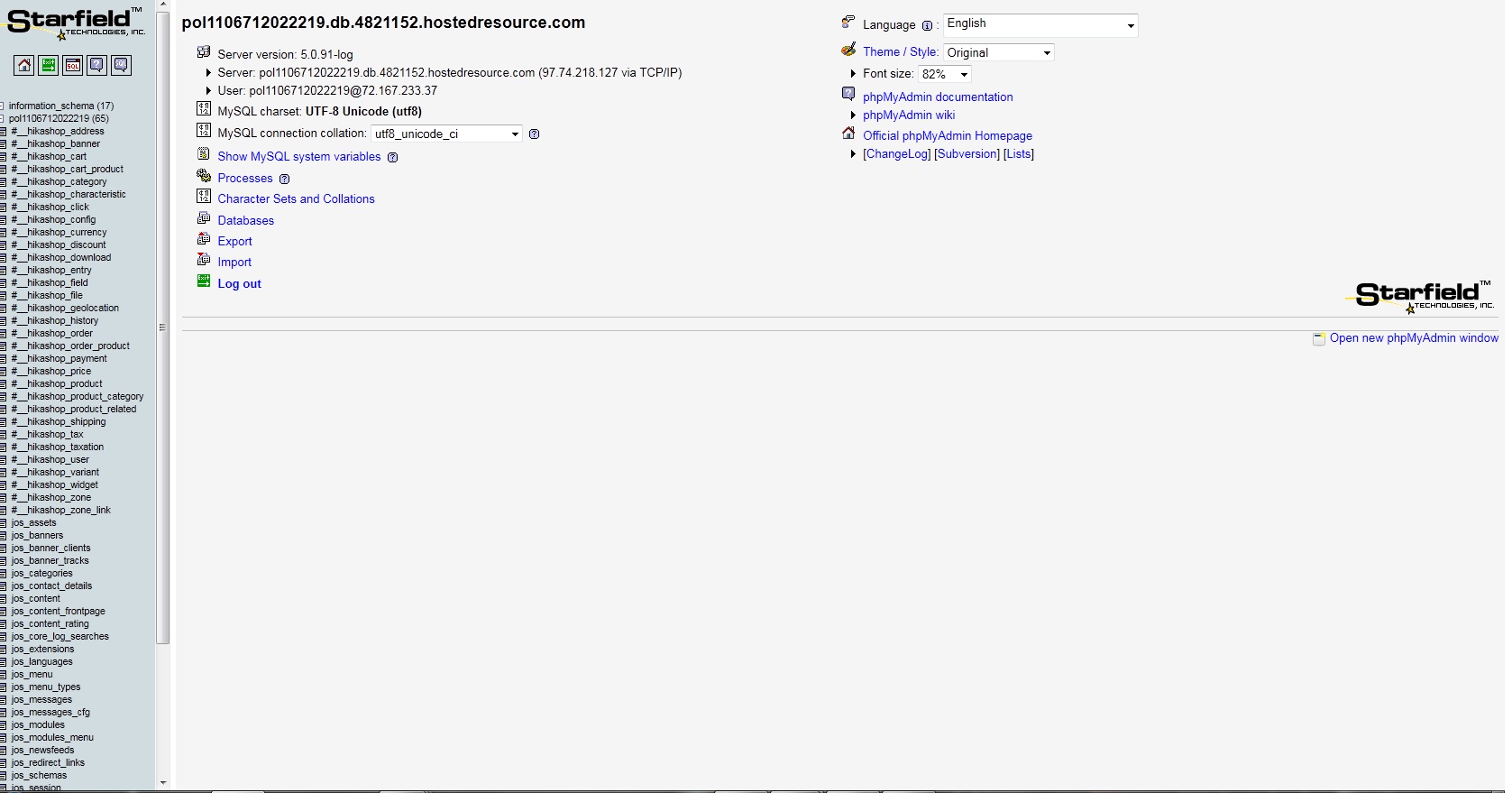
You can check attached picture. But the problem insists.Any new suggestion?
Please Log in or Create an account to join the conversation.
15 years 6 months ago #10499
by Antony87
Replied by Antony87 on topic Re: Can not find the component/level to check...
My provider update Mysql to 5.1 version and that ... works fine ! :laugh:
Thank's for all Nicolas.
Thank's for all Nicolas.
Please Log in or Create an account to join the conversation.
15 years 6 months ago - 15 years 3 months ago #10500
by nicolas
Replied by nicolas on topic Re: Can not find the component/level to check...
@PANAGOT: You need to change the #__ by jos_ in the names of the tables in the tables.sql file before importing it. Otherwise, they won't be recognized. You can either do it one by one by editing each table's options in phpmymadmin or edit the tables.sql, do the change there and reimport it in phpmyadmin.
Last edit: 15 years 3 months ago by nicolas.
Please Log in or Create an account to join the conversation.
15 years 6 months ago #10507
by PANAGOT
Replied by PANAGOT on topic Re: Can not find the component/level to check...
I have changed them.And tried to install .
Now it says the following:It has installed successfully but there was an error on building admin menus.
I have attached photos to understand better.
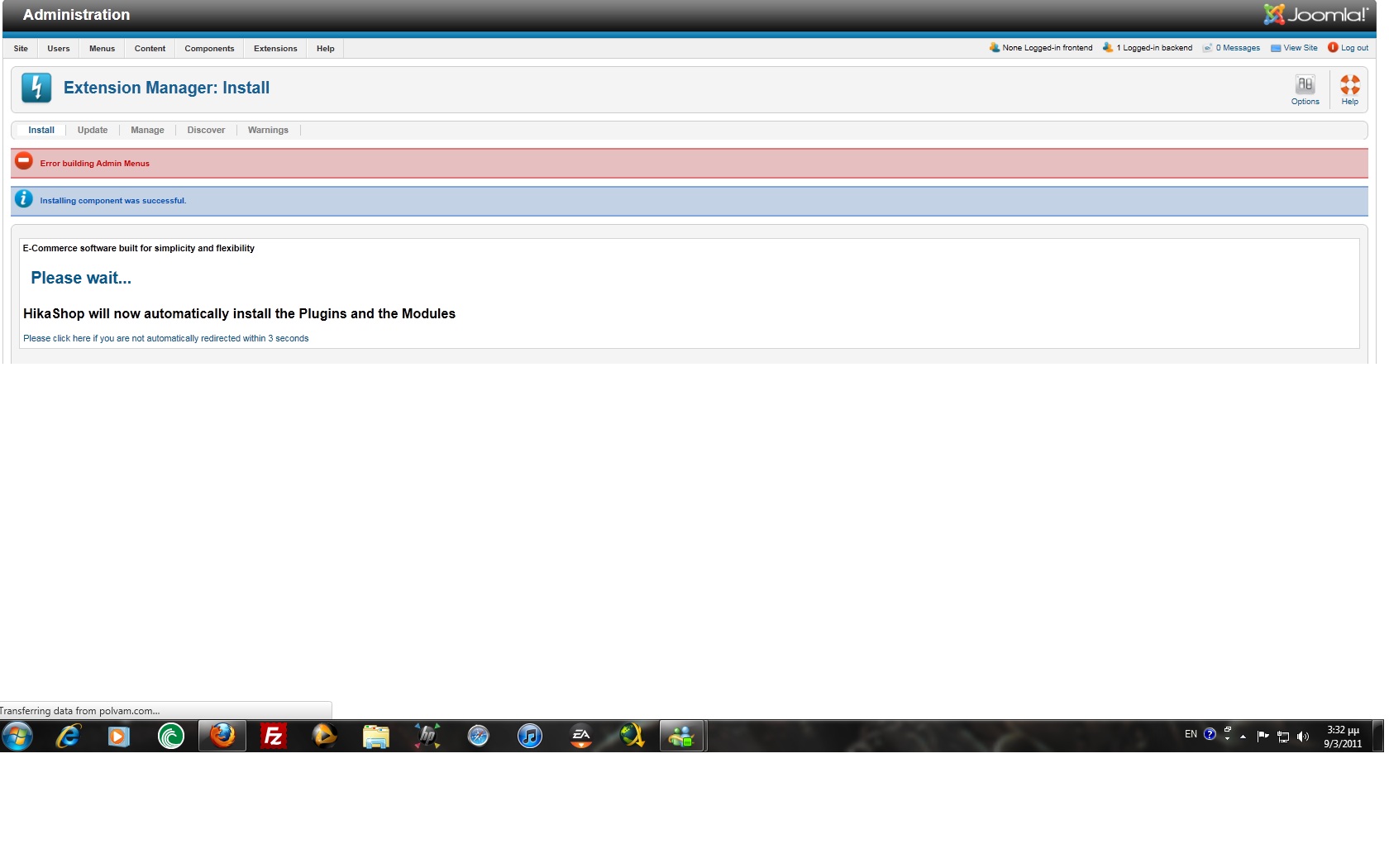
Now it says the following:It has installed successfully but there was an error on building admin menus.
I have attached photos to understand better.
Please Log in or Create an account to join the conversation.
Time to create page: 0.294 seconds