

- Posts: 130
- Thank you received: 1
v 2.0 Cart Redirection from Front Page
13 years 10 months ago #76052
by karolko
v 2.0 Cart Redirection from Front Page was created by karolko
Hi,
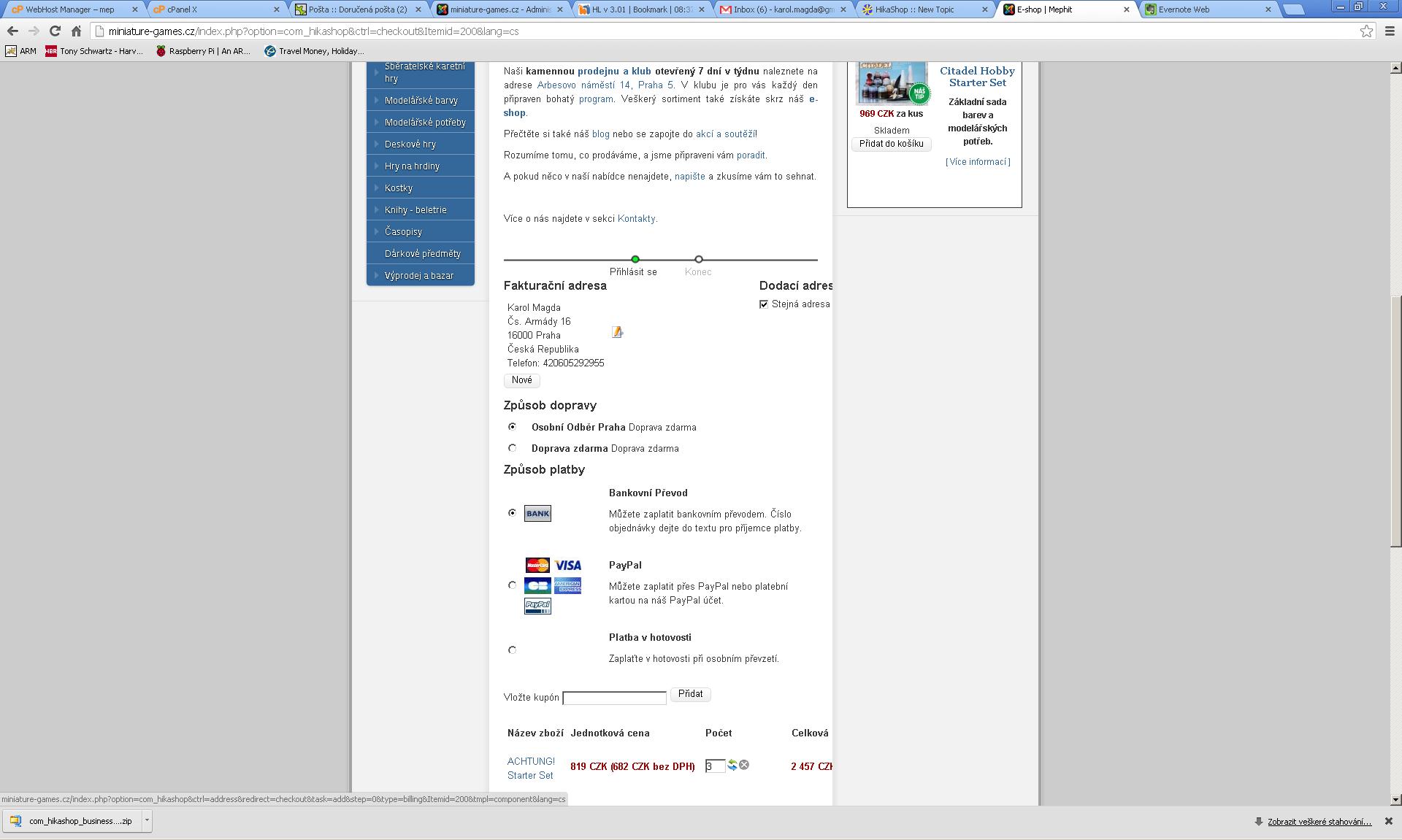
I am having problem with v2.0 Hikashop. Whenever I try to go to cart from front page I am not redirected to checkout page but checkout page is displayed below the content displayed on the front page. The functionality works well for me in v1.6 Hikashop.
See also added screenshot.
Thanks,
Karol
I am having problem with v2.0 Hikashop. Whenever I try to go to cart from front page I am not redirected to checkout page but checkout page is displayed below the content displayed on the front page. The functionality works well for me in v1.6 Hikashop.
See also added screenshot.
Thanks,
Karol
Please Log in or Create an account to join the conversation.

13 years 10 months ago #76067
by nicolas
Replied by nicolas on topic v 2.0 Cart Redirection from Front Page
Hi,
That is not related to the 2.0.
You need to configure the "force a menu on checkout" option of the Checkout tab of the configuration so that the checkout won't display on the home page.
That is not related to the 2.0.
You need to configure the "force a menu on checkout" option of the Checkout tab of the configuration so that the checkout won't display on the home page.
Please Log in or Create an account to join the conversation.
13 years 10 months ago #76236
by karolko
Replied by karolko on topic v 2.0 Cart Redirection from Front Page
Nicolas,
Excuse my ignorace but how it's NOT an issue related to 2.0 if it worked fine for me in 1.6 and got broken with 2.0?
Force a menu on the checkout is set to "None" in both test and production environment yet they behave differently. The difference seems to be in the version of the product. So it either was broken in 1.6 and got fixed in 2.0 or vice versa.
Thanks,
Karol
Excuse my ignorace but how it's NOT an issue related to 2.0 if it worked fine for me in 1.6 and got broken with 2.0?
Force a menu on the checkout is set to "None" in both test and production environment yet they behave differently. The difference seems to be in the version of the product. So it either was broken in 1.6 and got fixed in 2.0 or vice versa.
Thanks,
Karol
Please Log in or Create an account to join the conversation.
13 years 10 months ago #76265
by nicolas
Replied by nicolas on topic v 2.0 Cart Redirection from Front Page
We didn't change anything on that end and no one reported such issue nor are we able to reproduce such problem on either 1.6 or 2.0.
That is a potentially normal issue when that option is not set, like you have on your websites, based on how you configure your menus/modules.
As I said, you just need to set that option and that will work like you want.
That is a potentially normal issue when that option is not set, like you have on your websites, based on how you configure your menus/modules.
As I said, you just need to set that option and that will work like you want.
Please Log in or Create an account to join the conversation.
13 years 10 months ago - 13 years 10 months ago #78023
by karolko
Replied by karolko on topic v 2.0 Cart Redirection from Front Page
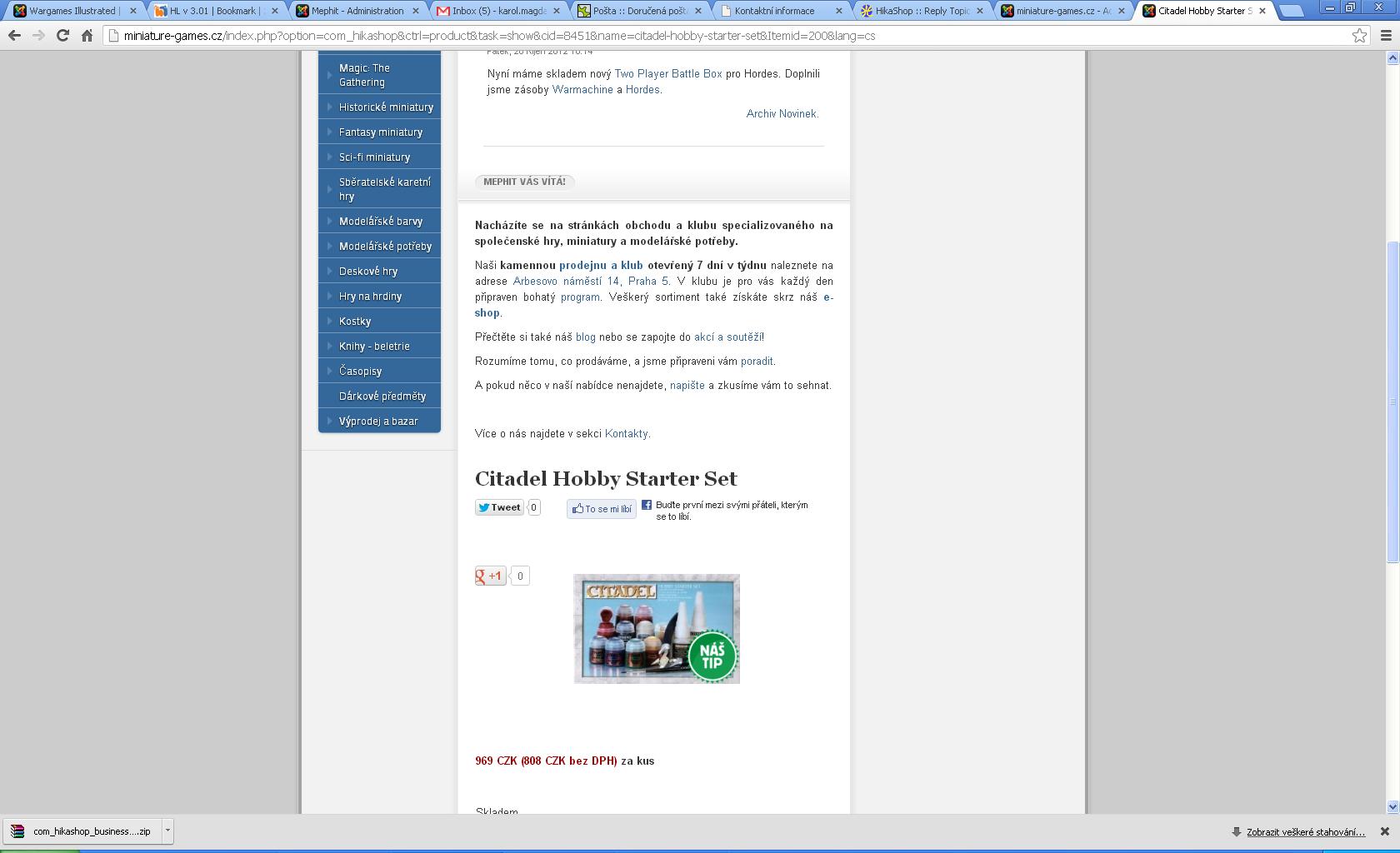
Ok, I sorted that out with what you've suggested. I have similar problem when I display product detail information from front page - instead of new page loading the information is displayed down below. See screeshot.
Last edit: 13 years 10 months ago by karolko.
Please Log in or Create an account to join the conversation.

13 years 10 months ago #78089
by Xavier
Replied by Xavier on topic v 2.0 Cart Redirection from Front Page
Hi,
I think that you can solve this problem by going in the Joomla menu parameter for your product listing, then in the assigned modules, remove the modules displaying the content at the top.
Or edit the module options and remove the menu assigned from where this product page is displayed.
I think that you can solve this problem by going in the Joomla menu parameter for your product listing, then in the assigned modules, remove the modules displaying the content at the top.
Or edit the module options and remove the menu assigned from where this product page is displayed.
Please Log in or Create an account to join the conversation.
13 years 9 months ago #79625
by karolko
Replied by karolko on topic v 2.0 Cart Redirection from Front Page
No that's not a solution I am afraid. I am PM-ing you the test environment details so you can have a look.
Please Log in or Create an account to join the conversation.
13 years 9 months ago #79710
by nicolas
Replied by nicolas on topic v 2.0 Cart Redirection from Front Page
Hi,
For your problem regarding the products being displayed on the frontpage, that's the solution that Xavier told you that you need to do.
Here is more precisely what you need to do:
Edit the module with the id 119 via the menu Display->Content modules and select the menu with the id 59.
For the fact that you can't delete the cart, please try to add the code:
var $cart_type = 'cart';
after the line:
class hikashopCartClass extends hikashopClass{
in the file administrator/components/com_hikashop/classes/cart.php and that should help.
For your problem regarding the products being displayed on the frontpage, that's the solution that Xavier told you that you need to do.
Here is more precisely what you need to do:
Edit the module with the id 119 via the menu Display->Content modules and select the menu with the id 59.
For the fact that you can't delete the cart, please try to add the code:
var $cart_type = 'cart';
after the line:
class hikashopCartClass extends hikashopClass{
in the file administrator/components/com_hikashop/classes/cart.php and that should help.
Please Log in or Create an account to join the conversation.
13 years 8 months ago #84243
by karolko
Replied by karolko on topic v 2.0 Cart Redirection from Front Page
Thanks for that, I am now live with Hikashop v 2.0 on my page.
Please Log in or Create an account to join the conversation.
Time to create page: 0.185 seconds