

- Posts: 137
- Thank you received: 2
Registration Panel overlaying right column
13 years 6 months ago #101788
by 1fcb
Registration Panel overlaying right column was created by 1fcb
When a client goes to the checkout without being logged in, he is presented a screen from where he can choose to registrate or to sign in. This screen does not fit into a three-column Joomla page, as it spans the center column AND part of the right comlumn. What can I do to make this fit?
I have included a screenshot to depict the problem:
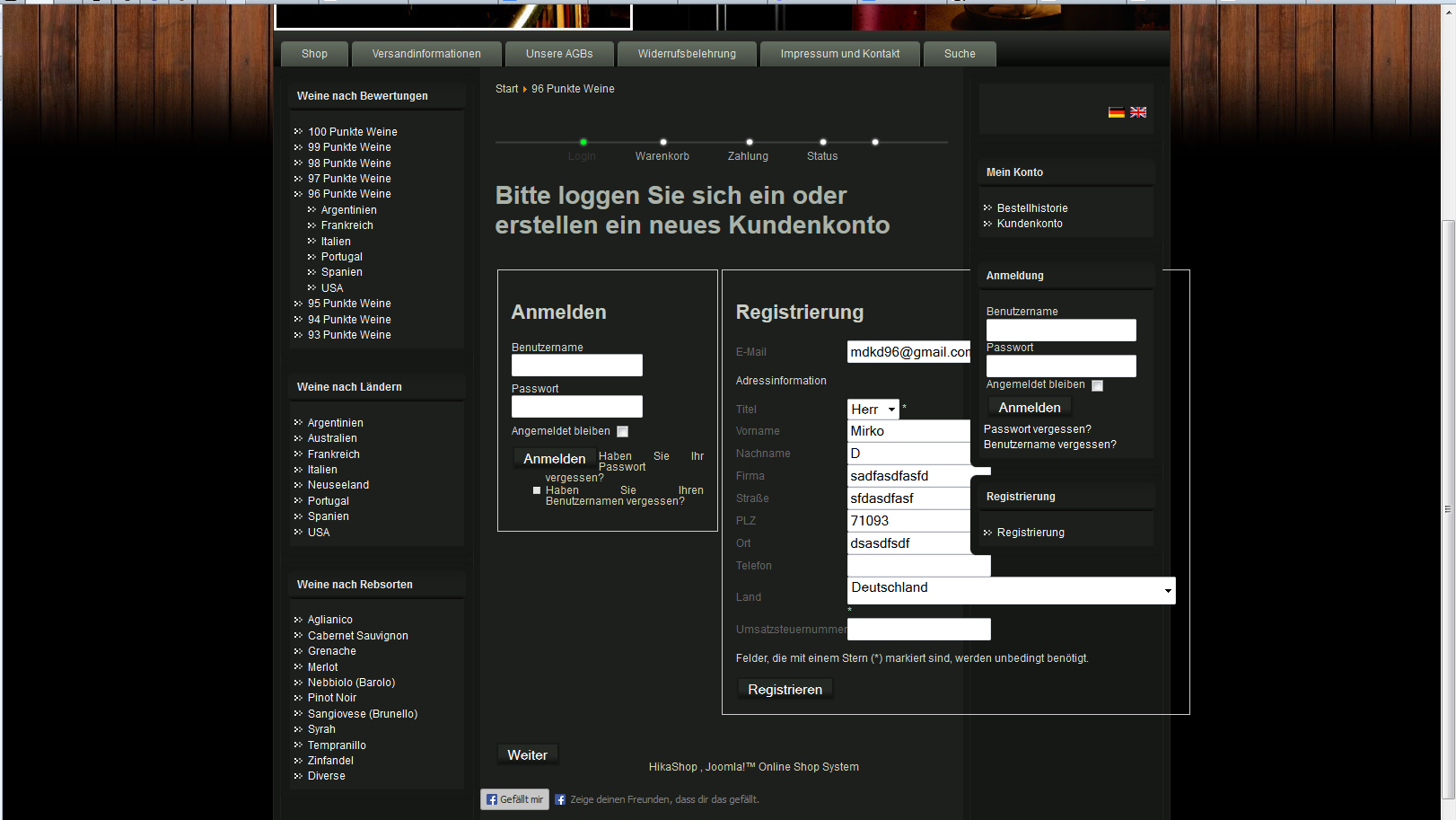
I have included a screenshot to depict the problem:
Please Log in or Create an account to join the conversation.

13 years 6 months ago #101830
by nicolas
Replied by nicolas on topic Registration Panel overlaying right column
You can move the registration box below the login box:
www.hikashop.com/en/support/documentatio...tml#registration_box
www.hikashop.com/en/support/documentatio...tml#registration_box
Please Log in or Create an account to join the conversation.
13 years 6 months ago - 13 years 6 months ago #101836
by 1fcb
Replied by 1fcb on topic Registration Panel overlaying right column
hmmm... I followed the referenced instruction and removed the "float: left" of ".hikashop_checkout_login_right_part" in the front-end CSS (selection is on custom). This did a very slight change, i.e. the right box top corner is now slightly higher thatn the left box top. Otherwise no change, even after clearing the cache. Is there another place to make a change?
This is what it looks like now:
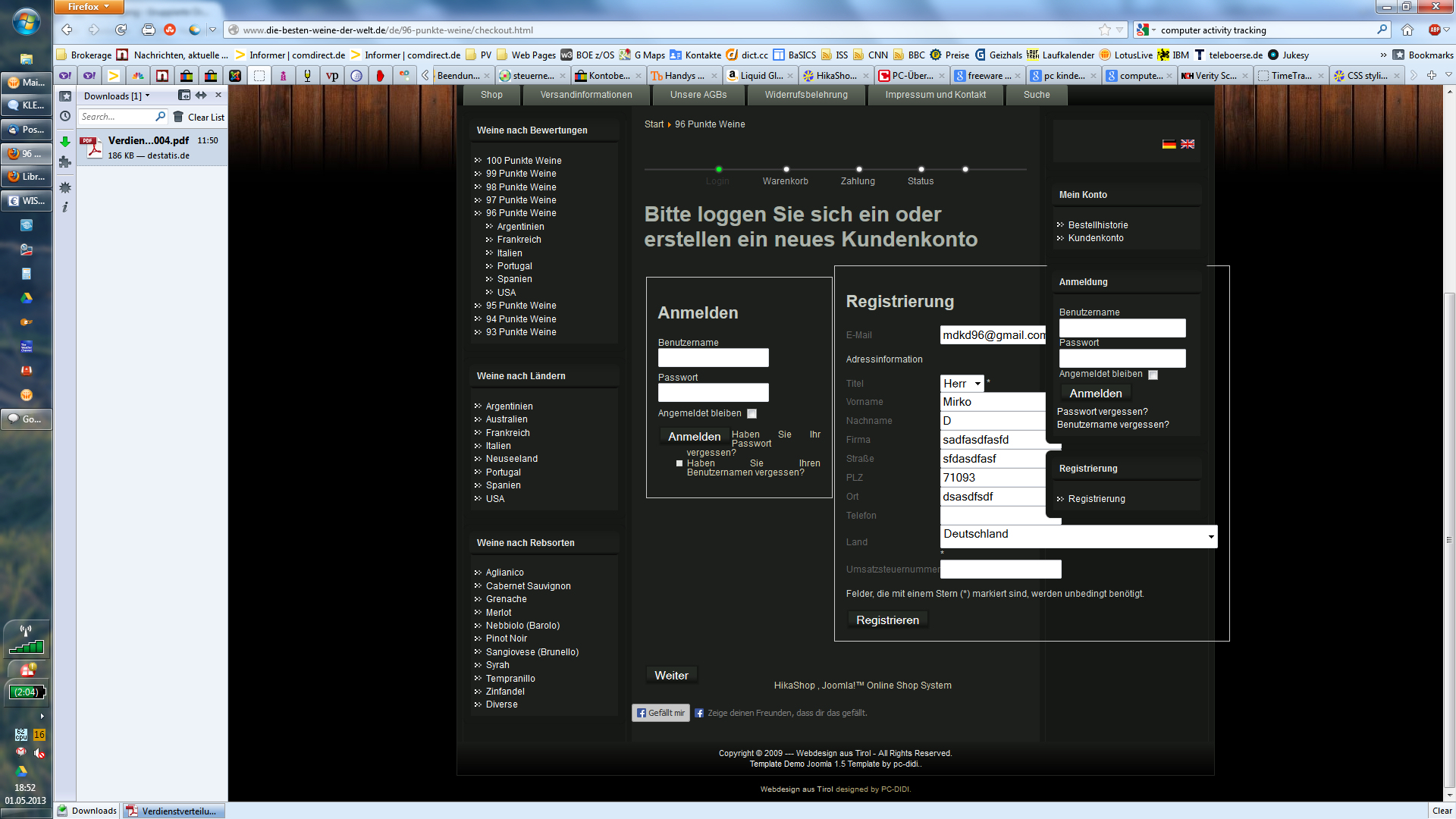
This is what it looks like now:
Last edit: 13 years 6 months ago by 1fcb.
Please Log in or Create an account to join the conversation.

13 years 6 months ago #101954
by Xavier
Replied by Xavier on topic Registration Panel overlaying right column
Hi,
Can you try to add the "display: block;" property on the divs ?
Can you try to add the "display: block;" property on the divs ?
Please Log in or Create an account to join the conversation.
13 years 5 months ago - 13 years 5 months ago #102131
by 1fcb
Replied by 1fcb on topic Registration Panel overlaying right column
where would I do that? Also as property under .hikashop_checkout_login_right_part ? If yes, it di not change anything...?
Last edit: 13 years 5 months ago by 1fcb.
Please Log in or Create an account to join the conversation.
13 years 5 months ago - 13 years 5 months ago #102134
by 1fcb
Replied by 1fcb on topic Registration Panel overlaying right column
got it... your user documentation is wrong... instead of removing the float:left from .hikashop_checkout_login_right_part, it must be removed from .hikashop_checkout_login_left_part
you have a job opening for a tester I can apply :laugh: ?
Joke aside... as you see on the screenshot: on the smaller log-in panel, there is a list of two options, asking for forgot PW or forgot UserID. Somehow my style sheet tries to place a fat square bullet in front of both list entries, and starts with the text right next to the log-in button... it looks just awful. Can you point me to the place, where I can remove the bullets and move the text below the button?
Thanks a lot!
you have a job opening for a tester I can apply :laugh: ?
Joke aside... as you see on the screenshot: on the smaller log-in panel, there is a list of two options, asking for forgot PW or forgot UserID. Somehow my style sheet tries to place a fat square bullet in front of both list entries, and starts with the text right next to the log-in button... it looks just awful. Can you point me to the place, where I can remove the bullets and move the text below the button?
Thanks a lot!
Last edit: 13 years 5 months ago by 1fcb.
Please Log in or Create an account to join the conversation.
13 years 5 months ago #102206
by nicolas
Replied by nicolas on topic Registration Panel overlaying right column
That is done by the CSS of your template.
You can remove the CSS code:
.art-post ul li, .art-post ol ul li {
background-image: url('../images/postbullets.png');
background-repeat: no-repeat;
padding-left: 14px;
}
from die-besten-weine-der-welt.de/templates/v..._v1/css/template.css to remove these white squares.
You can remove the CSS code:
.art-post ul li, .art-post ol ul li {
background-image: url('../images/postbullets.png');
background-repeat: no-repeat;
padding-left: 14px;
}
from die-besten-weine-der-welt.de/templates/v..._v1/css/template.css to remove these white squares.
Please Log in or Create an account to join the conversation.
Time to create page: 0.100 seconds