

- Posts: 1184
- Thank you received: 13
Pop up empty after add to cart
9 years 6 months ago #263985
by verzevoul
Pop up empty after add to cart was created by verzevoul
-- HikaShop version -- : 3.0.0
-- Joomla version -- : 3.6.5
-- PHP version -- : 5.4.45
-- Browser(s) name and version -- : Firefox 51.0.1
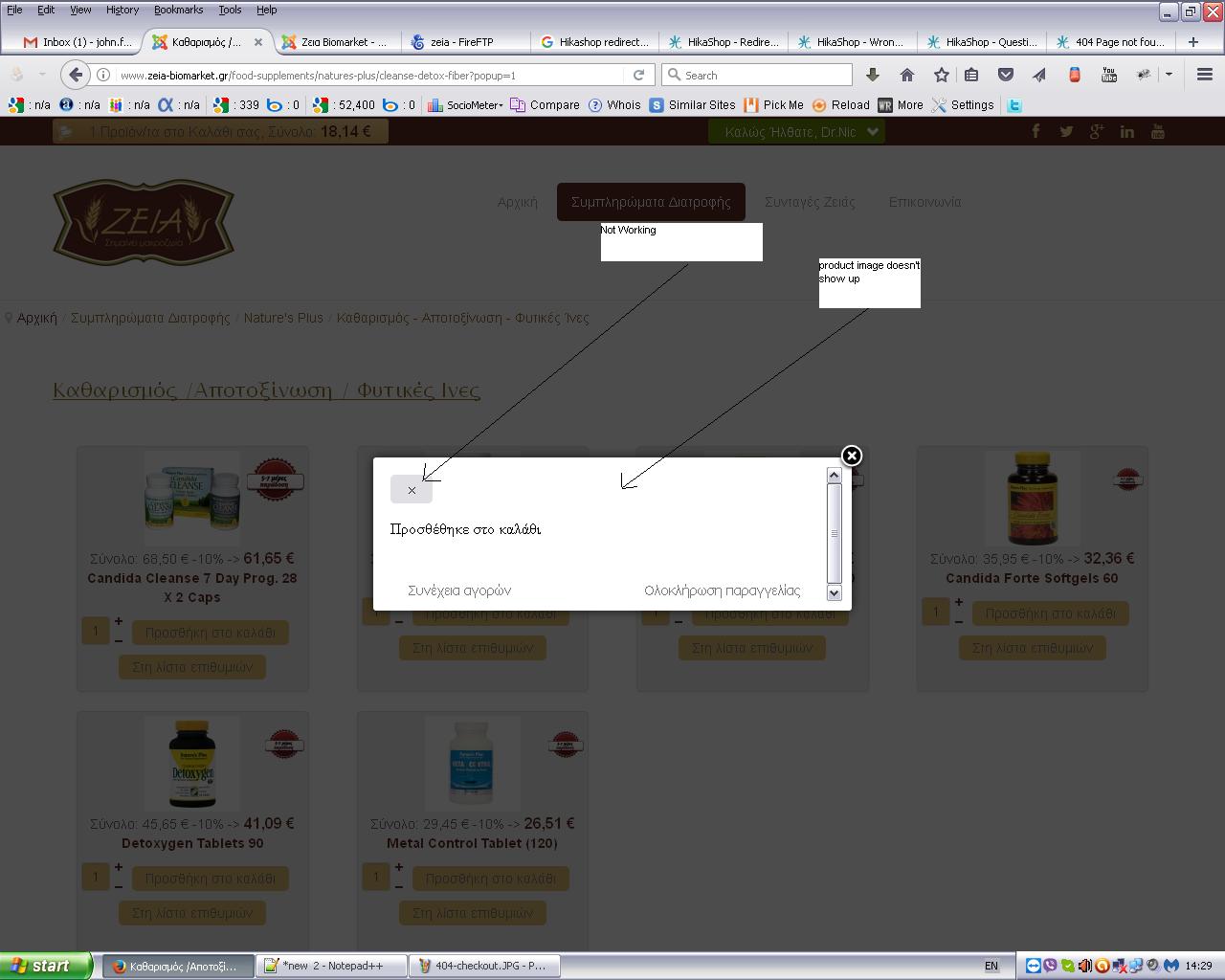
you can see in the attached file, that there is no image product inside the pop up, and also the "remove button" is not working..
-- Joomla version -- : 3.6.5
-- PHP version -- : 5.4.45
-- Browser(s) name and version -- : Firefox 51.0.1
you can see in the attached file, that there is no image product inside the pop up, and also the "remove button" is not working..
Please Log in or Create an account to join the conversation.

9 years 6 months ago #263990
by nicolas
Replied by nicolas on topic Pop up empty after add to cart
Hi,
This popup is from the legacy add to cart system, not the new add to cart system. The image and the message would come out like you want if you turned off the add to cart legacy setting of the HikaShop configuration.
The cross button is actually added to the message of the old popup system by your template, so it would require CSS change to the template to remove it, and the product image would be quite hard to add to the old popup system, although, a developer could probably work out some code to do it in the file "notice" of the view "checkout".
This popup is from the legacy add to cart system, not the new add to cart system. The image and the message would come out like you want if you turned off the add to cart legacy setting of the HikaShop configuration.
The cross button is actually added to the message of the old popup system by your template, so it would require CSS change to the template to remove it, and the product image would be quite hard to add to the old popup system, although, a developer could probably work out some code to do it in the file "notice" of the view "checkout".
Please Log in or Create an account to join the conversation.
Time to create page: 0.184 seconds