
- Posts: 55
- Thank you received: 0
Characteristics dynamic display on yes not in stock gives no waiting list option
- webmasterab
-
 Topic Author
- Offline
Less
More
6 years 7 months ago #317529
by webmasterab
Characteristics dynamic display on yes not in stock gives no waiting list option was created by webmasterab
-- HikaShop version -- : 3.4.2
-- Joomla version -- : 3.9.16
-- PHP version -- : 7.3.12
-- Browser(s) name and version -- : chrome
I just found out if I use the following settings:
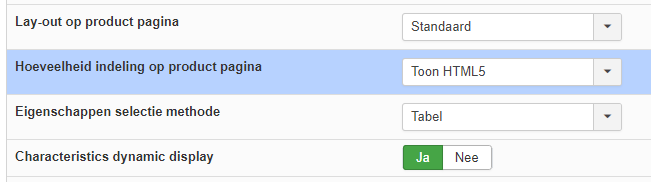
That the waiting list option will not appear on the front
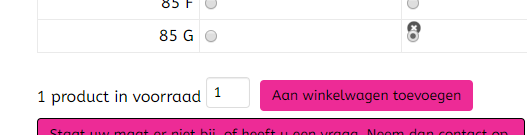
I adjust it:
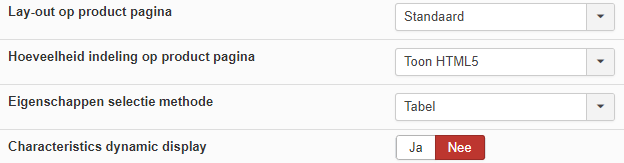
Then I will get the notification

-- Joomla version -- : 3.9.16
-- PHP version -- : 7.3.12
-- Browser(s) name and version -- : chrome
I just found out if I use the following settings:
That the waiting list option will not appear on the front
I adjust it:
Then I will get the notification
Please Log in or Create an account to join the conversation.

6 years 7 months ago #317551
by nicolas
Replied by nicolas on topic Characteristics dynamic display on yes not in stock gives no waiting list option
Hi,
Your screenshots don't display the whole area, but I suspect that the difference between your two examples is that on 1 case you have a stock of 1 for the product (or variant selected) and on the second case, you don't have any stock.
and the waitlist button will display only if you don't have stock.
Please double check as I was not able to see any difference on my end with that option turned on or off and the wailist button (which, if I check the code, makes sense).
Your screenshots don't display the whole area, but I suspect that the difference between your two examples is that on 1 case you have a stock of 1 for the product (or variant selected) and on the second case, you don't have any stock.
and the waitlist button will display only if you don't have stock.
Please double check as I was not able to see any difference on my end with that option turned on or off and the wailist button (which, if I check the code, makes sense).
Please Log in or Create an account to join the conversation.
- webmasterab
-
Topic Author
- Offline
Less
More
- Posts: 55
- Thank you received: 0
6 years 7 months ago #317561
by webmasterab
Replied by webmasterab on topic Characteristics dynamic display on yes not in stock gives no waiting list option
I'll explain it step by step:
I have set in the backend:
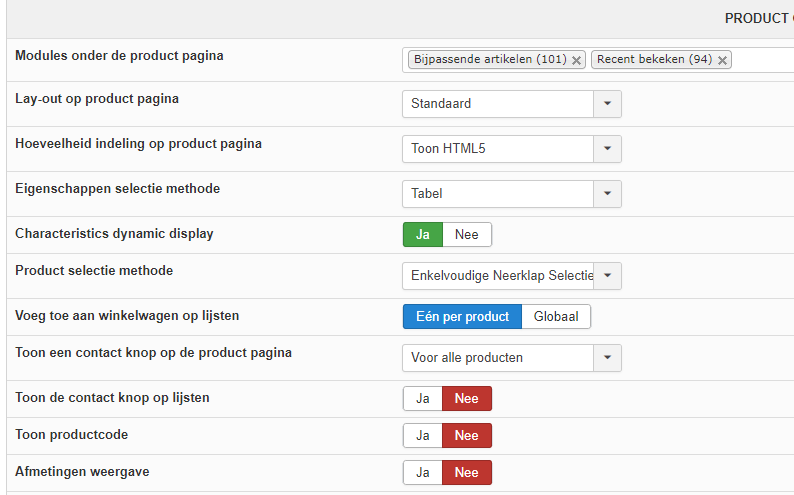
I see this on the front
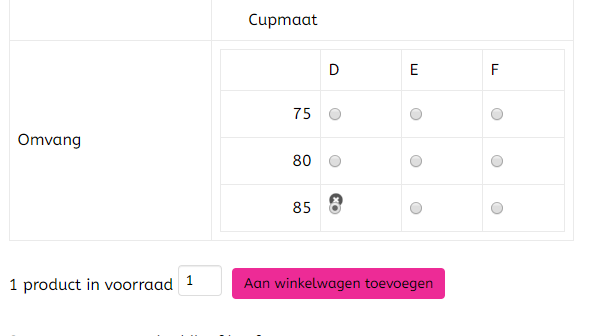
You will see that I have selected the choice and can click the shopping cart button.
This should not be because the stock is 0.
When I click on the shopping cart, the standard variant is added
In the backend I now set it like this:
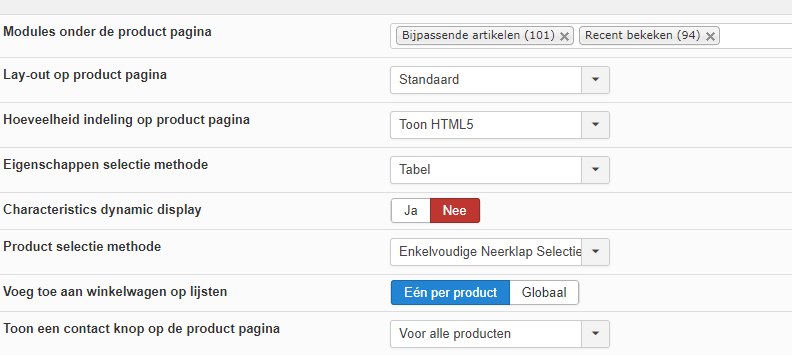
If I go to the front I will see this.
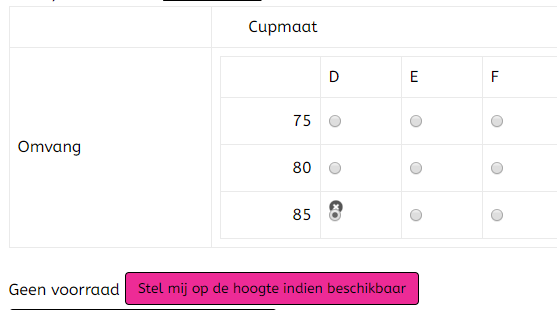
Hopefully you can reproduce it now.
I have set in the backend:
I see this on the front
You will see that I have selected the choice and can click the shopping cart button.
This should not be because the stock is 0.
When I click on the shopping cart, the standard variant is added
In the backend I now set it like this:
If I go to the front I will see this.
Hopefully you can reproduce it now.
Please Log in or Create an account to join the conversation.
6 years 7 months ago - 6 years 7 months ago #317563
by nicolas
Replied by nicolas on topic Characteristics dynamic display on yes not in stock gives no waiting list option
Hi,
I cannot reproduce the problem on my end either.
That problem comes from your CSS customizations or your template's.
By default, there is some CSS in HikaShop hidding the radio buttons of variants without stock:
monosnap.com/file/vCqS5Sgea70NV6wniRNoaZCZqsckp8
On your website, you don't have that CSS for some reason, or it is overridden by some other CSS and that's why you can select a variant without stock and purchase it.
I cannot reproduce the problem on my end either.
That problem comes from your CSS customizations or your template's.
By default, there is some CSS in HikaShop hidding the radio buttons of variants without stock:
monosnap.com/file/vCqS5Sgea70NV6wniRNoaZCZqsckp8
On your website, you don't have that CSS for some reason, or it is overridden by some other CSS and that's why you can select a variant without stock and purchase it.
Last edit: 6 years 7 months ago by nicolas.
Please Log in or Create an account to join the conversation.
- webmasterab
-
Topic Author
- Offline
Less
More
- Posts: 55
- Thank you received: 0
6 years 7 months ago - 6 years 7 months ago #317579
by webmasterab
Replied by webmasterab on topic Characteristics dynamic display on yes not in stock gives no waiting list option
I found it and am in the Grantry Template I am using.
And that is what this piece contains
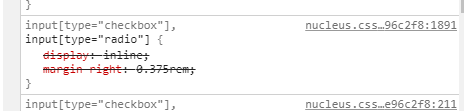
Your code is further on and I changed it with! Important behind it and then it was solved, because then it takes precedence
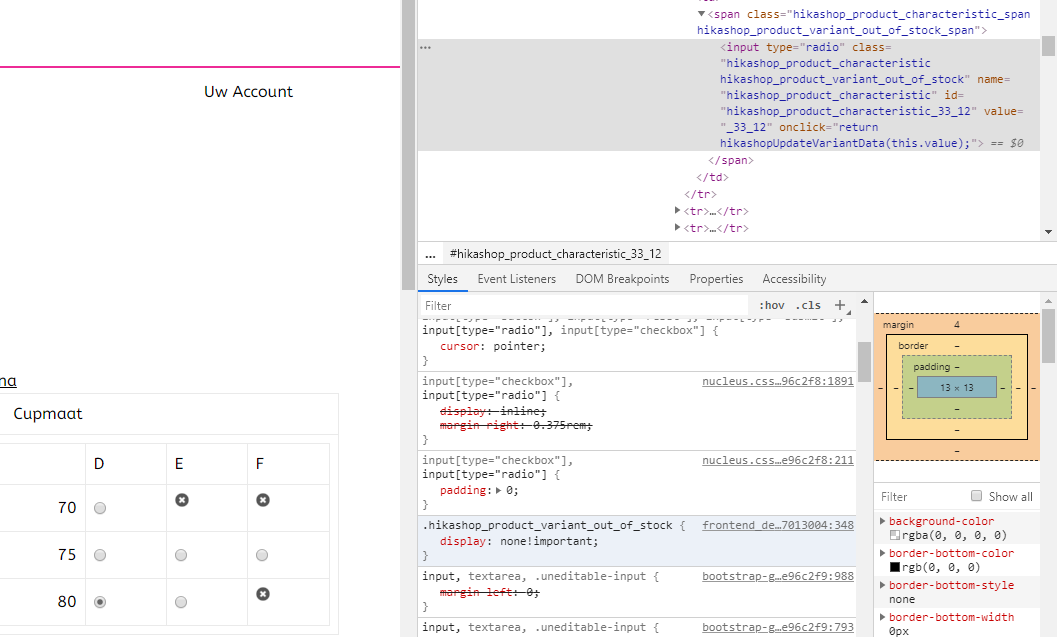
And that is what this piece contains
Your code is further on and I changed it with! Important behind it and then it was solved, because then it takes precedence
Last edit: 6 years 7 months ago by webmasterab.
Please Log in or Create an account to join the conversation.
Time to create page: 0.065 seconds