
- Posts: 55
- Thank you received: 0
in the variant I cannot change a property or color
- webmasterab
-
 Topic Author
- Offline
Less
More
6 years 7 months ago #317540
by webmasterab
in the variant I cannot change a property or color was created by webmasterab
-- HikaShop version -- : 4.2.3
-- Joomla version -- : 3.9.16
In the backend I cannot adjust the color of a variant.
I can change the product code and it is saved but the color cannot.
Step 1
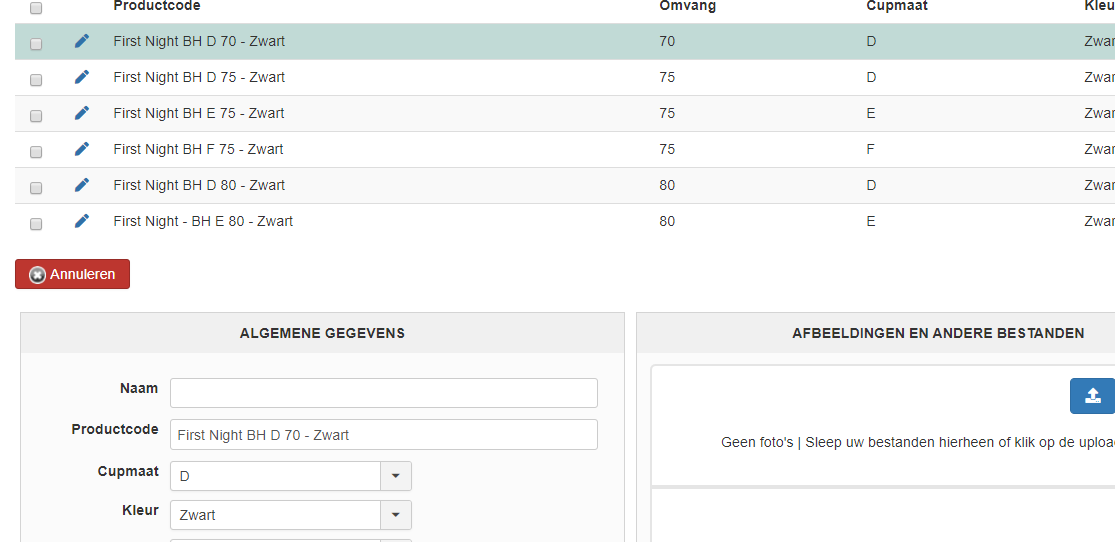
Step 2
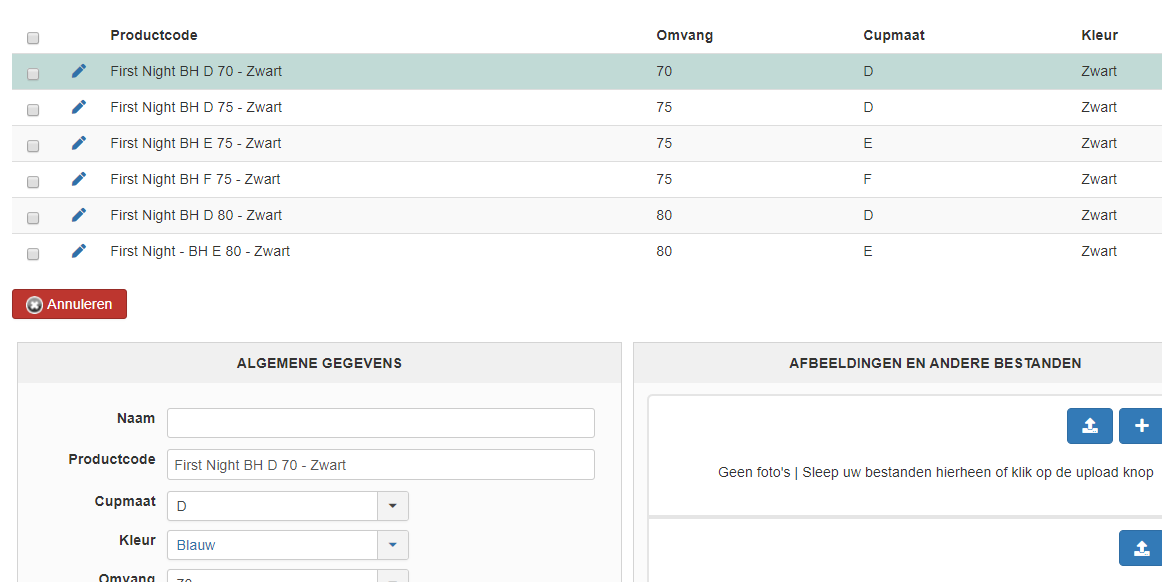
step 3 after saving
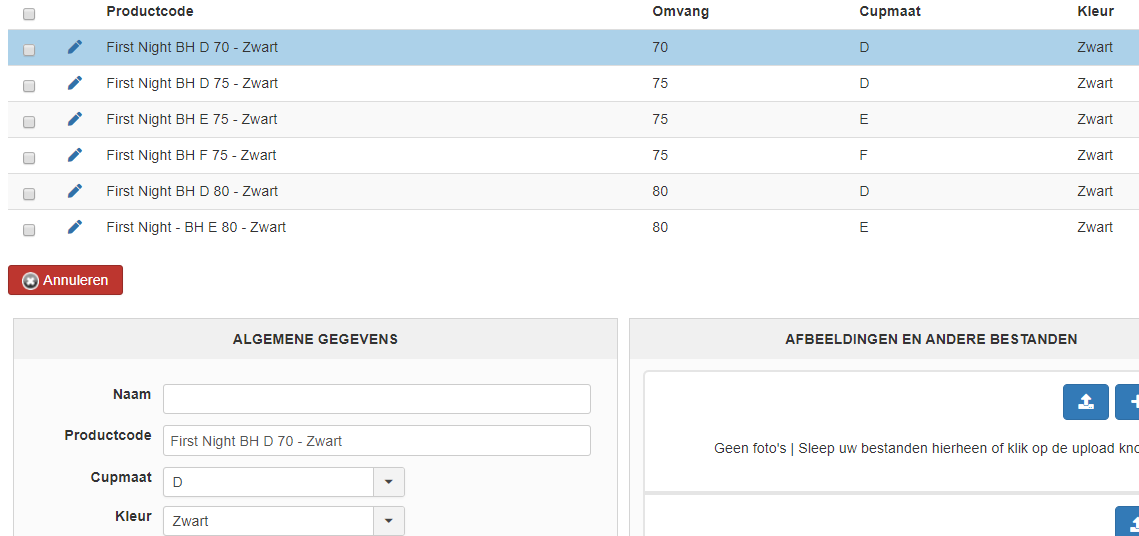
-- Joomla version -- : 3.9.16
In the backend I cannot adjust the color of a variant.
I can change the product code and it is saved but the color cannot.
Step 1
Step 2
step 3 after saving
Please Log in or Create an account to join the conversation.
- webmasterab
-
Topic Author
- Offline
Less
More
- Posts: 55
- Thank you received: 0
6 years 7 months ago #317542
by webmasterab
Replied by webmasterab on topic in the variant I cannot change a property or color
I've found a detour, but it doesn't work either.
In the property I have changed the color Black to the English word.
It changes but not when I call it again.
Or click on the site.
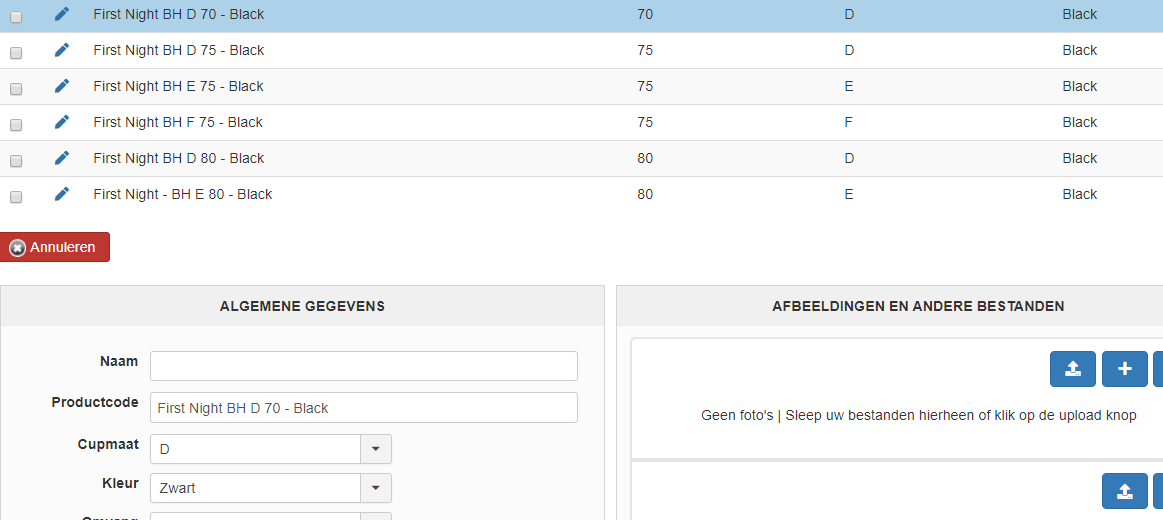
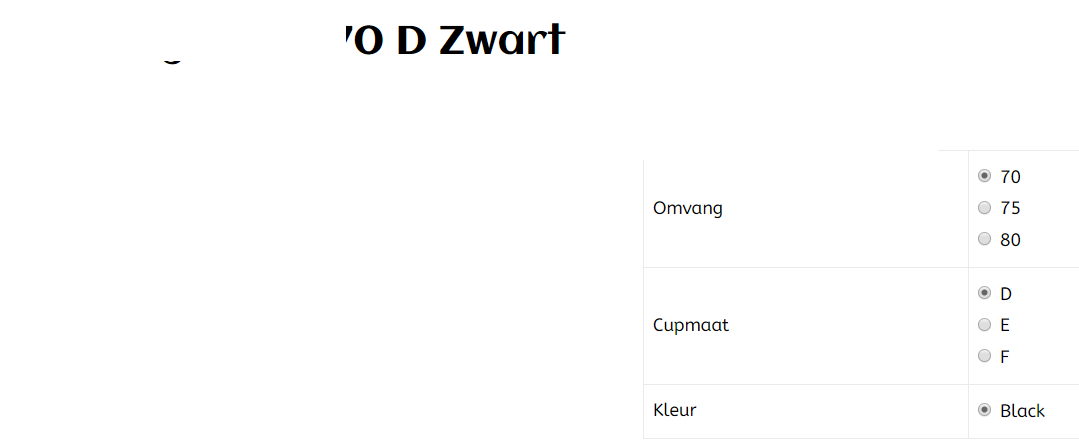
In the property I have changed the color Black to the English word.
It changes but not when I call it again.
Or click on the site.
Please Log in or Create an account to join the conversation.
- webmasterab
-
Topic Author
- Offline
Less
More
- Posts: 55
- Thank you received: 0
6 years 7 months ago - 6 years 7 months ago #317544
by webmasterab
Replied by webmasterab on topic in the variant I cannot change a property or color
My property

How it is in the database
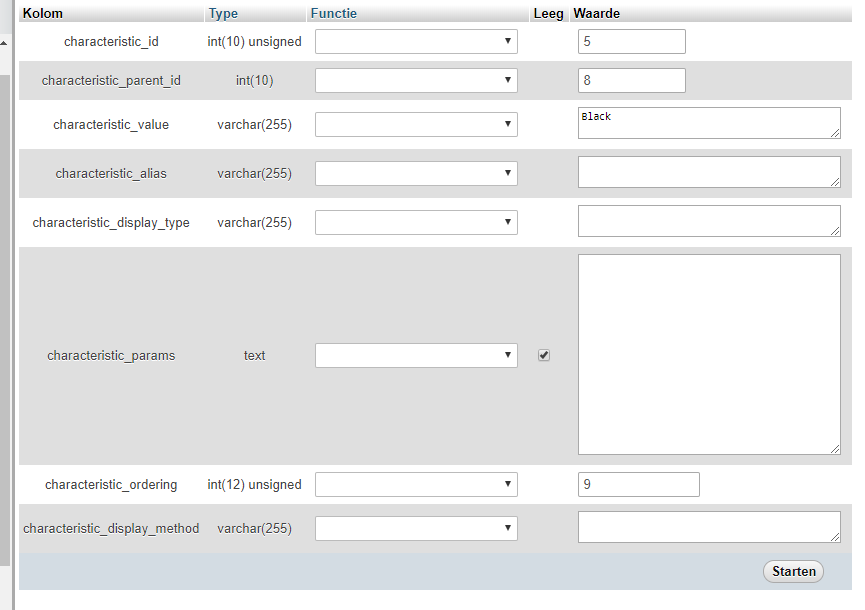
How it is in the database
Last edit: 6 years 7 months ago by webmasterab.
Please Log in or Create an account to join the conversation.
- webmasterab
-
Topic Author
- Offline
Less
More
- Posts: 55
- Thank you received: 0
6 years 7 months ago #317562
by webmasterab
Replied by webmasterab on topic in the variant I cannot change a property or color
You can also reproduce it.
I like to hear it.
I like to help to make it different
I like to hear it.
I like to help to make it different
Please Log in or Create an account to join the conversation.

6 years 7 months ago #317547
by nicolas
Replied by nicolas on topic in the variant I cannot change a property or color
Hi,
You have the same problem as this:
www.hikashop.com/support/forum/install-u...to-4-2-3.html#317306
We've added a patch for that a week ago.
Download the install package on our website and install it on yours to get the patch.
You have the same problem as this:
www.hikashop.com/support/forum/install-u...to-4-2-3.html#317306
We've added a patch for that a week ago.
Download the install package on our website and install it on yours to get the patch.
Please Log in or Create an account to join the conversation.
- webmasterab
-
Topic Author
- Offline
Less
More
- Posts: 55
- Thank you received: 0
6 years 7 months ago #317578
by webmasterab
Replied by webmasterab on topic in the variant I cannot change a property or color
I have downloaded the latest version, and indeed I can adjust the color.
What I still have is that I still see the color Black in the Dutch language in the list.
While it is no longer in the property.
How is this possible?
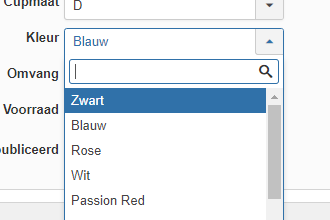
In the properties it says

I have already checked the database.
What I still have is that I still see the color Black in the Dutch language in the list.
While it is no longer in the property.
How is this possible?
In the properties it says
I have already checked the database.
Please Log in or Create an account to join the conversation.
6 years 7 months ago #317584
by nicolas
Replied by nicolas on topic in the variant I cannot change a property or color
Hi,
Are you asking why the text is being translated ?
There is some code to translate the text as long as the translation override is there. Wouldn't that be what you're talking about ?
Are you asking why the text is being translated ?
There is some code to translate the text as long as the translation override is there. Wouldn't that be what you're talking about ?
Please Log in or Create an account to join the conversation.
- webmasterab
-
Topic Author
- Offline
Less
More
- Posts: 55
- Thank you received: 0
6 years 7 months ago #317605
by webmasterab
Replied by webmasterab on topic in the variant I cannot change a property or color
No I'm not talking about the translation.
in the property I changed it to Black the English form of the word.
in my products he keeps showing the Dutch, old, word in the list, while Black has the English word stored.
On the site he also shows the Dutch word, and not the adapted version of the color Black in English.
It is a bit difficult to explain because I translate it from Dutch to English with Google
in the property I changed it to Black the English form of the word.
in my products he keeps showing the Dutch, old, word in the list, while Black has the English word stored.
On the site he also shows the Dutch word, and not the adapted version of the color Black in English.
It is a bit difficult to explain because I translate it from Dutch to English with Google
Please Log in or Create an account to join the conversation.
6 years 7 months ago #317606
by nicolas
Replied by nicolas on topic in the variant I cannot change a property or color
Hi,
I don't see what is the problem here.
The text you see is the one in the current language of the page. If your page is in Dutch, then you see the Dutch word, if it's in English you see the English word, no ?
I mean, it depends on how you configured your characteristic and translations.
So if you don't know where the translations don't come from, how could I say ? I can only suppose that you either added them with translation overrides or with Falang. and so you need to check your translation overrides or Falang if you want to change them.
I don't see what is the problem here.
The text you see is the one in the current language of the page. If your page is in Dutch, then you see the Dutch word, if it's in English you see the English word, no ?
I mean, it depends on how you configured your characteristic and translations.
So if you don't know where the translations don't come from, how could I say ? I can only suppose that you either added them with translation overrides or with Falang. and so you need to check your translation overrides or Falang if you want to change them.
Please Log in or Create an account to join the conversation.
- webmasterab
-
Topic Author
- Offline
Less
More
- Posts: 55
- Thank you received: 0
6 years 7 months ago - 6 years 7 months ago #317619
by webmasterab
Replied by webmasterab on topic in the variant I cannot change a property or color
Now that's the annoying thing I don't get explained like that.
Will see if I can post screenshots soon so that it becomes clearer step by step
It seems to me that this list is controlled from the property.
And that does not contain the actual word Zwart.
I have changed that to Black, and it will not be copied, and therefore not on the frontend
I don't work with translation, I put it as hard value in the property
Will see if I can post screenshots soon so that it becomes clearer step by step
It seems to me that this list is controlled from the property.
And that does not contain the actual word Zwart.
I have changed that to Black, and it will not be copied, and therefore not on the frontend
I don't work with translation, I put it as hard value in the property
Last edit: 6 years 7 months ago by webmasterab.
Please Log in or Create an account to join the conversation.
Time to create page: 0.111 seconds