

- Posts: 10
- Thank you received: 0
Product with custom fields - insertion in article
10 years 8 months ago - 10 years 8 months ago #229243
by Roizman
Product with custom fields - insertion in article was created by Roizman
-- Joomla version -- : 3.4
-- PHP version -- : 2.6.1
Hello,
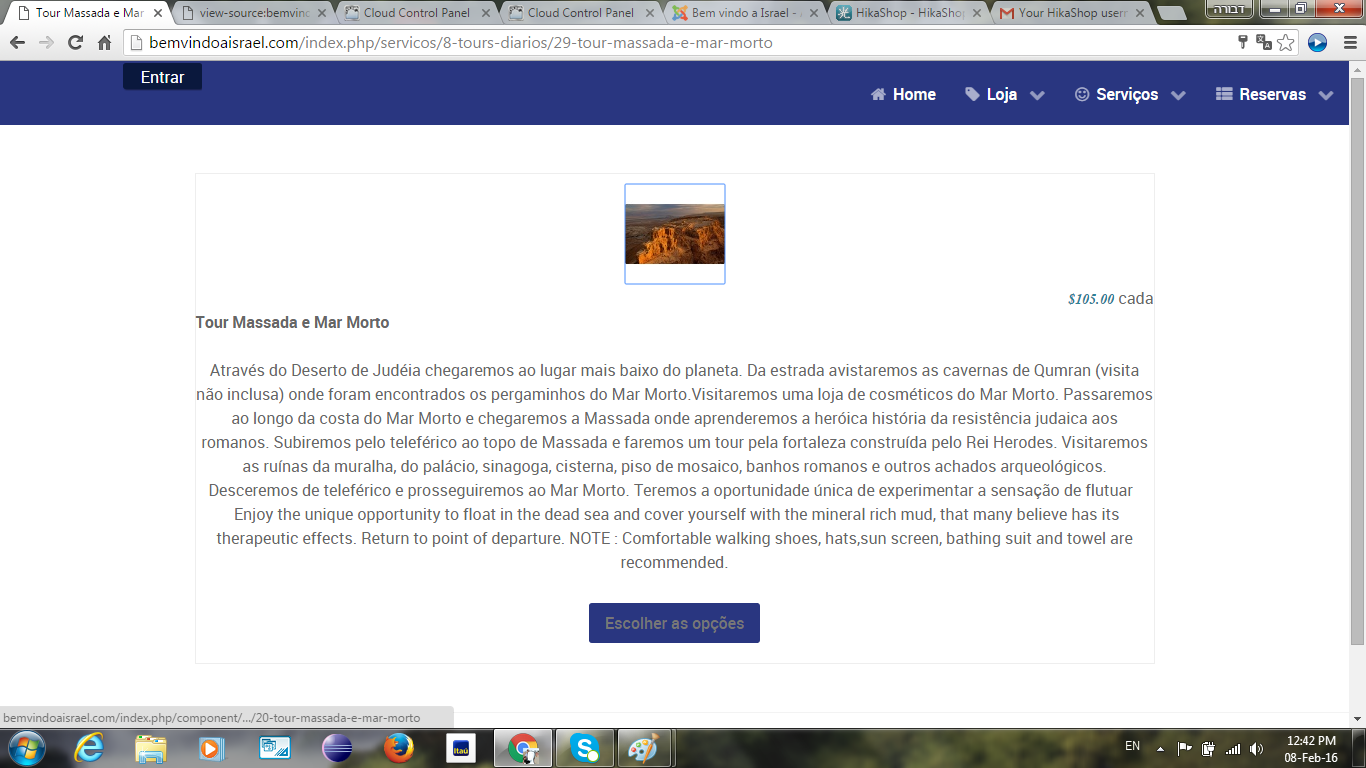
I have a product with custom fields that I would like to access directly through product insertion in article. When calling the article with insertion there is a need to press "choose options" button to go to the product page and I'd need to access this page directly.
I've attached prints of the first page and second page (the second is the one that I'd like to appear in article).
Thank you
-- PHP version -- : 2.6.1
Hello,
I have a product with custom fields that I would like to access directly through product insertion in article. When calling the article with insertion there is a need to press "choose options" button to go to the product page and I'd need to access this page directly.
I've attached prints of the first page and second page (the second is the one that I'd like to appear in article).
Thank you
Last edit: 10 years 8 months ago by Roizman. Reason: adding info
Please Log in or Create an account to join the conversation.

10 years 8 months ago #229245
by nicolas
Replied by nicolas on topic Product with custom fields - insertion in article
Hi,
Please make sure that the "Display custom item fields" setting of the HikaShop configuration is activated.
Please make sure that the "Display custom item fields" setting of the HikaShop configuration is activated.
The following user(s) said Thank You: Roizman
Please Log in or Create an account to join the conversation.
10 years 8 months ago - 10 years 8 months ago #229386
by Roizman
Replied by Roizman on topic Product with custom fields - insertion in article
That really helped, thank you!
Could you also advice on how to show original uploaded image instead of thumbnail?
Now, a custom filed of Date type is also not working anymore. Some suggestion?
Thanks
Could you also advice on how to show original uploaded image instead of thumbnail?
Now, a custom filed of Date type is also not working anymore. Some suggestion?
Thanks
Last edit: 10 years 8 months ago by Roizman. Reason: more doubts
Please Log in or Create an account to join the conversation.
10 years 8 months ago - 10 years 8 months ago #229391
by nicolas
Replied by nicolas on topic Product with custom fields - insertion in article
Hi,
1. Change the line:
echo '<img class="hikashop_product_tag_image" title="'.$this->escape(@$image->file_description).'" alt="'.$this->escape(@$image->file_name).'" src="'.$img->url.'"/>';
to:
echo '<img class="hikashop_product_tag_image" title="'.$this->escape(@$image->file_description).'" alt="'.$this->escape(@$image->file_name).'" src="'.$img->origin_url.'"/>';
in the file plugins/system/hikashopproductinsert/hikashopproductinsert_view.php and remove the CSS width:200px; from it and that should do it.
2. Change it to the type "advanced date picker".
1. Change the line:
echo '<img class="hikashop_product_tag_image" title="'.$this->escape(@$image->file_description).'" alt="'.$this->escape(@$image->file_name).'" src="'.$img->url.'"/>';
to:
echo '<img class="hikashop_product_tag_image" title="'.$this->escape(@$image->file_description).'" alt="'.$this->escape(@$image->file_name).'" src="'.$img->origin_url.'"/>';
in the file plugins/system/hikashopproductinsert/hikashopproductinsert_view.php and remove the CSS width:200px; from it and that should do it.
2. Change it to the type "advanced date picker".
Last edit: 10 years 8 months ago by nicolas.
Please Log in or Create an account to join the conversation.
10 years 8 months ago #229517
by Roizman
Replied by Roizman on topic Product with custom fields - insertion in article
The image issue is solved, Thanks!
Still, the custom field was already of the "Advanced Data Picker" type. In back end it seems ok but in front end the calendar doesn't appear. I've chosen as default day "today" and it appears. Please see print screen.
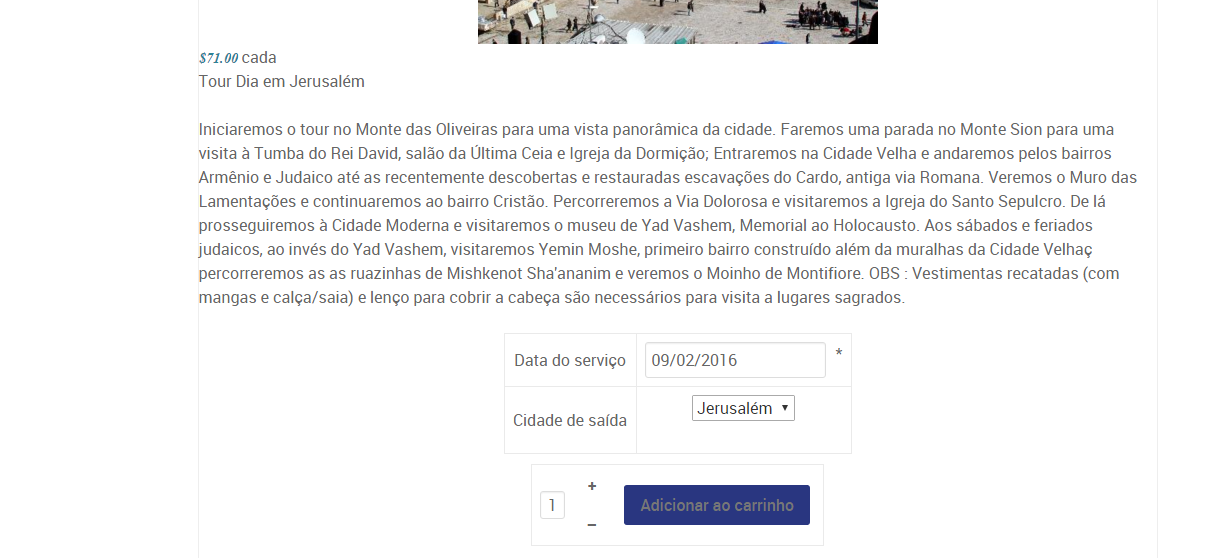
Still, the custom field was already of the "Advanced Data Picker" type. In back end it seems ok but in front end the calendar doesn't appear. I've chosen as default day "today" and it appears. Please see print screen.
Please Log in or Create an account to join the conversation.

10 years 8 months ago #229695
by Jerome
Jerome - Obsidev.com
HikaMarket & HikaSerial developer / HikaShop core dev team.
Replied by Jerome on topic Product with custom fields - insertion in article
Hi,
I suppose that you should have some javascript issues in your page.
The "advanced date picker" is using jQuery and jQuery UI to work ; if you have javascript issues, the initialization of the date picker might not be done correctly.
Regards,
I suppose that you should have some javascript issues in your page.
The "advanced date picker" is using jQuery and jQuery UI to work ; if you have javascript issues, the initialization of the date picker might not be done correctly.
Regards,
Jerome - Obsidev.com
HikaMarket & HikaSerial developer / HikaShop core dev team.
Please Log in or Create an account to join the conversation.
10 years 8 months ago #230028
by Roizman
Replied by Roizman on topic Product with custom fields - insertion in article
Hi,
I installed Jquery easy to see if I can discover where the problem is but with no success. Do you have some suggestion?
Thanks
I installed Jquery easy to see if I can discover where the problem is but with no success. Do you have some suggestion?
Thanks
Please Log in or Create an account to join the conversation.
10 years 8 months ago #230188
by Roizman
Replied by Roizman on topic Product with custom fields - insertion in article
I have changed template, disabled other plugins, used Jquery easy but still have the same problem... Advanced date picker not working, calendar icon not even appearing...
What can I do?
What can I do?
Please Log in or Create an account to join the conversation.
10 years 8 months ago #230252
by Jerome
Jerome - Obsidev.com
HikaMarket & HikaSerial developer / HikaShop core dev team.
Replied by Jerome on topic Product with custom fields - insertion in article
Hi,
Can you please restore your template and provide us a link to the page ?
You only provide your domain name but we do not know the page with the issue.
Because we can't see the issue, we can't provide you any precise answer.
Regards,
Can you please restore your template and provide us a link to the page ?
You only provide your domain name but we do not know the page with the issue.
Because we can't see the issue, we can't provide you any precise answer.
Regards,
Jerome - Obsidev.com
HikaMarket & HikaSerial developer / HikaShop core dev team.
Please Log in or Create an account to join the conversation.
10 years 8 months ago #230517
by Roizman
Replied by Roizman on topic Product with custom fields - insertion in article
Please see page with mentioned problem:
bemvindoaisrael.com/index.php/servicos/8...-massada-e-mar-morto
Thanks,
bemvindoaisrael.com/index.php/servicos/8...-massada-e-mar-morto
Thanks,
Please Log in or Create an account to join the conversation.
10 years 8 months ago #230532
by nicolas
Replied by nicolas on topic Product with custom fields - insertion in article
Hi,
Please try to add the code:
after the code:
in the file plugins/system/hikashopproductinsert/hikashopproductinsert_view.php and see if that helps.
Please try to add the code:
Code:
foreach($doc->_custom as $custom) {
if($custom_already){
$custom_already--;
continue;
}
$custom = preg_replace('#<script .*type="text/javascript" src=".*"></script>#iU', '', $custom);
$custom = preg_replace('#<script .*type=[\'"]text/javascript[\'"]>#iU', '<script type="text/javascript">', $custom);
$custom = str_replace(
array('<script type="text/javascript">', '</script>'),
array('<script type="text/javascript">setTimeout(function(){', '},20);</script>'),
$custom);
echo $custom;
}
foreach($doc->_script as $script) {
if($script_already){
$script_already--;
continue;
}
echo '<script type="text/javascript">'."\r\n".$script."\r\n".'</script>';
}
Code:
$add_to_cart = hikashop_getLayout('product','add_to_cart_listing',$params,$js);
echo $add_to_cart;
Please Log in or Create an account to join the conversation.
10 years 8 months ago #230722
by Roizman
Replied by Roizman on topic Product with custom fields - insertion in article
Unfortunatelly I don't see any change.
Please Log in or Create an account to join the conversation.
10 years 8 months ago #230899
by Roizman
Replied by Roizman on topic Product with custom fields - insertion in article
Do you have another suggestion? Without the advanced date picker I don't really needed the business version...
Please Log in or Create an account to join the conversation.
10 years 8 months ago #230900
by nicolas
Replied by nicolas on topic Product with custom fields - insertion in article
Hi,
Ok, let's try differently.
Change the code:
with the code:
I've tried it on my end and it works.
Ok, let's try differently.
Change the code:
Code:
$add_to_cart = hikashop_getLayout('product','add_to_cart_listing',$params,$js);
echo $add_to_cart;
Code:
$scripts_already = count($doc->_scripts);
$css_already = count($doc->_styleSheets);
$add_to_cart = hikashop_getLayout('product','add_to_cart_listing',$params,$js);
echo $add_to_cart;
foreach($doc->_scripts as $script => $v) {
if($scripts_already){
$scripts_already--;
continue;
}
echo '<script src="'.$script.'" type="text/javascript"></script>';
}
foreach($doc->_styleSheets as $css => $v) {
if($css_already){
$css_already--;
continue;
}
echo '<style type="text/css">'."\r\n@import url(".$css.");\r\n".'</style>';
}
foreach($doc->_script as $script) {
echo '<script type="text/javascript">'."\r\n".$script."\r\n".'</script>';
}
The following user(s) said Thank You: Roizman
Please Log in or Create an account to join the conversation.
10 years 8 months ago #230971
by Roizman
Replied by Roizman on topic Product with custom fields - insertion in article
Yesssss!! It solved the problem! Thank you very much!
Please Log in or Create an account to join the conversation.
Time to create page: 0.434 seconds