

- Posts: 102
- Thank you received: 4
How To Submit Current Table to Checkout.
8 years 5 months ago #292810
by alainz
How To Submit Current Table to Checkout. was created by alainz
-- HikaShop version -- : 3.4.0
-- Joomla version -- : 3.8.7
-- PHP version -- : 7.1.15
-- Browser(s) name and version -- : Firefox Developer Edition
Hi,
We having our own tables with hikashop products on it with the custom calculation of price.
How can we push this table to have hikashop checkout (payment gateway and order form).
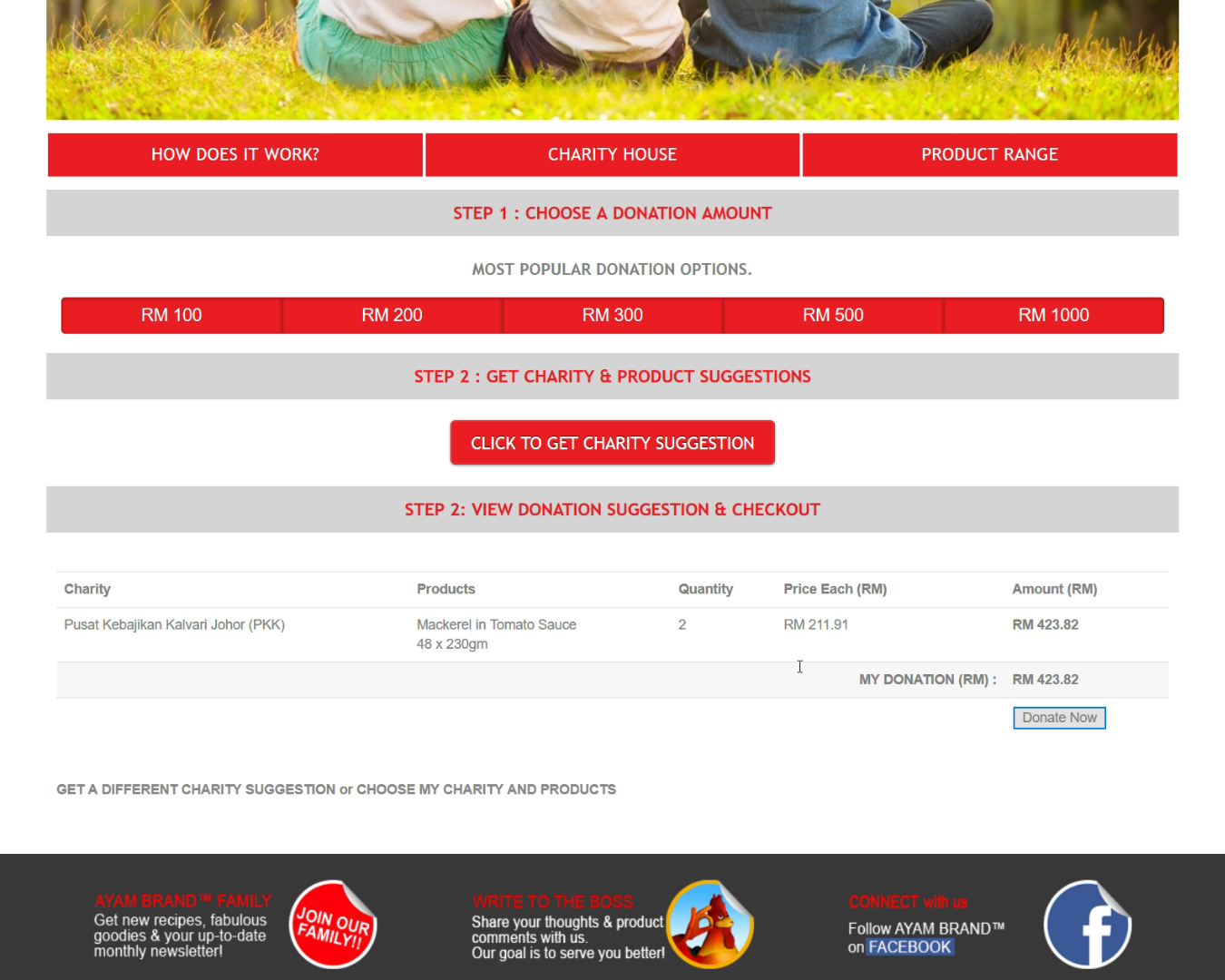
Can someone guide me how to do it or any reference that i can use to make it work.
-- Joomla version -- : 3.8.7
-- PHP version -- : 7.1.15
-- Browser(s) name and version -- : Firefox Developer Edition
Hi,
We having our own tables with hikashop products on it with the custom calculation of price.
How can we push this table to have hikashop checkout (payment gateway and order form).
Can someone guide me how to do it or any reference that i can use to make it work.
Please Log in or Create an account to join the conversation.

8 years 5 months ago #292820
by nicolas
Replied by nicolas on topic How To Submit Current Table to Checkout.
Hi,
If I understand correctly, you want that when you click on "donate now" on your screenshot, it goes to the checkout with the corresponding amount to be paid.
In that case, you want to create a custom field of the table "item" called "amount" via the menu Display>Custom fields, create a product that you'll be using in the checkout of HikaShop, enable the HikaShop donation plugin via the Joomla plugins manager, and have your donate now button be a link to the add to cart HTML URL with the amount to be paid also in it:
www.hikashop.com/forum/2-general-talk-ab...ct-fields.html#16220
demo.hikashop.com/index.php/en/hikashop/...t-page/donation-page
If I understand correctly, you want that when you click on "donate now" on your screenshot, it goes to the checkout with the corresponding amount to be paid.
In that case, you want to create a custom field of the table "item" called "amount" via the menu Display>Custom fields, create a product that you'll be using in the checkout of HikaShop, enable the HikaShop donation plugin via the Joomla plugins manager, and have your donate now button be a link to the add to cart HTML URL with the amount to be paid also in it:
www.hikashop.com/forum/2-general-talk-ab...ct-fields.html#16220
demo.hikashop.com/index.php/en/hikashop/...t-page/donation-page
Please Log in or Create an account to join the conversation.
Time to create page: 0.047 seconds