
- Posts: 19
- Thank you received: 0
Emulating HK product sel on regular content pages
- Helveticus
-
 Topic Author
- Offline
Less
More
12 years 6 months ago - 12 years 6 months ago #151899
by Helveticus
Emulating HK product sel on regular content pages was created by Helveticus
-- url of the page with the problem -- localhost
-- HikaShop version -- :HK Essential: 2.3.0
-- Joomla version -- :2.5.19
-- PHP version -- : 5.3.13
-- Browser(s) name and version -- : FreFox 27.0.1
-- Error-message(debug-mod must be tuned on) -- : Error_message
Is it possible to map a product's HK specifications info on a regular (ie non HK) Joomla content page? If so, could also parts of the product options be included on this page and have them taken into account when the cart is updated (Fig 1)?
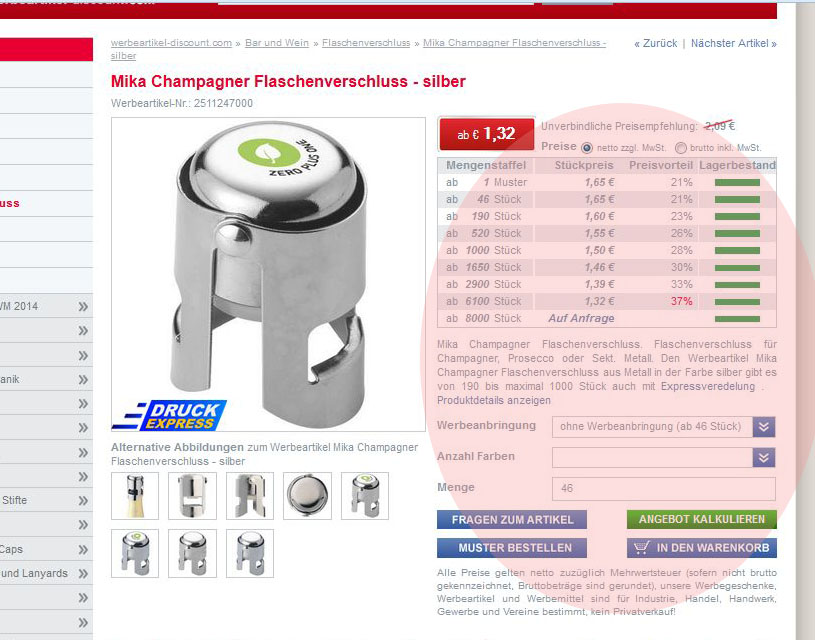
By default, product selection takes only place on HK pages. The question is: can this process be performed on regular content pages as well? For example in Fig. 2 which features a 3rd-party eshop, extra discount/shipping information is included next to product description. User selections at this level will flow in the cart update process.
The motivation for this question arises from a business model change. We would like to sell a fraction of our current products via the e-shop only. To simplify site updates, it would be helpful to preserve the current datasheet layout as much as possible. E-shop targeted products should only be earmarked by an "Add to cart" button and a distinctive sales info box.
I guess the question touches somewhat on HK design philosopy, but hope it nevertheless makes sense.
TIA for any hints.
Fig.1
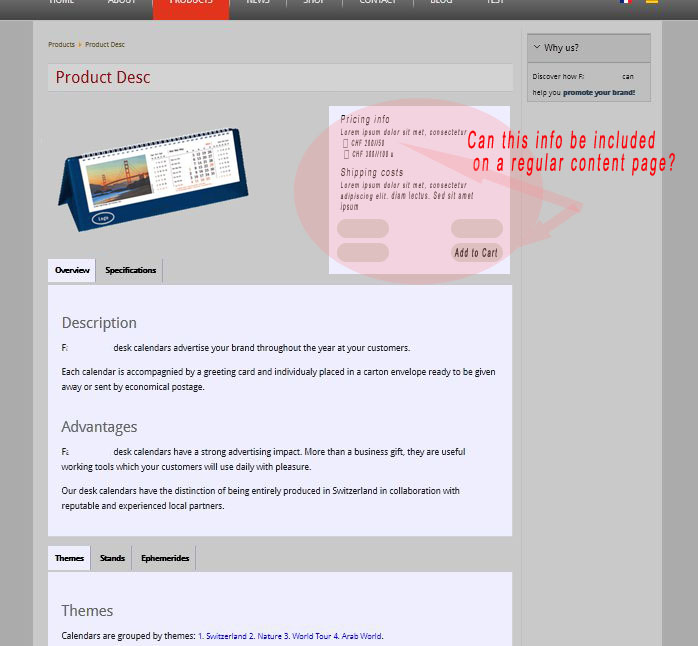
Fig.2
-- HikaShop version -- :HK Essential: 2.3.0
-- Joomla version -- :2.5.19
-- PHP version -- : 5.3.13
-- Browser(s) name and version -- : FreFox 27.0.1
-- Error-message(debug-mod must be tuned on) -- : Error_message
Is it possible to map a product's HK specifications info on a regular (ie non HK) Joomla content page? If so, could also parts of the product options be included on this page and have them taken into account when the cart is updated (Fig 1)?
By default, product selection takes only place on HK pages. The question is: can this process be performed on regular content pages as well? For example in Fig. 2 which features a 3rd-party eshop, extra discount/shipping information is included next to product description. User selections at this level will flow in the cart update process.
The motivation for this question arises from a business model change. We would like to sell a fraction of our current products via the e-shop only. To simplify site updates, it would be helpful to preserve the current datasheet layout as much as possible. E-shop targeted products should only be earmarked by an "Add to cart" button and a distinctive sales info box.
I guess the question touches somewhat on HK design philosopy, but hope it nevertheless makes sense.
TIA for any hints.
Fig.1
Fig.2
Last edit: 12 years 6 months ago by Helveticus.
Please Log in or Create an account to join the conversation.

12 years 6 months ago #151901
by Jerome
Jerome - Obsidev.com
HikaMarket & HikaSerial developer / HikaShop core dev team.
Replied by Jerome on topic Emulating HK product sel on regular content pages
Hi,
HikaShop have a plugin "product insert" (and "product tag") which allow you to insert "products" in some articles.
There is also a plugin for the editor, to help you to add some HikaShop product into articles.
These plugins are in HikaShop essential, you might just have to publish them.
Regards,
HikaShop have a plugin "product insert" (and "product tag") which allow you to insert "products" in some articles.
There is also a plugin for the editor, to help you to add some HikaShop product into articles.
These plugins are in HikaShop essential, you might just have to publish them.
Regards,
Jerome - Obsidev.com
HikaMarket & HikaSerial developer / HikaShop core dev team.
Please Log in or Create an account to join the conversation.
- Helveticus
-
Topic Author
- Offline
Less
More
- Posts: 19
- Thank you received: 0
12 years 6 months ago - 12 years 6 months ago #152015
by Helveticus
Replied by Helveticus on topic Emulating HK product sel on regular content pages
Thanks for the feedback.
I made the changes using the HK Tag product insertion plugin. However the link used by the plugin yields an improper url that hides the horizontal menu (Fig 1). How can I modify the product link to point to the correct url?
TIA for any hints.
Fig 1. Wrong product url: The HK product tag redirects products to an url address that causes the menus to be hidden:
...media/index.php/en/component/hikashop/product/1-paper-clip-dispenser-100
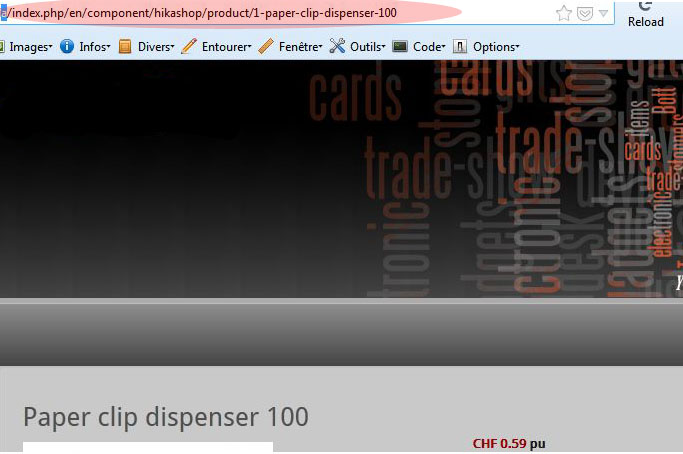
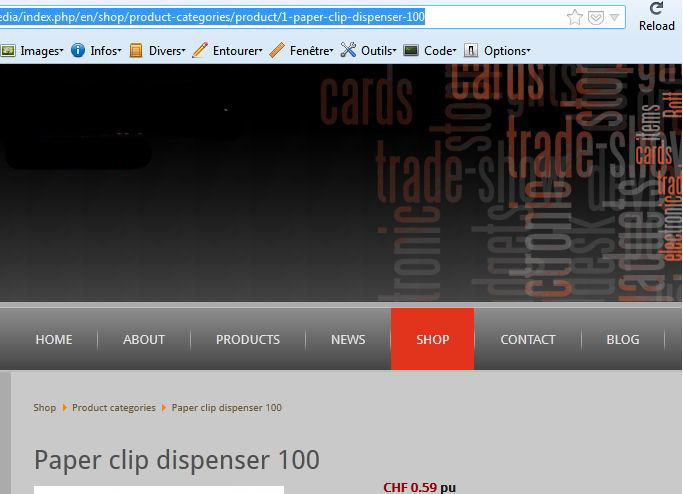
Fig 2. Correct product url: Menus are displayed if url is set to:
...media/index.php/en/shop/product-categories/product/1-paper-clip-dispenser-100
I made the changes using the HK Tag product insertion plugin. However the link used by the plugin yields an improper url that hides the horizontal menu (Fig 1). How can I modify the product link to point to the correct url?
TIA for any hints.
Fig 1. Wrong product url: The HK product tag redirects products to an url address that causes the menus to be hidden:
...media/index.php/en/component/hikashop/product/1-paper-clip-dispenser-100
Fig 2. Correct product url: Menus are displayed if url is set to:
...media/index.php/en/shop/product-categories/product/1-paper-clip-dispenser-100
Last edit: 12 years 6 months ago by Helveticus.
Please Log in or Create an account to join the conversation.

Less
More
- Posts: 12953
- Thank you received: 1778
12 years 6 months ago #152307
by Mohamed Thelji
Replied by Mohamed Thelji on topic Emulating HK product sel on regular content pages
Hello,
I just added a new menu ID option through the Product insert plugins, so that you'll be able to force a menu ID to your product link.
Can you :
- Download and install the 2 following files
- Find the ID of your product listing content menu through "Hikashop->Display->Content menus"
- Add again your products through your articles by using the "Product" button
- Add your product listing content menu ID through the "menu ID" option
I just added a new menu ID option through the Product insert plugins, so that you'll be able to force a menu ID to your product link.
Can you :
- Download and install the 2 following files
- Find the ID of your product listing content menu through "Hikashop->Display->Content menus"
- Add again your products through your articles by using the "Product" button
- Add your product listing content menu ID through the "menu ID" option
Please Log in or Create an account to join the conversation.
Time to create page: 0.083 seconds