

- Posts: 490
- Thank you received: 2
how to make hikashop responsive
10 years 4 months ago - 10 years 4 months ago #240555
by ronron
how to make hikashop responsive was created by ronron
-- HikaShop version -- : 2.6.3
-- Joomla version -- : 3.4.3
-- PHP version -- : 5.5
-- Error-message(debug-mod must be tuned on) -- : none
hi
i created menus for product listings and vendor listings. Both are not responsive.
i already enabled bootstrap by setting use bootstap design to yes.
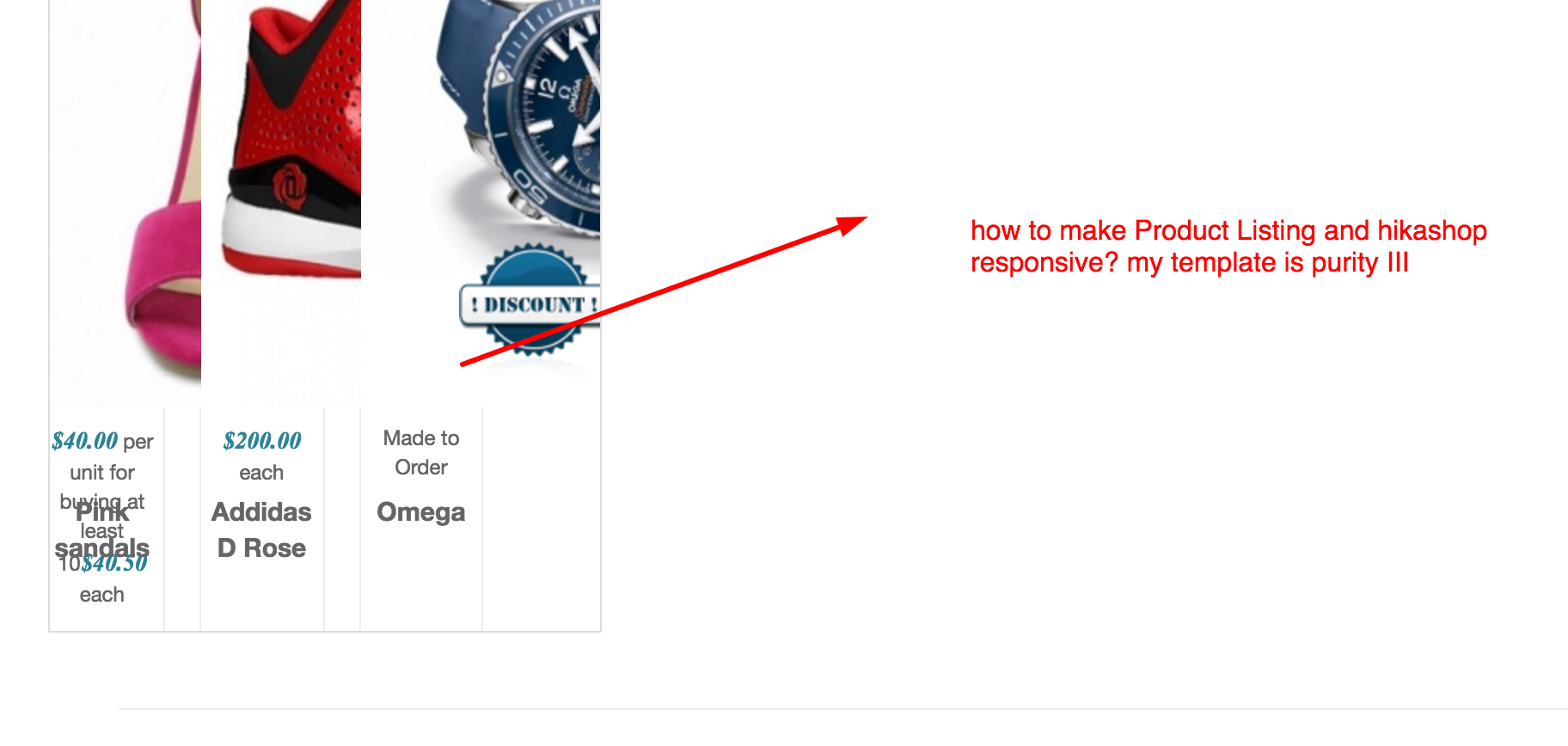
i found this tut and converted bootstrap 2 to 3
www.hikashop.com/forum/product-category-...hop-integration.html
i also edited css files and add img responsive class to img divs.
am i on the right path? so far i am experiencing a slow in mo0tools which was mentioned on the thread. any advise before i proceed as this is tiresome?
thanks
-- Joomla version -- : 3.4.3
-- PHP version -- : 5.5
-- Error-message(debug-mod must be tuned on) -- : none
hi
i created menus for product listings and vendor listings. Both are not responsive.
i already enabled bootstrap by setting use bootstap design to yes.
i found this tut and converted bootstrap 2 to 3
www.hikashop.com/forum/product-category-...hop-integration.html
i also edited css files and add img responsive class to img divs.
am i on the right path? so far i am experiencing a slow in mo0tools which was mentioned on the thread. any advise before i proceed as this is tiresome?
thanks
Last edit: 10 years 4 months ago by ronron.
Please Log in or Create an account to join the conversation.

Less
More
- Posts: 12953
- Thank you received: 1778
10 years 4 months ago #240576
by Mohamed Thelji
Replied by Mohamed Thelji on topic how to make hikashop responsive
Hello,
The best solution will probably be to use some CSS code like media queries which will probably help you to do it, here is a thread where you'll find an example :
The best solution will probably be to use some CSS code like media queries which will probably help you to do it, here is a thread where you'll find an example :
You can do the modifications in the frontend css file via the menu Configuration > Display > CSS
Use the @media tags to change the width of the columns when the width of the page is less than xx.
ex:
@media (max-width: 767px) {
.hikashop_products .row-fluid .span4 { width: 49% !important;}
}
Here is some documentation about the layout customization:
www.hikashop.com/support/documentation/1...ize-the-display.html
Please Log in or Create an account to join the conversation.
10 years 4 months ago - 10 years 4 months ago #240695
by ronron
Replied by ronron on topic how to make hikashop responsive
hi
thank
you for you reply.
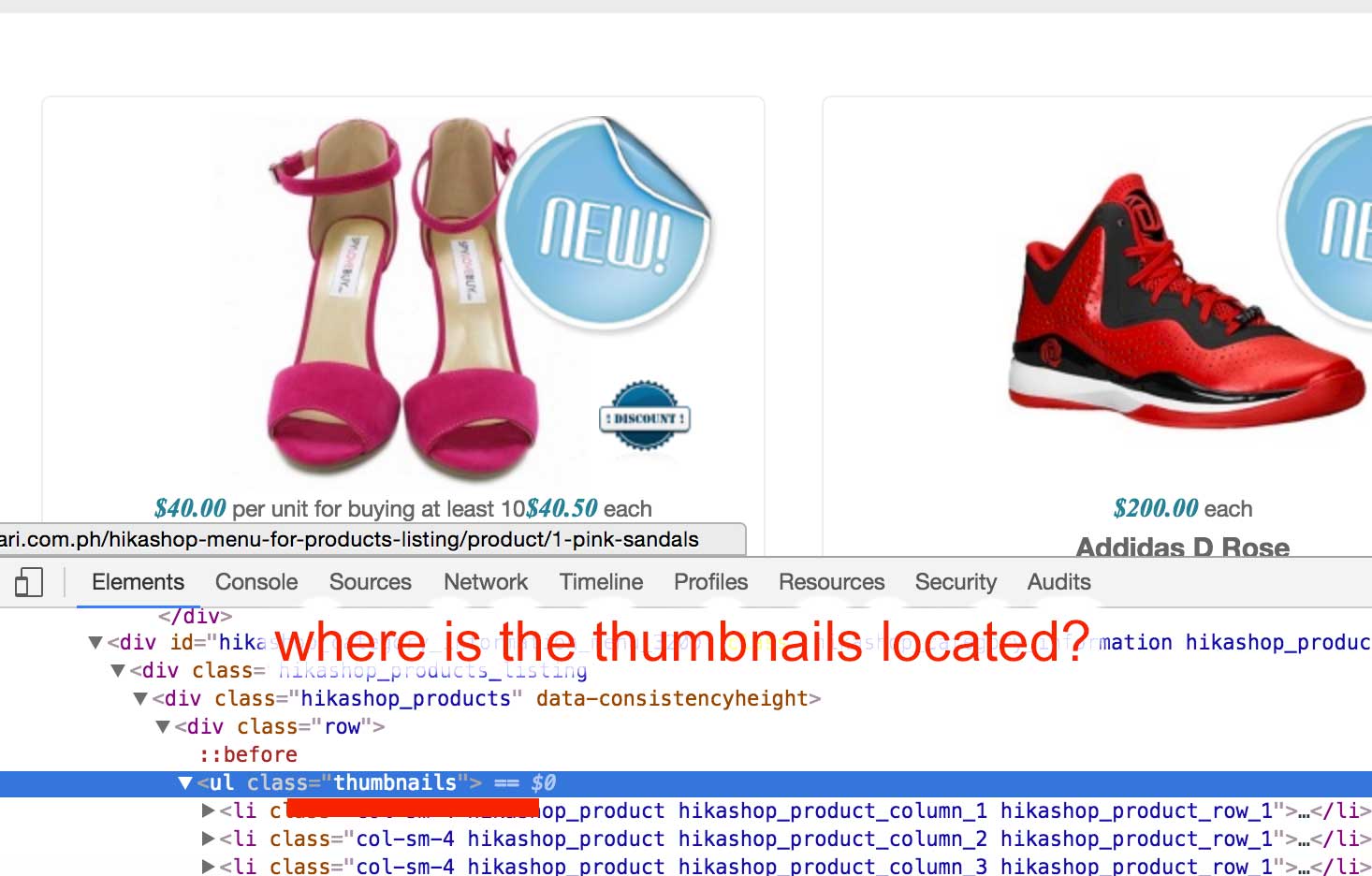
can you tell me where to find
ul class ="thumbnails"
please see the photo
thank
you for you reply.
can you tell me where to find
ul class ="thumbnails"
please see the photo
Last edit: 10 years 4 months ago by ronron.
Please Log in or Create an account to join the conversation.

10 years 4 months ago #240696
by Jerome
Jerome - Obsidev.com
HikaMarket & HikaSerial developer / HikaShop core dev team.
Replied by Jerome on topic how to make hikashop responsive
Jerome - Obsidev.com
HikaMarket & HikaSerial developer / HikaShop core dev team.
The following user(s) said Thank You: ronron
Please Log in or Create an account to join the conversation.
Time to create page: 0.193 seconds