

- Posts: 37
- Thank you received: 0
Brand display in drop down at back end.
7 years 11 months ago #298903
by mmijat
Brand display in drop down at back end. was created by mmijat
-- url of the page with the problem -- :
funstartforkids.com.au/staging3
-- HikaShop version -- : 4.0.0
-- Joomla version -- : 3.8.13
Hi, I have a staging site in progress at the moment that has had products imported with no issues from the current site.
The problem is that when I create new brands (Products>Brands> etc)
the new brands don't show up in the drop down menu in the products listing. (see 2nd screenshot)
All of the old brands are in the drop down, and both old and new ones are all in the tree on the side, just not in the drop down.
(and therefore not in the drop down selection for each new product)
An example is "Logico" and "Oskar and Ellen".
What have I missed when I created these new brands?
Thank you in advance.
Marisa
-- HikaShop version -- : 4.0.0
-- Joomla version -- : 3.8.13
Hi, I have a staging site in progress at the moment that has had products imported with no issues from the current site.
The problem is that when I create new brands (Products>Brands> etc)
the new brands don't show up in the drop down menu in the products listing. (see 2nd screenshot)
All of the old brands are in the drop down, and both old and new ones are all in the tree on the side, just not in the drop down.
(and therefore not in the drop down selection for each new product)
An example is "Logico" and "Oskar and Ellen".
What have I missed when I created these new brands?
Thank you in advance.
Marisa
Please Log in or Create an account to join the conversation.

7 years 11 months ago - 7 years 11 months ago #298919
by Philip
Replied by Philip on topic Brand display in drop down at back end.
Hello,
So far hard to say, can you provide one of your new brand setting page screenshot, the brands listing as well.
Take care to provide the full screen view with all settings well complete pages with all the options clearly readable.
Awaiting news from you.
Regards
So far hard to say, can you provide one of your new brand setting page screenshot, the brands listing as well.
Take care to provide the full screen view with all settings well complete pages with all the options clearly readable.
Awaiting news from you.
Regards
Last edit: 7 years 11 months ago by Philip.
Please Log in or Create an account to join the conversation.
7 years 11 months ago #298976
by mmijat
Replied by mmijat on topic Brand display in drop down at back end.
Hi, Thanks for your response.
Here are the screenshots:
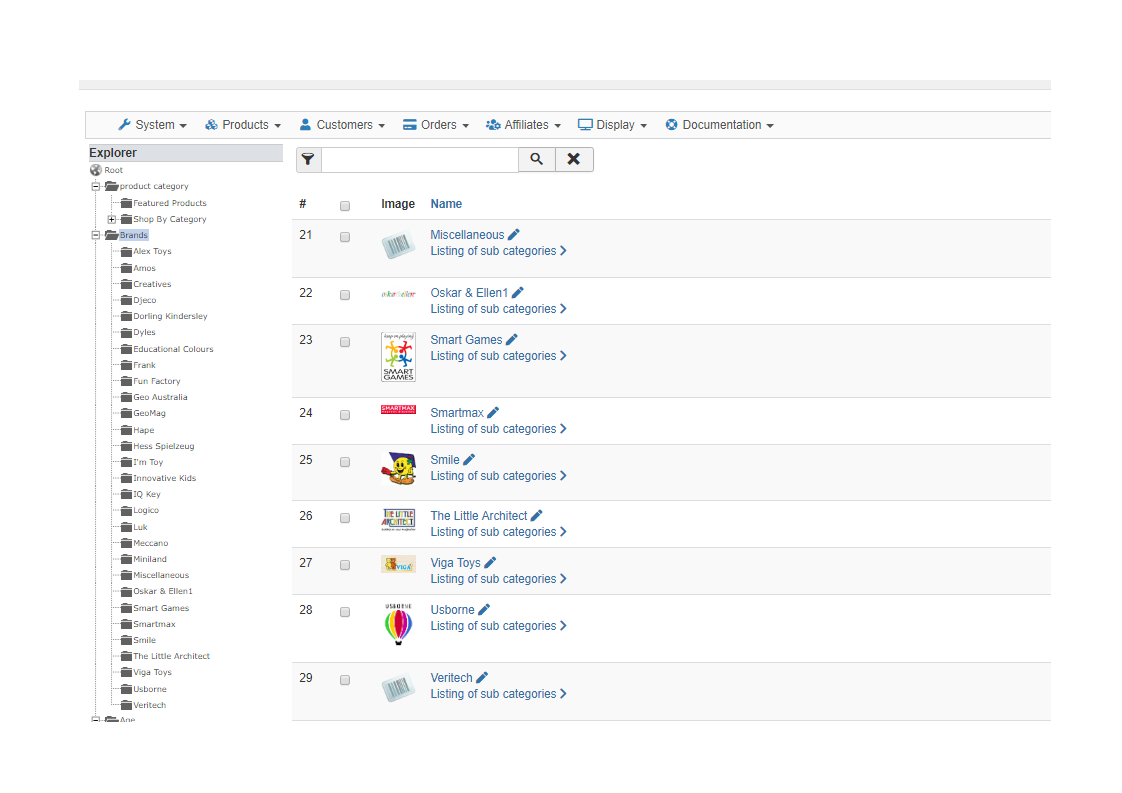
Is this what you meant be brands list?
Here is are the screenshots of a brand that currently does not work:
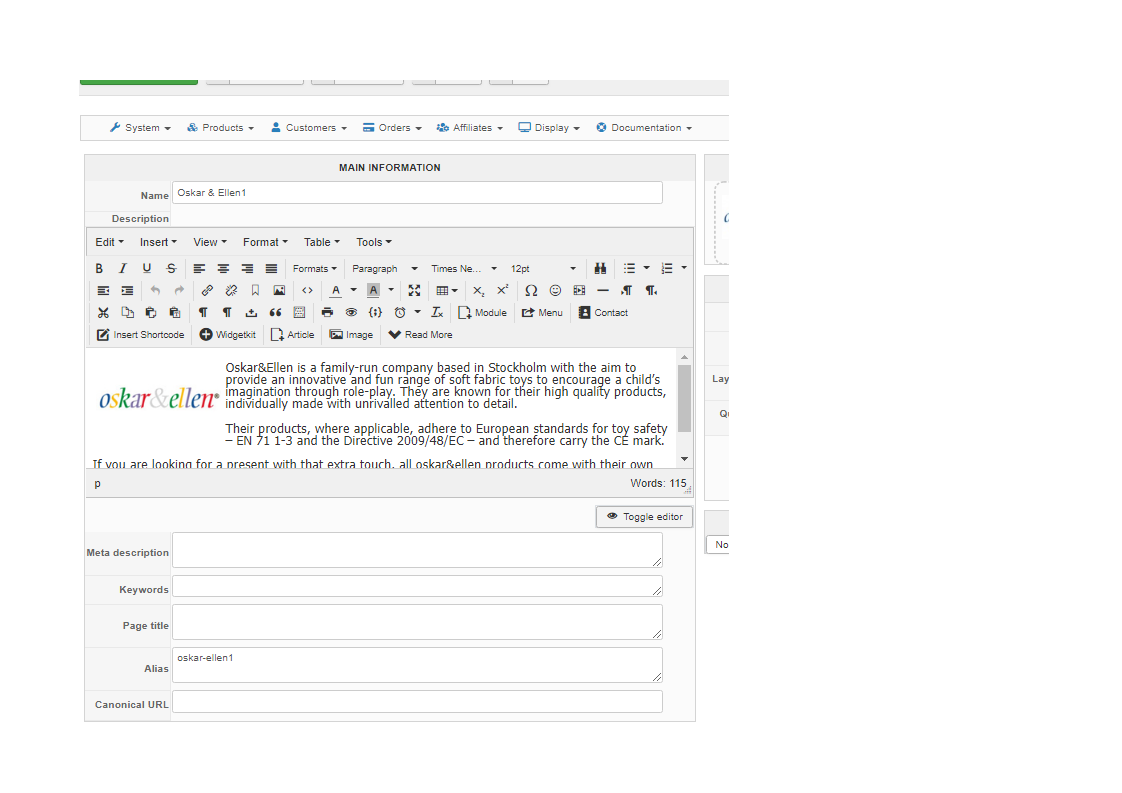
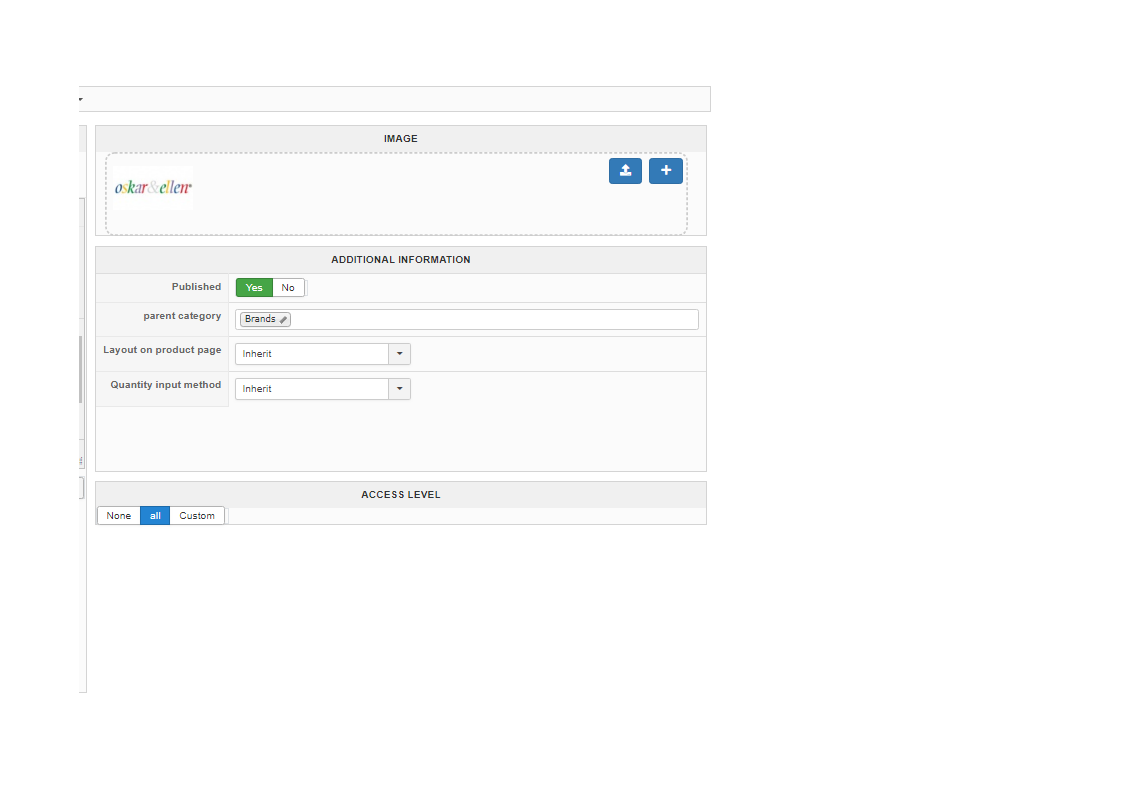
Hopefully you can spot something straight away. Thanks in advance.
Regards,
Marisa
Here are the screenshots:
Is this what you meant be brands list?
Here is are the screenshots of a brand that currently does not work:
Hopefully you can spot something straight away. Thanks in advance.
Regards,
Marisa
Please Log in or Create an account to join the conversation.

7 years 11 months ago #298978
by nicolas
Replied by nicolas on topic Brand display in drop down at back end.
Hi,
The screenshots look good.
Could you provide a backend and a FTP access via our contact form along with a link to this thread so that we can have a deeper look into it ?
www.hikashop.com/support/contact-us.html
The screenshots look good.
Could you provide a backend and a FTP access via our contact form along with a link to this thread so that we can have a deeper look into it ?
www.hikashop.com/support/contact-us.html
Please Log in or Create an account to join the conversation.
7 years 11 months ago #299309
by mmijat
Replied by mmijat on topic Brand display in drop down at back end.
Thank you,
Apologies for the late reply. I will get that sorted and to you soon.
Apologies for the late reply. I will get that sorted and to you soon.
Please Log in or Create an account to join the conversation.
7 years 11 months ago #299607
by mmijat
Replied by mmijat on topic Brand display in drop down at back end.
I've sent through the details as requested.
Please Log in or Create an account to join the conversation.
7 years 11 months ago #299614
by nicolas
Replied by nicolas on topic Brand display in drop down at back end.
Hi,
The issue is that the type of the "brand" element has been changed from "manufacturer" to "product".
And thus, all the new elements that you create under it are listed with the same type, while the old ones still have the type "manufacturer".
I've created a mass action for you to see:
www.funstartforkids.com.au/administrator...edit&massaction_id=4
monosnap.com/file/tuN7bRovBl4XiyO9fcttniEyhHDPUy
However, to change that, you'll have to go in your phpmyadmin and open the table hikashop_category. There, edit the brands element and change its type to "manufacturer". Then, do the same for the brands that arean't displaying.
The problem will then be fixed.
The issue is that the type of the "brand" element has been changed from "manufacturer" to "product".
And thus, all the new elements that you create under it are listed with the same type, while the old ones still have the type "manufacturer".
I've created a mass action for you to see:
www.funstartforkids.com.au/administrator...edit&massaction_id=4
monosnap.com/file/tuN7bRovBl4XiyO9fcttniEyhHDPUy
However, to change that, you'll have to go in your phpmyadmin and open the table hikashop_category. There, edit the brands element and change its type to "manufacturer". Then, do the same for the brands that arean't displaying.
The problem will then be fixed.
Please Log in or Create an account to join the conversation.
7 years 11 months ago #299682
by mmijat
Replied by mmijat on topic Brand display in drop down at back end.
Thank you for your reply. I will try it out.
Please Log in or Create an account to join the conversation.
Time to create page: 0.231 seconds