

- Posts: 490
- Thank you received: 2
how to add custom fields to all email notifications?
6 years 11 months ago #312361
by ronron
how to add custom fields to all email notifications? was created by ronron
-- HikaShop version -- : 3.5.0
-- Joomla version -- : 3.8.10
-- PHP version -- : 7
-- Error-message(debug-mod must be tuned on) -- : none
hi
how to add custom fields to all email notifications?
i want admin and client to get the email notification.
-- Joomla version -- : 3.8.10
-- PHP version -- : 7
-- Error-message(debug-mod must be tuned on) -- : none
hi
how to add custom fields to all email notifications?
i want admin and client to get the email notification.
Please Log in or Create an account to join the conversation.

6 years 11 months ago #312362
by lousyfool
Need help with customisations of layouts, style or other site development? PM me!
(Don't forget to turn on "E-mail notification of new messages" )
Replied by lousyfool on topic how to add custom fields to all email notifications?
Hi,
See www.hikashop.com/support/documentation/4...field-form.html#mail
If you don't have this in your custom fields, then it's either not available for the type of field, or you should update your HikaShop.
See www.hikashop.com/support/documentation/4...field-form.html#mail
If you don't have this in your custom fields, then it's either not available for the type of field, or you should update your HikaShop.
Need help with customisations of layouts, style or other site development? PM me!
(Don't forget to turn on "E-mail notification of new messages" )
The following user(s) said Thank You: Mohamed Thelji
Please Log in or Create an account to join the conversation.
6 years 11 months ago #312404
by ronron
Replied by ronron on topic how to add custom fields to all email notifications?
hi
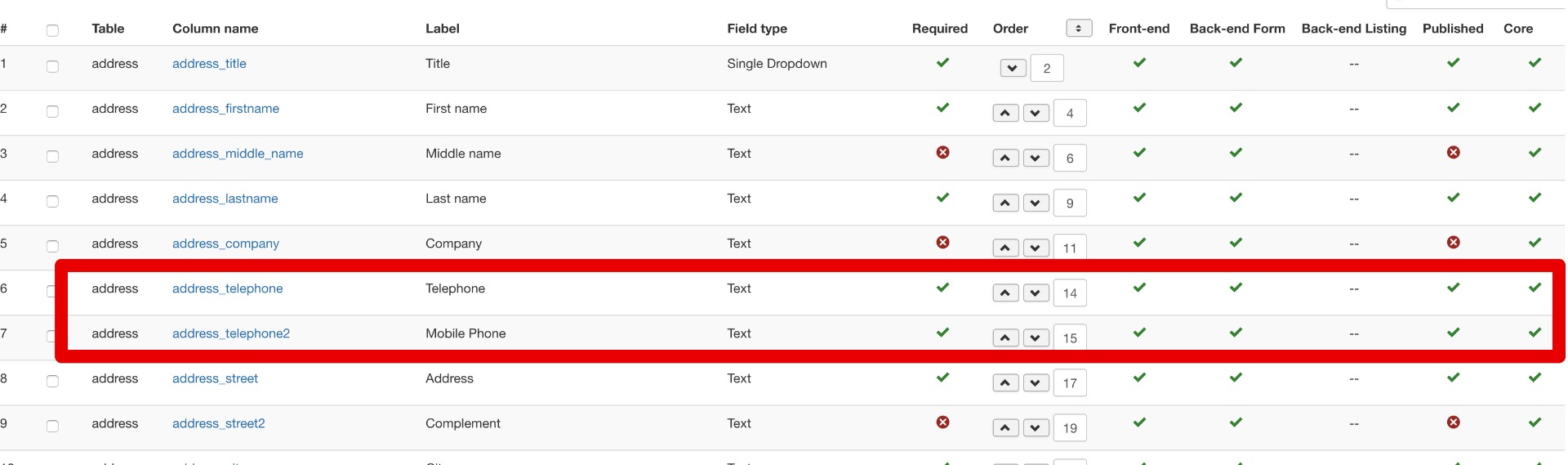
i have that on orders, products and items
my problem is with the address column. As you can see it is set to required but on the order created and confirmed the mobile phone is not appearing
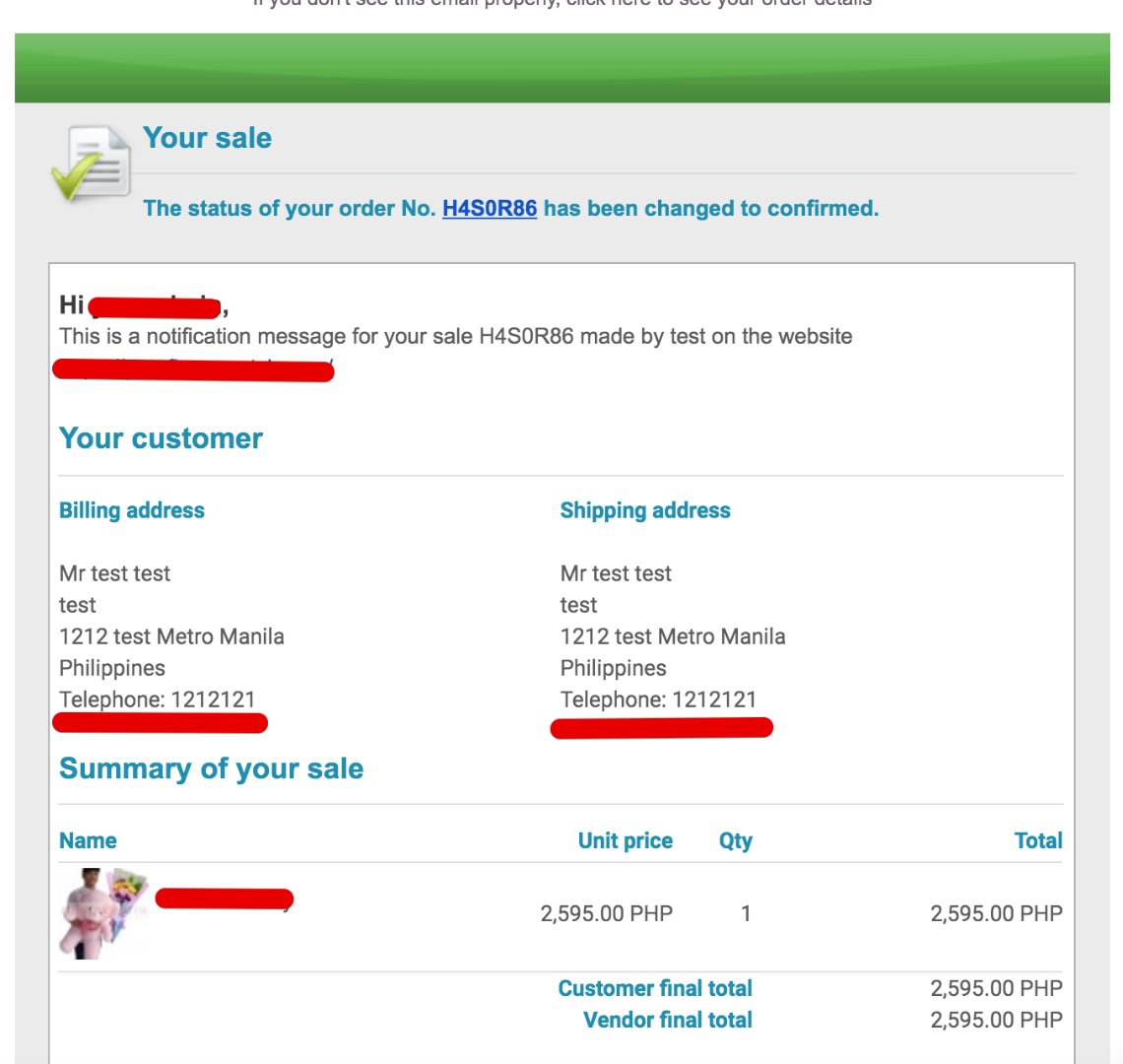
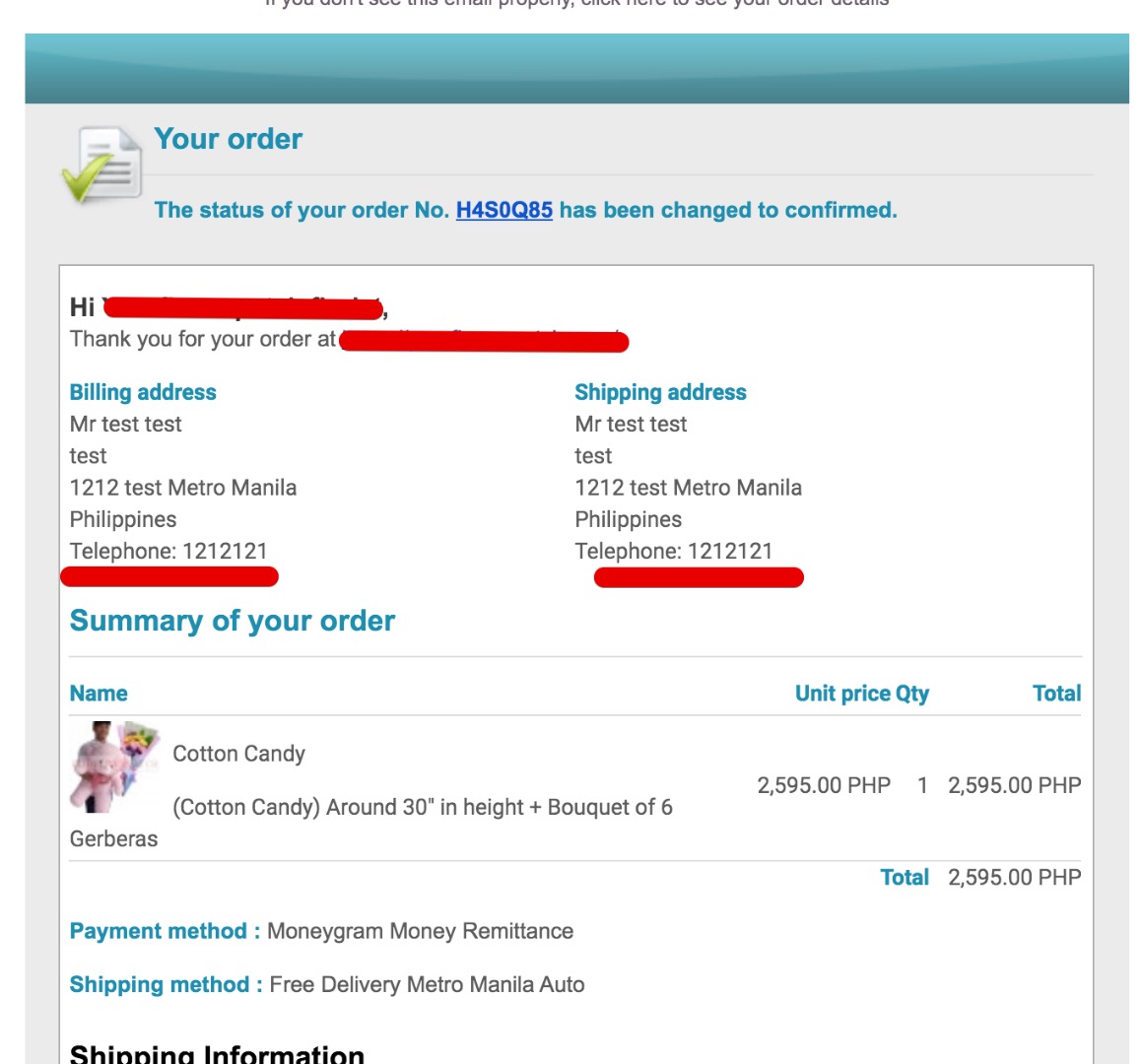
please note my issue is with the billing address and shipping address and not the shipping information
thanks
i have that on orders, products and items
my problem is with the address column. As you can see it is set to required but on the order created and confirmed the mobile phone is not appearing
please note my issue is with the billing address and shipping address and not the shipping information
thanks
Please Log in or Create an account to join the conversation.
6 years 11 months ago #312407
by lousyfool
Need help with customisations of layouts, style or other site development? PM me!
(Don't forget to turn on "E-mail notification of new messages" )
Replied by lousyfool on topic how to add custom fields to all email notifications?
Aaah, so it's about the "address" type of field.
Addresses have their own template where you need to add the tag for new fields you want to see.
See www.hikashop.com/support/documentation/5...ml#checkout_shipping
Again, if you don't have that in the checkout section of your HikaShop configuration, then your version is too old, and you'll need to create an override of the respective view file -- eventually for both front and backend.
Addresses have their own template where you need to add the tag for new fields you want to see.
See www.hikashop.com/support/documentation/5...ml#checkout_shipping
Again, if you don't have that in the checkout section of your HikaShop configuration, then your version is too old, and you'll need to create an override of the respective view file -- eventually for both front and backend.
Need help with customisations of layouts, style or other site development? PM me!
(Don't forget to turn on "E-mail notification of new messages" )
Please Log in or Create an account to join the conversation.
6 years 11 months ago #312420
by ronron
Replied by ronron on topic how to add custom fields to all email notifications?
hi again and thank you
got it to work but how do i add labels to the other fields?
how do i change the label of telephone? the other should be landline and mobile phone.
and how get it to appear on the next line?
thanks again
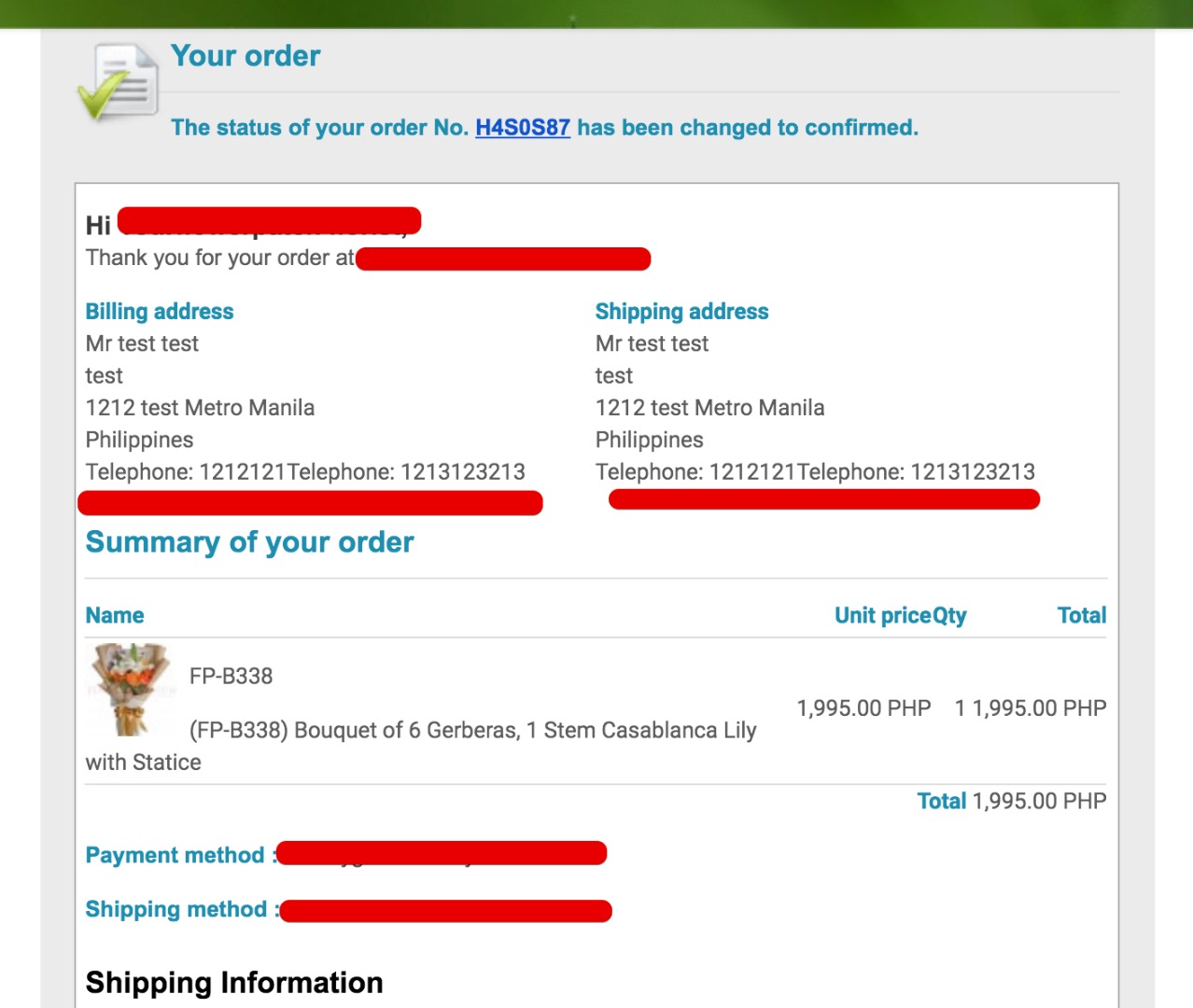
got it to work but how do i add labels to the other fields?
how do i change the label of telephone? the other should be landline and mobile phone.
and how get it to appear on the next line?
thanks again
Please Log in or Create an account to join the conversation.
6 years 11 months ago #312421
by lousyfool
Need help with customisations of layouts, style or other site development? PM me!
(Don't forget to turn on "E-mail notification of new messages" )
Replied by lousyfool on topic how to add custom fields to all email notifications?
You've seen the template, and then you have noted that the tags are inserting the field values, while any label (or other characters, like commas, hyphens, whatever) needs to be entered as text.
You've also seen that the template layout reflects the output: put a tag or text onto a new line, and it should appear on a new line on the site and in emails as well.
In this example you see both options, using PHP for a language constant for the label of {address_telephone}, and using a simple text string (which will do if your site isn't multilingual) as label for {address_telephone2}:
In case of trouble persisting, please post the exact code you are using.
You've also seen that the template layout reflects the output: put a tag or text onto a new line, and it should appear on a new line on the site and in emails as well.
In this example you see both options, using PHP for a language constant for the label of {address_telephone}, and using a simple text string (which will do if your site isn't multilingual) as label for {address_telephone2}:
Code:
{address_title} {address_firstname} {address_middle_name} {address_lastname}
{address_company}
{address_street}
{address_street2}
{address_post_code} {address_city}
{address_state}
{address_country}
<?php echo JText::sprintf('TELEPHONE_IN_ADDRESS','{address_telephone}');?>
Mobile Phone: {address_telephone2}
In case of trouble persisting, please post the exact code you are using.
Need help with customisations of layouts, style or other site development? PM me!
(Don't forget to turn on "E-mail notification of new messages" )
The following user(s) said Thank You: Mohamed Thelji
Please Log in or Create an account to join the conversation.
Time to create page: 0.244 seconds