

- Posts: 490
- Thank you received: 2
how to display address on product custom fields
5 years 9 months ago #329275
by ronron
how to display address on product custom fields was created by ronron
-- HikaShop version -- : 4.3
-- Joomla version -- : 3.9.18
-- PHP version -- : 7
-- Error-message(debug-mod must be tuned on) -- : none
hi
i just need to add custom fields address including street and city to the product custom field but not successful
if i try to select table product and type is zone it doesnt work.
please help
thanks
Please Log in or Create an account to join the conversation.

5 years 9 months ago #329281
by nicolas
Replied by nicolas on topic how to display address on product custom fields
Hi,
Where are you trying to display these custom fields ?
The custom fields of the table "product" will appear in the backend product edition interface, at the bottom.
Can you check that you see them there after you've created the fields ?
If you want to have a custom field on the product details page on the frontend, then you need to create a custom field of the table "item" and not "product".
Please Log in or Create an account to join the conversation.
5 years 9 months ago - 5 years 9 months ago #329407
by ronron
Replied by ronron on topic how to display address on product custom fields
1. Where are you trying to display these custom fields ?
im trying to display this at the product listing and product details page
2. The custom fields of the table "product" will appear in the backend product edition interface, at the bottom.
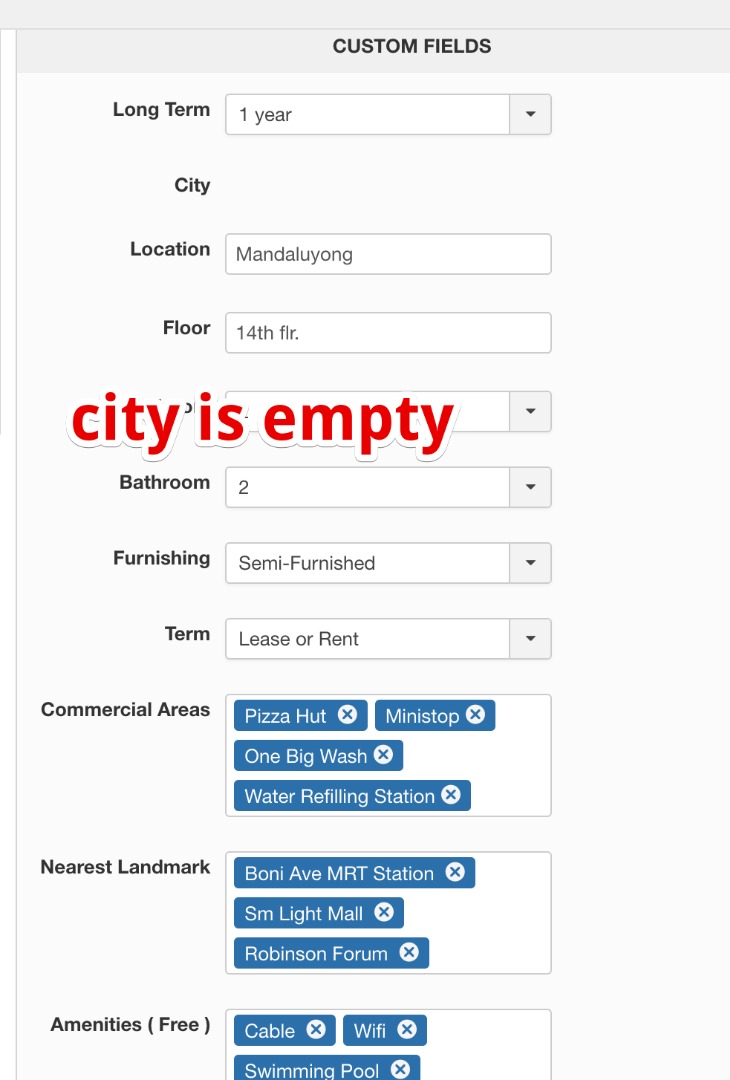
all my other custom fields appear on the bottom except for the city field type is zone
3.Can you check that you see them there after you've created the fields ?
the zone custom fields doesn't appear on the back end only the label
4. If you want to have a custom field on the product details page on the frontend, then you need to create a custom field of the table "item" and not "product".
i tried this and it created an extra field to be filled up in the front end. i dont want this. i just want user to add an address where the item is located and display it on the product list and product detials view but it doesnt appear.
im trying to display this at the product listing and product details page
2. The custom fields of the table "product" will appear in the backend product edition interface, at the bottom.
all my other custom fields appear on the bottom except for the city field type is zone
3.Can you check that you see them there after you've created the fields ?
the zone custom fields doesn't appear on the back end only the label
4. If you want to have a custom field on the product details page on the frontend, then you need to create a custom field of the table "item" and not "product".
i tried this and it created an extra field to be filled up in the front end. i dont want this. i just want user to add an address where the item is located and display it on the product list and product detials view but it doesnt appear.
Last edit: 5 years 9 months ago by ronron.
Please Log in or Create an account to join the conversation.
5 years 9 months ago #329427
by nicolas
Replied by nicolas on topic how to display address on product custom fields
Hi,
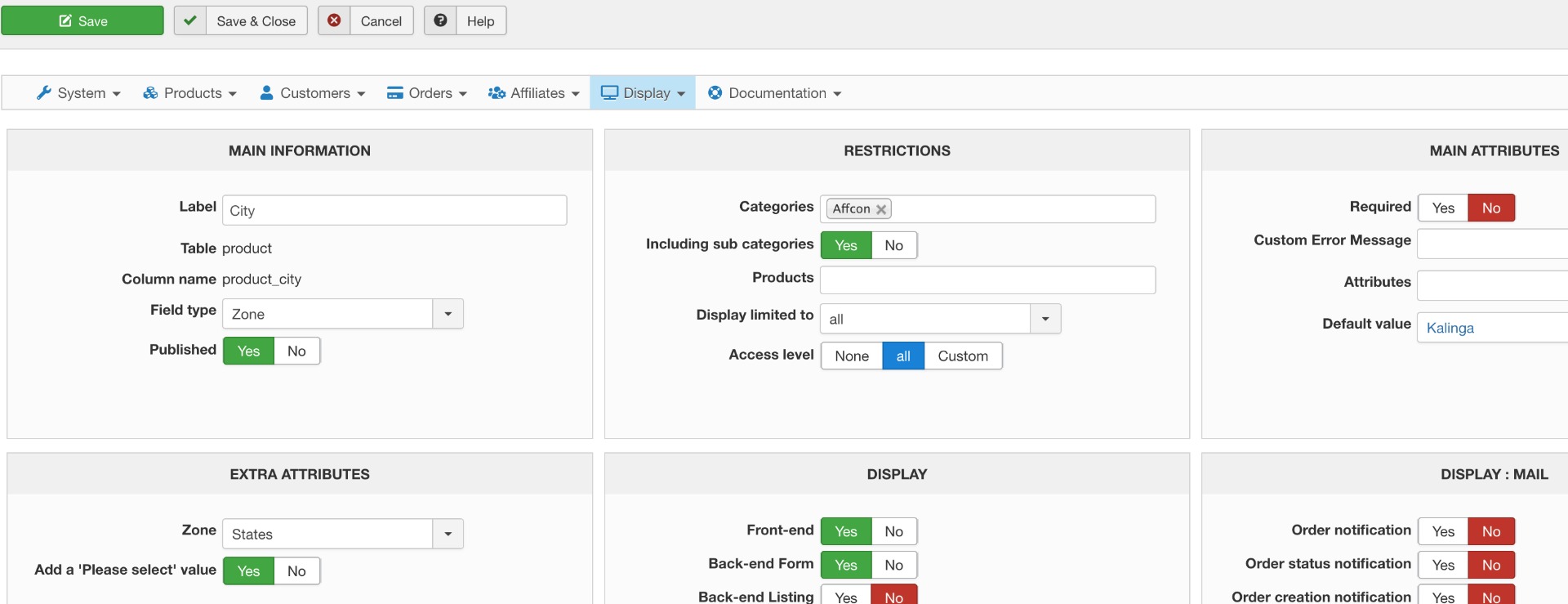
First, note that you've restricted the custom field to a category, so if the product is not assigned to that category, it's normal that you don't see the custom field.
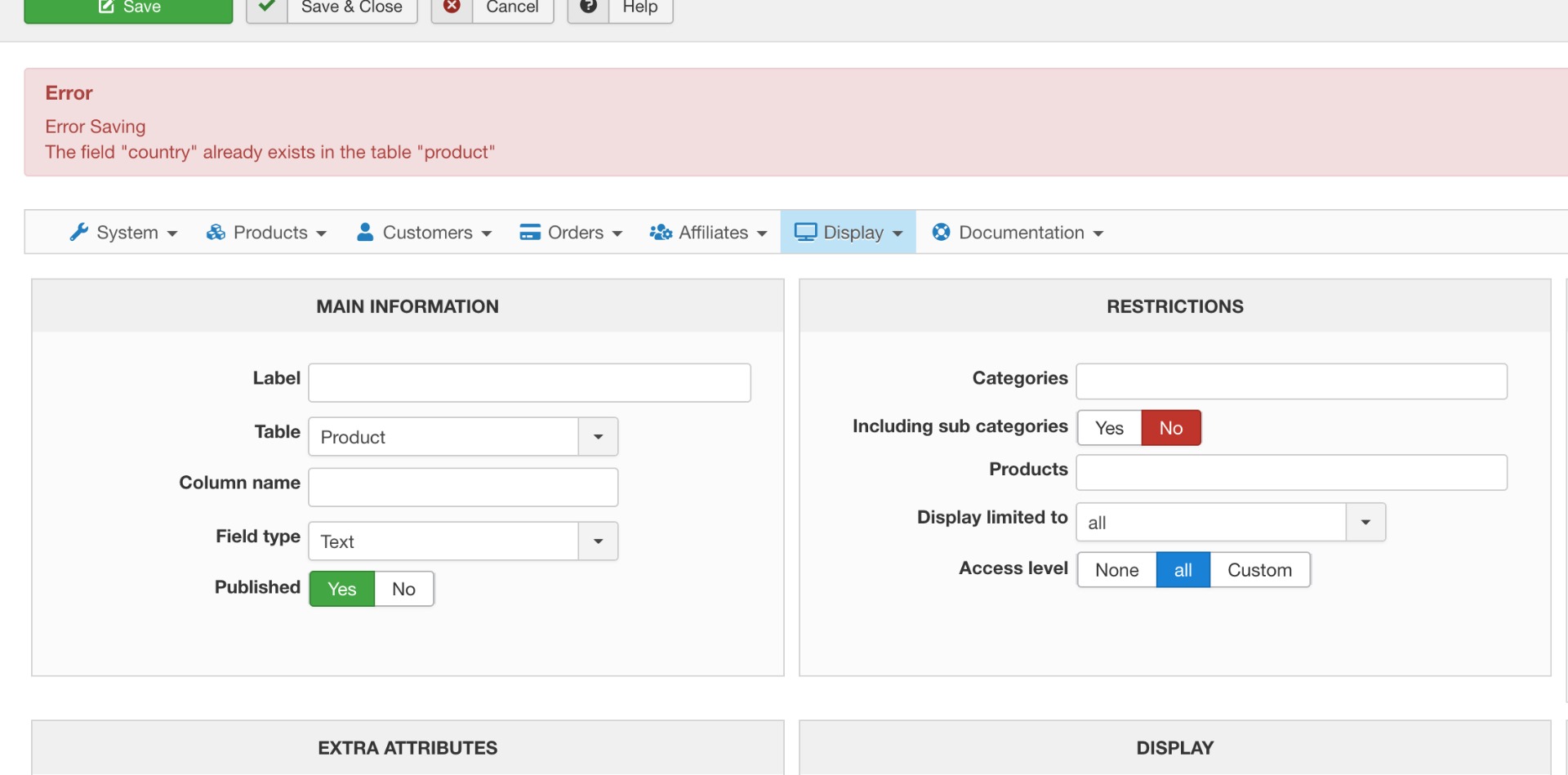
And second, since it's a state custom field, you also need a country custom field so that the field knows the states of which country to display in its dropdown.
Please Log in or Create an account to join the conversation.
5 years 8 months ago - 5 years 8 months ago #330223
by ronron
Replied by ronron on topic how to display address on product custom fields
i managed to fix this by using a prefix
region_country and region_state
thanks
region_country and region_state
thanks
Last edit: 5 years 8 months ago by ronron.
Please Log in or Create an account to join the conversation.
Time to create page: 0.059 seconds