
- Posts: 11
- Thank you received: 0
Order Status Notification has no reply-to address
- Mark Saiger
-
 Topic Author
- Offline
Less
More
8 years 4 months ago - 8 years 4 months ago #293962
by Mark Saiger
Order Status Notification has no reply-to address was created by Mark Saiger
-- HikaShop version -- : 3.4.0
-- Joomla version -- : 3.8.8
Hello,
Please see attachment.
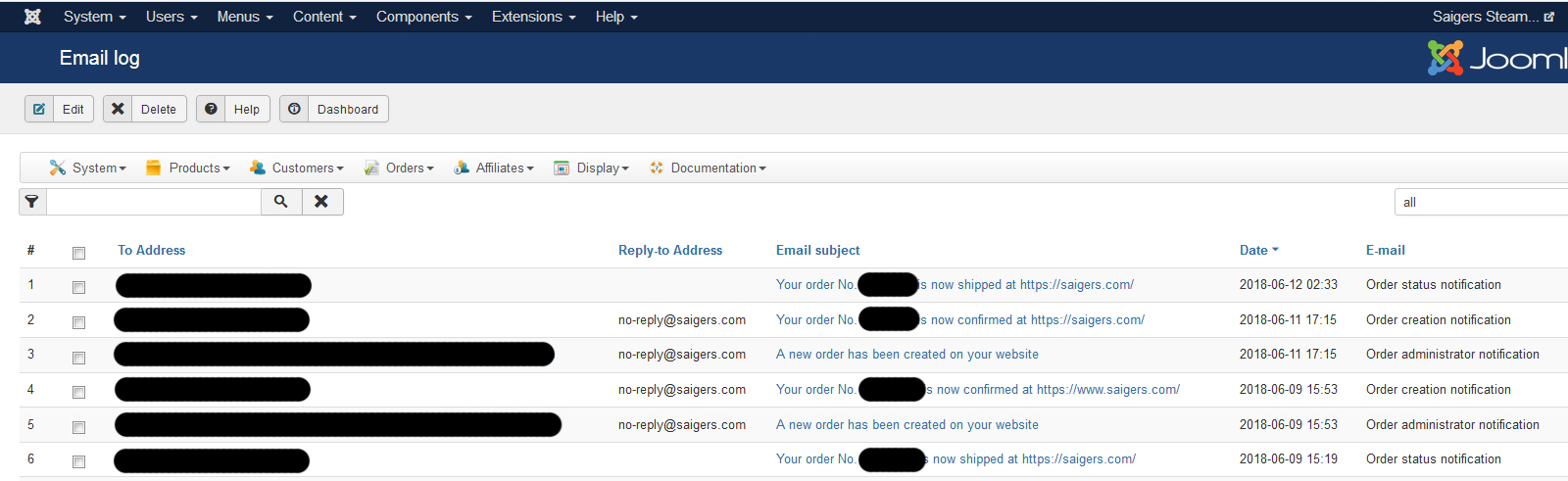
Under Customers>Email History the order status emails letting the customer know that the order has shipped do not property have a reply-to address. In configuration, I have set it up correctly. Also I have looked Email Template Order Status Notification and it is defaulted to the correct information.
Please let me know where I can fix this.
Thank you!
-- Joomla version -- : 3.8.8
Hello,
Please see attachment.
Under Customers>Email History the order status emails letting the customer know that the order has shipped do not property have a reply-to address. In configuration, I have set it up correctly. Also I have looked Email Template Order Status Notification and it is defaulted to the correct information.
Please let me know where I can fix this.
Thank you!
Last edit: 8 years 4 months ago by Mark Saiger.
Please Log in or Create an account to join the conversation.

8 years 4 months ago #293964
by nicolas
Replied by nicolas on topic Order Status Notification has no reply-to address
Hi,
I suppose that you're using the status changing popup of the orders listing because I was only able to replicate it that way. It worked fine with the order status changing system of the order details page or when a payment plugin was automatically changing the status.
Add the line:
at the end of the file "mailform" via the menu Display>Views and that will make it work for the order listing order status changing popup too.
We'll add that on our end for the next version of HikaShop.
I suppose that you're using the status changing popup of the orders listing because I was only able to replicate it that way. It worked fine with the order status changing system of the order details page or when a payment plugin was automatically changing the status.
Add the line:
Code:
<input type="hidden" name="data[order][mail][reply_email]" value="<?php echo $this->element->mail->reply_email;?>" />
We'll add that on our end for the next version of HikaShop.
Please Log in or Create an account to join the conversation.
Time to create page: 0.138 seconds