

- Posts: 267
- Thank you received: 5
Custom field in email notification
7 years 2 months ago #308977
by dvddvd
Replied by dvddvd on topic Custom field in email notification
Muchas gracias Nicolas
Please Log in or Create an account to join the conversation.
7 years 2 months ago #308990
by dvddvd
Replied by dvddvd on topic Custom field in email notification
Thanks Nicolas,
And to make the same change in the custom fields in the order view of the administration?
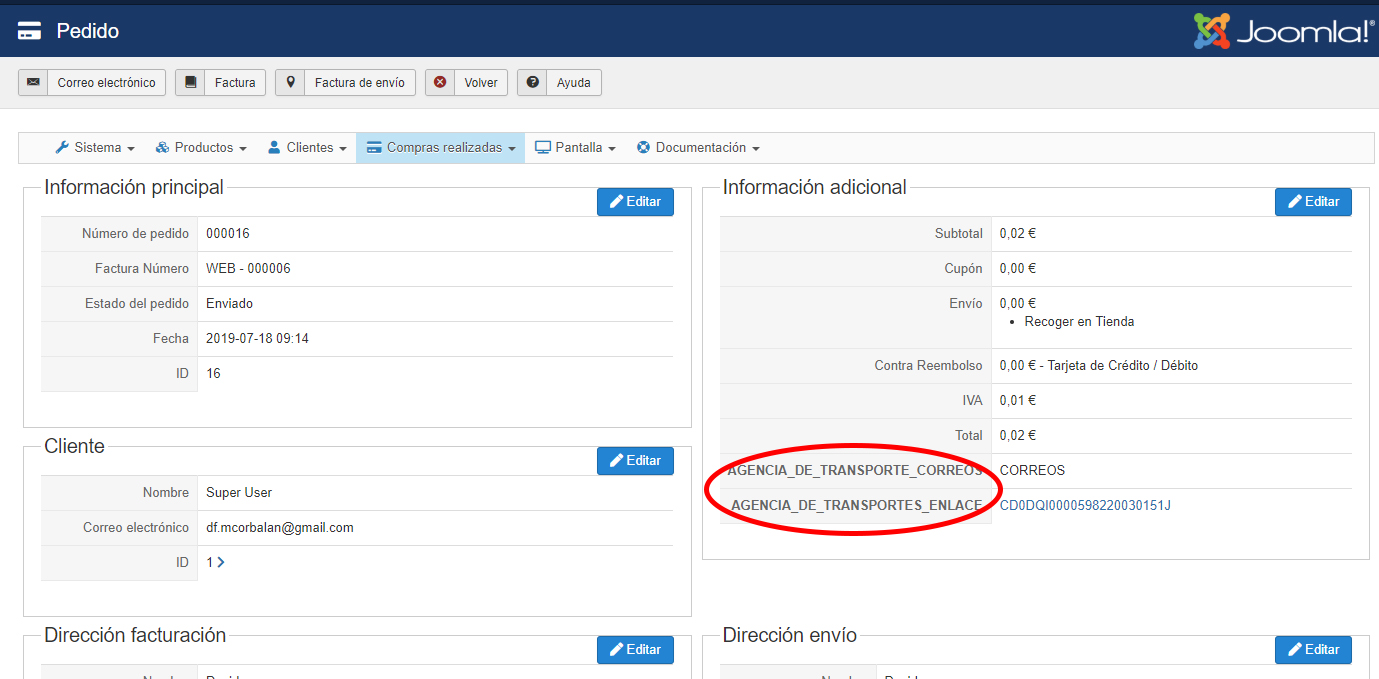
And to make the same change in the custom fields in the order view of the administration?
Please Log in or Create an account to join the conversation.

7 years 2 months ago #309002
by nicolas
Replied by nicolas on topic Custom field in email notification
Hi,
You would have to edit the file show_additional via the menu Display>Views and change the line:
to:
You would have to edit the file show_additional via the menu Display>Views and change the line:
Code:
<td class="key"><?php echo $this->fieldsClass->getFieldName($oneExtraField);?></td>
Code:
<td class="key"><?php echo JText::_($oneExtraField->field_realname);?></td>
The following user(s) said Thank You: dvddvd
Please Log in or Create an account to join the conversation.
7 years 2 months ago #309113
by dvddvd
Replied by dvddvd on topic Custom field in email notification
I need to change the name of the translation string to the real name of the custom fields in a couple of other sites, but I can't do it right:
1.- In the list of products
2.- On the editing screen of the custom field itself
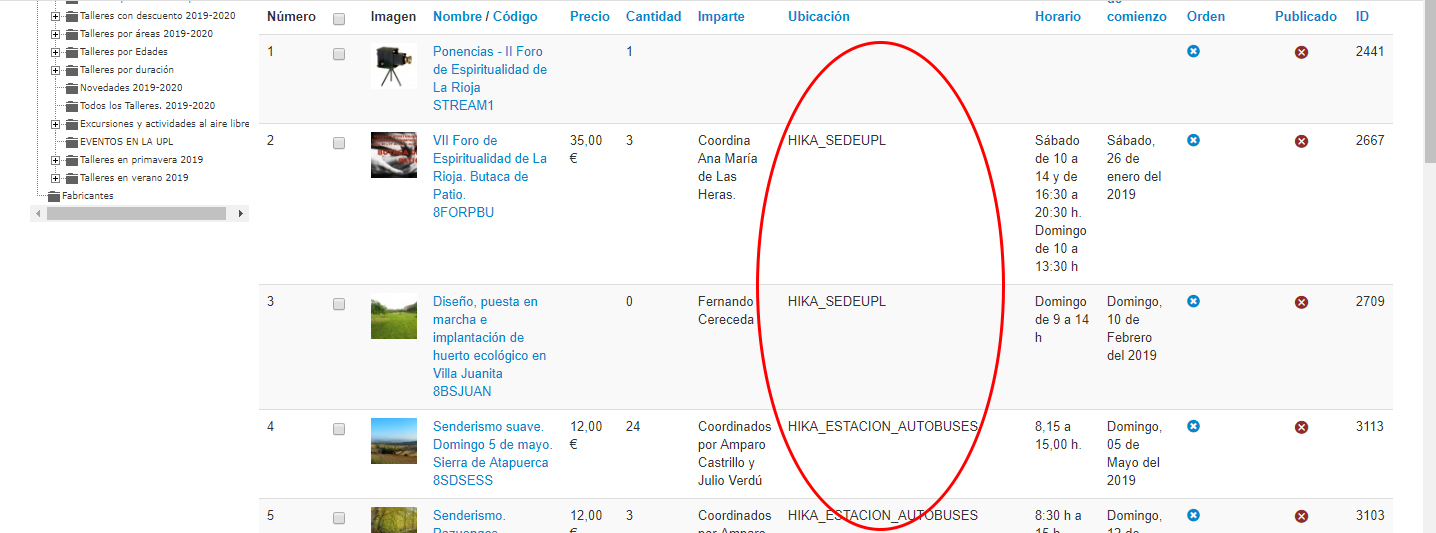
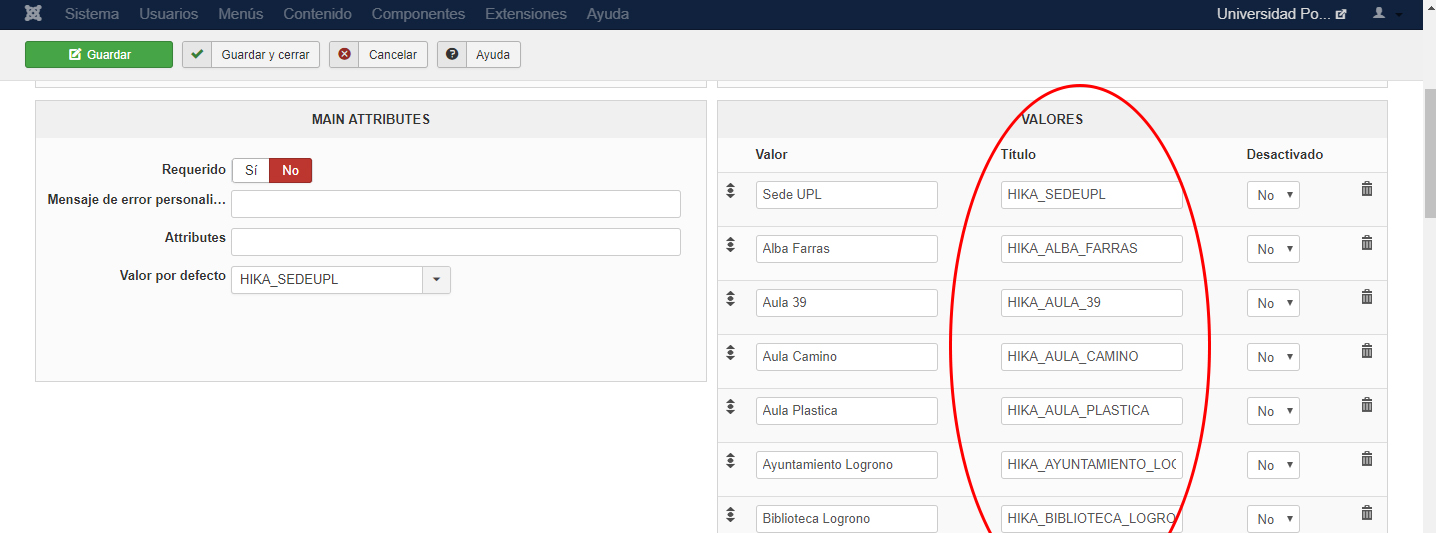
1.- In the list of products
2.- On the editing screen of the custom field itself
Please Log in or Create an account to join the conversation.
7 years 2 months ago #309122
by nicolas
Replied by nicolas on topic Custom field in email notification
Hi,
1. In the file product / listing.php for your backend template, you want to change the line:
echo '<td>'.$this->fieldsClass->show($field,$row->$namekey).'</td>';
to:
echo '<td>'.JText::_($row->$namekey).'</td>';
2. You should not change that. Otherwise, if you save the custom field settings, it will remove the translation keys for the values and it will be refused so you won't be able to save the settings of the custom fields if you were to change that.
1. In the file product / listing.php for your backend template, you want to change the line:
echo '<td>'.$this->fieldsClass->show($field,$row->$namekey).'</td>';
to:
echo '<td>'.JText::_($row->$namekey).'</td>';
2. You should not change that. Otherwise, if you save the custom field settings, it will remove the translation keys for the values and it will be refused so you won't be able to save the settings of the custom fields if you were to change that.
Please Log in or Create an account to join the conversation.
7 years 2 months ago #309143
by dvddvd
Replied by dvddvd on topic Custom field in email notification
Sorry Nicolas,
I was wrong in point 2. I mean change it in the product editing screen.
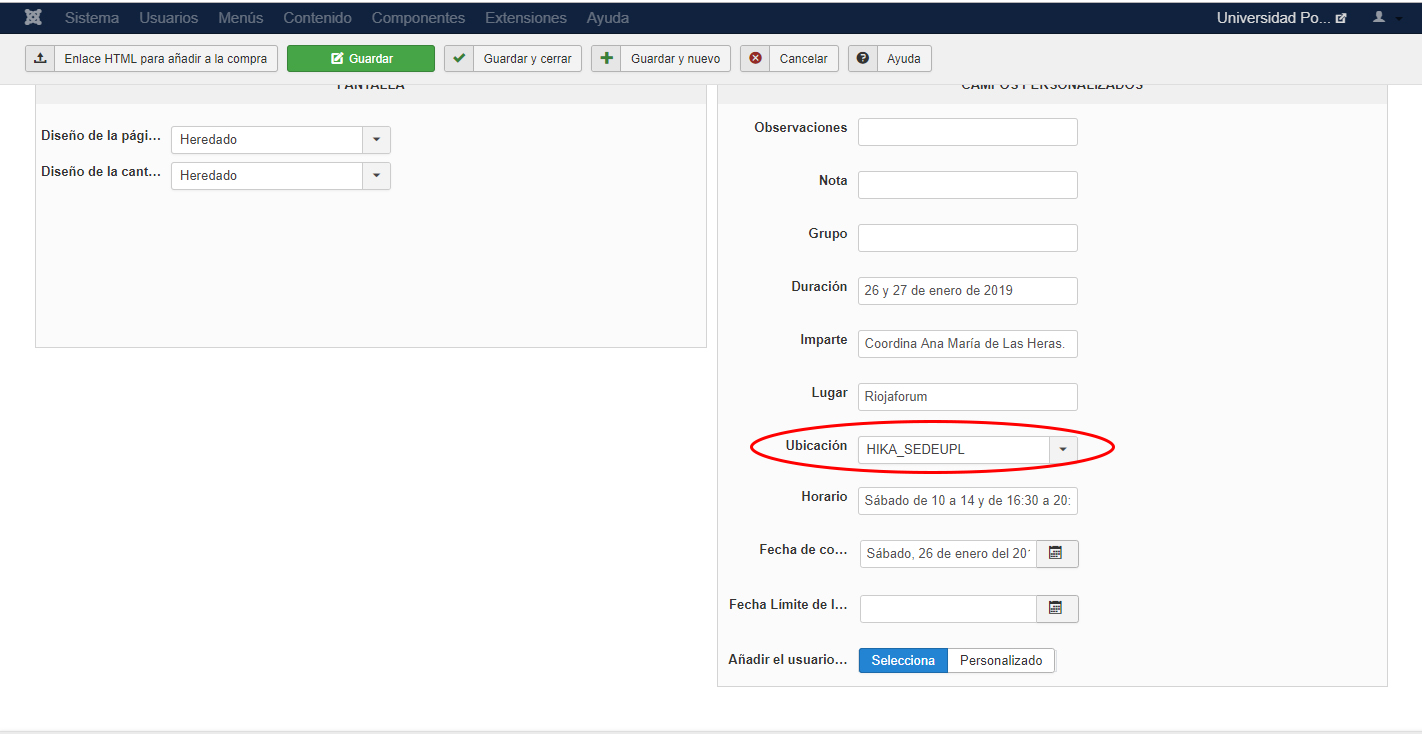
Thanks very much
I was wrong in point 2. I mean change it in the product editing screen.
Thanks very much
Please Log in or Create an account to join the conversation.
7 years 2 months ago #309144
by dvddvd
Replied by dvddvd on topic Custom field in email notification
Hello again Nicolas,
I have realized that when making the change in the list of products, another customized change that is generated through the advanced date selector is modified, would it be possible that this did not happen?
Thank you very much for your patience.
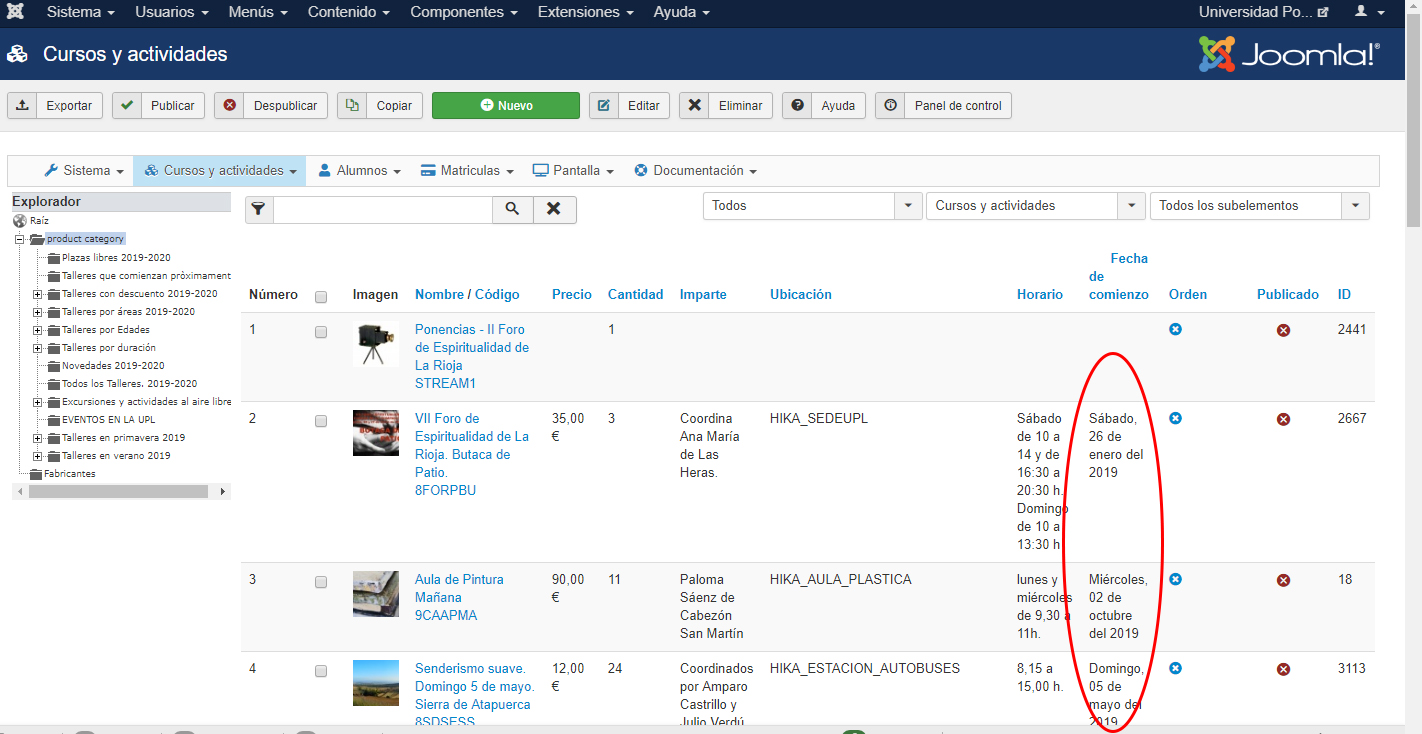
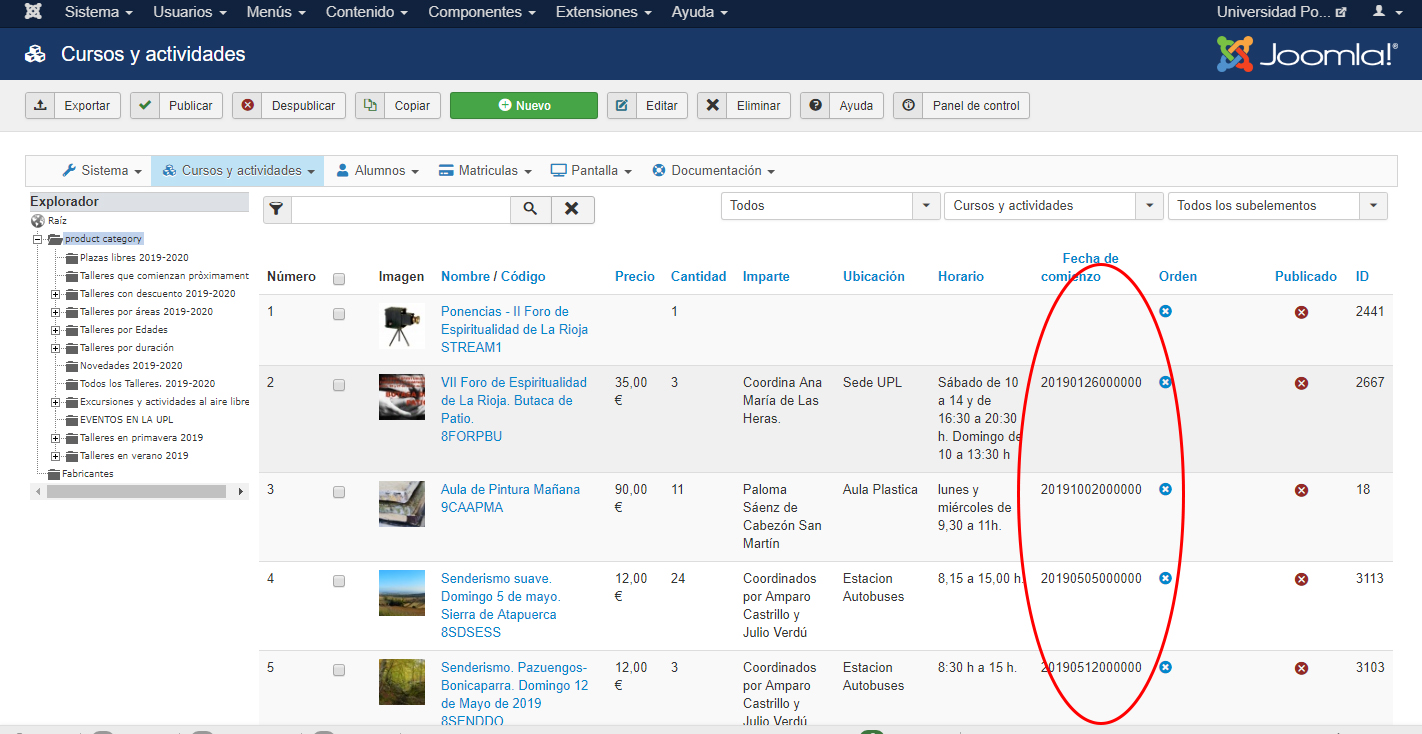
I have realized that when making the change in the list of products, another customized change that is generated through the advanced date selector is modified, would it be possible that this did not happen?
Thank you very much for your patience.
Please Log in or Create an account to join the conversation.
7 years 2 months ago #309154
by nicolas
Replied by nicolas on topic Custom field in email notification
Hi,
2. You can't have HTML in dropdown values so I don't think you can change that.
3. In that case, you should use some more complex code like this:
where XXX is the column name of the date field.
2. You can't have HTML in dropdown values so I don't think you can change that.
3. In that case, you should use some more complex code like this:
Code:
if($namekey=='XXX')
echo '<td>'.$this->fieldsClass->show($field,$row->$namekey).'</td>';
else
echo '<td>'.JText::_($row->$namekey).'</td>';
The following user(s) said Thank You: dvddvd
Please Log in or Create an account to join the conversation.
7 years 2 months ago #309172
by dvddvd
Replied by dvddvd on topic Custom field in email notification
Thanks very much
Please Log in or Create an account to join the conversation.
Time to create page: 0.211 seconds