

- Posts: 9
- Thank you received: 0
SOLVED - Custom item fields not showing in orders
11 years 3 months ago - 11 years 3 months ago #208737
by 11Studios
SOLVED - Custom item fields not showing in orders was created by 11Studios
-- HikaShop version -- : 2.5.0
-- Joomla version -- : 3.4.3
-- PHP version -- : 5.6
-- Browser(s) name and version -- : all
-- Error-message(debug-mod must be tuned on) -- : none
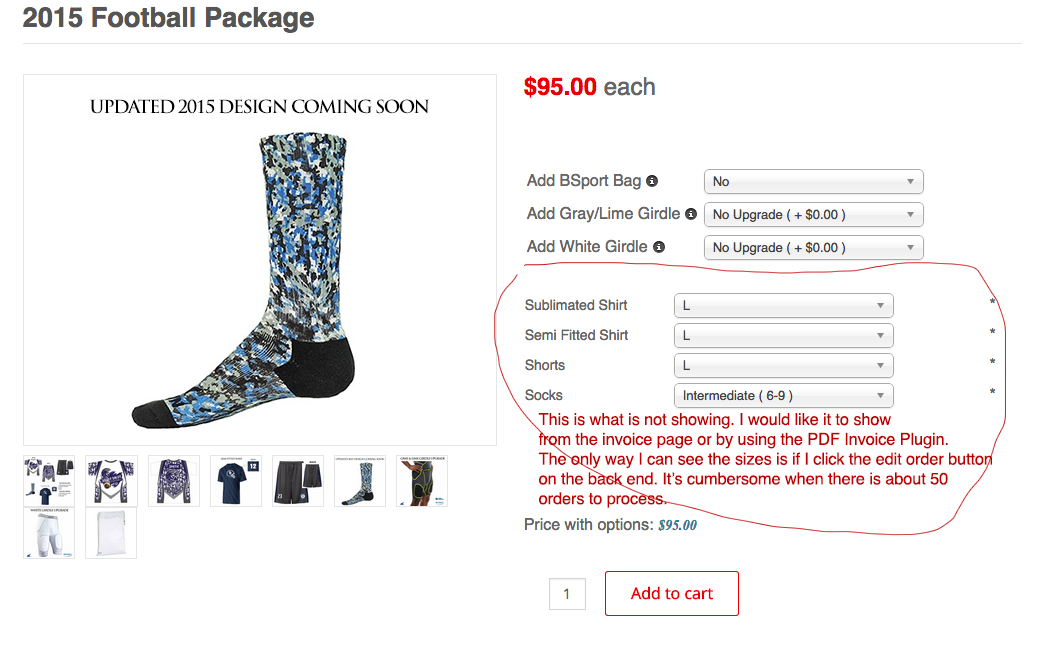
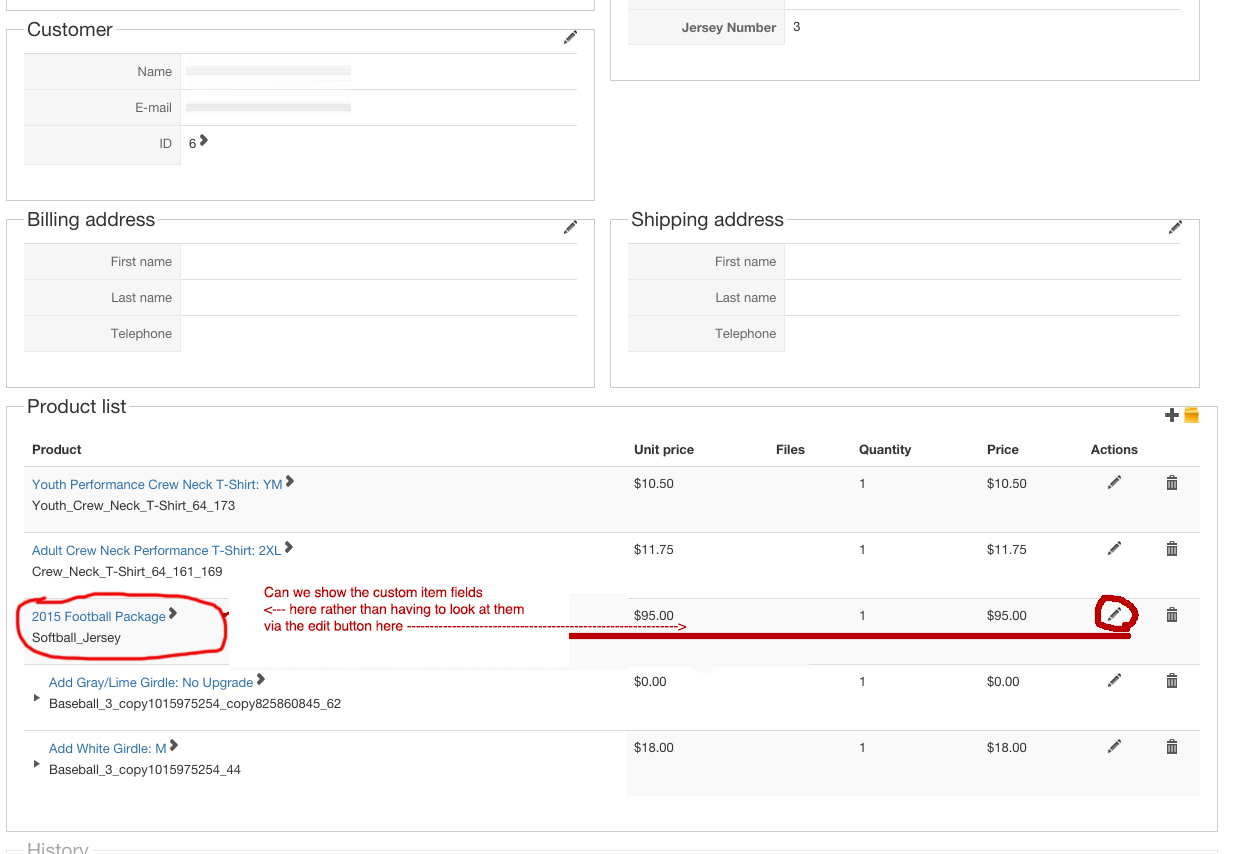
I have custom fields for different sizes on a product that is set to "Group options with product". The email that goes out shows the custom fields fine, but the orders on the back end do not show the fields chosen unless I click the edit order button. Is there a way to show them so that it's easier when processing the orders?
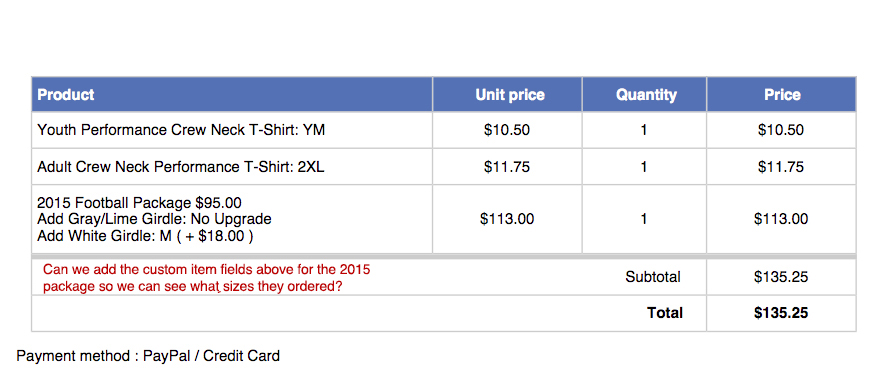
We are using the PDF invoice plugin. If we can add the custom fields on the downloadable invoice, that would be even better since we are mass printing them anyway. We could process them much faster.
-- Joomla version -- : 3.4.3
-- PHP version -- : 5.6
-- Browser(s) name and version -- : all
-- Error-message(debug-mod must be tuned on) -- : none
I have custom fields for different sizes on a product that is set to "Group options with product". The email that goes out shows the custom fields fine, but the orders on the back end do not show the fields chosen unless I click the edit order button. Is there a way to show them so that it's easier when processing the orders?
We are using the PDF invoice plugin. If we can add the custom fields on the downloadable invoice, that would be even better since we are mass printing them anyway. We could process them much faster.
Last edit: 11 years 3 months ago by 11Studios. Reason: Mark as solved.
Please Log in or Create an account to join the conversation.
11 years 3 months ago #208739
by 11Studios
Replied by 11Studios on topic Custom item fields not showing in orders
Nevermind!
I just had to set "Back-End Listing " to "Yes" from Display > Custom Fields > custom field in question.
Thanks!
I just had to set "Back-End Listing " to "Yes" from Display > Custom Fields > custom field in question.
Thanks!
Please Log in or Create an account to join the conversation.
11 years 2 months ago #211629
by Niu
Replied by Niu on topic Custom item fields not showing in orders
I am not having any luck on this front.
I have 2 x custom 'item' fields - one an order ID, the other the amount
(the amount and order ID are generated by a separate booking system - we are just using Hikashop to manage the payments).
Using the PDF invoice plugin and Business edition.
I have set the custom item fields to display in the backend.
I have an issue that my subscription is tied to my test site - I have reset it to my production site - would this play into it at all?
I have 2 x custom 'item' fields - one an order ID, the other the amount
(the amount and order ID are generated by a separate booking system - we are just using Hikashop to manage the payments).
Using the PDF invoice plugin and Business edition.
I have set the custom item fields to display in the backend.
I have an issue that my subscription is tied to my test site - I have reset it to my production site - would this play into it at all?
Please Log in or Create an account to join the conversation.

11 years 2 months ago #211631
by nicolas
Replied by nicolas on topic Custom item fields not showing in orders
Hi,
The subscription is not linked to that.
Please provide a screenshot of the settings of your custom fields so that we can see how you set them up.
As 11Studios said, it should just be a matter of turning on the "backend listing" setting of the fields.
The subscription is not linked to that.
Please provide a screenshot of the settings of your custom fields so that we can see how you set them up.
As 11Studios said, it should just be a matter of turning on the "backend listing" setting of the fields.
Please Log in or Create an account to join the conversation.
Time to create page: 0.217 seconds