
- Posts: 95
- Thank you received: 0
The problem with editing order
- Keks-Store
-
 Topic Author
- Offline
Less
More
10 years 11 months ago - 10 years 11 months ago #216973
by Keks-Store
The problem with editing order was created by Keks-Store
-- HikaShop version -- : 2.6.0
-- Joomla version -- : 3.4.4
-- PHP version -- : 5.6.13
-- Browser(s) name and version -- : Any
When click on the "Edit" button in the backend in any order (for example, in the "address") disappears itself the "Edit" button and "save".
I can not save the changes, or fill in the Shipping and payer.
I ask for advice and help.
-- Joomla version -- : 3.4.4
-- PHP version -- : 5.6.13
-- Browser(s) name and version -- : Any
When click on the "Edit" button in the backend in any order (for example, in the "address") disappears itself the "Edit" button and "save".
I can not save the changes, or fill in the Shipping and payer.
I ask for advice and help.
Last edit: 10 years 11 months ago by Keks-Store.
Please Log in or Create an account to join the conversation.

10 years 11 months ago #216996
by Xavier
Replied by Xavier on topic The problem with editing order
Hi,
This can be a template issue, which template are you using in backend, the Joomla default one ?
Else this can too be a javascript error, if you use your browser console (F12) in the console tab do you have any javascript errors returned ?
This can be a template issue, which template are you using in backend, the Joomla default one ?
Else this can too be a javascript error, if you use your browser console (F12) in the console tab do you have any javascript errors returned ?
Please Log in or Create an account to join the conversation.
- Keks-Store
-
Topic Author
- Offline
Less
More
- Posts: 95
- Thank you received: 0
10 years 11 months ago #217172
by Keks-Store
Replied by Keks-Store on topic The problem with editing order
I use Joomla default template ISIS. In Control Panel hikashop also set the default template.
I also tried to see javascript errors, but did not find them, or do not quite understand how to look for them.
Before hikashop 2.6.0 update everything worked properly. In addition to the smartphone buttons function, albeit with some problems.
This can be a problem on the side of the web hosting provider?
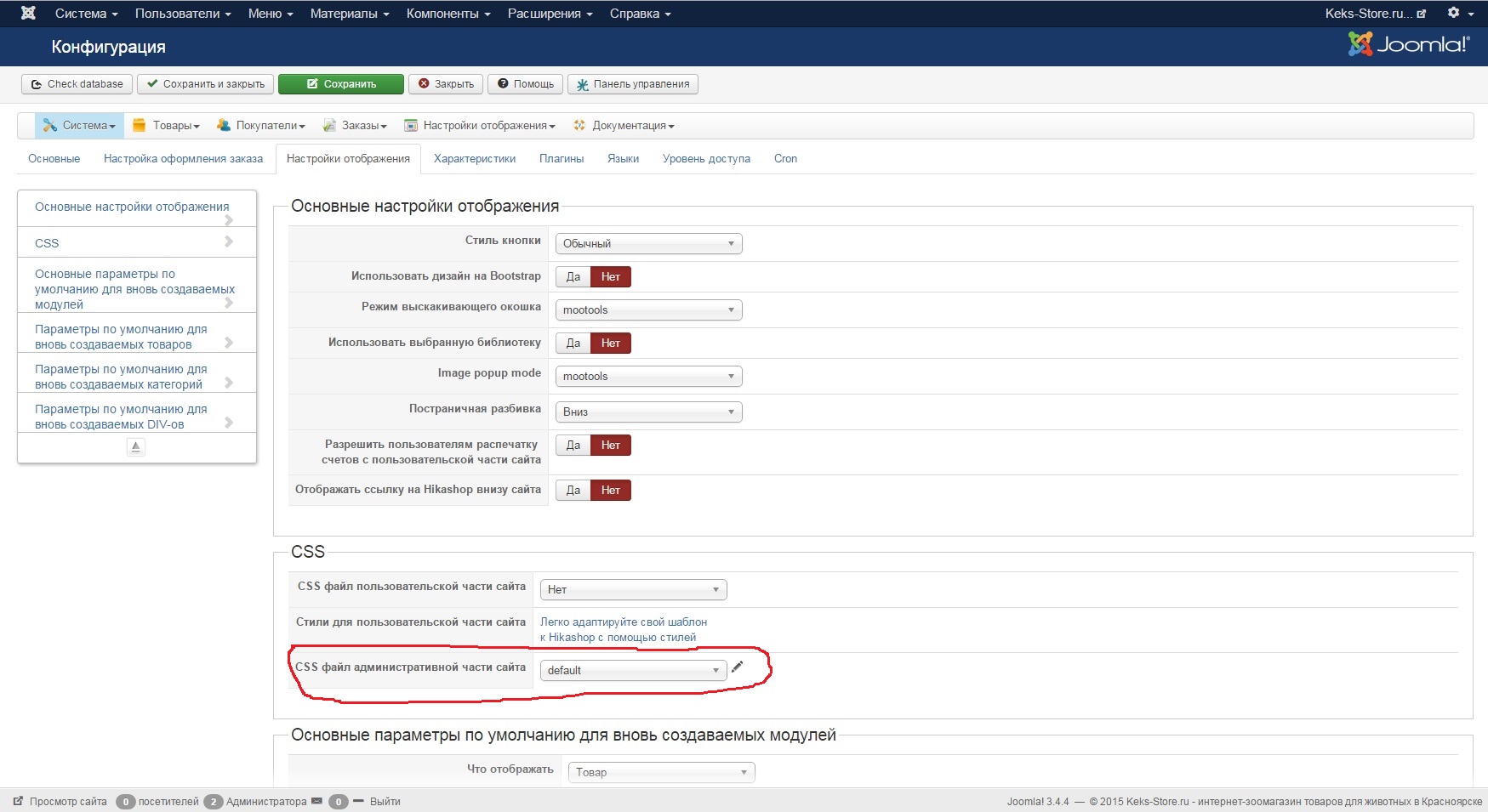
I also tried to see javascript errors, but did not find them, or do not quite understand how to look for them.
Before hikashop 2.6.0 update everything worked properly. In addition to the smartphone buttons function, albeit with some problems.
This can be a problem on the side of the web hosting provider?
Please Log in or Create an account to join the conversation.

10 years 11 months ago #217200
by nicolas
Replied by nicolas on topic The problem with editing order
Hi,
If the popups are not working, it's probably coming from the update of Joomla, not HikaShop :
www.hikashop.com/forum/install-update/87...to-3-4-4.html#214269
If the popups are not working, it's probably coming from the update of Joomla, not HikaShop :
www.hikashop.com/forum/install-update/87...to-3-4-4.html#214269
Please Log in or Create an account to join the conversation.
- Keks-Store
-
Topic Author
- Offline
Less
More
- Posts: 95
- Thank you received: 0
10 years 11 months ago #217220
by Keks-Store
Replied by Keks-Store on topic The problem with editing order
You understood me wrong. In the attached image I just showed that I set the default template. Popups are working. Buttons do not work to change and save when i edit an order. When i press the change (picture step 1) Save button does not appear and the button to cancel the fall to the bottom (picture step 2), while it is not active.
Please Log in or Create an account to join the conversation.
10 years 11 months ago #217262
by nicolas
Replied by nicolas on topic The problem with editing order
Hi,
That's really strange as we don't have that problem on our end.
Could you provide a backend access to your website so that we could check the problem out ?
Please do that through our contact form with a link to this thread:
www.hikashop.com/support/contact-us.html
That's really strange as we don't have that problem on our end.
Could you provide a backend access to your website so that we could check the problem out ?
Please do that through our contact form with a link to this thread:
www.hikashop.com/support/contact-us.html
Please Log in or Create an account to join the conversation.
- Keks-Store
-
Topic Author
- Offline
Less
More
- Posts: 95
- Thank you received: 0
10 years 11 months ago #217297
by Keks-Store
Replied by Keks-Store on topic The problem with editing order
Hi, submitted.
Please Log in or Create an account to join the conversation.
- Keks-Store
-
Topic Author
- Offline
Less
More
- Posts: 95
- Thank you received: 0
10 years 11 months ago #217477
by Keks-Store
Replied by Keks-Store on topic The problem with editing order
Hello, did not wait for an answer, turned to deal with my problem?
Please Log in or Create an account to join the conversation.
- Keks-Store
-
Topic Author
- Offline
Less
More
- Posts: 95
- Thank you received: 0
10 years 11 months ago #217534
by Keks-Store
Replied by Keks-Store on topic The problem with editing order
Problem solved, I cleaned the cache in the browser.
Please Log in or Create an account to join the conversation.
10 years 11 months ago #217543
by nicolas
Replied by nicolas on topic The problem with editing order
Hi,
Sorry for the delay. It's great that you found out.
So the popup fix we provided before did fix the problem but it was just that you hadn't cleared the cache of your browser. Good to know.
Sorry for the delay. It's great that you found out.
So the popup fix we provided before did fix the problem but it was just that you hadn't cleared the cache of your browser. Good to know.
Please Log in or Create an account to join the conversation.
Time to create page: 0.218 seconds