
- Posts: 220
- Thank you received: 12
Possible to display the text output of a custom field in the Hikashop emails?
- joshualdouglas
-
 Topic Author
- Offline
Less
More
6 years 7 months ago #315169
by joshualdouglas
Possible to display the text output of a custom field in the Hikashop emails? was created by joshualdouglas
-- HikaShop version -- : 3.1.1
-- Joomla version -- : 3.6.5
-- PHP version -- : 5.6.38
Hello, Happy new year.
For example - See website
I would like the field "Add message with order" to display in the hikashop emails. Is this possible?
Thanks
-- Joomla version -- : 3.6.5
-- PHP version -- : 5.6.38
Hello, Happy new year.
For example - See website
I would like the field "Add message with order" to display in the hikashop emails. Is this possible?
Thanks
Please Log in or Create an account to join the conversation.

6 years 7 months ago #315172
by nicolas
Replied by nicolas on topic Possible to display the text output of a custom field in the Hikashop emails?
Hi,
In recent versions of HikaShop, you can just enable the email display settings of the custom field when you edit it via the Display>Custom fields menu.
I'm not sure if you have these options in your version of HikaShop, so you might have to update. Otherwise, you should be able to do it by editing the code of the email via the menu System>Emails, but it's more complex as it requires some coding.
In recent versions of HikaShop, you can just enable the email display settings of the custom field when you edit it via the Display>Custom fields menu.
I'm not sure if you have these options in your version of HikaShop, so you might have to update. Otherwise, you should be able to do it by editing the code of the email via the menu System>Emails, but it's more complex as it requires some coding.
Please Log in or Create an account to join the conversation.
- joshualdouglas
-
Topic Author
- Offline
Less
More
- Posts: 220
- Thank you received: 12
6 years 7 months ago - 6 years 7 months ago #315238
by joshualdouglas
Replied by joshualdouglas on topic Possible to display the text output of a custom field in the Hikashop emails?
Hi Nicolas,
Thank you for your reply. The most recent version I have is 4.0.3. Does this version support this feature?
Thanks
Thank you for your reply. The most recent version I have is 4.0.3. Does this version support this feature?
Thanks
Last edit: 6 years 7 months ago by joshualdouglas.
Please Log in or Create an account to join the conversation.
- joshualdouglas
-
Topic Author
- Offline
Less
More
- Posts: 220
- Thank you received: 12
6 years 7 months ago #315240
by joshualdouglas
Replied by joshualdouglas on topic Possible to display the text output of a custom field in the Hikashop emails?
Also, is it safe to update from version 3.1.1 to 4.0.3? Thanks
Please Log in or Create an account to join the conversation.
6 years 7 months ago #315246
by nicolas
Replied by nicolas on topic Possible to display the text output of a custom field in the Hikashop emails?
Hi,
The 4.0.3 definitely has it. Not the 3.1.1 I think.
To check if the version you have has it, edit your custom field via the menu Display>Custom fields and check if you have the email display options there.
If not, then you don't have them.
Updating from any version to any other version has risks, especially the more you customized HikaShop views and CSS, the more it's possible that something will go wrong.
However, since HikaShop 3.0.0, the updates should go much smoother, but there is always a risk.
I would personnally recommend to first do a test on a copy of the website.
The 4.0.3 definitely has it. Not the 3.1.1 I think.
To check if the version you have has it, edit your custom field via the menu Display>Custom fields and check if you have the email display options there.
If not, then you don't have them.
Updating from any version to any other version has risks, especially the more you customized HikaShop views and CSS, the more it's possible that something will go wrong.
However, since HikaShop 3.0.0, the updates should go much smoother, but there is always a risk.
I would personnally recommend to first do a test on a copy of the website.
The following user(s) said Thank You: joshualdouglas
Please Log in or Create an account to join the conversation.
- joshualdouglas
-
Topic Author
- Offline
Less
More
- Posts: 220
- Thank you received: 12
6 years 7 months ago - 6 years 7 months ago #315316
by joshualdouglas
Replied by joshualdouglas on topic Possible to display the text output of a custom field in the Hikashop emails?
Thank you for your help!
Last edit: 6 years 7 months ago by joshualdouglas.
Please Log in or Create an account to join the conversation.
- joshualdouglas
-
Topic Author
- Offline
Less
More
- Posts: 220
- Thank you received: 12
6 years 7 months ago #315389
by joshualdouglas
Replied by joshualdouglas on topic Possible to display the text output of a custom field in the Hikashop emails?
Hi,
I have created a new Vhost and updated it to 4.0.3. I'm in Display>Custom (please see attached) and I don't think I have the email options. Could you please confirm?
Many Thanks
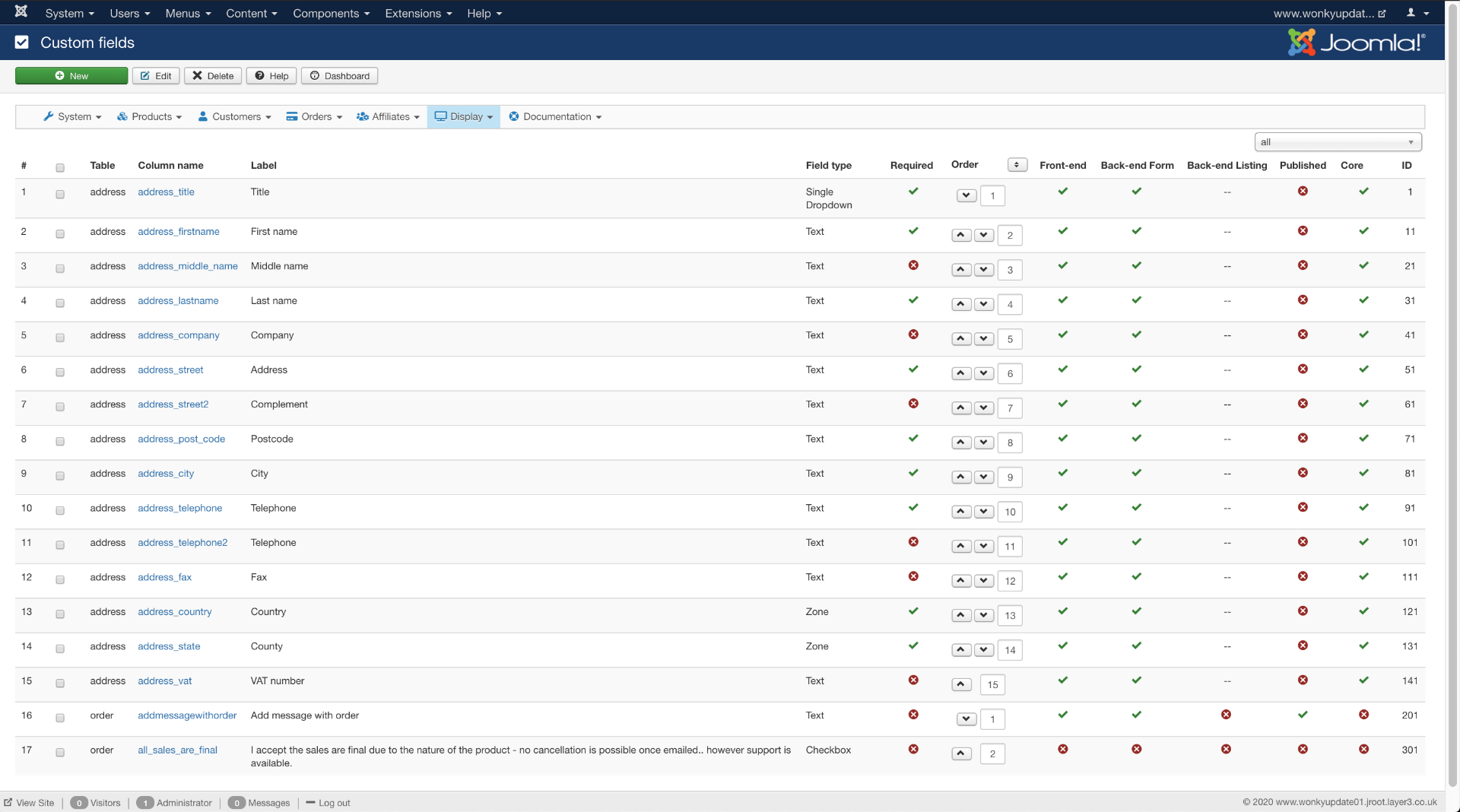
I have created a new Vhost and updated it to 4.0.3. I'm in Display>Custom (please see attached) and I don't think I have the email options. Could you please confirm?
Many Thanks
Please Log in or Create an account to join the conversation.

Less
More
- Posts: 12953
- Thank you received: 1778
6 years 7 months ago #315400
by Mohamed Thelji
Replied by Mohamed Thelji on topic Possible to display the text output of a custom field in the Hikashop emails?
Hello,
You'll find it through your custom field configuration page, can you check it in your custom field configuration page ? Thank you.
Kind regards,
Mohamed.
You'll find it through your custom field configuration page, can you check it in your custom field configuration page ? Thank you.
Kind regards,
Mohamed.
The following user(s) said Thank You: joshualdouglas
Please Log in or Create an account to join the conversation.
- joshualdouglas
-
Topic Author
- Offline
Less
More
- Posts: 220
- Thank you received: 12
6 years 7 months ago #315433
by joshualdouglas
Replied by joshualdouglas on topic Possible to display the text output of a custom field in the Hikashop emails?
Hi Mohamed,
Please see attached. It doesn't look like I have these settings
Thanks
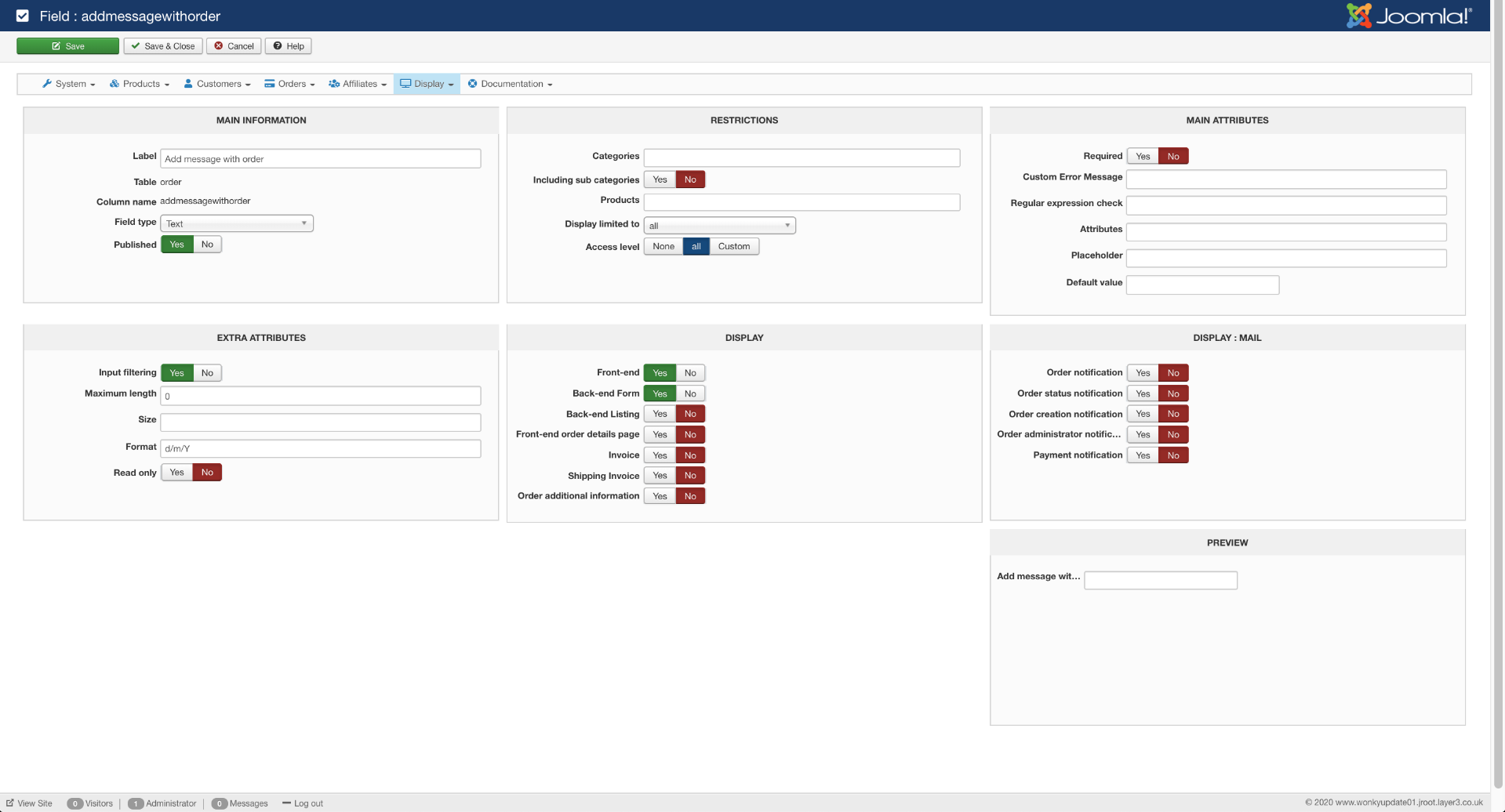
Please see attached. It doesn't look like I have these settings
Thanks
Please Log in or Create an account to join the conversation.
6 years 7 months ago #315440
by nicolas
Replied by nicolas on topic Possible to display the text output of a custom field in the Hikashop emails?
Hi,
I do see the email settings on your screenshot.
It's in the block with the name "DISPLAY: MAIL". In there you can see that display settings label correspond to the name of the emails in System>Emails.
I do see the email settings on your screenshot.
It's in the block with the name "DISPLAY: MAIL". In there you can see that display settings label correspond to the name of the emails in System>Emails.
The following user(s) said Thank You: joshualdouglas
Please Log in or Create an account to join the conversation.
- joshualdouglas
-
Topic Author
- Offline
Less
More
- Posts: 220
- Thank you received: 12
6 years 7 months ago #315464
by joshualdouglas
Replied by joshualdouglas on topic Possible to display the text output of a custom field in the Hikashop emails?
I'm so blind! Thank you very much
Please Log in or Create an account to join the conversation.
- joshualdouglas
-
Topic Author
- Offline
Less
More
- Posts: 220
- Thank you received: 12
6 years 7 months ago #315469
by joshualdouglas
Replied by joshualdouglas on topic Possible to display the text output of a custom field in the Hikashop emails?
One more thing, is it possible to display the customers IP address in emails?
Thanks
Thanks
Please Log in or Create an account to join the conversation.
6 years 7 months ago #315470
by nicolas
Replied by nicolas on topic Possible to display the text output of a custom field in the Hikashop emails?
Hi,
You can add the tag {VAR:order.order_ip} in the email's HTML section. But only if you didn't deactivate the collection of the IP addresses with the "Log IP address" setting of the HikaShop configuration.
You can add the tag {VAR:order.order_ip} in the email's HTML section. But only if you didn't deactivate the collection of the IP addresses with the "Log IP address" setting of the HikaShop configuration.
The following user(s) said Thank You: joshualdouglas
Please Log in or Create an account to join the conversation.
- joshualdouglas
-
Topic Author
- Offline
Less
More
- Posts: 220
- Thank you received: 12
6 years 7 months ago #315601
by joshualdouglas
Replied by joshualdouglas on topic Possible to display the text output of a custom field in the Hikashop emails?
This seems to work great. Thank you!
However, in my email it is printing the IP address twice - please see attached.
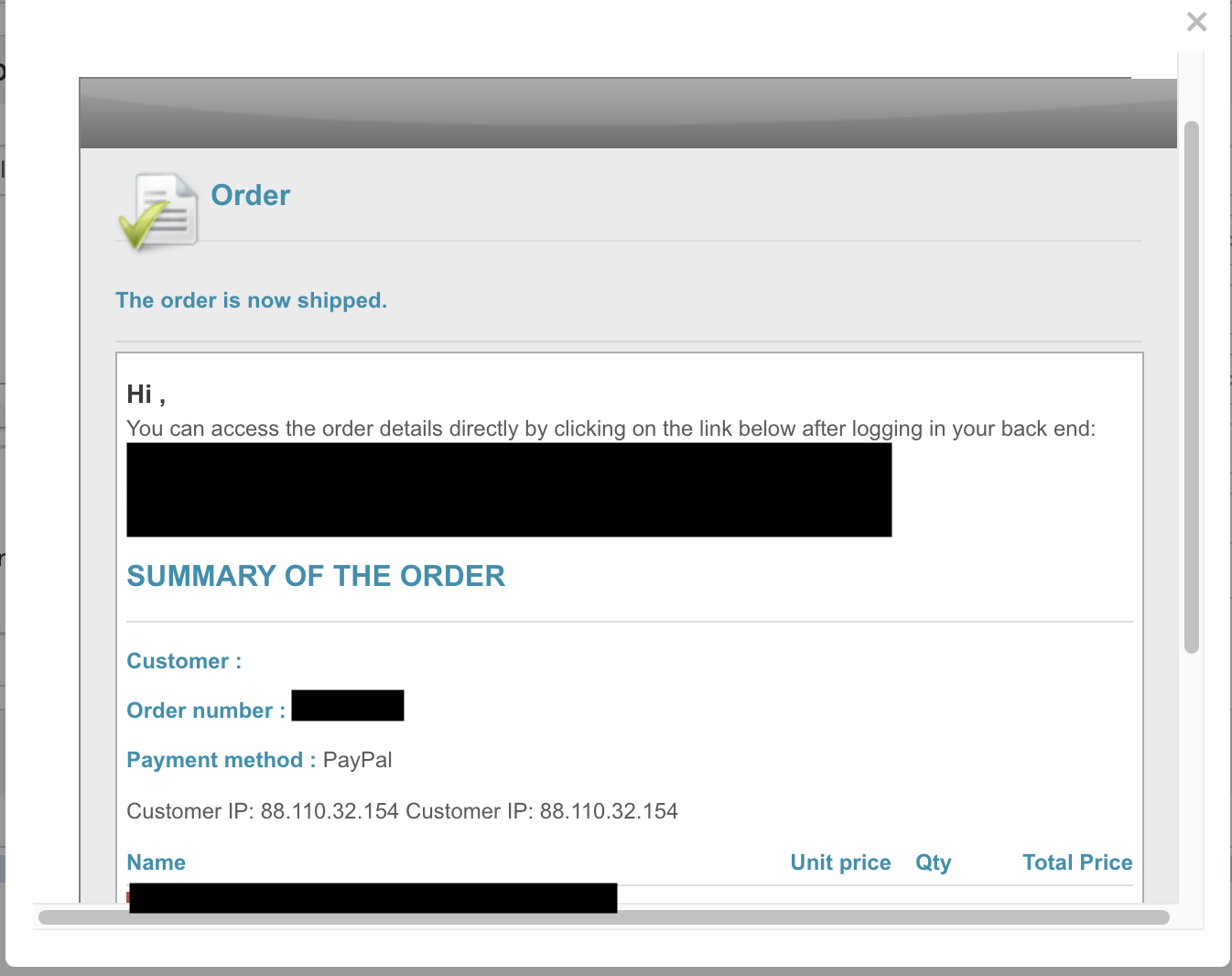
Many Thanks,
Josh.
However, in my email it is printing the IP address twice - please see attached.
Many Thanks,
Josh.
Please Log in or Create an account to join the conversation.
- joshualdouglas
-
Topic Author
- Offline
Less
More
- Posts: 220
- Thank you received: 12
6 years 7 months ago #315603
by joshualdouglas
Replied by joshualdouglas on topic Possible to display the text output of a custom field in the Hikashop emails?
No worries! In an actual email it displays fine!
Please Log in or Create an account to join the conversation.
Time to create page: 0.254 seconds