

- Posts: 7
- Thank you received: 0
EMAIL Per status override is display different on order list and order detail
6 years 3 weeks ago #323924
by tkboxlee
EMAIL Per status override is display different on order list and order detail was created by tkboxlee
-- HikaShop version -- : 4.3.0
-- Joomla version -- : Joomla 3.9.18
-- PHP version -- : PHP 7.3
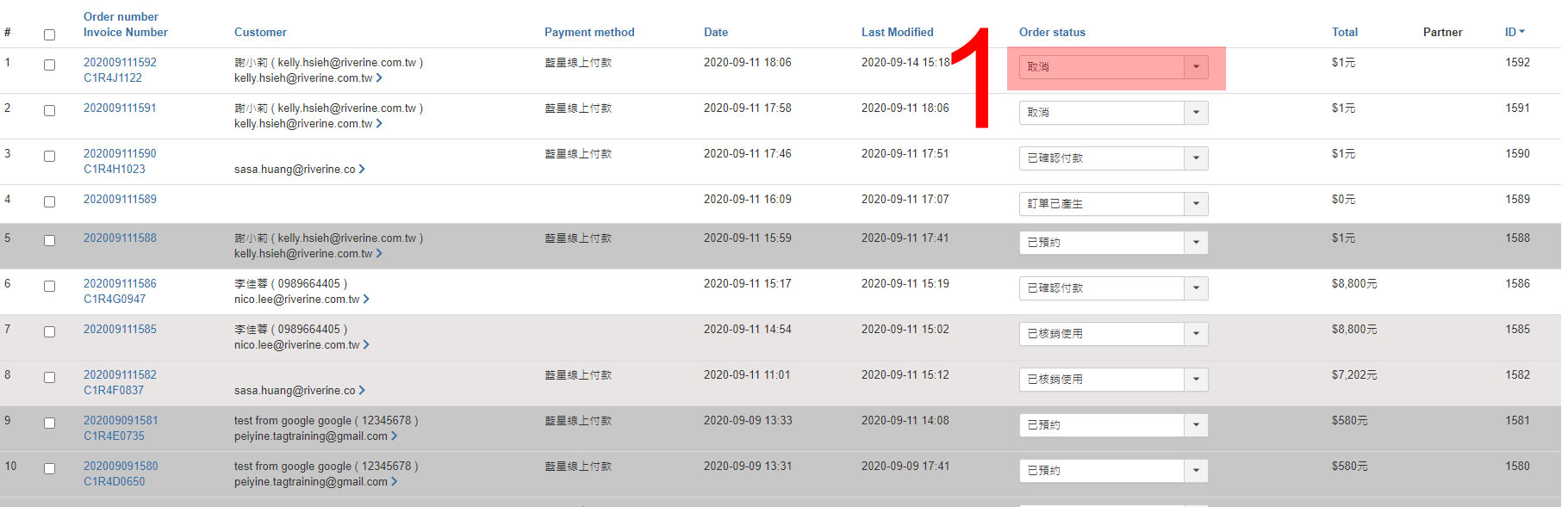
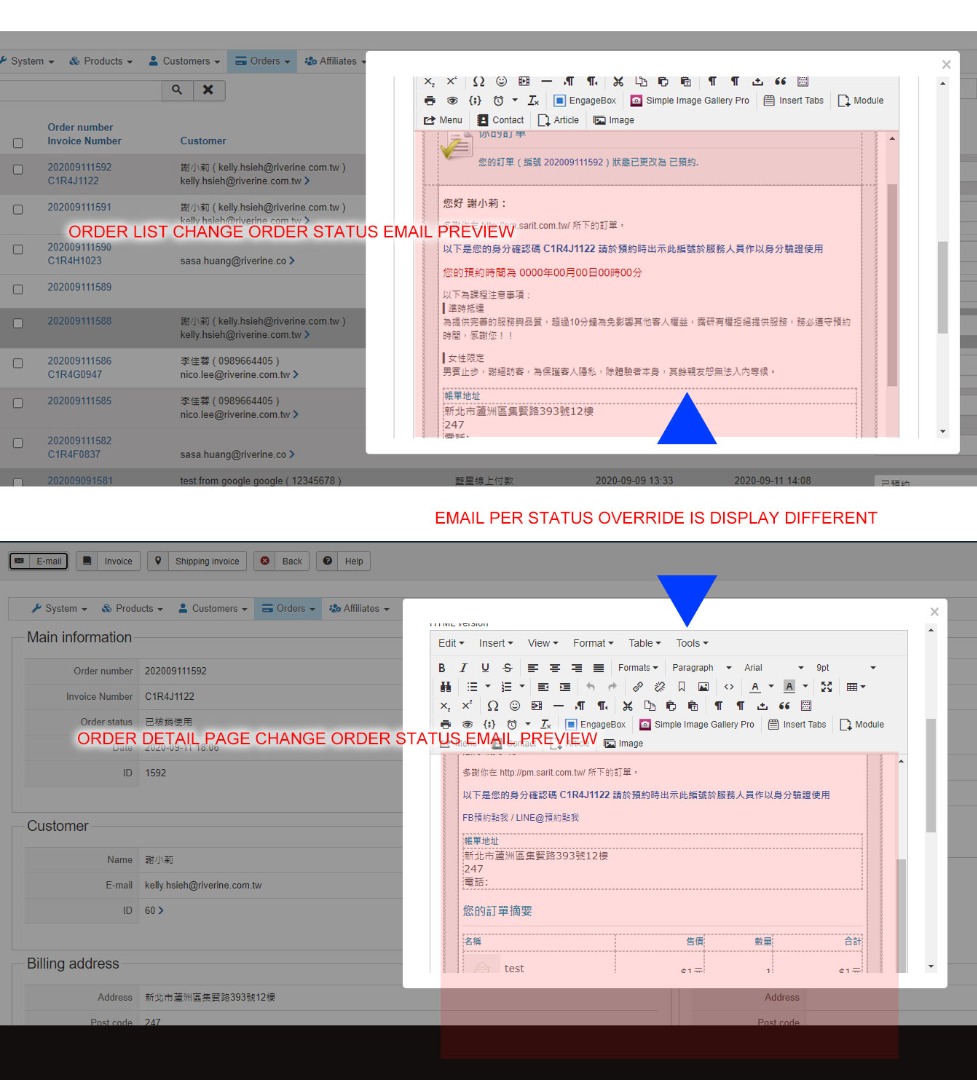
When I change the order status on orderlist,and Notify customer, It display currect
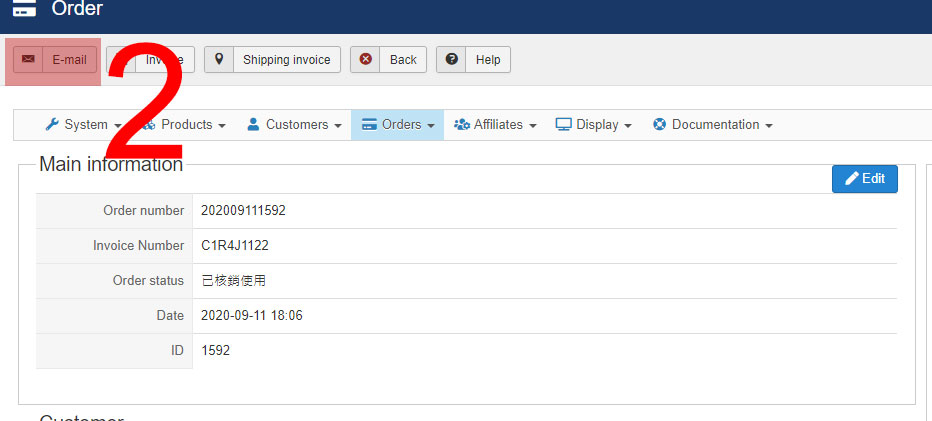
but in order detail page, I change order status and saved it,when I click the email send on top tool buttem.
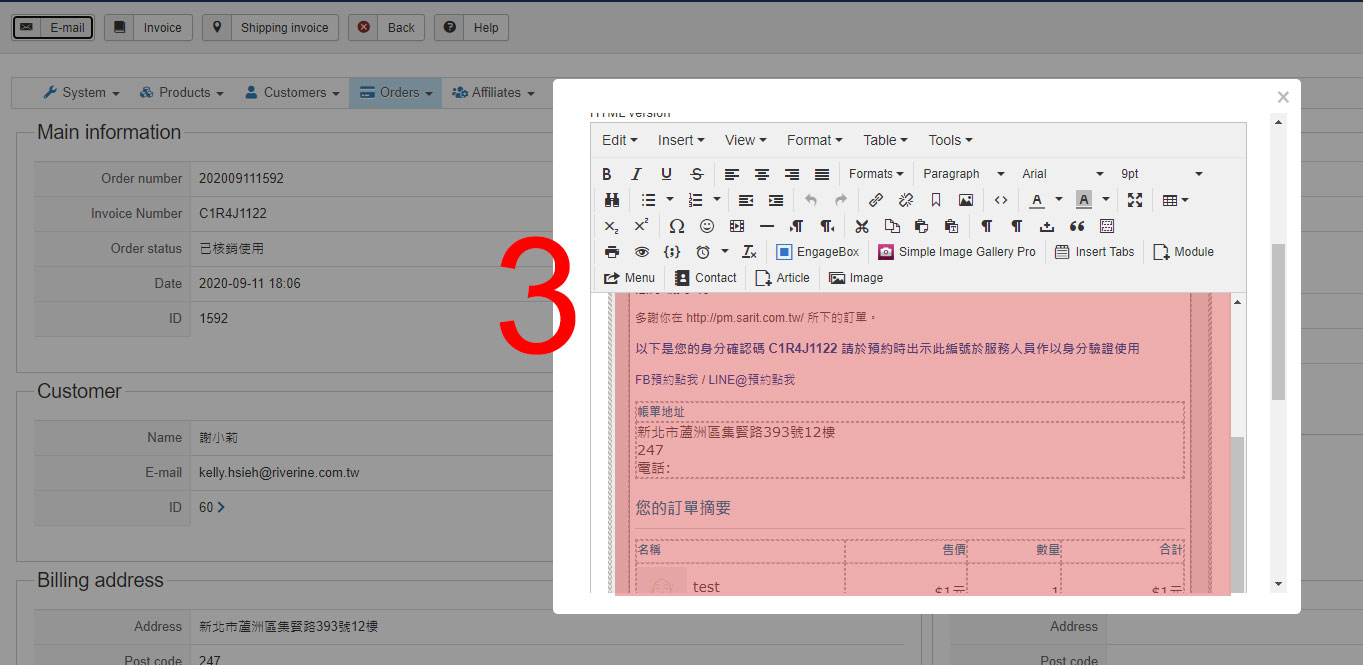
The email preview display the same template, just change the order status title , the email template is not change
Can you help me how to setup it? thank you.
-- Joomla version -- : Joomla 3.9.18
-- PHP version -- : PHP 7.3
When I change the order status on orderlist,and Notify customer, It display currect
but in order detail page, I change order status and saved it,when I click the email send on top tool buttem.
The email preview display the same template, just change the order status title , the email template is not change
Can you help me how to setup it? thank you.
Please Log in or Create an account to join the conversation.

6 years 3 weeks ago #323927
by nicolas
Replied by nicolas on topic EMAIL Per status override is display different on order list and order detail
Hi,
These are not the same email.
The email preview you see when you change the status on the orders listing is the "order status notification".
The email preview you see when you click on the "email" button of the order details page is the "order notification".
So it's totally normal to have it display differently.
I suppose that you must have customized the "order status notification" email via the menu System>Emails but not the "order notification" email. So you need to apply the same modifications to it so that it will display similarily.
These are not the same email.
The email preview you see when you change the status on the orders listing is the "order status notification".
The email preview you see when you click on the "email" button of the order details page is the "order notification".
So it's totally normal to have it display differently.
I suppose that you must have customized the "order status notification" email via the menu System>Emails but not the "order notification" email. So you need to apply the same modifications to it so that it will display similarily.
Please Log in or Create an account to join the conversation.
6 years 3 weeks ago #323956
by tkboxlee
Replied by tkboxlee on topic EMAIL Per status override is display different on order list and order detail
OK thank you
Please Log in or Create an account to join the conversation.
Time to create page: 0.227 seconds