
- Posts: 131
- Thank you received: 7
Custom Fields in Order Table not showing in Order Management Backend
- bonzomedia
-
 Topic Author
- Offline
Less
More
5 years 9 months ago #328197
by bonzomedia
-- HikaShop version -- : 4.4.0 Business
-- Joomla version -- : 3.6.5
-- PHP version -- : 7.3.26
I have added a couple of order table custom fields of the type "File". I had expected that I would be able to add a file URI to this field and that I would be able to notify the customer that the file had been uploaded to the server ready for them to download.
However, this field does not show up in the order management in the back end.
I have also tried using the Ajax File type field, this doesn't show up either.
How can I add this kind of field?
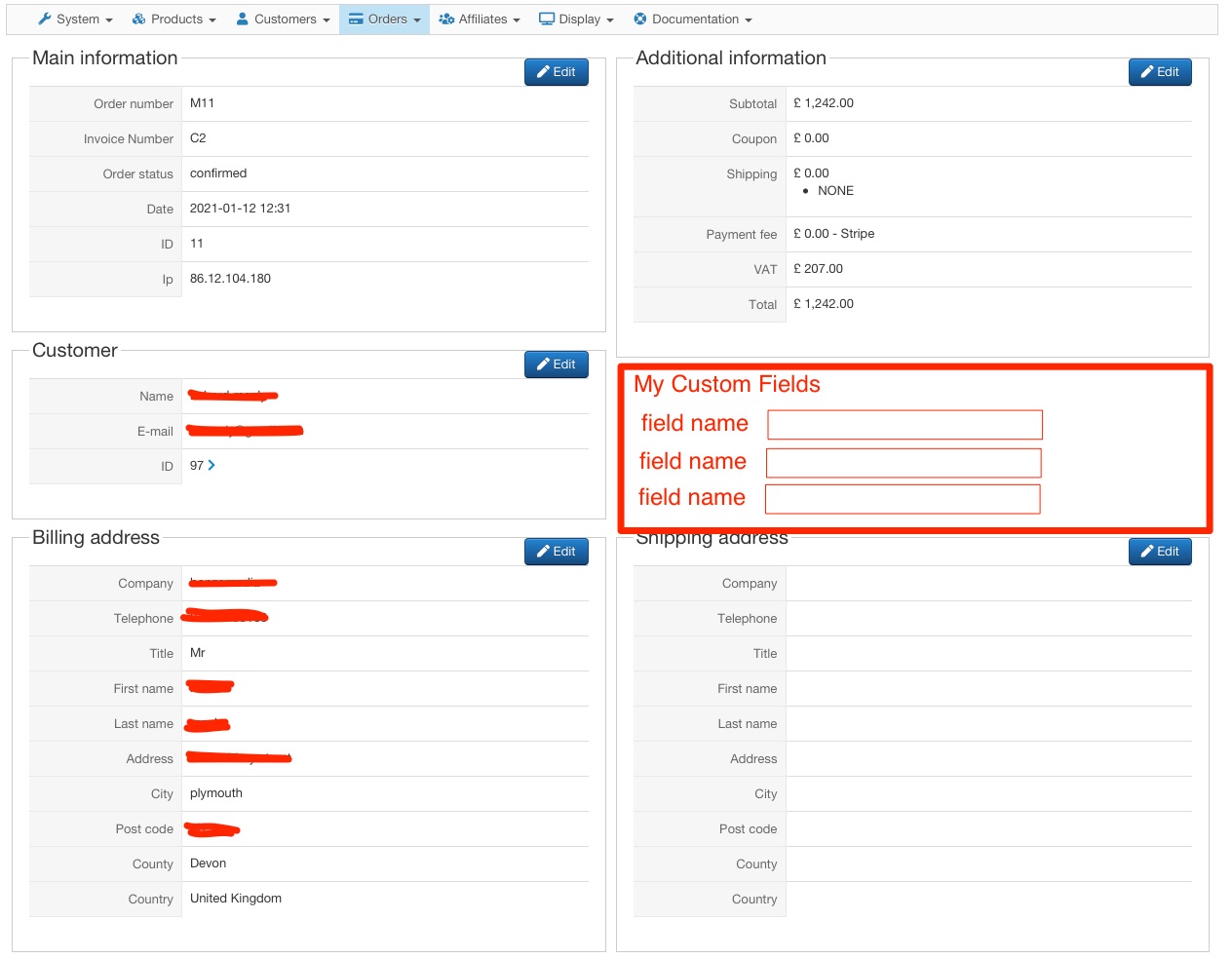
Also, in the order management screen is there any way to make these additional custom fields show up in a new display section as per the the attached screnshot?
Thanks

-- Joomla version -- : 3.6.5
-- PHP version -- : 7.3.26
I have added a couple of order table custom fields of the type "File". I had expected that I would be able to add a file URI to this field and that I would be able to notify the customer that the file had been uploaded to the server ready for them to download.
However, this field does not show up in the order management in the back end.
I have also tried using the Ajax File type field, this doesn't show up either.
How can I add this kind of field?
Also, in the order management screen is there any way to make these additional custom fields show up in a new display section as per the the attached screnshot?
Thanks
Please Log in or Create an account to join the conversation.

5 years 9 months ago #328201
by nicolas
Replied by nicolas on topic Custom Fields in Order Table not showing in Order Management Backend
Hi,
On your screenshot, the order custom fields will only appear once they are filled in.
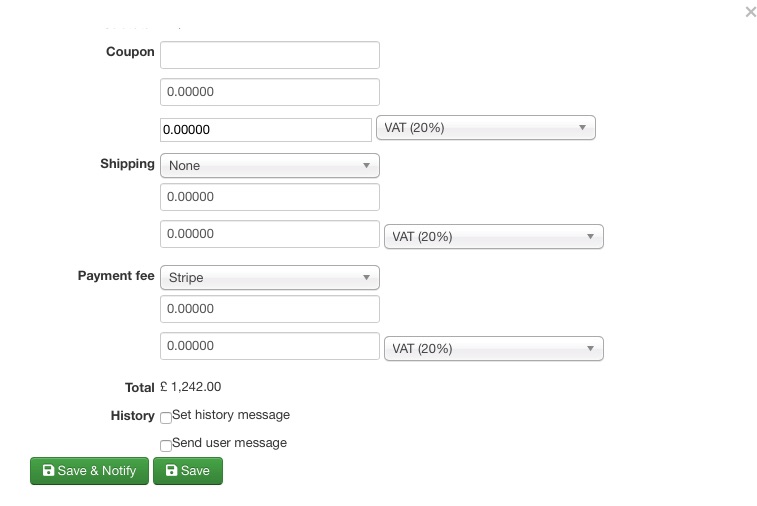
If you want to fill them in in the backend, you need to click on the edit icon of the "additional information" section and they will be at the bottom of the edition popup.
If you don't see them there, it means that you didn't activate the corresponding display options in the custom field.
So edit the custom field settings and make sure that the corresponding display options are activated.
On your screenshot, the order custom fields will only appear once they are filled in.
If you want to fill them in in the backend, you need to click on the edit icon of the "additional information" section and they will be at the bottom of the edition popup.
If you don't see them there, it means that you didn't activate the corresponding display options in the custom field.
So edit the custom field settings and make sure that the corresponding display options are activated.
Please Log in or Create an account to join the conversation.
- bonzomedia
-
Topic Author
- Offline
Less
More
- Posts: 131
- Thank you received: 7
5 years 9 months ago #328237
by bonzomedia
Replied by bonzomedia on topic Custom Fields in Order Table not showing in Order Management Backend
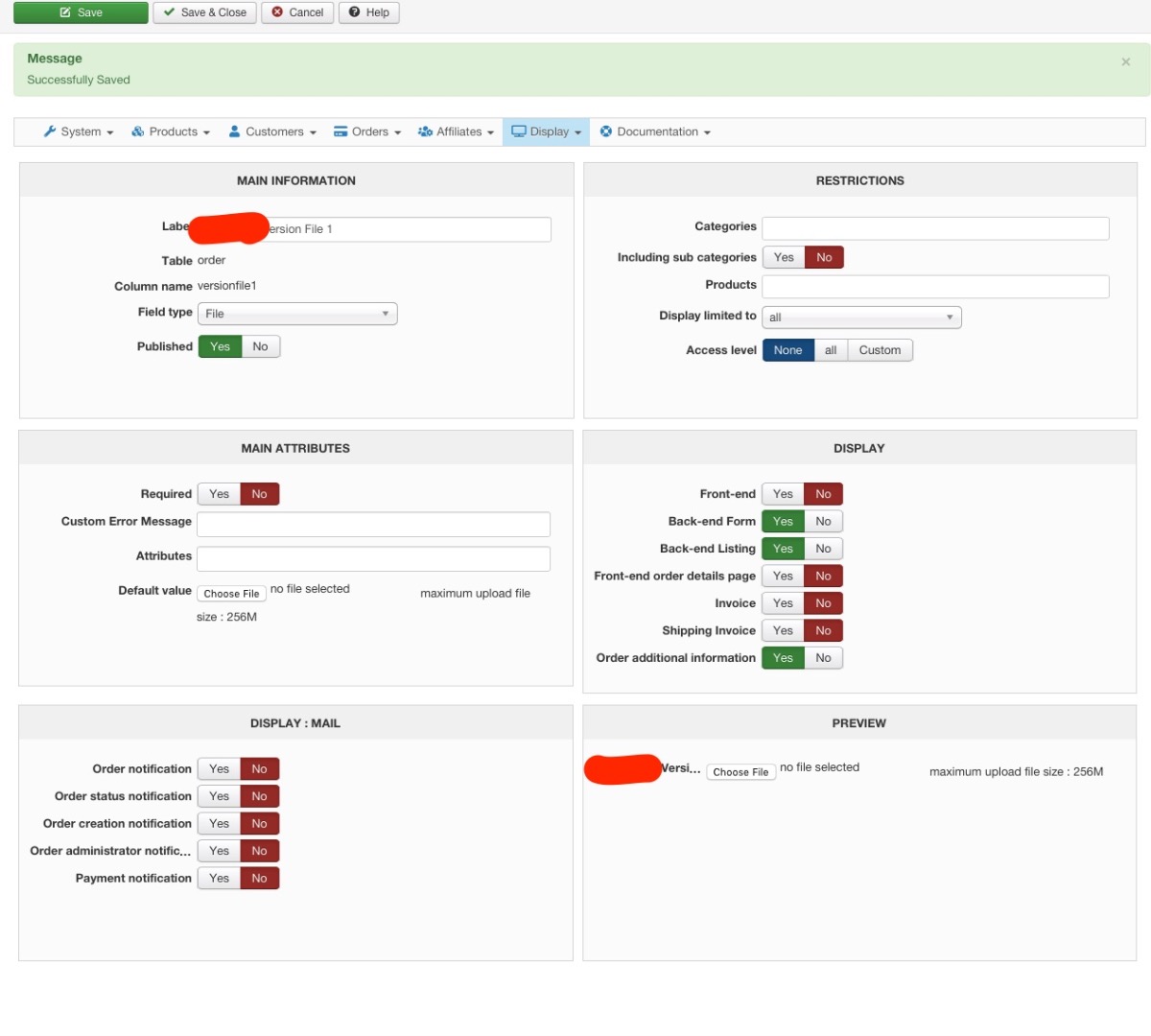
Thanks, I have checked that the custom field definition is set to display in the back end for field type "File" or "Ajax File", and it does not appear in the Additional Information edit modal window.
Please Log in or Create an account to join the conversation.
5 years 9 months ago #328243
by nicolas
Replied by nicolas on topic Custom Fields in Order Table not showing in Order Management Backend
Hi,
It indeed looks like the custom field is properly setup.
I would recommend you to use the "ajax file" type instead of "file". It will work better.
But I don't think it will change anything to the issue at hand.
I think we'll need a backend access and a FTP access to directly check on the situation.
Could you provide that via our contact form along with a link to this thread ?
www.hikashop.com/support/contact-us.html
It indeed looks like the custom field is properly setup.
I would recommend you to use the "ajax file" type instead of "file". It will work better.
But I don't think it will change anything to the issue at hand.
I think we'll need a backend access and a FTP access to directly check on the situation.
Could you provide that via our contact form along with a link to this thread ?
www.hikashop.com/support/contact-us.html
Please Log in or Create an account to join the conversation.

5 years 9 months ago - 5 years 9 months ago #328280
by Philip
Replied by Philip on topic Custom Fields in Order Table not showing in Order Management Backend
Hello,
We analyzed your backend and your configuration, and I think I have found and it must be a little thoughtlessness.
The error was your ACL, have a look on my image from your screenshot :

So, I set your order custom field to "all", and know it's added & editable(by clicking the edit button on the top-right) in your order backend.
Hope this will fit your needs.
Regards
We analyzed your backend and your configuration, and I think I have found and it must be a little thoughtlessness.
The error was your ACL, have a look on my image from your screenshot :
So, I set your order custom field to "all", and know it's added & editable(by clicking the edit button on the top-right) in your order backend.
Hope this will fit your needs.
Regards
Last edit: 5 years 9 months ago by Philip.
Please Log in or Create an account to join the conversation.
Time to create page: 0.253 seconds