
- Posts: 610
- Thank you received: 13
Invoice PDF prints off Black Page?
- mohairbears
-
 Topic Author
- Offline
Less
More
3 years 5 months ago - 3 years 5 months ago #351932
by mohairbears
Invoice PDF prints off Black Page? was created by mohairbears
-- HikaShop version -- : 4.7.2
-- Joomla version -- : 4.3.1
-- PHP version -- : 8
-- Browser(s) name and version -- : Firefox
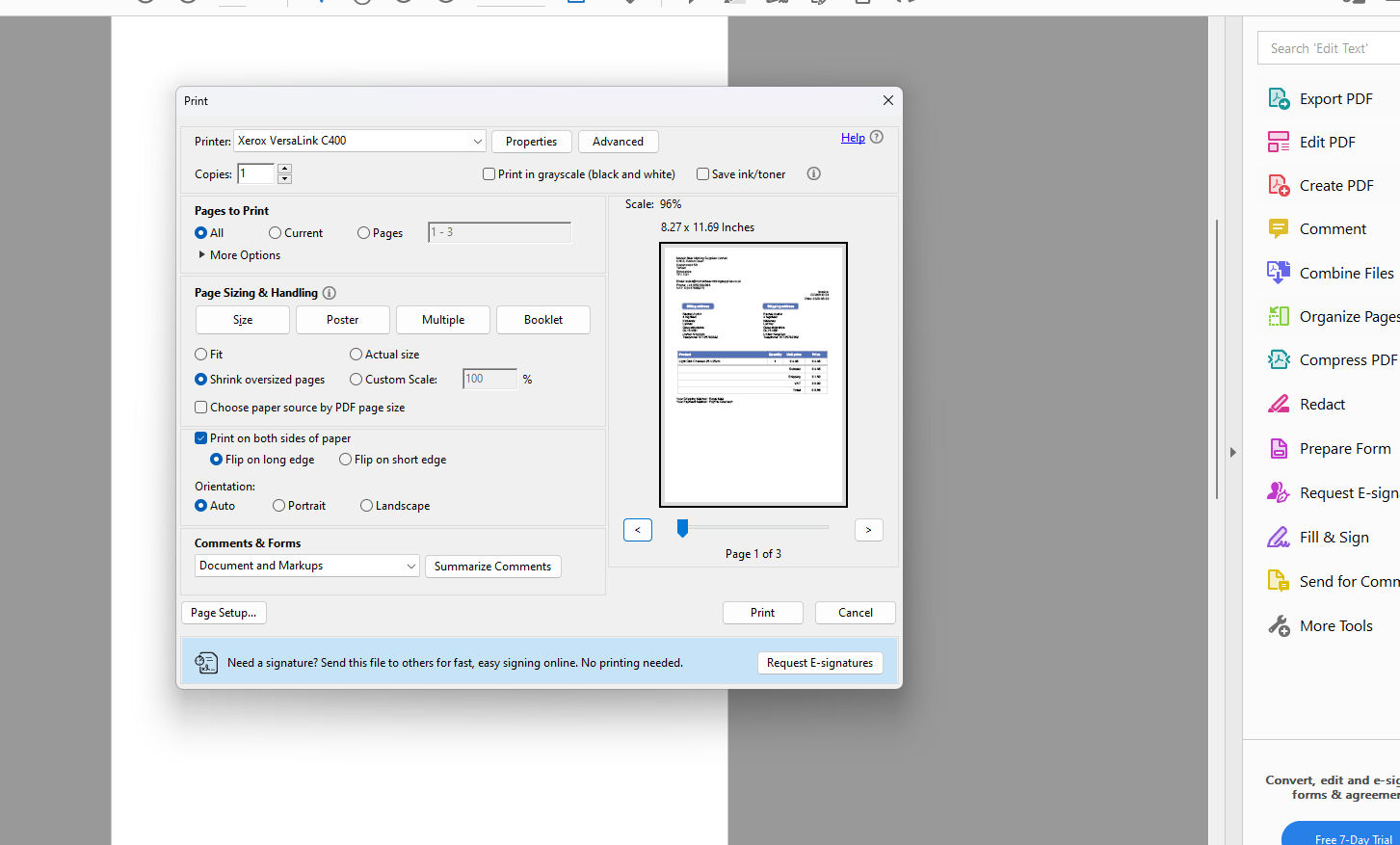
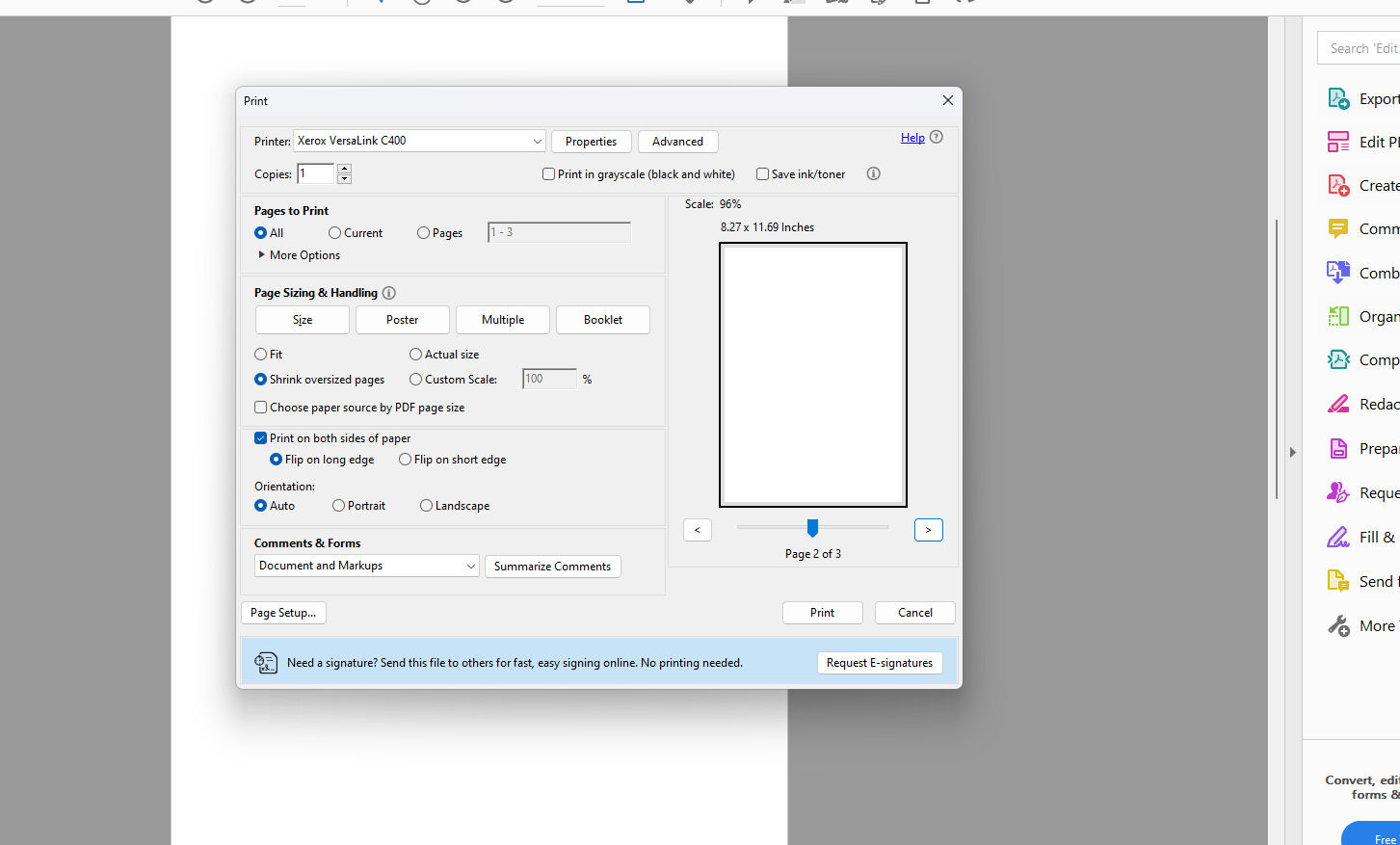
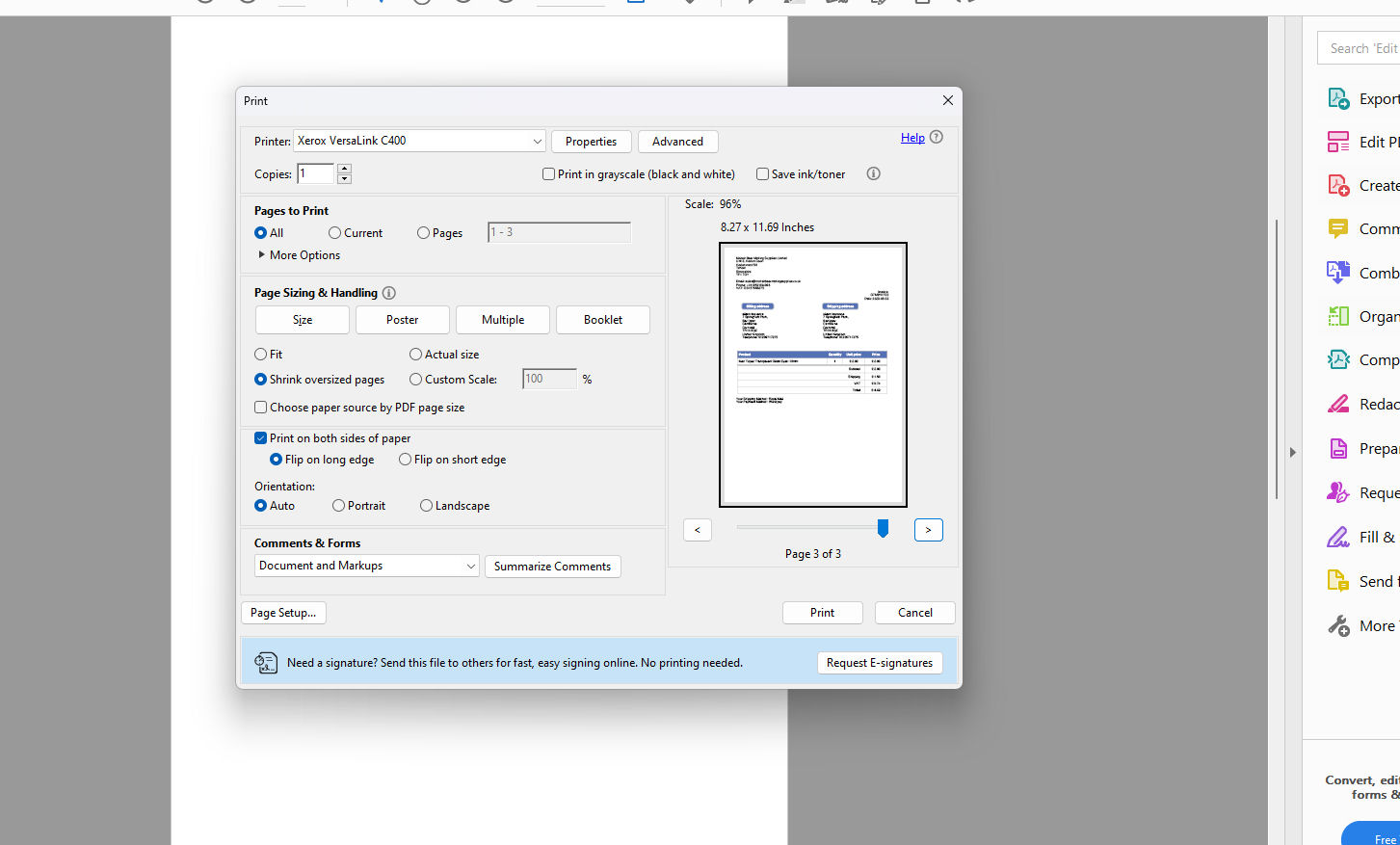
Hi, Since updating to J4 and installing the new invoice PDF, when selecting multiple orders to print, it now prints a blank page between each order (see screen dumps) it did not previously do this?
Rgds
-- Joomla version -- : 4.3.1
-- PHP version -- : 8
-- Browser(s) name and version -- : Firefox
Hi, Since updating to J4 and installing the new invoice PDF, when selecting multiple orders to print, it now prints a blank page between each order (see screen dumps) it did not previously do this?
Rgds
Last edit: 3 years 5 months ago by mohairbears.
The following user(s) said Thank You: leitzdesign
Please Log in or Create an account to join the conversation.

3 years 5 months ago #351942
by nicolas
Replied by nicolas on topic Invoice PDF prints off Black Page?
Hi,
In the file plugins/hikashop/attachinvoice/attachinvoice.php there is the line:
It defines what separates the invoices.
In some cases, it's possible that the page break leads to an extra page between the invoices.
In that case, change the line to:
and it should work like you expect it to.
In the file plugins/hikashop/attachinvoice/attachinvoice.php there is the line:
Code:
$content = implode('<div style="page-break-before:always"></div>',$pdfContent);
In some cases, it's possible that the page break leads to an extra page between the invoices.
In that case, change the line to:
Code:
$content = implode('',$pdfContent);
The following user(s) said Thank You: leitzdesign
Please Log in or Create an account to join the conversation.
- mohairbears
-
Topic Author
- Offline
Less
More
- Posts: 610
- Thank you received: 13
3 years 5 months ago #352045
by mohairbears
Replied by mohairbears on topic Invoice PDF prints off Black Page?
Hi, Yes that has fixed it.
Thank you
Thank you
Please Log in or Create an account to join the conversation.

Less
More
- Posts: 32
- Thank you received: 0
2 years 9 months ago #358060
by leitzdesign
Replied by leitzdesign on topic Invoice PDF prints off Black Page?
Thank you for the fix! I have battled this for years because I was told it was a browser issue. This update removed the blank pages, and now I can save multiple invoice PDFs without having to remove numerous blank pages.
Please Log in or Create an account to join the conversation.
- mohairbears
-
Topic Author
- Offline
Less
More
- Posts: 610
- Thank you received: 13
5 months 2 weeks ago #371917
by mohairbears
Replied by mohairbears on topic Invoice PDF prints off Black Page?
Hi, You have changed the line above and it (line 245) 'still' prints out blank pages.
I have changed it to what you previously suggested, and fortunately it still works by removing them.
Rgds
I have changed it to what you previously suggested, and fortunately it still works by removing them.
Rgds
Please Log in or Create an account to join the conversation.
5 months 2 weeks ago #371918
by nicolas
Replied by nicolas on topic Invoice PDF prints off Black Page?
Hi,
Since the version of the PDF invoice plugin you have, the page break between invoices is no longer hardcoded in the PHP file. It is now a translation string called INVOICE_SEPARATOR, so that you can change it from Joomla without having to edit the plugin again after each update.
To override it:
1. In Joomla, go to System, Manage, Language Overrides.
2. Pick the site or administrator side (whichever you generate the PDFs from) and your language.
3. Click New, set the language constant to INVOICE_SEPARATOR and leave the override text empty (or set it to whatever you want between invoices).
4. Save.
Once that is in place, no more blank page between invoices and the change will survive future HikaShop updates and PDF invoice plugin updates so you do not have to re-apply your file edit each time. Could you try that on your end and let us know how it goes?
Since the version of the PDF invoice plugin you have, the page break between invoices is no longer hardcoded in the PHP file. It is now a translation string called INVOICE_SEPARATOR, so that you can change it from Joomla without having to edit the plugin again after each update.
To override it:
1. In Joomla, go to System, Manage, Language Overrides.
2. Pick the site or administrator side (whichever you generate the PDFs from) and your language.
3. Click New, set the language constant to INVOICE_SEPARATOR and leave the override text empty (or set it to whatever you want between invoices).
4. Save.
Once that is in place, no more blank page between invoices and the change will survive future HikaShop updates and PDF invoice plugin updates so you do not have to re-apply your file edit each time. Could you try that on your end and let us know how it goes?
The following user(s) said Thank You: leitzdesign
Please Log in or Create an account to join the conversation.
Time to create page: 0.083 seconds