
Change the date format when exporting reports

11 years 11 months ago #180433
by inetis
Change the date format when exporting reports was created by inetis
-- HikaShop version -- : HikaShop [1407241754]
-- Joomla version -- : 2.5.27
Hello,
I'm looking to change the format when I export my report. Actualy the output is like this:
I don't want the number of the day but the day with the month, like this: "18.11.2014"
Is that possible?
Best regards
-- Joomla version -- : 2.5.27
Hello,
I'm looking to change the format when I export my report. Actualy the output is like this:
Code:
calculated_date;total
"2014 316";"0"
"2014 317";"581.51500"
"2014 318";"0"
"2014 319";"0"
"2014 320";"0"
"2014 321";"0"
"2014 322";"498.25250"
"2014 323";"419.22500"
I don't want the number of the day but the day with the month, like this: "18.11.2014"
Is that possible?
Best regards
Please Log in or Create an account to join the conversation.

11 years 11 months ago #180448
by Xavier
Replied by Xavier on topic Change the date format when exporting reports
Hi,
Please give us a screenshot of your report settings in order to reproduce the issue on our end.
Please give us a screenshot of your report settings in order to reproduce the issue on our end.
The following user(s) said Thank You: inetis
Please Log in or Create an account to join the conversation.
11 years 11 months ago #180937
by inetis
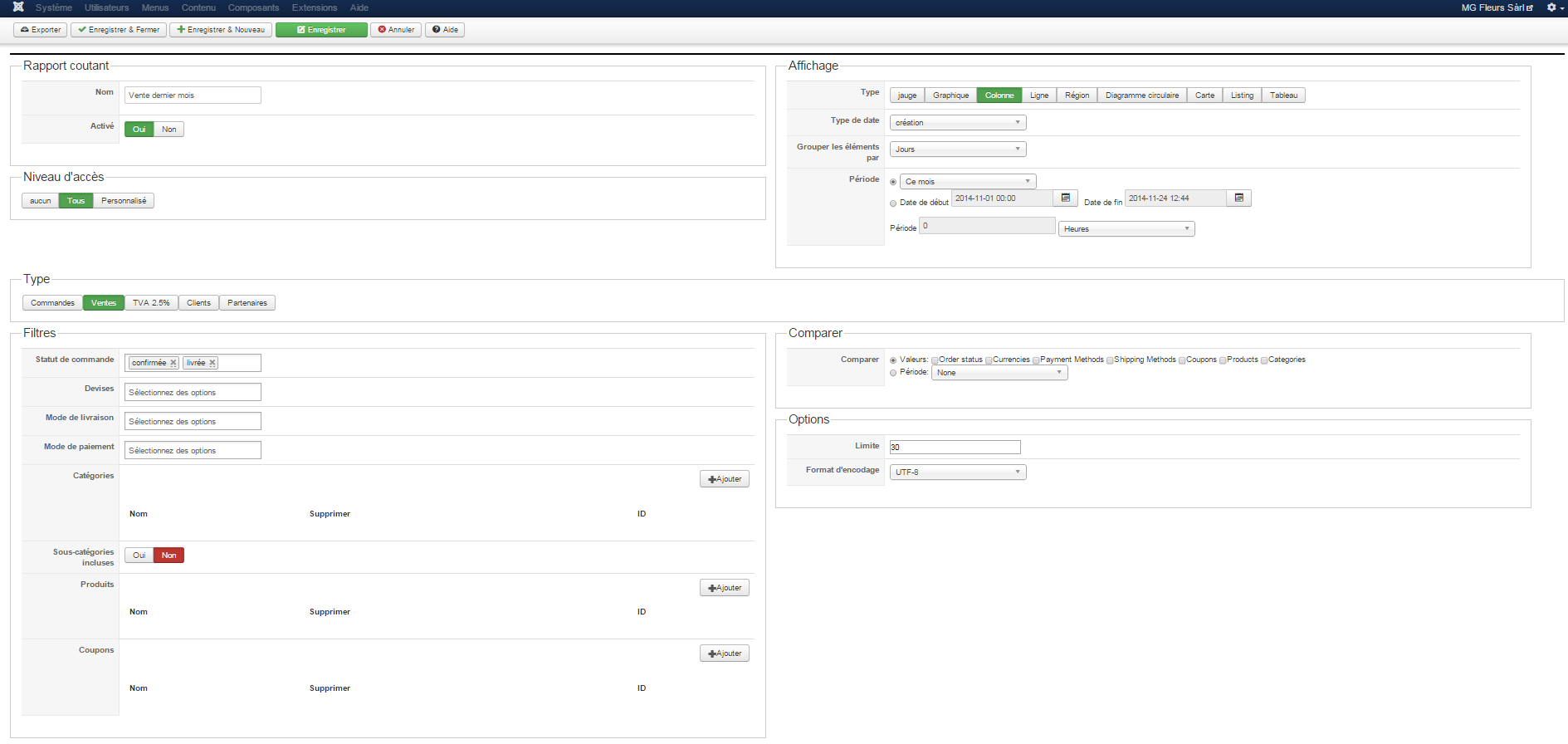
Replied by inetis on topic Change the date format when exporting reports
Please Log in or Create an account to join the conversation.
11 years 11 months ago #181456
by Xavier
Replied by Xavier on topic Change the date format when exporting reports
Hi,
You can edit the file "administrator/components/com_hikashop/classes/widget.php", function "csv()" and add:
After:
You can edit the file "administrator/components/com_hikashop/classes/widget.php", function "csv()" and add:
Code:
if($field == 'calculated_date') $el->$field=hikashop_getDate($el->timestamp,'d-M-Y');
Code:
if($convert_date && in_array($field,array('user_created','order_created','order_modified'))) $el->$field=hikashop_getDate($el->$field,$convert_date);
The following user(s) said Thank You: inetis
Please Log in or Create an account to join the conversation.
11 years 11 months ago #181458
by inetis
Replied by inetis on topic Change the date format when exporting reports
Hi,
Thank you su much, it works perfectly.
Thank you su much, it works perfectly.
Please Log in or Create an account to join the conversation.
Time to create page: 0.097 seconds