
Weekly report on sold products

9 years 4 months ago #273496
by niqui
Weekly report on sold products was created by niqui
Hi,
I'm building a webshop for a client and I can't figure out how to create a simple report of all sales in one week. A report that states the totals per product. It's for a webshop that sells vegetables, so he has to know how much of each product he should harvest at the end of the week. Can't be that difficult, but somehow I'm missing it... no problem if we should need Hikashop essential or business to achieve this.
Also a report that creates an excel file with all the orders would be great, I've tried to export the sales to excels but that delivers an excel report with a lot of useless columns in it, we would only need columns with client name, products and quantities.
Thanks for the help.
Niqui
I'm building a webshop for a client and I can't figure out how to create a simple report of all sales in one week. A report that states the totals per product. It's for a webshop that sells vegetables, so he has to know how much of each product he should harvest at the end of the week. Can't be that difficult, but somehow I'm missing it... no problem if we should need Hikashop essential or business to achieve this.
Also a report that creates an excel file with all the orders would be great, I've tried to export the sales to excels but that delivers an excel report with a lot of useless columns in it, we would only need columns with client name, products and quantities.
Thanks for the help.
Niqui
Please Log in or Create an account to join the conversation.

9 years 4 months ago #273504
by nicolas
Replied by nicolas on topic Weekly report on sold products
Hi,
You can configure a report via the menu Orders>Reports for that.
For example:
monosnap.com/file/603cYOOPigBiHEIADWjSFDaODXcn47
You'll have the "export" button at the top to get a CSV of that if necessary.
Also, if you want to export a csv of the orders with only the columns you want, you can go in the menu System>Mass actions and process an order mass action with an action CSV export with the columns you want selected.
You can configure a report via the menu Orders>Reports for that.
For example:
monosnap.com/file/603cYOOPigBiHEIADWjSFDaODXcn47
You'll have the "export" button at the top to get a CSV of that if necessary.
Also, if you want to export a csv of the orders with only the columns you want, you can go in the menu System>Mass actions and process an order mass action with an action CSV export with the columns you want selected.
Please Log in or Create an account to join the conversation.
9 years 4 months ago #273557
by niqui
Replied by niqui on topic Weekly report on sold products
Hi Nicolas,
Thanks for your reply. I can make the report and I do see a list in the config screen after saving. But I don't have the export button. Is that something that is a feature in business edition? Or should it also be availiable in Essential?
Thanks.
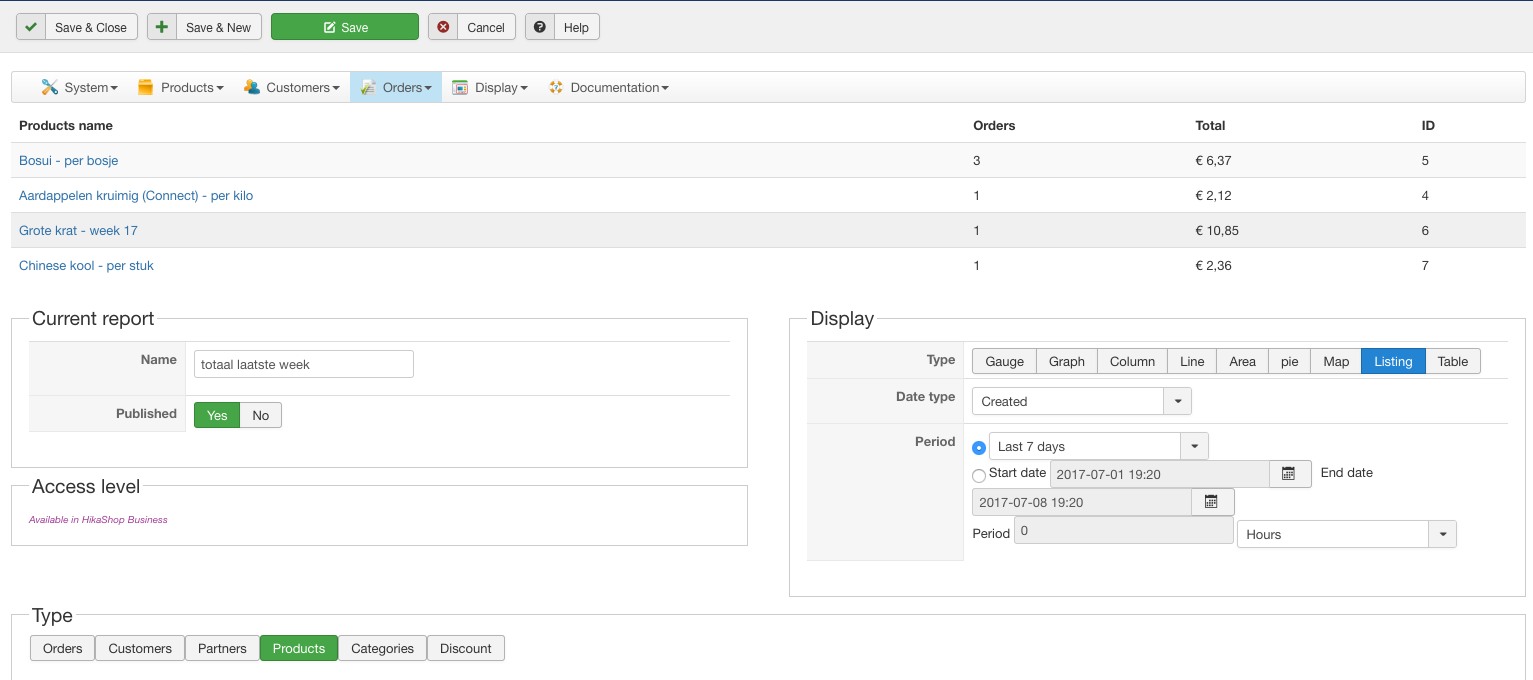
Thanks for your reply. I can make the report and I do see a list in the config screen after saving. But I don't have the export button. Is that something that is a feature in business edition? Or should it also be availiable in Essential?
Thanks.
Please Log in or Create an account to join the conversation.
9 years 4 months ago #273559
by niqui
Replied by niqui on topic Weekly report on sold products
Oh wait, I found it, Hikashop business is indeed needed for the export button.
The following user(s) said Thank You: nicolas
Please Log in or Create an account to join the conversation.
Time to create page: 0.059 seconds