

- Posts: 8
- Thank you received: 0
Activate email not working
15 years 6 months ago #12194
by james
Activate email not working was created by james
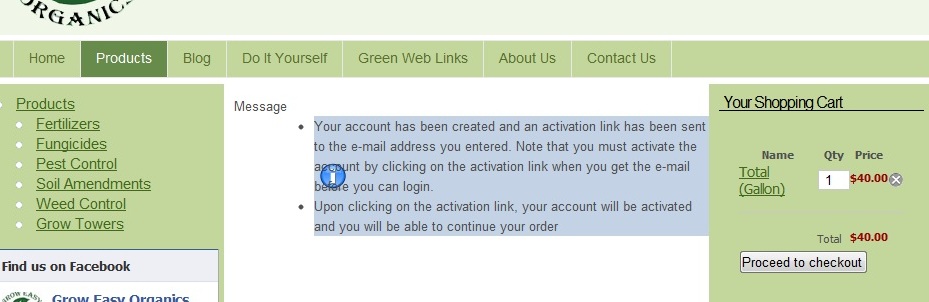
Apparently my email is not connecting with HikaShop. How do I do that? It is set correctly in Global configuration. Users are getting this message "Your account has been created and an activation link has been sent to the e-mail address you entered. Note that you must activate the account by clicking on the activation link when you get the e-mail before you can login.
Upon clicking on the activation link, your account will be activated and you will be able to continue your order"
No email is being sent, however.
Upon clicking on the activation link, your account will be activated and you will be able to continue your order"
No email is being sent, however.
Please Log in or Create an account to join the conversation.

15 years 6 months ago #12202
by nicolas
Replied by nicolas on topic Re: Activate email not working
Since you don't have an error message concerning the sending of the email, that means that your email server accepted the email hikashop sent.
The problem lies after: It could be your email server which rejects your email because of its content. Or it could be the receiving email server which rejects it or maybe you have the email in your spam box ?
First, are you able to receive emails sent by joomla (the registration email on the joomla registration screen for example ) ? If no, then you should check your joomla email settings. If yes, then, it might be possible to solve the problem by changing the encoding format or some other option of your hikashop configuration in the tab "mail" (You might want to ask your hosting company for advice about what encoding format, bounce email address, etc to set in your configuration).
More information about email sending issues can be found on:
www.acyba.com/en/support/documentation/1...ding-issue.html#test
The problem lies after: It could be your email server which rejects your email because of its content. Or it could be the receiving email server which rejects it or maybe you have the email in your spam box ?
First, are you able to receive emails sent by joomla (the registration email on the joomla registration screen for example ) ? If no, then you should check your joomla email settings. If yes, then, it might be possible to solve the problem by changing the encoding format or some other option of your hikashop configuration in the tab "mail" (You might want to ask your hosting company for advice about what encoding format, bounce email address, etc to set in your configuration).
More information about email sending issues can be found on:
www.acyba.com/en/support/documentation/1...ding-issue.html#test
Please Log in or Create an account to join the conversation.
15 years 6 months ago #12259
by james
Replied by james on topic Re: Activate email not working
We are able to receive email from Joomla. I will check with our hosting to see what they recommend. In the meantime, is there a way to turn off the registration so people can just buy product without registering?
Please Log in or Create an account to join the conversation.
15 years 6 months ago #12265
by nicolas
Replied by nicolas on topic Re: Activate email not working
You can easily turn off the user account activation by turn off the corresponding option in the joomla configuration (joomla 1.5) or the user manager options (joomla 1.6).
Please Log in or Create an account to join the conversation.
Time to create page: 0.209 seconds