

- Posts: 16
- Thank you received: 0
Thumbnail dimensions [Help Please]
15 years 6 months ago - 15 years 6 months ago #12341
by ilikeants
Thumbnail dimensions [Help Please] was created by ilikeants
I was wondering how to change the size of my thumbnails. I currently have them set to 100%, but I want them to display as larger images. I attached an image to show what I mean.
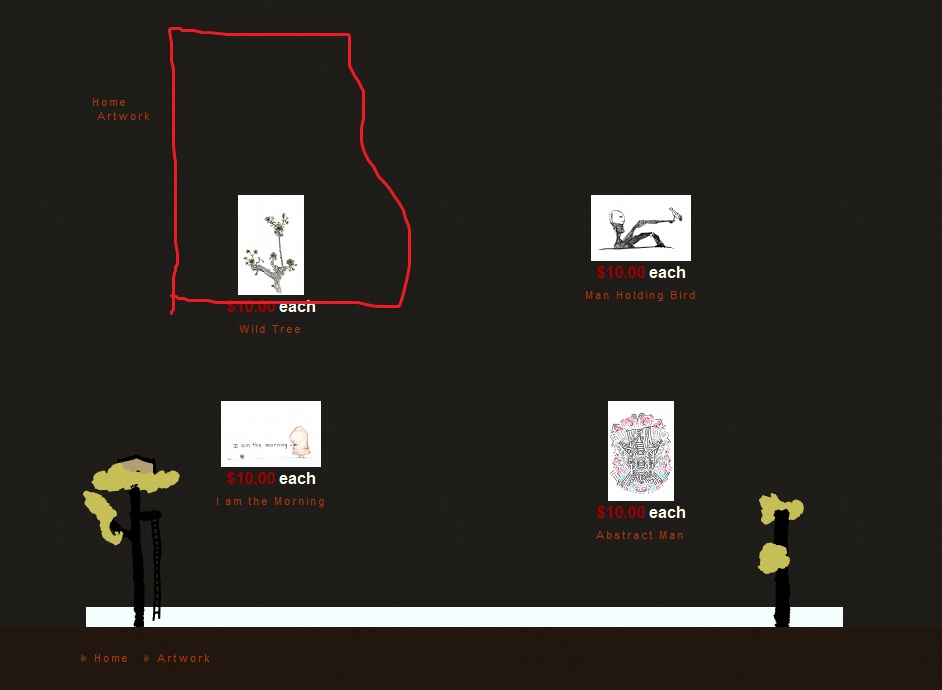

I know Hikashop automatically sizes them to 66x100px, would you know how to change them?
*also. is there a way to use something other then lightbox?
mark
I know Hikashop automatically sizes them to 66x100px, would you know how to change them?
*also. is there a way to use something other then lightbox?
mark
Last edit: 15 years 6 months ago by ilikeants.
Please Log in or Create an account to join the conversation.

15 years 6 months ago #12354
by nicolas
Replied by nicolas on topic Re: Thumbnail dimensions [Help Please]
You can put percentages in these fields. Only px. So HikaShop thinks that you want thumbnails of 100*100 at the moment. And since it keeps the proportions of your images, you end up with a 66*100px thumbnail. If you want bigger thumbnails, just increase the size there (you will also have to delete the folder media/com_hikashop/upload/thumbnail so that hikashop recreates all your thumbnails with the good size.
You can integrate with ninja shadowbox for the display of the images on the product page: www.hikashop.com/en/support/forum/4-how-...n-product-pages.html
You can integrate with ninja shadowbox for the display of the images on the product page: www.hikashop.com/en/support/forum/4-how-...n-product-pages.html
Please Log in or Create an account to join the conversation.
15 years 6 months ago - 15 years 6 months ago #12358
by ilikeants
Replied by ilikeants on topic Re: Thumbnail dimensions [Help Please]
ty.
Last edit: 15 years 6 months ago by ilikeants.
Please Log in or Create an account to join the conversation.
Time to create page: 0.138 seconds